
LinkedIn Newsletters let you publish long-form recurring content to your followers. Every issue lands in subscribers’ LinkedIn feed AND their email inbox. Unlike a regular LinkedIn post that disappears after 48 hours of feed activity, a newsletter builds a permanent library of your writing that new followers can subscribe to at any time. For professionals building a personal brand or an authority position in their industry, LinkedIn Newsletters are the highest-leverage content format on the platform in 2026.
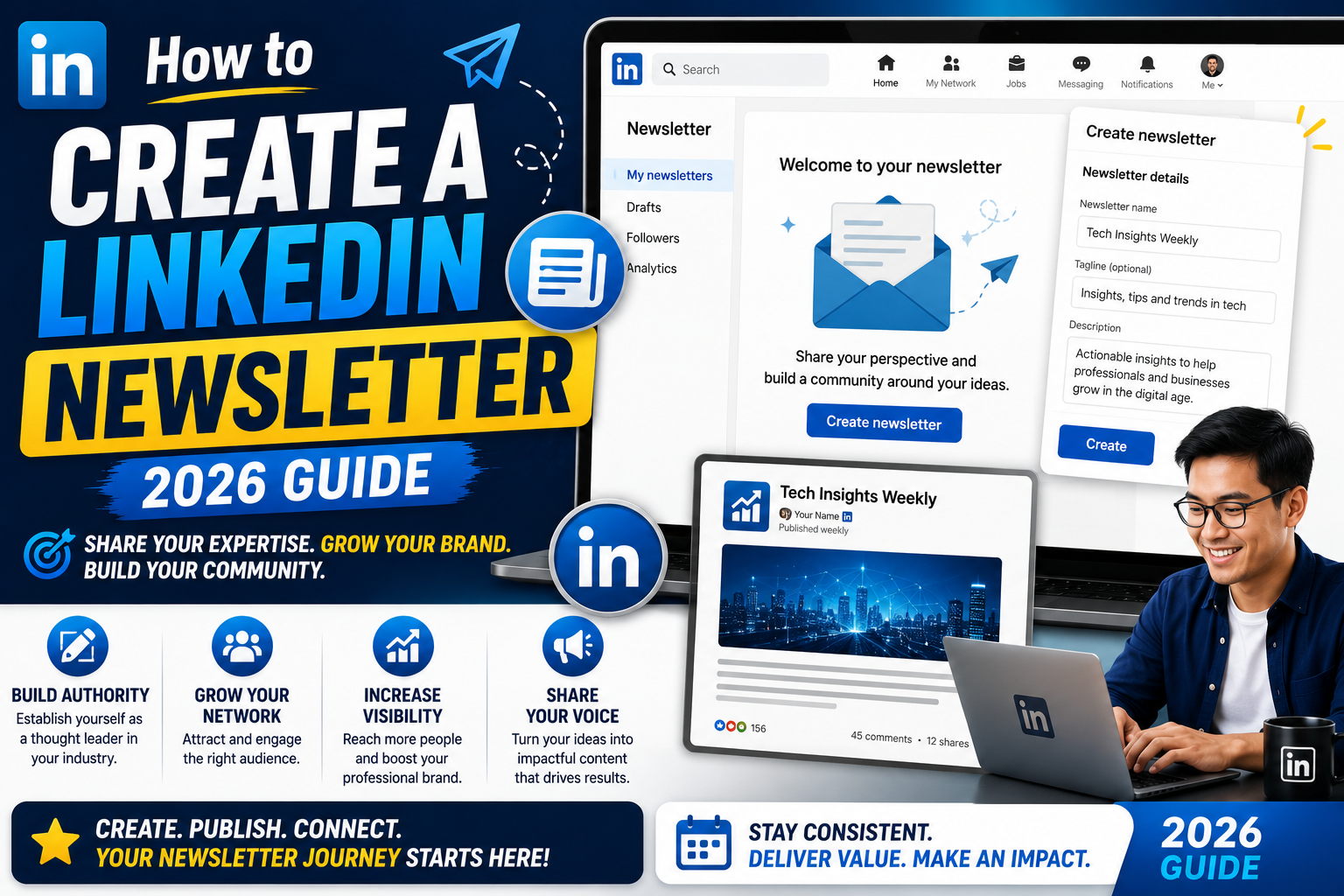
This guide walks through the eligibility check, the full setup flow, how to pick a topic that grows, publishing your first issue, and the analytics that tell you whether the newsletter is working. Total setup time: about 15 minutes.
Quick step-by-step summary (click to expand)
- Check eligibility. Creator Mode ON, 150+ followers, complete profile with photo and headline. Free feature, no LinkedIn Premium needed.
- Start a newsletter. Click Write article on your home feed, then in the article editor toggle Create newsletter in the top-left dropdown.
- Name and describe the newsletter. Title 3-5 words, description under 300 characters, cadence (weekly, biweekly, monthly).
- Upload a cover image. 300×300 pixels square, brand-matched, high contrast at thumbnail size.
- Write and publish issue 1. 800-1500 words is the sweet spot. All existing followers get invited to subscribe automatically.
- Track analytics after 7 days. Watch subscribe rate, open rate, and click rate to iterate on topic and format.
What a LinkedIn Newsletter actually is
A LinkedIn Newsletter is a recurring publication you author on your LinkedIn profile. Each issue is a long-form article that:
- Publishes to your followers via LinkedIn feed AND email inbox
- Lives permanently on a dedicated URL under your profile
- Accepts new subscribers even years later (unlike regular posts that decay)
- Comes with its own analytics separate from your general LinkedIn activity
- Notifies existing subscribers automatically when you publish a new issue
Compared to a regular LinkedIn post, a newsletter issue reaches 3-5x more of your followers because it uses BOTH feed distribution AND direct email. Compared to a personal blog or Substack, a LinkedIn Newsletter tap into your existing follower network on day one instead of starting at zero.
Eligibility: who can create one
Basic requirements as of 2026:
- Creator Mode enabled on your profile (Settings, Profile, Creator Mode ON)
- At least 150 followers (some accounts get access at 100, but 150 is the reliable threshold)
- Complete profile with a photo, headline, About section, and at least one Experience entry
- Recent activity on LinkedIn within the last 90 days (posts, comments, or article publishes)
- No community strikes or policy violations in the past 6 months
You do NOT need LinkedIn Premium to create a newsletter. It is a free feature on both personal and company profiles. LinkedIn Company Pages have slightly different requirements: the page needs at least 100 followers and a page admin needs to enable Creator Mode.
If you do not see the newsletter option in your article editor, one of the requirements above is missing. Fix it and check again after 24 hours (LinkedIn refreshes eligibility daily, not in real time).
Set up your newsletter (10 minutes)
- Open LinkedIn on desktop (the article editor is more polished than mobile).
- Click Write article at the top of your home feed.
- In the article editor, look at the top-left where it shows your name. Click the dropdown.
- Select Create a newsletter.
- Fill in the newsletter details form:
- Newsletter title: 3-5 words that clearly signal the topic (e.g., “The AI Engineer Weekly”, “Product Manager Notes”)
- Description: 300 characters or less, tells subscribers what they will get and how often
- Cadence: weekly, biweekly, monthly, or custom (pick one you can genuinely sustain)
- Cover image: 300×300 pixels square, brand-matched, readable at thumbnail size
- Click Done. Your newsletter is now created.
The very first time you publish an issue, LinkedIn sends a subscription invite to ALL your existing followers. That is a one-time distribution moment worth planning around: do not publish a rough draft as issue 1. Save that spotlight for a polished piece that represents what future issues will look like.
Pick a topic that will actually grow
The topic decision is the single biggest lever for newsletter growth. Some rules that work:
- Match your professional identity. LinkedIn readers subscribe to people they see as experts in a specific field. A backend engineer publishing “General Life Advice” gets low subscribe rates. Same person publishing “Backend Engineering Notes” gets 3-5x higher subscribe rates.
- Pick a niche narrow enough to own. “Marketing Tips” competes with millions. “B2B SaaS Onboarding Emails” has 100x less competition and higher-value subscribers.
- Choose a cadence you can sustain for 12 months. Weekly is aspirational; monthly is realistic for most working professionals. LinkedIn penalizes newsletters that skip planned cadences.
- Target a specific reader. “Notes for junior data engineers switching to senior roles” beats “Data engineering content for everyone”.
- Pick a topic where you can write 50+ issues without repeating yourself. Test: draft 10 issue titles right now. If you struggle to hit 10, the topic is too narrow. If you easily hit 20, the topic is right-sized.
Publishing your first issue
Structure that consistently works for LinkedIn Newsletter issues:
- Headline (60 characters or less): specific, benefit-driven, includes the target reader (“For junior PMs: 3 stakeholder patterns that changed my quarter”)
- Opening hook (2-3 sentences): a specific situation the reader recognizes. Not a generic industry statement.
- Body (600-1200 words): 3-5 short sections. Use subheadings. Real examples with numbers. Avoid AI-generated bullet-point spam.
- Personal detail (1 paragraph): what you learned, why this matters to you specifically. Readers subscribe to PEOPLE more than to topics.
- Call to action (1 line): not “please like and share” (that reads desperate). Instead: “What patterns work for you? Reply and I will feature the best in the next issue.”
Skip: hashtag spam, “in this article you will learn” summaries, AI-obvious phrasing, unmoderated ChatGPT drafts. LinkedIn readers detect AI-first content instantly and it hurts subscribe rates.
Promotion after publishing
LinkedIn auto-distributes your newsletter to existing followers via feed + email. But you can accelerate growth with these post-publish moves:
- Share your newsletter URL in your LinkedIn bio: every profile visitor sees it
- Cross-post to X/Twitter, Threads, or Bluesky: bring your other-platform audience over
- Reply to the top comment on your own newsletter issue within 6 hours. LinkedIn algorithm boosts posts with author engagement
- Email your professional network once with a short “I just launched X newsletter, subscribe if it fits” note. Do NOT repeat this per issue.
- Add the newsletter URL to your email signature for the next 3 months
Do NOT DM strangers asking them to subscribe. That destroys your inbox reputation and LinkedIn may flag your account.
Analytics that matter
LinkedIn gives newsletter authors a dedicated dashboard showing:
- Subscribers: total count and net growth per issue
- Open rate: percentage of subscribers who opened this issue’s email or clicked from feed (healthy: 25-45%)
- Read time: average minutes readers spent (healthy: 2-6 minutes for 800-1500 word issues)
- Reactions and comments: engagement per issue
- Reshares: the strongest growth signal, since subscribers sharing your issue with their networks
What to optimize for in the first 90 days:
- Weeks 1-4: subscribe rate. Sacrifice everything else to convert existing followers into subscribers.
- Weeks 5-8: open rate. If it drops below 25%, your subject lines are weak OR you are publishing more than your cadence promised.
- Weeks 9-12: reshares. If reshares are non-zero, your topic is working. Double down on the issue formats that get shared.
Official documentation
Frequently asked questions
Do I need LinkedIn Premium to create a newsletter?
No. Newsletters are a free feature for anyone who meets the Creator Mode eligibility requirements (150+ followers, complete profile, recent activity). LinkedIn Premium adds InMail credits and profile view stats but does not affect newsletter access.
How often should I publish?
Whatever cadence you can genuinely sustain for 12 months. Weekly is aspirational, monthly is realistic for most working professionals. Missing cadences hurts algorithmic reach because LinkedIn deprioritizes newsletters that break their promise. Start with monthly and increase later if you have the bandwidth.
Can I import subscribers from another platform?
No. LinkedIn does not allow importing subscribers from Mailchimp, Substack, ConvertKit, or any other list. Every subscriber must opt in through LinkedIn directly. You can promote your LinkedIn Newsletter URL on other platforms and drive people over, but the actual subscribe step happens on LinkedIn only.
What if I want to change the newsletter name later?
You can edit the newsletter title, description, and cover image at any time from the newsletter dashboard. Subscribers stay subscribed and get notified of the next issue as normal. Do not change the topic radically after a few issues, since subscribers subscribed to your original topic and unexpected pivots trigger unsubscribes.
Do LinkedIn Newsletters count as “posts” for algorithm reach?
Yes and no. Each issue counts as one long-form post on your profile, but LinkedIn treats newsletters as a separate content type with their own distribution rules. Newsletter issues typically get 3-5x more organic reach than a regular post of the same length because LinkedIn pushes them to email inboxes AND the feed.
Can I monetize a LinkedIn Newsletter?
LinkedIn does not offer built-in monetization for newsletters as of mid 2026 (no paid subscriptions, no tipping). You can monetize indirectly: drive subscribers to a paid product, promote consulting services, link to affiliate resources, or use the newsletter to grow your paid Substack or personal site. Some creators use LinkedIn Newsletters as top-of-funnel content that feeds a paid product elsewhere.
A LinkedIn Newsletter is one of the highest-leverage content formats for building professional authority in 2026. Setup is 15 minutes, but the sustained cadence over 6-12 months is what actually compounds. Pick a topic you can sustain, publish issue 1 with real polish since existing followers get a one-time subscription invite, and treat the first 90 days as a learning period on subscribe rate + open rate.

Leah Whynett Dela Pena
Technology Writer at PIES IT Solution
Leah Whynett Dela Pena is a technology writer at PIES IT Solution, author of 93 career and IT education guides at itsourcecode.com.
Expertise: Tech Careers · IT Education · Web Development Careers · Software Engineering Careers · Cybersecurity Careers · IT Certifications · Career Guidance · View all posts by Leah Whynett Dela Pena →