
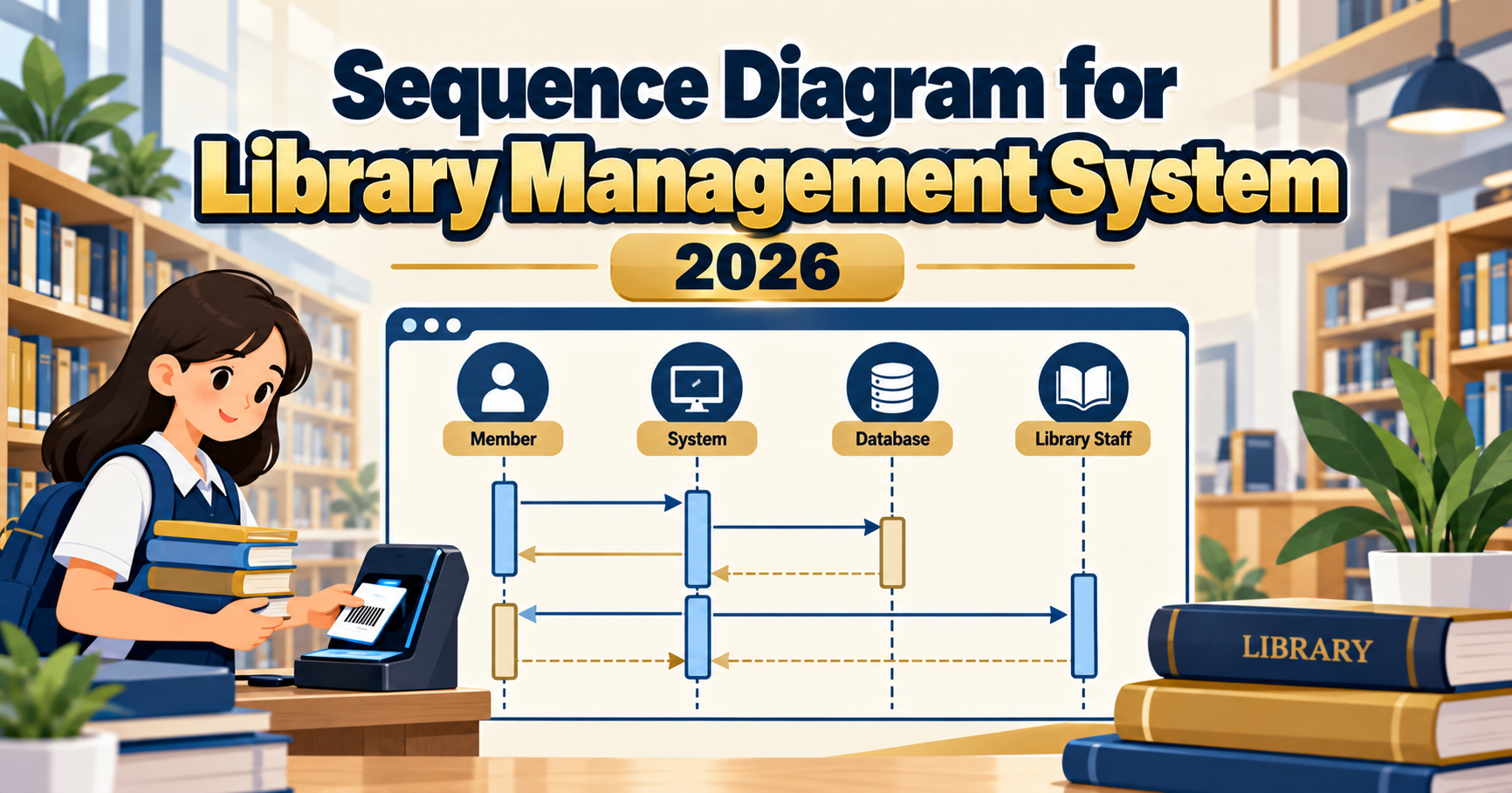
A sequence diagram for a library management system shows the ordered exchange of messages between the librarian, member, borrowing UI, catalog service, and database when a book is borrowed, returned, renewed, or reserved. Where the DFD shows data flow, the sequence diagram shows time ordering. Panels in 2026 expect at least 2-3 well-drawn scenarios (borrow, return, reserve) with clear actor lifelines and activation bars. This guide walks through the diagram structure with defense-ready detail for BSIT capstone.
Quick 2026 verdict
A defensible library sequence diagram covers at least 3 scenarios: borrow book, return book, reserve book. Each scenario needs an Actor (Member or Librarian), UI object, Controller or Service object, and Data or Repository object. Show activation bars, alt fragments for branching (overdue vs on-time), and loop fragments for reserve queue. Add RFID / self-checkout support in 2026 scenarios to look current-year.
Sequence diagram basics reviewed
A sequence diagram in UML 2.5 has these elements:
Want to customize this sequence diagram for your capstone?
Open the Library Management System sequence template in CapstoneUML. Drag lifelines, rename messages, add loops, then export as PNG, SVG, PowerPoint, or PDF for your Chapter 3 documentation.
- Actor: stick figure at the top-left, represents Member, Librarian, or external system
- Object / Lifeline: rectangle at top with a dashed vertical line beneath, represents system components (BorrowUI, LoanController, BookRepository, MemberRepository)
- Message: horizontal arrow between lifelines, labeled with the call name and parameters
- Activation bar: thin rectangle on the lifeline showing when the object is active (executing)
- Return message: dashed arrow going back to the caller
- alt fragment: rectangle with “alt” label showing conditional branching (if / else)
- loop fragment: rectangle with “loop” label showing repetition
- opt fragment: rectangle with “opt” label for optional messages
Scenario 1: Borrow a book
Actors: Member. Objects: BorrowUI, LoanController, BookRepository, MemberRepository, LoanRepository.
Member -> BorrowUI: scanBook(bookId)
BorrowUI -> LoanController: requestBorrow(memberId, bookId)
LoanController -> MemberRepository: findMember(memberId)
MemberRepository --> LoanController: member
LoanController -> BookRepository: findBook(bookId)
BookRepository --> LoanController: book

alt member has no outstanding fines AND book is available:
  LoanController -> LoanRepository: createLoan(memberId, bookId, dueDate)
  LoanRepository --> LoanController: loanId
  LoanController -> BookRepository: markBorrowed(bookId)
  LoanController --> BorrowUI: success(loanId, dueDate)
  BorrowUI --> Member: display receipt
else member has fine OR book unavailable:
  LoanController --> BorrowUI: rejected(reason)
  BorrowUI --> Member: display rejection
end
This scenario should be Level 1 sequence for a library capstone. Panels sometimes ask for the Level 2 zoom into the “createLoan” internal steps.
Scenario 2: Return a book
Actors: Member (or Librarian on self-checkout station). Objects: ReturnUI, LoanController, BookRepository, LoanRepository, FineCalculator.
Member -> ReturnUI: scanBook(bookId)
ReturnUI -> LoanController: returnBook(bookId)
LoanController -> LoanRepository: findActiveLoan(bookId)
LoanRepository --> LoanController: loan

alt loan due date passed:
  LoanController -> FineCalculator: computeFine(loan.dueDate, today)
  FineCalculator --> LoanController: fineAmount
  LoanController -> LoanRepository: markReturned(loanId, fineAmount)
else on time:
  LoanController -> LoanRepository: markReturned(loanId, 0)
end

LoanController -> BookRepository: markAvailable(bookId)
LoanController --> ReturnUI: success(fineAmount or 0)
ReturnUI --> Member: display receipt
Scenario 3: Reserve a book with wait list
Actors: Member. Objects: ReserveUI, ReservationController, BookRepository, ReservationRepository, NotificationService.
Member -> ReserveUI: reserveBook(bookId)
ReserveUI -> ReservationController: reserve(memberId, bookId)
ReservationController -> BookRepository: findBook(bookId)
BookRepository --> ReservationController: book

alt book is available now:
  ReservationController -> NotificationService: notify(memberId, "book ready to borrow")
  ReservationController -> ReservationRepository: createReservation(pickupDeadline)
else book is currently borrowed:
  ReservationController -> ReservationRepository: addToWaitList(memberId, bookId)
  ReservationRepository --> ReservationController: queuePosition
end

ReservationController --> ReserveUI: reserved(queuePosition or pickupDeadline)
ReserveUI --> Member: display confirmation

loop when book returned (in Return scenario):
  ReservationController -> ReservationRepository: getNextInLine(bookId)
  ReservationRepository --> ReservationController: nextMemberId
  ReservationController -> NotificationService: notify(nextMemberId, "book ready")
end
2026 features every library sequence diagram should include
- RFID tag scan. Bulk-checkout (multiple books at once) using RFID reader; show a loop fragment iterating over each scanned book.
- Self-checkout station. Member interacts with SelfCheckoutUI object without a Librarian in the middle. Panels ask what prevents cheating (RFID gate on exit).
- E-book / digital lending. Show a variant scenario where the “book” is a digital file granted temporary access, not a physical loan.
- Mobile app renewal. Member renews via mobile app (RenewUI or Mobile ReactNativeUI object) without visiting the library.
- SMS or email notifications. NotificationService object appears in reserve, overdue reminder, and pickup-deadline scenarios.
- Barcode fallback. If RFID fails, staff uses barcode scanner; show an alt fragment offering barcode as fallback.
Common panel deductions on library sequence diagrams
- Missing activation bars on lifelines (reviewers grade this heavily)
- All messages solid arrows (returns should be dashed)
- No alt fragment for branching (borrow success vs fine or unavailable): most common mistake
- Object names not consistent with class diagram (e.g. sequence shows “Loan” but class shows “BorrowRecord”)
- Missing Repository or Service abstraction (Member calls the database directly, bypassing the controller layer)
- Loop fragment for reserve queue absent, so panel questions “what if 5 people wait?”
- Return scenario does not show fine computation
- Digital signature or notification steps in wrong order (notification before actual state change)
Sequence vs DFD vs Class diagram for the same library system
| Diagram | Answers | Best for defense |
|---|---|---|
| DFD | Where does the data flow? Which processes read or write? | Chapter 3 architecture, panel understands scope |
| Sequence | In what order do messages happen? Who calls whom? | Chapter 3 dynamic behavior, panel understands flow |
| Class Diagram | What classes exist? What are their attributes and methods? | Chapter 3 static structure, panel understands database mapping |
Include all three in Chapter 3 of a BSIT capstone. Do not skip any. Panels ask about each explicitly.
Free tools for drawing sequence diagrams
Draw.io (diagrams.net) has a complete UML 2.5 sequence library, works offline, and exports to PNG or SVG. PlantUML is excellent if you want to version-control diagrams alongside code (write text, generate diagram). Lucidchart works but the free tier caps at 3 documents. Avoid old tools like Rational Rose unless your school specifically requires them.
Frequently Asked Questions
How many scenarios should I include in a library sequence diagram?
At minimum 3: Borrow, Return, Reserve. Ideal is 5: add Renew and Search Catalog. Do not draw one giant diagram covering all scenarios; split into one diagram per scenario. Reviewers prefer clear separate diagrams over one crowded one.
Do I need to show every internal method call?
No. Show meaningful messages that cross object boundaries. Internal helper method calls within one object are not sequence-diagram-worthy. If a method is a sub-scenario worth showing, use ref fragment to reference another diagram.
Should Repository and Service both appear in the same diagram?
Yes, if your architecture uses both. Controller calls Service, Service calls Repository. Show the chain. If the panel asks why not skip Service, be ready to answer: business logic (fine computation, eligibility check) belongs in Service, not Repository.
How do I show optional steps (like SMS notification)?
Use opt fragment (rectangle with “opt” label) around the optional messages. Common pattern: opt with condition “member has SMS enabled” wrapping the notification call. This makes the diagram truthful about branching without cluttering.
Do I need to include failure paths (exceptions) in the sequence diagram?
Show the main failure paths using alt fragments. For borrow: alt for “member has fine” or “book unavailable”. For return: alt for “loan not found” or “already returned”. Do not show every possible exception (NullPointerException, database timeout); those go in error-handling documentation.
How is a sequence diagram different from the DFD for the library?
The DFD shows what data moves between which processes and stores at a high level. The sequence diagram shows how objects interact in time order for a specific scenario. Same system, complementary views. Include both in Chapter 3.
Related UML tutorials
- DFD for Library Management System Data Flow Diagram
- Data Flow Diagram for Library Management System (Levels 0, 1, 2)
- Sequence Diagram for Hospital Management System
- Class Diagram for Inventory Management System
Official documentation
Official documentation

Mary Grace G. Patulada
Programmer & Technical Writer at PIES IT Solution
Mary Grace G. Patulada (pen name ‘Nym’) is a programmer and writer at PIES IT Solution with a BSIT background from Carlos Hilado Memorial State College, Binalbagan Campus. Authored 370+ UML diagram tutorials and capstone documentation guides at itsourcecode.com. Specializes in UML (class, use case, activity, sequence, component, deployment), DFD, and ER diagrams for BSIT capstone projects.
Expertise: UML Diagrams, DFD, ER Diagrams, Use Case Diagrams, Activity Diagrams, Capstone Documentation, PHP · View all posts by Mary Grace G. Patulada →
Skip the redraw: grab the Library template
Class, Use Case, ER, DFD, Activity, and Sequence diagrams already filled in with Member, Librarian, and Administrator flows. Free preview, no card required.