
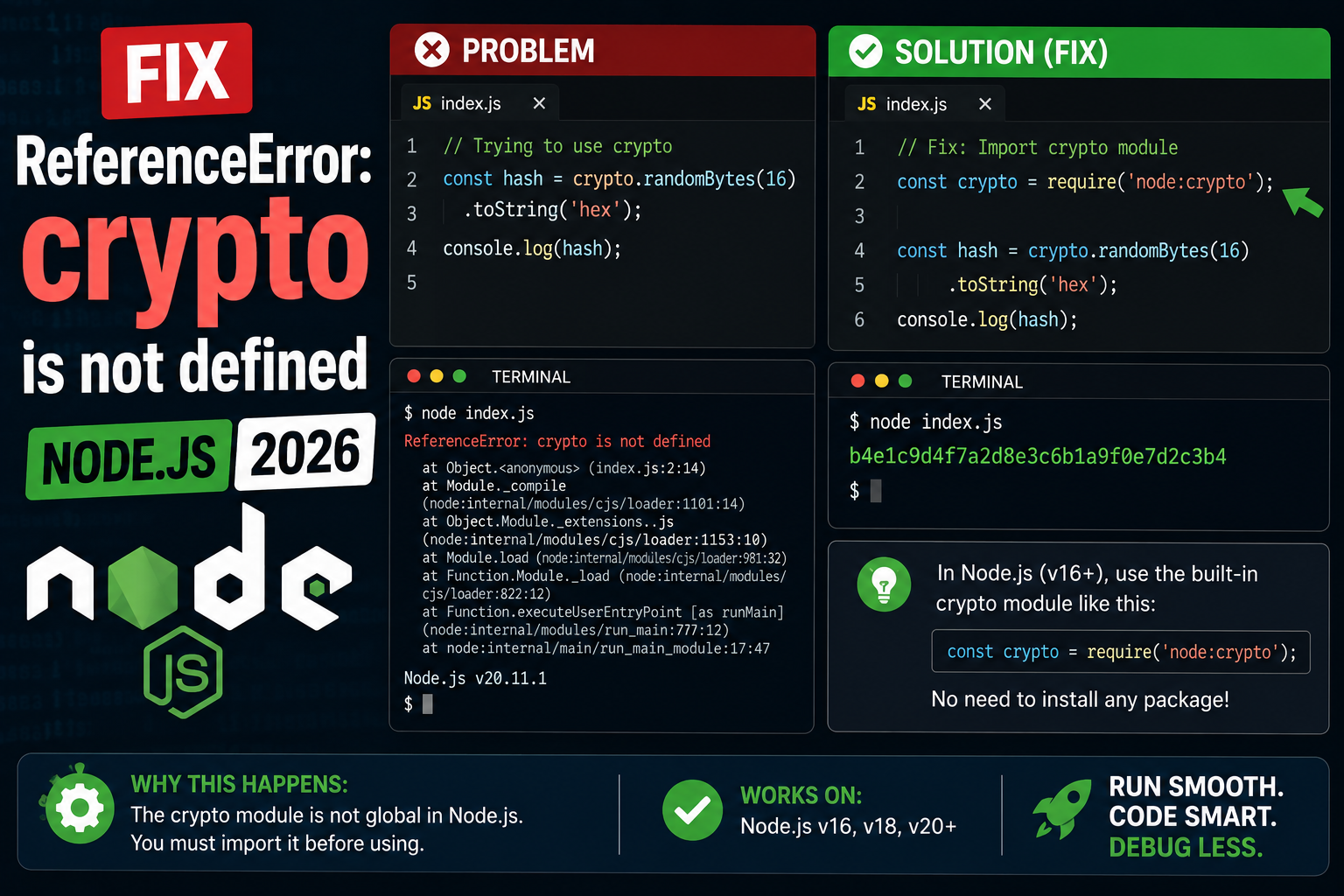
The crypto object means different things on the server and in the browser. On Node, it was a require-only module until v19 (when crypto became a global), and the browser-style Web Crypto API lives on a different path. If you see ReferenceError: crypto is not defined, here are 4 fixes for every runtime.
Step 1: Identify your environment
| Where | Status |
|---|---|
| Browser | crypto.subtle.* on https only |
| Node 19+ | crypto + globalThis.crypto (Web Crypto) |
| Node 15-18 | require(‘crypto’), no global |
| Node 18+ webcrypto | require(‘crypto’).webcrypto |
Fix 1: Node 19+ has global crypto
// Node 19+, no import needed:
const id = crypto.randomUUID();         // 'a1b2c3d4-...'
const bytes = crypto.getRandomValues(new Uint8Array(16));
Fix 2: Node 15-18 (require it explicitly)
// ESM:
import crypto from 'node:crypto';

// CommonJS:
const crypto = require('node:crypto');

const id = crypto.randomUUID();
const hash = crypto.createHash('sha256').update('hello').digest('hex');
Fix 3: Web Crypto API in Node 18+
// For browser-compatible code (subtle, getRandomValues):
import { webcrypto } from 'node:crypto';
globalThis.crypto = webcrypto;  // make it a global

// Then in any module:
const key = await crypto.subtle.generateKey(
  { name: 'AES-GCM', length: 256 },
  true,
  ['encrypt', 'decrypt']
);
Fix 4: Browser context (https requirement)
// In the browser, window.crypto and crypto.subtle work
// only on HTTPS pages (and localhost). On http:// they may be undefined.

if (window.isSecureContext) {
  const id = crypto.randomUUID();
} else {
  console.warn('Web Crypto requires HTTPS');
}
Official documentation
Common causes of crypto ReferenceError in Node.js
The ReferenceError: crypto is not defined message in Node.js has changed meaning over the years as Node has evolved. Here are the five most common causes I see in 2026 and how to fix each one.
- You are using a Node.js version below 19. The global
cryptovariable only became available in Node 19+. For older Node versions, you must explicitly import it withconst crypto = require('node:crypto')or the ES module equivalent. - You imported crypto in a browser environment. Node.js code that runs in the browser bundle throws this error because browsers use the Web Crypto API (
window.crypto) instead. Check your build tool config or use the correct API for the environment. - You are running old code that pre-dates the global. Codebases written before Node 19 always imported crypto. If the import statement got deleted during a refactor, the code compiles but crashes at runtime.
- You are running in a Web Worker or Service Worker context. These environments have
self.cryptoorglobalThis.cryptoinstead of the Node global. Use the platform-appropriate reference. - Your bundler is stripping the crypto module. Webpack, esbuild, and Vite sometimes tree-shake Node built-ins when targeting the browser. Add crypto to your externals config or polyfill it.
Node.js crypto vs Web Crypto API: which to use in 2026
Modern JavaScript has two crypto APIs. They look similar but have different capabilities and different security defaults. Picking the right one for your context matters.
Use Node.js crypto when…
Your code runs on the server (Express, Fastify, Next.js API routes). Node.js crypto has synchronous methods that are convenient for hash generation and signing. Example: crypto.createHash('sha256').update(data).digest('hex') is straightforward and fast for server workloads.
Use Web Crypto API when…
Your code runs in the browser or in an edge runtime (Cloudflare Workers, Vercel Edge, Deno Deploy). Web Crypto is async and Promise-based. Example: await crypto.subtle.digest('SHA-256', new TextEncoder().encode(data)). It works everywhere modern JavaScript runs.
Isomorphic code pattern
// Works in Node 19+, Deno, browsers, edge runtimes
async function sha256(text) {
  const data = new TextEncoder().encode(text);
  const hashBuffer = await crypto.subtle.digest('SHA-256', data);
  return Array.from(new Uint8Array(hashBuffer))
    .map(b => b.toString(16).padStart(2, '0'))
    .join('');
}

// Node.js only (server-side, sync)
const crypto = require('node:crypto');
function sha256Sync(text) {
  return crypto.createHash('sha256').update(text).digest('hex');
}
For new code in 2026 that might need to run in multiple environments, I recommend Web Crypto API. It is the standard both Node.js and browsers implement, and edge runtimes only support Web Crypto anyway. Use Node.js crypto for server-only code where you want synchronous convenience or need features Web Crypto does not cover (like older TLS hash functions).
Testing crypto availability at runtime
If you are shipping code that might run in multiple environments (server, browser, edge runtime), add a runtime check before you use crypto. This prevents the ReferenceError from crashing your app in production. Use typeof crypto !== "undefined" to check if crypto is available, then fall back to a Node.js require if not. This pattern works in every JavaScript runtime that exists in 2026, from ancient Node 14 servers to modern edge functions running V8 isolates.
For libraries you distribute on npm, do not assume crypto is always available. Add it as an optional peer dependency or use conditional loading. Users running your library in browser bundles, Cloudflare Workers, Deno Deploy, or Bun should all get the correct crypto implementation without you writing five different code paths. Modern build tools like tsup and unbuild handle this well when you configure them correctly.
The bottom line: crypto ReferenceError in 2026 is almost always about environment mismatch, not a missing feature. Node.js has crypto. Browsers have crypto. Edge runtimes have crypto. They just expose it in slightly different ways. Understanding your target environment and using the right API for that environment is what separates code that works from code that crashes at 3 AM on a Sunday.
One final tip: whenever you write code that uses crypto, add a unit test that runs the same function in your target production environment. If your production runs on Cloudflare Workers, use a Workers-compatible test runner. If you deploy to Node.js on AWS Lambda, run integration tests in a Node Docker container matching your Lambda runtime version. This catches environment-specific crypto issues before they hit users, and prevents the ReferenceError from ever showing up in production monitoring.
Quick step-by-step summary (click to expand)
- Check your Node.js version. Run node –version. crypto is global in Node 19 or newer. For Node 18 or older, you must import it explicitly.
- Import crypto explicitly for older Node. Add const crypto require node crypto in CommonJS or import crypto from node crypto in ES modules.
- Use Web Crypto API for cross-environment code. For code that runs in browsers, Node 19 or newer, edge runtimes, and Deno, use crypto.subtle which is standard across all of them.
- Add runtime typeof check. Wrap access in if (typeof crypto is not undefined) to guard against unknown runtimes.
Frequently Asked Questions
When did crypto become global in Node?
Node 19 (October 2022) made crypto available as a global, matching the browser API. Before v19 you had to require(‘crypto’). In v18, webcrypto is available via require(‘crypto’).webcrypto but not as a global.
Node crypto vs Web Crypto: which to use?
Node’s crypto module: more features (Buffer, hash streaming, sign/verify with PEM keys). Web Crypto (crypto.subtle): browser-compatible, runs in workers, no Node dependencies. For cross-runtime code (browser + Node + Deno + Bun), use Web Crypto.
Why does crypto.subtle fail on http:// in browser?
Web Crypto requires a “secure context” (HTTPS, or localhost for dev). On plain http:// pages, crypto.subtle returns undefined. This is by design: cryptographic operations on an unencrypted page would be meaningless. Use a tunneling proxy (ngrok, localtunnel) for HTTPS during dev.
How do I generate a UUID v4?
Node 19+ and modern browsers: crypto.randomUUID(). Older Node: import { randomUUID } from ‘node:crypto’. Cross-runtime safe: the uuid npm package. All produce RFC 4122 v4 UUIDs.
Can I polyfill crypto for browser tests?
In Jest, set testEnvironment: ‘jsdom’ (jsdom 22+ has Web Crypto). In Vitest, set environment: ‘jsdom’ or ‘happy-dom’. Or in setup file: globalThis.crypto = require(‘node:crypto’).webcrypto.

Adrian Mercurio
Full-Stack Developer at PIES IT Solution
Adrian Mercurio is a full-stack developer at PIES IT Solution. Specializes in building complete capstone projects with full documentation. Strong background in PHP/MySQL development and database design. Has personally built and tested over 30 capstone-ready projects with ER diagrams, DFDs, and chapter-by-chapter thesis documentation.
Expertise: PHP, Laravel, Database Design, Capstone Projects, C#, C, C++, Python, AI Projects · View all posts by Adrian Mercurio →