
The browser had fetch from day one, but Node.js only added it natively in v18. If you are on Node 16 or older, you will hit ReferenceError: fetch is not defined the first time you try to call an API in a script or test. Three solutions: upgrade Node, use undici, or use the classic node-fetch package.
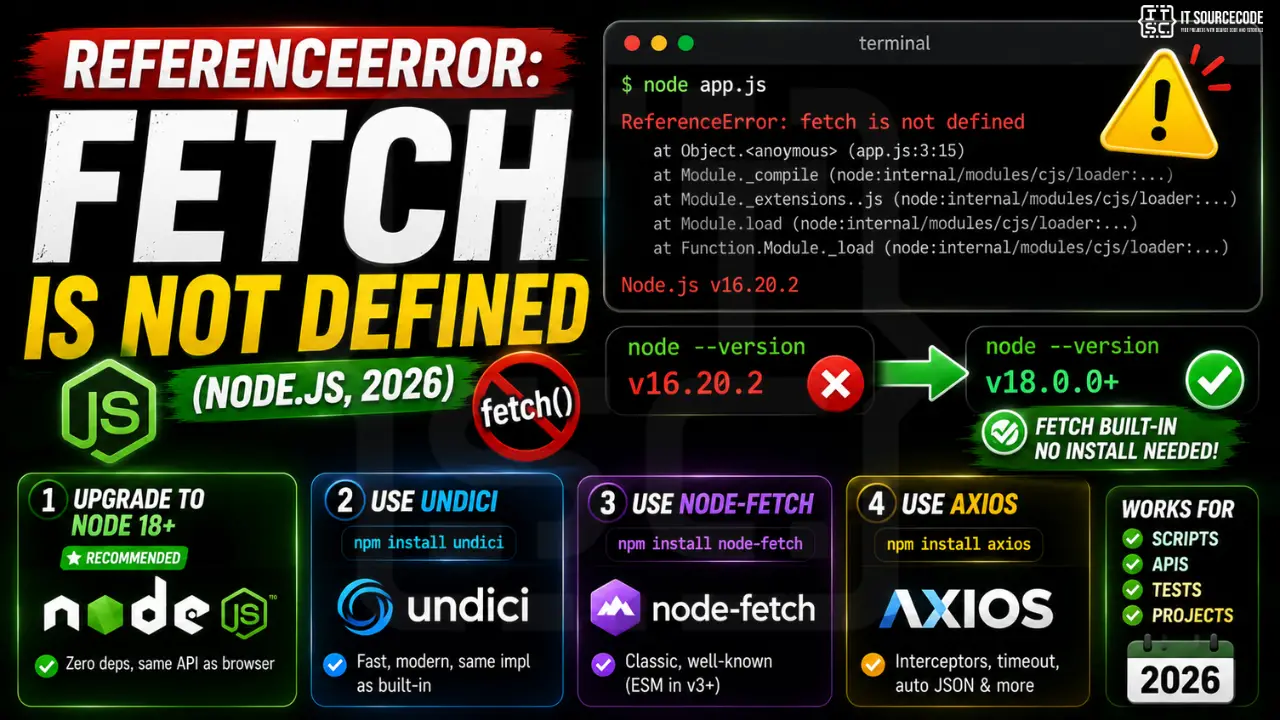
Step 1: Check your Node version first
node --version

# v18.0.0 or newer = fetch is built-in, no install needed
# v16.x or older = pick one of the fixes below
Fix 1: Upgrade to Node 18+ (recommended)
# Via nvm (Linux/macOS/WSL):
nvm install 20  # LTS in 2026
nvm use 20

# Via Volta (cross-platform):
volta install node@20

# Then no code change needed:
const res = await fetch('https://api.github.com');
const data = await res.json();
Fix 2: Use undici (Node’s underlying fetch impl)
npm install undici

// In your script:
import { fetch } from 'undici';

const res = await fetch('https://api.github.com');
console.log(await res.json());
Fix 3: Use node-fetch (classic, still maintained)
npm install node-fetch

// ESM:
import fetch from 'node-fetch';

// CommonJS:
const fetch = (...args) => import('node-fetch').then(({default: f}) => f(...args));

const res = await fetch('https://api.github.com');
console.log(await res.json());
Fix 4: Use axios if you want a richer API
npm install axios

import axios from 'axios';

const { data } = await axios.get('https://api.github.com');
// axios auto-parses JSON, has interceptors, request timeout config
Comparison
| Approach | Pros | Cons |
|---|---|---|
| Node 18+ built-in | Zero deps, same API as browser | Requires upgrade |
| undici | Fastest, modern, same impl as built-in | Small extra dep |
| node-fetch | Classic, well-known | ESM-only in v3+, mixed with CommonJS is painful |
| axios | Interceptors, JSON auto-parse, timeout, progress | Different API from browser fetch |
Official documentation
Common causes of fetch not defined in Node.js
The ReferenceError: fetch is not defined error in Node.js has clear fixes depending on your Node version and environment. Here are the four most common causes for 2026.
- Using Node.js version below 18. The global fetch became available in Node 18+. For Node 16 or older, install node-fetch or upgrade to Node 18+ (Node 20 LTS is the current standard).
- Using CommonJS require for an ESM-only package. If you use node-fetch v3+, it is ESM-only. Use dynamic import: const fetch = (await import(“node-fetch”)).default. Or use node-fetch v2 which still supports require.
- Running server code in a Web Worker context. Some serverless platforms run code in Worker contexts where fetch has different semantics. Test in your target deployment environment early.
- TypeScript type declarations missing. Add @types/node@18+ or install undici which provides Node fetch types. Otherwise TypeScript compiles fine but IDE completion breaks.
Migrating from node-fetch to native fetch in 2026
If your codebase uses node-fetch, migrating to native fetch is a good 2026 project. Native fetch is included in Node.js 18+ so you drop a dependency, and the API is nearly identical.
The migration steps are simple. First, remove node-fetch from package.json. Second, remove import fetch from “node-fetch” statements. Third, verify all tests pass. That is the entire migration in most codebases. If you use advanced node-fetch features like custom agents, check the native fetch documentation for equivalents (they exist for most use cases).
For monorepos with multiple Node projects, do the migration one project at a time. Test each project thoroughly before moving to the next. This gradual approach lets you catch environment-specific bugs before they affect production, and it keeps your rollback surface small in case any project breaks.
The native fetch also works in edge runtimes like Cloudflare Workers, Vercel Edge, and Deno Deploy. Code that uses native fetch is portable across every modern JavaScript runtime in 2026, which is not true of node-fetch specifically.
Quick step-by-step summary (click to expand)
- Check Node.js version. Run node –version. fetch is global in Node 18 or newer.
- Upgrade to Node 18+ if possible. Update via nvm install 20 or by downloading the latest Node LTS.
- For Node 16 or older, install node-fetch. Run npm install node-fetch. Use v2 for CommonJS or v3 for ESM.
- Add TypeScript types if using TS. Install @types/node@18+ or the undici package to get proper fetch types in TypeScript.
Quick summary
ReferenceError fetch is not defined in Node.js has a clear fix path in 2026. First check your Node version with node –version. Second upgrade to Node 18+ if possible for the global fetch. Third for Node 16 or older, install node-fetch. Fourth for TypeScript projects, add proper types via @types/node@18+. These 4 steps handle the fetch not defined error in every Node deployment scenario.
Native fetch is the future for cross-runtime JavaScript code. Node 18+, Deno, Bun, Cloudflare Workers, Vercel Edge, and every modern browser all support the same fetch API. Writing code with native fetch means your code runs everywhere without changes, which is a significant advantage for library authors and multi-runtime deployments in 2026.
Choosing between node-fetch, native fetch, and other HTTP libraries
Node.js has multiple HTTP client options in 2026 and picking the right one depends on your specific needs. Native fetch is best for cross-runtime code and simple HTTP requests. node-fetch is best if you need to support Node 16 or older and want a lightweight API. axios remains popular for feature-rich applications that need interceptors, automatic JSON parsing, and request cancellation.
For serverless functions deploying to Vercel, AWS Lambda, or Cloudflare Workers, native fetch is the safest choice. Every serverless platform supports it, and you avoid the cold start overhead of loading additional dependencies. For traditional server applications on VPS or bare metal, axios can be worth the extra dependency for its convenience features.
My rule of thumb: default to native fetch. Add axios only when you specifically need one of its features (interceptors, cancellation tokens, automatic retries). Avoid maintaining projects on multiple HTTP clients because it fragments your error handling and complicates onboarding new team members to the codebase.
Frequently Asked Questions
When was fetch added to Node.js?
Experimental in v17.5 (Feb 2022), stable in v18 (April 2022), promoted from experimental flag in v21. Available without –experimental-fetch since v18. Backed by undici under the hood.
Should I still install node-fetch in 2026?
Only if you must support Node 16 or older. For Node 18+, use the built-in fetch. For Node 18 LTS being EOL in April 2025, you should be on Node 20 or 22 by now in 2026.
Is the built-in Node fetch identical to the browser fetch?
99% same API surface. Differences: Node fetch supports HTTP/HTTPS only (no file:// or about:), and a few experimental WhatWG features are still flagged. CORS does not apply on the server.
Do I need to import fetch in modern Node?
No. fetch, Request, Response, Headers, FormData, and Blob are all global in Node 18+. Just call fetch(url) directly, same as the browser.
Why do tests still fail with “fetch is not defined” in Jest?
Jest’s default jsdom environment may not expose fetch in older versions. Fix: jest.config.js → testEnvironment: ‘node’, or install whatwg-fetch as a setup file. Newer Vitest does not have this problem.

Adrian Mercurio
Full-Stack Developer at PIES IT Solution
Adrian Mercurio is a full-stack developer at PIES IT Solution. Specializes in building complete capstone projects with full documentation. Strong background in PHP/MySQL development and database design.
Expertise: PHP, Laravel, Database Design, Capstone Projects, C#, Python, AI Projects