
Trying to call import ollama in your Python script and getting ModuleNotFoundError: No module named ‘ollama’? The fix is one command, but make sure you install the right package and have the Ollama runtime running too. This 2026 guide covers both pieces in 3 minutes.
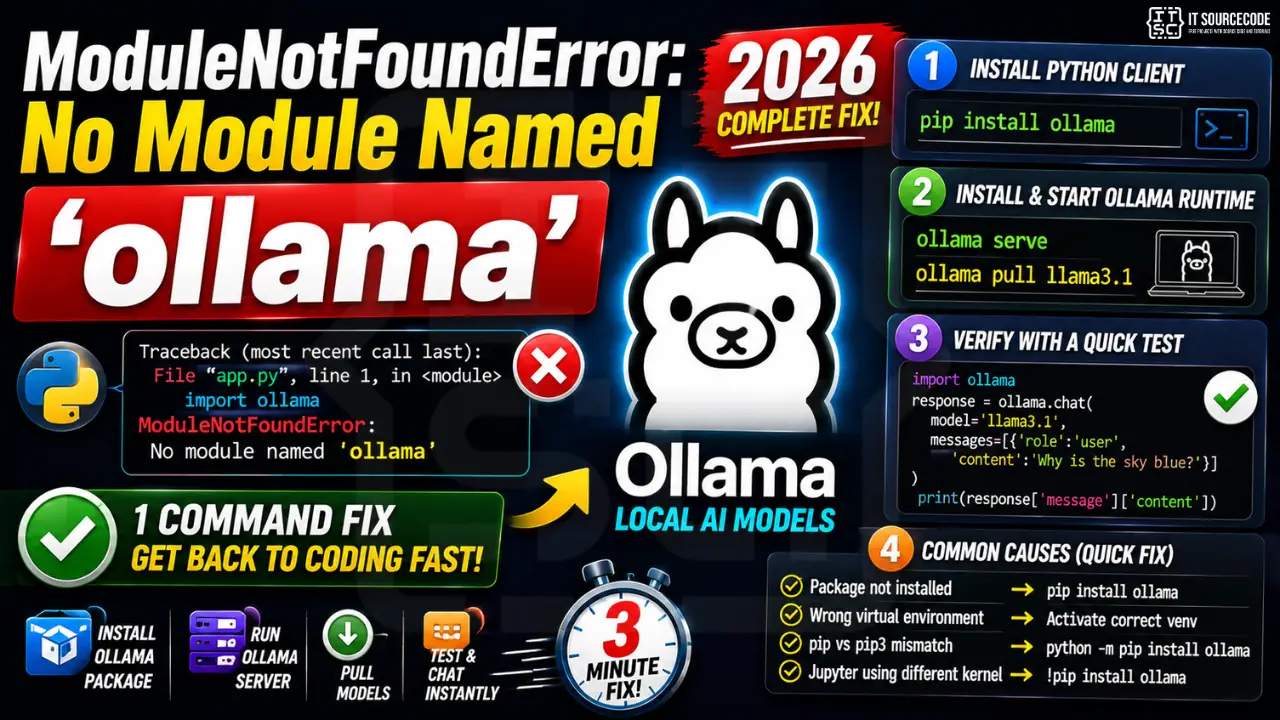
Two parts needed: (1) install the Python client with pip install ollama, (2) run the Ollama server locally so the client has something to connect to. The Python package alone does not include the model runtime.
Step 1: Install the Python client
pip install ollama

# Or with poetry
poetry add ollama

# Or with uv (faster)
uv pip install ollama
Step 2: Install + start the Ollama runtime
The Python client talks to a local Ollama server (default port 11434). Install Ollama if not yet on your machine:
- macOS / Linux:
curl -fsSL https://ollama.com/install.sh | sh - Windows: download installer from
ollama.com/download - Start the server:
ollama serve(or it auto-starts after install) - Pull a model:
ollama pull llama3.1
Step 3: Verify the install with a quick test
import ollama

response = ollama.chat(model='llama3.1', messages=[
    {'role': 'user', 'content': 'Why is the sky blue?'}
])
print(response['message']['content'])
Why this error happens
| Cause | Fix |
|---|---|
| Package not installed | pip install ollama |
| Wrong virtualenv active | Activate correct venv then reinstall |
| Installed with pip but using pip3 (or vice versa) | Use python -m pip install ollama |
| Jupyter notebook using different kernel | !pip install ollama inside the notebook |
Bonus: async usage
from ollama import AsyncClient
import asyncio

async def chat():
    client = AsyncClient()
    response = await client.chat(
        model='llama3.1',
        messages=[{'role': 'user', 'content': 'Hello!'}]
    )
    print(response['message']['content'])

asyncio.run(chat())
Quick step-by-step summary (click to expand)
- Activate the correct virtual environment. Confirm you are in the venv where you want ollama installed. Run which python or where python to check.
- Install the ollama Python client. Run uv pip install ollama or pip install ollama for the Python SDK.
- Also install the ollama binary if using local models. The Python client requires the ollama CLI. Download from ollama.com/download and start it with ollama serve.
- Verify with import test. Run python -c “import ollama” to confirm the module loads without error.
Frequently Asked Questions
Diagnostic checklist for “No module named ‘ollama'”
- Verify pip install target. Run
pip show ollama— if not installed, runpip install ollama. - Check the active Python interpreter.
which python(mac/Linux) orwhere python(Windows). Both pip and python must point to the same environment. - Check virtual environment activation. If you use venv/conda, activate before installing:
source .venv/bin/activate. - Rule out uppercase/lowercase. Python imports are case-sensitive:
import PyPDF2notimport pypdf2. - Rule out the pip-vs-package-name mismatch. Some packages install under a different name than you import (e.g.
pip install beautifulsoup4→import bs4).
Installing ollama
# Standard pip install
pip install ollama

# In a virtual environment (recommended)
python -m venv .venv
source .venv/bin/activate  # or .venv\Scripts\activate on Windows
pip install ollama

# With uv (faster alternative)
uv pip install ollama
Common causes for “No module named ‘ollama'”
- Python interpreter mismatch. Multiple Python installations can confuse pip. Verify with
which pythonandwhich pip. - Virtual environment not activated. If the venv isn’t activated, pip installs to your system Python instead.
- Notebook kernel mismatch. Jupyter uses a kernel that may differ from your terminal Python. Use
%pip install ollamainside the notebook. - Import name differs from install name. pip install beautifulsoup4 → import bs4. Check the package’s PyPI page.
- Windows PATH issues. Ensure Python is on PATH; use
python -m pip installto invoke pip via the correct Python.
Working code example
# Verify install worked
import ollama
print(getattr(ollama, '__version__', 'no version attribute'))
Best practices
- Always use a virtual environment. Avoids most module-not-found errors.
- Use pip freeze to lock versions.
pip freeze > requirements.txtmakes your setup reproducible. - Consider uv or Poetry. Modern package managers with better dep resolution and reproducibility.
Official documentation
Is ollama free to install and use?
Yes. Both the Ollama runtime and the Python client are open-source (MIT license). You can run models like Llama 3, Mistral, Phi, Gemma locally with no API costs. Hardware permitting (8GB+ RAM for small models, 16GB+ for 7B), everything runs offline.
Why does ollama.chat() fail even after pip install ollama?
The Python client connects to a local server. If the Ollama runtime isn’t running (or isn’t installed), you’ll get connection errors. Run “ollama serve” in a terminal or check the menu bar (macOS) / system tray (Windows) for the Ollama process.
Can I use ollama with LangChain?
Yes. Install both: pip install ollama langchain-ollama. Then use ChatOllama from langchain_ollama. This works for RAG, agents, and chains using your local Llama or Mistral model instead of OpenAI.
What models does Ollama support in 2026?
Llama 3.1, Llama 3.2 (multimodal), Mistral Nemo, Mistral Small, Phi-3.5, Gemma 2, Qwen 2.5, DeepSeek-Coder, CodeLlama, plus dozens of community variants. Pull any with: ollama pull modelname.
Can Ollama run in Docker or a server?
Yes. Official image: docker run -d -p 11434:11434 ollama/ollama. Then set OLLAMA_HOST=http://your-server:11434 in your Python script. Great for shared dev environments or capstone deployment.

Adrian Mercurio
Full-Stack Developer at PIES IT Solution
Specializes in building complete capstone projects with full documentation. Strong background in PHP/MySQL development and database design. Has personally built and tested over 30 capstone-ready projects with ER diagrams, DFDs, and chapter-by-chapter thesis documentation.
Expertise: PHP · Laravel · Database Design · Capstone Projects · C# · C · C++ · Python · AI Projects
· View all posts by Adrian Mercurio →