
If you’ve spent any time wrangling data in Python, you’ve seen it: IndexError: single positional indexer is out-of-bounds. It’s the pandas equivalent of the classic Python list index out of range, and it almost always appears at the worst time: mid-notebook, mid-pipeline, with a deadline on the calendar.
The good news: this error has a small, well-defined set of causes. Once you recognize the patterns, you’ll fix it in under a minute. This guide walks through all 7 common scenarios, from basic out-of-range access to post-filter shrinkage, empty DataFrame traps, multi-axis indexing, and the subtle .iloc vs .loc vs .iat tradeoffs that bite even experienced data scientists.
Last updated: June 2026, written by PIES Information Technology Solutions, drawing on years of debugging pandas with capstone and final-year-project students.
📌 Quick answer: The error IndexError: single positional indexer is out-of-bounds means you’re calling df.iloc[N] with a position that doesn’t exist in the DataFrame. Pandas uses zero-based positional indexing, so a DataFrame with 10 rows has valid positions 0..9. Before debugging anything else, run print(len(df), df.shape), 90% of the time the DataFrame is shorter than you think (often because a filter or groupby shrank it, or because it’s empty after a query returned 0 matches).
What “Single Positional Indexer Is Out-of-Bounds” Actually Means
Pandas exposes two completely different indexing systems:
.iloc[], positional integer indexing.df.iloc[0]means “the first row by position,” regardless of the DataFrame’s actual index labels..loc[], label-based indexing.df.loc[0]means “the row whose index label is the integer 0”, which may or may not be the first row.
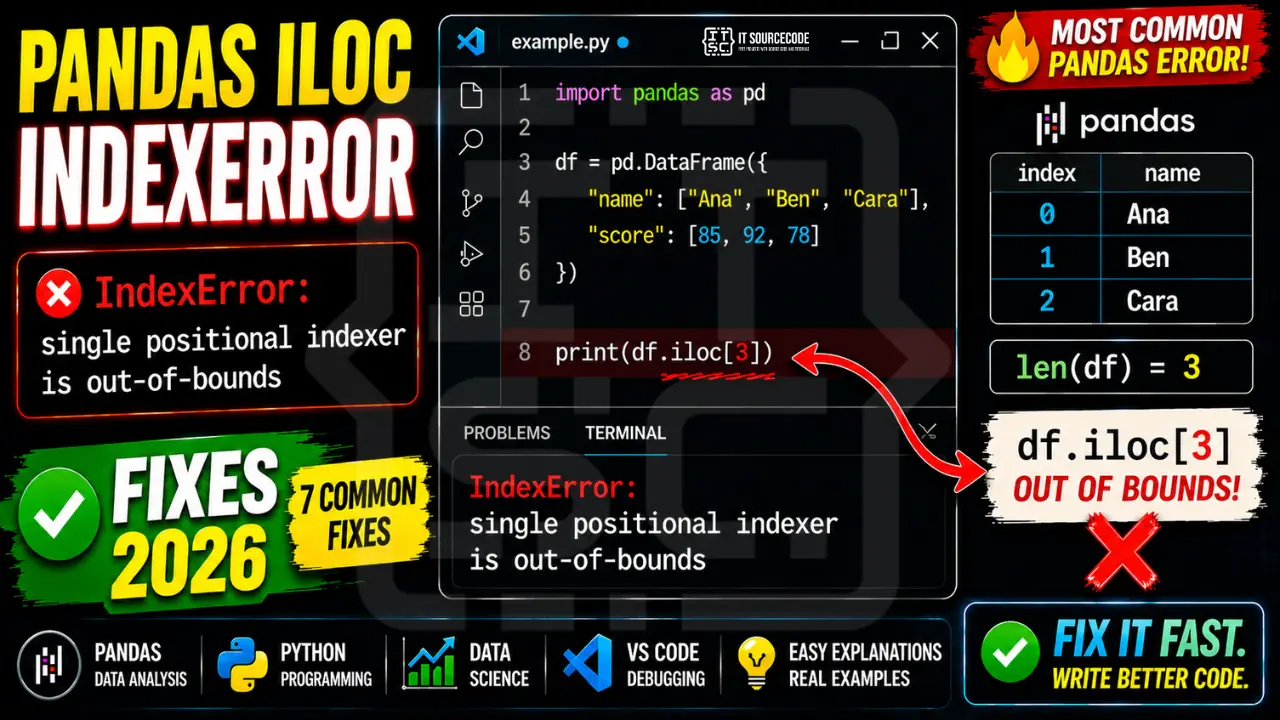
The IndexError fires when .iloc receives a position that’s greater than or equal to the row count (or column count, for the second axis). Here’s the simplest reproducer:
import pandas as pd

df = pd.DataFrame({"name": ["Ana", "Ben", "Cara"], "score": [85, 92, 78]})
# df has 3 rows: positions 0, 1, 2

print(df.iloc[3])   # ❌ IndexError: single positional indexer is out-of-bounds
The DataFrame has 3 rows (positions 0, 1, 2). Asking for position 3 looks for the 4th row, which doesn’t exist. Same logic as Python’s list index out of range error, just with a slightly different message.
Cause #1: Accessing .iloc[N] Where N ≥ len(df)
This is the most basic version. You hardcode a position the DataFrame doesn’t have, or compute one that exceeds the actual row count.
sales = pd.DataFrame({"product": ["A", "B"], "revenue": [120, 340]})
print(sales.iloc[5])   # ❌ only 2 rows, max position is 1
The fix: always verify position is valid before accessing:
i = 5

if i < len(sales):
    print(sales.iloc[i])
else:
    print(f"Position {i} out of range. DataFrame has {len(sales)} rows.")
Or wrap it in a reusable helper for pipelines:
def safe_iloc(df, i, default=None):
    return df.iloc[i] if 0 <= i < len(df) else default

row = safe_iloc(sales, 5)   # returns None instead of raising
Cause #2: After Filtering or groupby() Shrunk the DataFrame
This is the cause I see most often in capstone projects. You filter or aggregate a DataFrame, then try to access a position based on the original size:
orders = pd.read_csv("orders.csv")   # 5,000 rows
print(orders.iloc[4999])             # ✅ works: last row

# Filter to a small slice
top_clients = orders[orders["revenue"] > 10_000]
print(len(top_clients))              # 12: much smaller!

print(top_clients.iloc[4999])        # ❌ IndexError: only 12 rows now
The DataFrame variable changed, but the hardcoded position didn’t. Same trap appears after groupby().agg(), drop_duplicates(), dropna(), and sample().
The fix: never carry hardcoded positions across transformations. Re-derive them after each filter:
top_clients = orders[orders["revenue"] > 10_000].reset_index(drop=True)

# ✅ Always work relative to the current length
last = top_clients.iloc[-1]                    # last row, whatever the length
middle = top_clients.iloc[len(top_clients) // 2]

# ✅ Or pick rows by condition, not by position
biggest = top_clients.loc[top_clients["revenue"].idxmax()]
Pro tip: call .reset_index(drop=True) after every filter step. It re-aligns positions with index labels and prevents a whole class of .iloc/.loc confusion.
Cause #3: .iloc[0] on an Empty DataFrame
If a filter returns zero rows, the DataFrame is empty, and .iloc[0] raises immediately:
users = pd.read_csv("users.csv")
inactive = users[users["last_login"] < "2020-01-01"]   # might be empty

oldest_inactive = inactive.iloc[0]   # ❌ IndexError if empty
This pattern bites hard in production pipelines, scheduled reports, and ML feature engineering, anywhere the upstream data can legitimately have zero matches.
The fix: always check emptiness before scalar access:
# ✅ .empty is the idiomatic check
if not inactive.empty:
    oldest_inactive = inactive.iloc[0]
else:
    oldest_inactive = None

# ✅ Or with .head(1) + iteration: never raises
oldest_inactive = next(iter(inactive.head(1).itertuples()), None)
Avoid if inactive: on a DataFrame, it raises ValueError: The truth value of a DataFrame is ambiguous. Always use .empty, or len(df) > 0.
Cause #4: Multi-Axis .iloc[row, col] With Column Position Out of Bounds
When you index two axes at once, both must be in range. Forgetting the column count after a drop() or select_dtypes() is a classic source of the error:
df = pd.DataFrame({"a": [1, 2], "b": [3, 4], "c": [5, 6]})
print(df.iloc[0, 2])   # ✅ 5

df_small = df.drop(columns=["c"])
print(df_small.iloc[0, 2])   # ❌ IndexError: only 2 columns now (positions 0, 1)
The fix: check both .shape[0] (rows) and .shape[1] (columns) before multi-axis access. Better, address columns by name with .loc:
r, c = 0, 2
if r < df_small.shape[0] and c < df_small.shape[1]:
    val = df_small.iloc[r, c]

# ✅ Better: name the column, survives schema changes
val = df_small.loc[0, "b"]
Positional column indexing is fragile under any schema change. In production code, prefer name-based access, your future self will thank you when someone adds or drops a column.
Cause #5: Negative .iloc[-N] Beyond Range
Negative indexing works the same way as Python lists: -1 is the last row, -2 the second-to-last. But going beyond the start raises IndexError:
df = pd.DataFrame({"x": [10, 20, 30]})   # 3 rows

print(df.iloc[-1])   # ✅ row with x=30
print(df.iloc[-3])   # ✅ row with x=10
print(df.iloc[-4])   # ❌ IndexError: only 3 rows, -4 is out of range
This trap appears in rolling-window feature engineering, where you compute df.iloc[-window_size] without checking if the DataFrame is long enough.
The fix: bound negative indexes against len(df):
window = 4

if window <= len(df):
    start_value = df.iloc[-window]
else:
    start_value = None   # not enough history yet

# ✅ Or use .tail(n) which silently returns up to n rows
start_value = df.tail(window).iloc[0] if not df.empty else None
Cause #6: Using .iloc When .loc Would Be Safer
Sometimes the right fix isn’t bounds-checking .iloc, it’s switching to .loc entirely. If you’re identifying a row by some natural key (user ID, order number, ticker symbol), .loc is both safer and more readable:
# ❌ Fragile: position depends on sort order
ana_score = df.iloc[0]["score"]   # is Ana actually at position 0?

# ✅ Robust: finds Ana wherever she is
ana_score = df.loc[df["name"] == "Ana", "score"].iloc[0]

# ✅ Best: set name as index, then label-lookup
df_indexed = df.set_index("name")
ana_score = df_indexed.loc["Ana", "score"]   # KeyError if Ana doesn't exist
Note: .loc raises KeyError (not IndexError) when the label doesn’t exist. If you’re hitting that, see our pandas KeyError fix guide for the companion errors.
Rule of thumb: use .iloc only when you genuinely care about position (first row, last row, every Nth row). Use .loc whenever you can express the lookup in terms of a value or label.
Cause #7: .iloc vs .iat Performance and Bounds Behavior
For scalar (single-cell) access, pandas exposes .iat[], a faster, stricter positional accessor:
df = pd.DataFrame({"a": [1, 2, 3], "b": [4, 5, 6]})

val = df.iloc[0, 0]   # ✅ 1: works
val = df.iat[0, 0]    # ✅ 1: faster, scalar only

# ❌ Both raise IndexError on out-of-bounds
df.iloc[10, 0]
df.iat[10, 0]
If you’re looping millions of times (ML feature loops, simulations), .iat is roughly 4-5× faster than .iloc for single-cell reads. But the bounds error message is identical, and the prevention rules are the same: check .shape first.
Bigger win: avoid the loop entirely. Vectorized pandas operations don’t index row-by-row, so they can’t hit positional bounds errors at all:
# ❌ Slow + IndexError-prone
totals = []
for i in range(len(df)):
    totals.append(df.iat[i, 0] + df.iat[i, 1])

# ✅ Vectorized: fast, safe, idiomatic
df["total"] = df["a"] + df["b"]
Universal Diagnostic Snippet
When you hit single positional indexer is out-of-bounds and the cause isn’t obvious, paste this snippet right before the failing line. It tells you everything you need in five lines:
print(f"shape: {df.shape}")
print(f"len:   {len(df)}")
print(f"empty: {df.empty}")
print(f"cols:  {list(df.columns)}")
print(f"index: {df.index.tolist()[:5]}{'...' if len(df) > 5 else ''}")
If shape shows (0, N), your DataFrame is empty (Cause #3). If row count is smaller than expected, a filter or groupby shrank it (Cause #2). If column count is smaller, something dropped a column (Cause #4). Five lines, problem identified.
Prevention Checklist
To keep .iloc out-of-bounds errors out of your notebooks and pipelines:
- Print
df.shapeafter every filter, groupby, drop, or merge: until it’s reflex, you’ll forget the DataFrame shrank - Use
.reset_index(drop=True)after filtering: re-aligns positions with index labels, prevents.iloc/.locconfusion - Check
df.emptybefore scalar access: neverdf.iloc[0]without it on data that came from a filter or API - Prefer
.loc[label]over.iloc[position]when you can express the lookup by name or value - Never hardcode positions across transformations: recompute relative to the current length each time
- Use
.head(n),.tail(n),.sample(n): they silently return up to n rows, no bounds error - Vectorize loops: most row-by-row indexing in pandas is unnecessary and slow; column arithmetic doesn’t have positional bounds issues
- Address columns by name, not position: survives schema changes; positional column access breaks every time someone adds or drops a column
When You Should Use try/except IndexError
Same rule as plain Python: catch IndexError only at boundaries where the input is genuinely unpredictable, file parsers, API consumers, user query handlers. Inside your own analysis code, prevent the error with a check instead:
# ✅ Good: wrapping an external data source
def get_latest_price(symbol):
    df = fetch_prices(symbol)   # may return empty if symbol delisted
    try:
        return df.iloc[-1]["close"]
    except IndexError:
        return None

# ❌ Bad: hides a logic bug in your own pipeline
def average_top10(df):
    try:
        return df.iloc[:10]["score"].mean()
    except IndexError:
        return 0   # silently wrong if df has fewer than 10 rows
Note: df.iloc[:10] doesn’t actually raise on short DataFrames, slicing is forgiving. But df.iloc[10] (scalar) does. Know the difference.
Quick step-by-step summary (click to expand)
- Print df.shape before the failing iloc. A single print(df.shape) reveals whether the DataFrame is empty or has fewer rows than expected.
- Guard iloc[0] with a length check. Use if len(df) greater than 0: first_row = df.iloc[0]. Empty DataFrames raise IndexError on any positional access.
- Use iat instead of iloc for single cells. df.iat[0, 0] is faster for single-cell access. Same IndexError semantics but clearer intent.
- Switch to loc for label-based access. If your DataFrame has a meaningful index (dates, IDs), df.loc[label] catches missing keys as KeyError which is easier to handle explicitly.
Official documentation
Frequently Asked Questions
What does “single positional indexer is out-of-bounds” mean in pandas?
df.iloc[N] with a position number N that’s greater than or equal to the DataFrame’s row count. Pandas .iloc uses zero-based positions, so a DataFrame with 10 rows has valid positions 0 through 9. Asking for position 10 (or higher) raises this error. The same applies to the second axis, df.iloc[0, N] raises if N exceeds the column count.Why does df.iloc[0] raise IndexError on a filtered DataFrame?
if not df.empty: before accessing df.iloc[0] on any data that came from a filter, query, API response, or join. In production pipelines this is the single most common cause of the error: upstream data legitimately had no matches today.What’s the difference between .iloc, .loc, and .iat?
.iloc is positional (integer), df.iloc[0] is the first row by position. .loc is label-based, df.loc[0] is the row whose index label is the integer 0 (which may not be the first row). .iat is a faster scalar version of .iloc, use it for single-cell access in tight loops. .loc raises KeyError on missing labels; .iloc and .iat raise IndexError on out-of-bounds positions.How do I check if a DataFrame is empty before using iloc?
if not df.empty: or if len(df) > 0:. Do NOT use if df:, that raises ValueError: The truth value of a DataFrame is ambiguous, because pandas doesn’t define truthiness for DataFrames (it would have to choose between “any value truthy” or “all values truthy”). For Series the rule is the same, use .empty or len().Does pandas iloc support negative indexing?
df.iloc[-1] returns the last row, df.iloc[-2] the second-to-last, and so on. But going beyond the start, df.iloc[-N-1] for a DataFrame of length N, raises IndexError. In a 3-row DataFrame, valid negative positions are -1, -2, -3. df.iloc[-4] raises. Bound negative positions against len(df) the same way you would positive ones.How do I fix iloc IndexError after groupby?
groupby().agg(), the resulting DataFrame’s row count equals the number of unique groups, usually much smaller than the original. Print result.shape immediately after the aggregation, then work with positions relative to the new length. Better, address rows by the group key with .loc[group_value] after a set_index(), it’s safer and more readable than positional access on aggregated data.Is .iat faster than .iloc, and does it raise the same error?
.iat is roughly 4-5× faster than .iloc for single-cell access because it skips the slicing/array-coercion logic. The bounds error is the same: both raise IndexError on out-of-range positions. Use .iat[i, j] only for scalar reads in hot loops (ML feature engineering, Monte Carlo simulations). For most analysis code, prefer vectorized column operations, they’re faster than any per-cell access and have no positional bounds errors at all.📌 Building a data science capstone?
See best Python data science projects, find the best IDE for data work, or explore 150 capstone project ideas for IT students.
Final Recommendation
If you take only one habit from this guide, make it this: after every filter, groupby, drop, or merge, print df.shape. The vast majority of iloc out-of-bounds errors come from forgetting that the DataFrame shrank. Five characters of debug output prevent hours of confused debugging.
For the remaining cases, empty DataFrames, user-supplied positions, parsing external data, combine a quick .empty check with a meaningful fallback. And whenever you can express the lookup by label or value rather than by position, reach for .loc instead of .iloc. Position-based code is fragile under schema changes; label-based code survives them.
🎯 Your next steps:
- Audit your current notebook: add
print(df.shape)after every filter/groupby/merge - Replace any
df.iloc[0]on filtered data with anif not df.empty:guard - If you’re hitting KeyError on column names too, see our pandas KeyError fix guide
- For the parent topic on plain Python lists, see list index out of range
- Browse more IndexError fixes, KeyError fixes, or Python tutorials
Still stuck on a specific pandas IndexError? Drop the exact error message, the line that raised it, and the output of df.shape in the comments, we’ll help you debug it.

Angel Jude Suarez
Full-Stack Developer at PIES IT Solution
Focuses on Python development, machine learning, and AI integration. Has built production AI systems including OpenAI Whisper integration for medical transcription and GPT-4o-powered diagnosis assistance. Strong background in pandas, scikit-learn, and TensorFlow.
Expertise: Python · PHP · Java · VB.NET · ASP.NET · Machine Learning · AI Integration · OpenCV · Django · CodeIgniter
· View all posts by Angel Jude Suarez →