
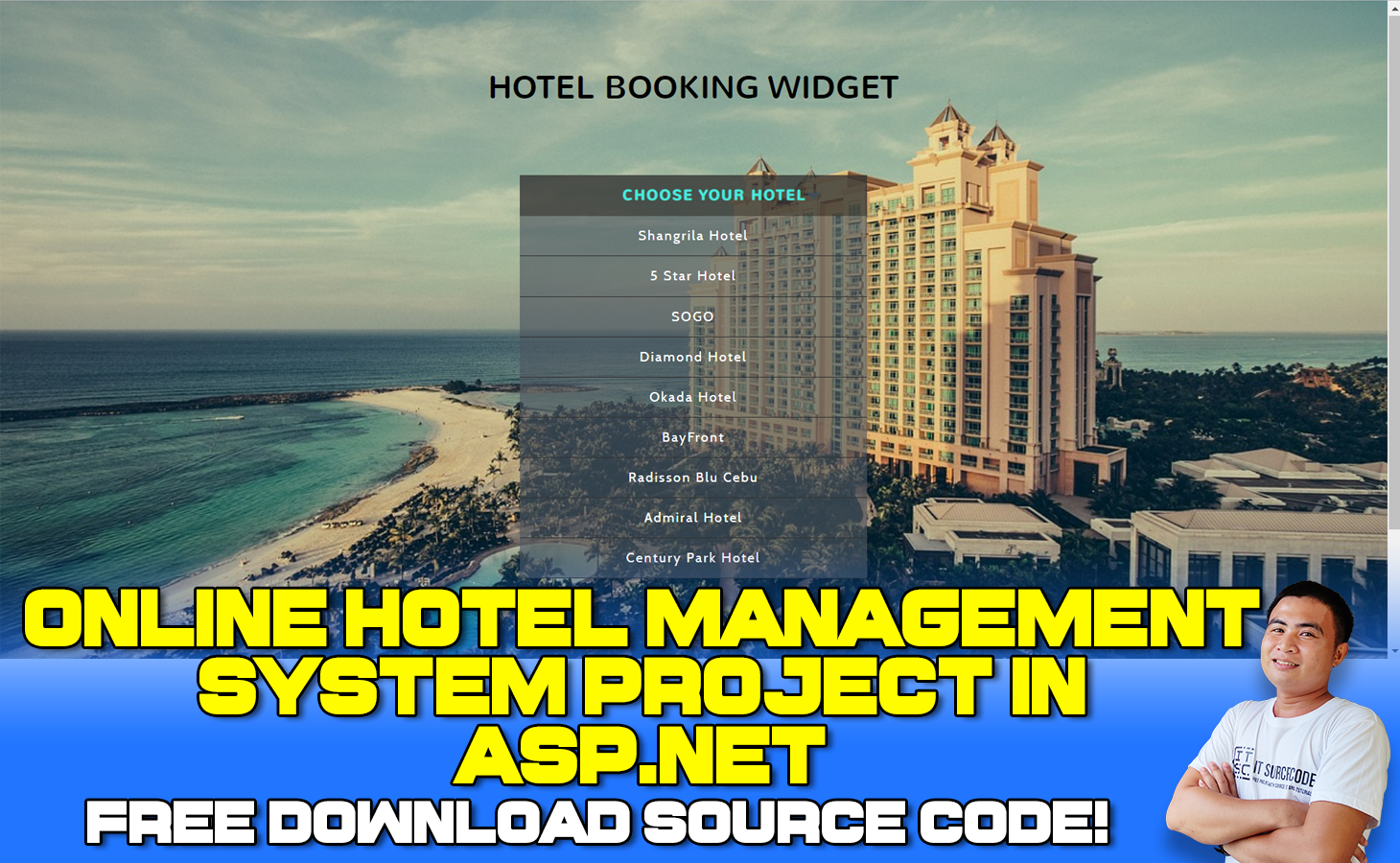
What is a Hotel Management System Project in ASP.net?
An Online Hotel Management System Project in ASP.net includes features for booking, registering, publishing bills, and entering room hotel pricing.
Users can obtain comprehensive information about the hotel via the Internet, which also gives up-to-date information about the hotel on a regular basis.
Online Hotel Management System Project in ASP.net: Table of contents
- What is a Hotel Management System Project in ASP.net?
- What is the use of a hotel management system project?
- What is the main objective of the hotel management system?
- What is ASP in the hotel industry?
- Hotel Management System Project in ASP.net: Project information
- Hotel Management System using ASP.net with Source Code: Project Output
- How to run an Online Hotel Management System Project in ASP.net? A step-by-step Guide with Source Code
- Download the Source Code below
- Summary
- Related Articles
- Inquiries
What is the use of a hotel management system project?
Room booking, staff management, and other hotel management services are included in this project. The manager can use the system to advertise available rooms.
Customers may see and reserve rooms from the comfort of their own homes. Admin has the authority to approve or reject a customer’s booking request.
What is the main objective of the hotel management system?
The primary goal of hotel management is to maintain a steady influx of visitors and guests throughout the year, as well as to promote the hotel’s extensive range of services and USPs and how they benefit visiting customers through marketing campaigns.
What is ASP in the hotel industry?
Third-party companies that manage and distribute Internet-based software services and solutions to clients from a central data center are known as application service providers.
For a fixed amount of money, an ASP contracts activities and expertise focused on managing information technology.
Hotel Management System Project in ASP.net: Project information
| Project Title: | Online Hotel Management System Project in ASP.net |
|---|---|
| Abstract : | The Hotel Management System in ASP.net is built to help you save time and make more money. Get a demo. Top-performing hotels use Cloudbeds’ easy-to-use platform to operate more profitably. |
| Project Type: | Website |
| Technology : | Microsoft Visual Studio 2022 |
| Database : | SQL Server Database |
| Developer: | IT Source Code |
Hotel Management System using ASP.net with Source Code: Project Output
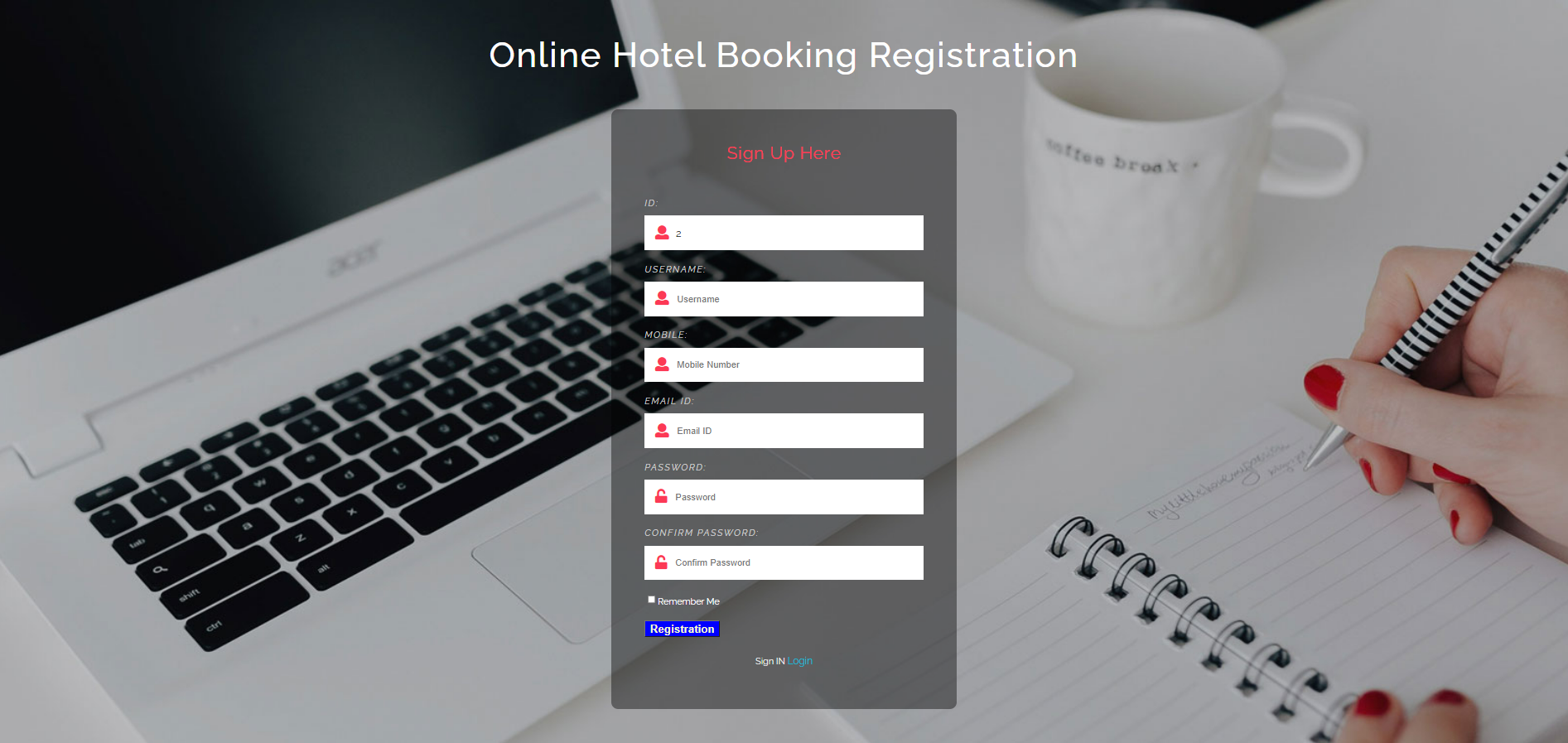
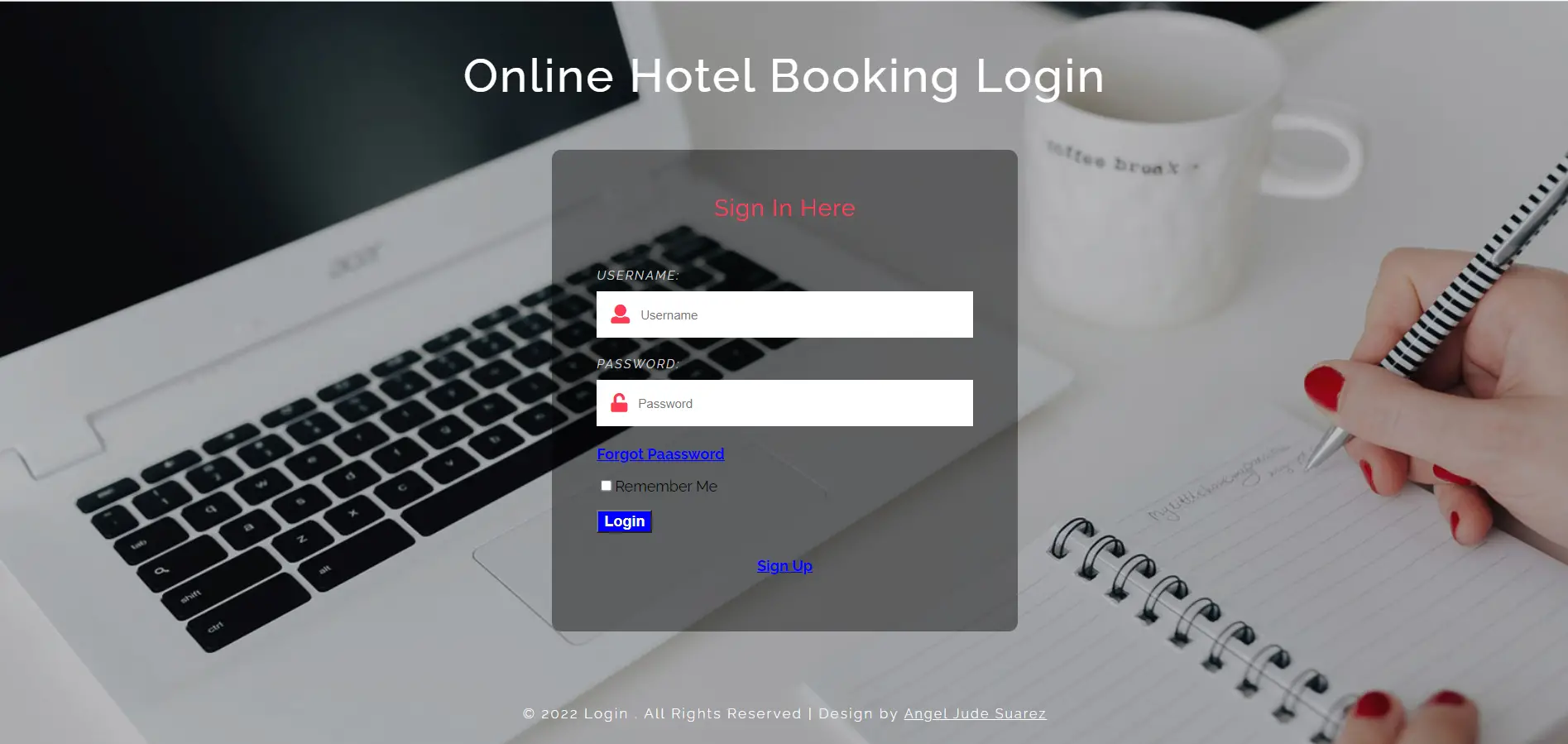

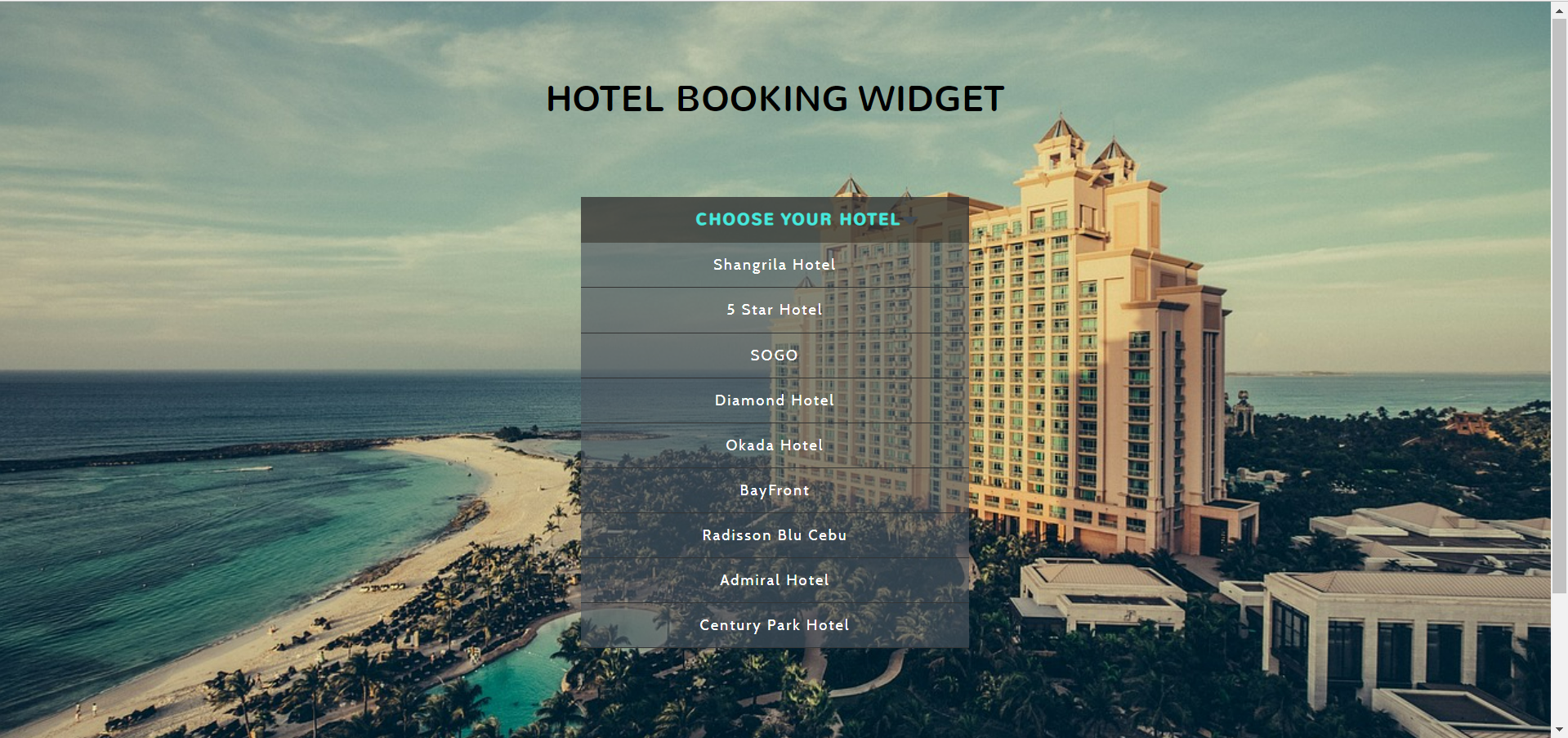

To start executing the Hotel Management System Project in ASP.net MVC make sure that you have Microsoft Visual Studio installed on your computer.
How to run an Online Hotel Management System Project in ASP.net? A step-by-step Guide with Source Code
Time needed: 5 minutes
Online Hotel Management System Project in ASP.net FREE DOWNLOAD
- Step 1: Download Source Code
First, find the downloadable source code below and click to start downloading the source code file.

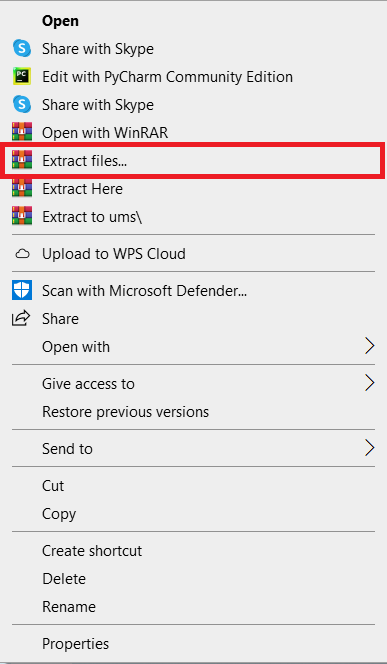
- Step 2: Extract File
Next, after finishing downloading the file, go to the file location, then right-click the file, and click extract.

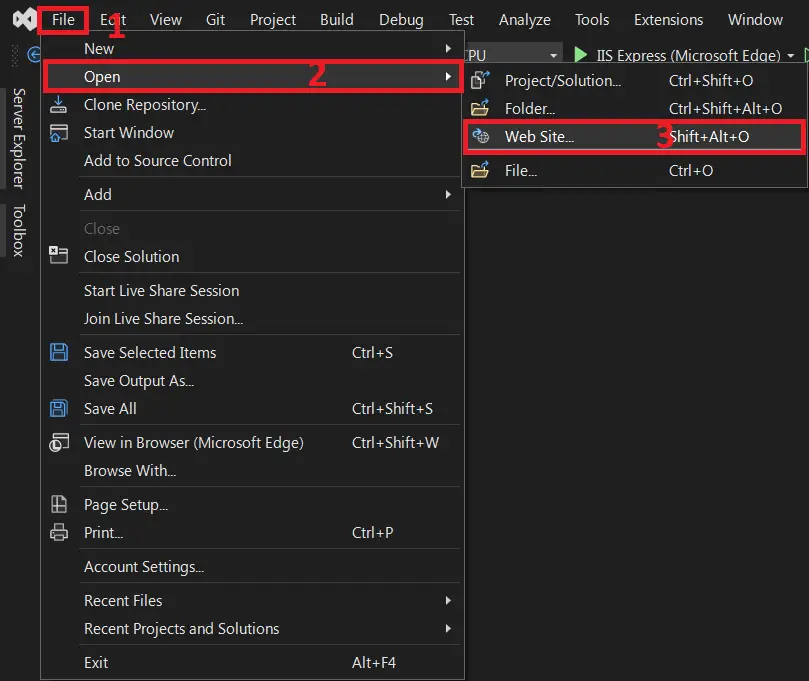
- Step 3: Open Visual Studio
Next, open Microsoft Visual Studio and click file and open website, and open the extracted folder.

- Step 4: Run Project
Last, click the run button to start executing the project.



Download the Source Code below
Anyway, if you want to level up your programming knowledge, especially ASP.net, try this new article I’ve made for you ASP.Net Projects With Source Code For Final Year Students.
Summary
In this Project Source Code was developed using ASP.net Programming and SQL Server Database as the system’s Back-End, It also includes a downloadable ASP.net Project Source Code for free.
Modern hotel management systems have the benefit of modernity. The work has been made easier by the computer. In management, computers play an essential role.
Every client check-in or check-out generates a daily report that can be easily viewed by management. The major goal of the hotel management system is to deliver services to customers.
A computer program makes many things easier; these programs are designed to be user-friendly and to keep track of hotel management and accounts. As a result, these considerations are critical.
Related Articles
- Hotel Management System In PHP With Source Code
- Hotel Management System UML Diagrams
- Hotel Management System Class Diagram | UML
- Hotel Management System Sequence Diagram | UML
- Hotel Management System Activity Diagram | UML
Inquiries
If you have any questions or suggestions about the Online Hotel Management System Project in ASP.net FREE DOWNLOAD, please feel free to leave a comment below.
Frequently Asked Questions
How does this ASP.NET hotel reservation system work?
Guests browse rooms by date range via Razor pages, the controller checks Booking conflicts via Entity Framework LINQ queries, confirmed reservations save with status (pending/confirmed/cancelled). Admin sees occupancy via Chart.js dashboard. ASP.NET MVC + EF + SQL Server stack.
What ASP.NET and Visual Studio versions does this project require?
Most projects in this batch use ASP.NET MVC 5 on .NET Framework 4.5+ OR ASP.NET Core 3.1/6.0+. Check the .csproj file’s TargetFramework for exact version. To run: install Visual Studio 2019/2022 (Community is free) with the ‘ASP.NET and web development’ workload, open the .sln, restore NuGet packages, build, then F5.
How do I set up the database for this ASP.NET project?
Open SQL Server Management Studio (SSMS) and connect to your SQL Server (typically localhost\SQLEXPRESS). Right-click Databases > Restore (or run the included .sql script). Update the connection string in Web.config (or appsettings.json for .NET Core) with your server name + credentials. For EF Code-First: run Update-Database in Package Manager Console.
Can I use this ASP.NET project for a BSIT capstone or thesis?
Yes, but extend it. A bare CRUD app is too narrow for full capstone scope. Add: ASP.NET Identity roles, dashboards (Chart.js + AJAX endpoints), PDF exports (iTextSharp or Rotativa), email notifications (SmtpClient), real domain extension (analytics, audit log, multi-branch). Pair with Chapter 1-5 documentation.
Why am I getting ‘login failed’ or ‘cannot connect to SQL Server’ errors?
Three common ASP.NET startup issues: (1) Connection string in Web.config has wrong server name OR SQL Server service isn’t running (check SQL Server Configuration Manager). (2) Login failed: SQL Server authentication mode is set to ‘Windows only’ but connection string uses SQL auth – enable Mixed Mode in SSMS server properties. (3) ‘Cannot open database’: database name in connection string doesn’t match the restored database name.
Where can I find more ASP.NET projects with source code?
Browse the ASP.NET Projects hub for the full library. For C# WinForms desktop alternatives see C# Projects (55+ Windows Forms systems). For other .NET stacks see VB.NET Projects (300+ systems). For BSIT capstone idea lists see 150 Best Capstone Project Ideas.

Angel Jude Suarez
Full-Stack Developer at PIES IT Solution
Focuses on Python development, machine learning, and AI integration. Has built production AI systems including OpenAI Whisper integration for medical transcription and GPT-4o-powered diagnosis assistance. Strong background in pandas, scikit-learn, and TensorFlow.
Expertise: Python · PHP · Java · VB.NET · ASP.NET · Machine Learning · AI Integration · OpenCV · Django · CodeIgniter · View all posts by Angel Jude Suarez →