
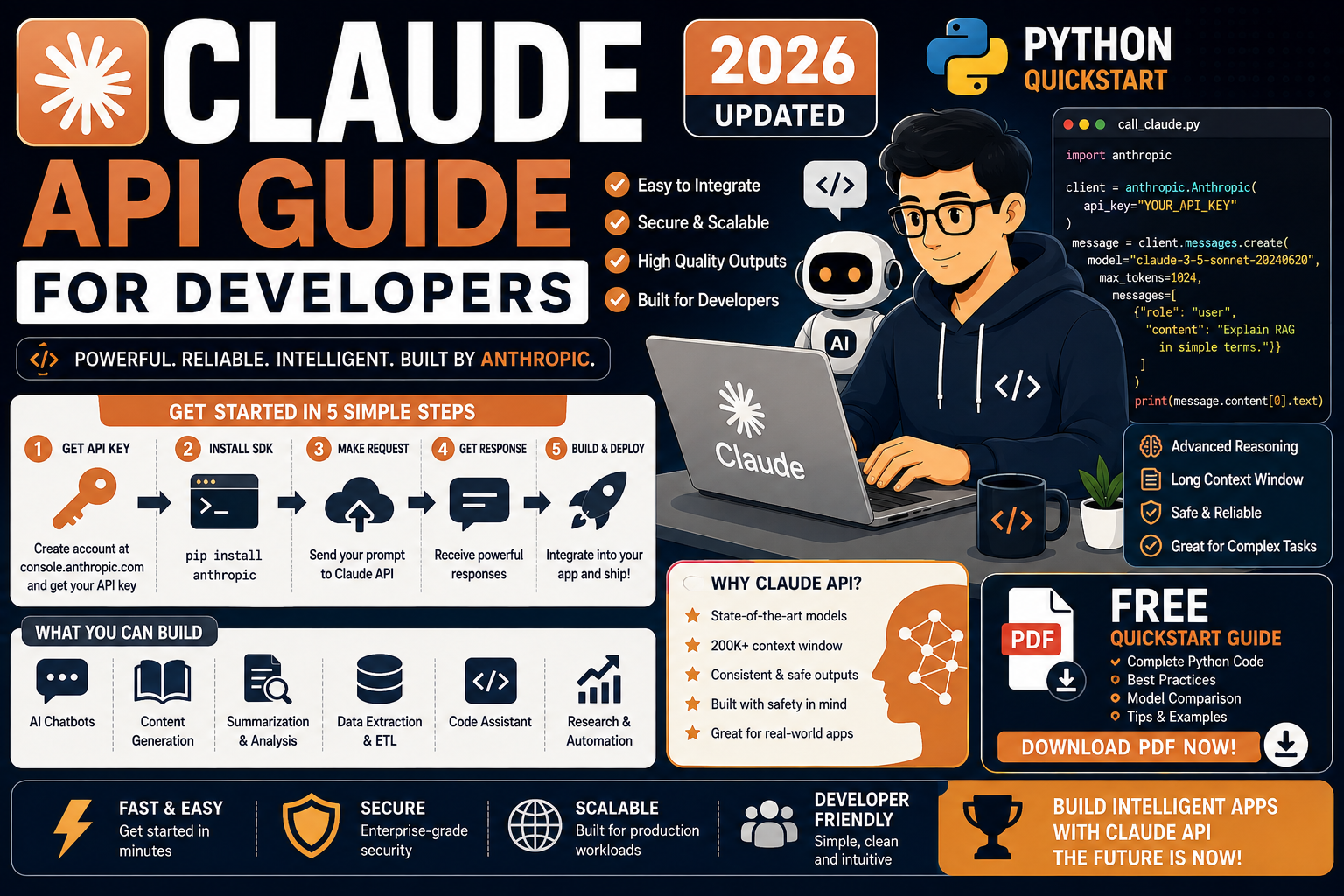
The Claude API from Anthropic is the strongest alternative to the OpenAI API in 2026, and for many tasks it is the primary choice. Claude Sonnet 4.7 and Opus 4.7 are especially strong at coding, long-context reasoning, and tool use. This is the practical Python quickstart for developers who want working Claude API code today.
Quick answer for 2026
Install the anthropic Python SDK, add your API key as an environment variable, and call client.messages.create() with model="claude-sonnet-4-7". Streaming, tool use, and vision all use the same endpoint with different parameters. Budget about $3 to $15 for a week of moderate learning usage.
What Claude actually is in 2026
Claude is Anthropic’s LLM family. In 2026 the main developer-facing models are Claude Haiku 4.5, Sonnet 4.7, and Opus 4.7. All three share the same Messages API surface. You pick a model based on your speed-cost-quality trade-off:
- Claude Haiku 4.5: fastest and cheapest, great for classification, extraction, short chat
- Claude Sonnet 4.7: the everyday workhorse, strong at coding and general reasoning
- Claude Opus 4.7: highest quality, best for long-context research, complex reasoning, and agentic workflows
For example, in my own production apps I default every request to Sonnet 4.7. I only reach for Opus 4.7 when Sonnet fails a task, and I only use Haiku 4.5 when the task is a simple extraction or classification. This pattern keeps costs predictable while quality stays high.
Setup: install the SDK and get your API key
Install the official Python SDK:
pip install anthropic
Create an API key at console.anthropic.com/settings/keys. Store it as an environment variable, never in your source code:
export ANTHROPIC_API_KEY="sk-ant-api03-..."
On Windows PowerShell, use $env:ANTHROPIC_API_KEY="sk-ant-...". Load $5 to $10 of prepaid credit at console.anthropic.com/settings/billing to unlock higher rate limits.
Your first Claude API call in Python
This is the minimum working request:
from anthropic import Anthropic

client = Anthropic()  # picks up ANTHROPIC_API_KEY from env

message = client.messages.create(
    model="claude-sonnet-4-7",
    max_tokens=1024,
    system="You are a helpful Python tutor.",
    messages=[
        {"role": "user", "content": "Explain list comprehensions in 3 sentences."},
    ],
)

print(message.content[0].text)
Two things differ from the OpenAI API. First, max_tokens is required on every call, not optional. Second, the system prompt is a top-level parameter, not a role inside the messages list. Once you get used to this, the pattern is otherwise very similar.
Streaming responses
Streaming makes chat interfaces feel fast. Instead of waiting for the whole response, you print each chunk as it arrives:
with client.messages.stream(
    model="claude-sonnet-4-7",
    max_tokens=1024,
    messages=[{"role": "user", "content": "Write a haiku about coffee."}],
) as stream:
    for text in stream.text_stream:
        print(text, end="", flush=True)
print()
In a web app, forward each text chunk to the browser over Server-Sent Events. Users see the answer appear word by word instead of waiting on a spinner. Claude’s first-token latency in 2026 is typically 400 to 900 ms depending on the model tier.
Tool use (function calling)
Tool use lets Claude decide when to call your Python functions and how to pass arguments. This is how you connect Claude to a database, a payment gateway, or any external API.
tools = [{
    "name": "get_weather",
    "description": "Get current weather for a city",
    "input_schema": {
        "type": "object",
        "properties": {
            "city": {"type": "string", "description": "City name"},
        },
        "required": ["city"],
    },
}]

response = client.messages.create(
    model="claude-sonnet-4-7",
    max_tokens=1024,
    tools=tools,
    messages=[{"role": "user", "content": "What is the weather in Manila?"}],
)

if response.stop_reason == "tool_use":
    tool_use = next(b for b in response.content if b.type == "tool_use")
    print(tool_use.name)   # get_weather
    print(tool_use.input)  # {"city": "Manila"}
Then you call your real Python function, take the result, and send it back to Claude in a second call as a tool_result message. Claude produces the final answer using that data. This is the same round-trip pattern as OpenAI, just with different key names in the response.
Vision: sending images to Claude
Claude Sonnet 4.7 and Opus 4.7 accept images inline in the messages payload. This works for screenshots, receipts, diagrams, chart interpretation, or OCR-adjacent tasks.
import base64
from pathlib import Path

image_bytes = Path("receipt.jpg").read_bytes()
image_b64 = base64.standard_b64encode(image_bytes).decode()

message = client.messages.create(
    model="claude-sonnet-4-7",
    max_tokens=1024,
    messages=[{
        "role": "user",
        "content": [
            {
                "type": "image",
                "source": {
                    "type": "base64",
                    "media_type": "image/jpeg",
                    "data": image_b64,
                },
            },
            {"type": "text", "text": "Extract the total amount and merchant name from this receipt."},
        ],
    }],
)

print(message.content[0].text)
For example, this pattern powers receipt scanning, ID card OCR, chart-to-data extraction, and screenshot bug triage. Cost per image scales with resolution: keep images under 1600 pixels on the long edge for the best cost-quality balance.
Claude pricing and model tiers in 2026
Anthropic adjusts pricing every few months. The 2026 baseline as of publication:
- Claude Haiku 4.5: roughly $0.25 per million input tokens, $1.25 per million output tokens
- Claude Sonnet 4.7: roughly $3 per million input tokens, $15 per million output tokens
- Claude Opus 4.7: roughly $15 per million input tokens, $75 per million output tokens
Prompt caching discounts cached input by up to 90%. Batch API discounts async workloads by 50%. Always confirm current numbers at docs.anthropic.com/en/docs/about-claude/pricing before you build a business case.
Common Claude API mistakes to avoid
These are the mistakes I keep seeing in developer projects switching from OpenAI to Claude:
- Forgetting max_tokens. It is required. The SDK will raise a validation error if you skip it.
- Putting the system prompt inside messages. Claude reads it from the top-level
systemparameter, not a “system” role in messages. - Assuming OpenAI response shapes. Claude returns
message.contentas a list of content blocks. Text is atmessage.content[0].text, notresponse.choices[0].message.content. - Not handling tool_use vs end_turn stop reasons. Check
response.stop_reasonbefore you try to read the text. When Claude wants to call a tool, the text block may be empty. - Sending huge images at full resolution. Costs a lot and adds latency. Downscale to 1600 pixels on the long edge before you send.
- Defaulting to Opus 4.7 out of habit. Sonnet 4.7 is usually enough. Save Opus for tasks Sonnet clearly cannot handle.
Official documentation
Where to run your Claude-powered apps in production
The links below are affiliate links. We may earn a commission at no extra cost to you if you purchase through them. See our affiliate disclosure for details.
- OnSpace AI for hosting AI apps that call the Claude API
- Kamatera cloud VPS for running Python API servers and workers
- Rheinwerk Publishing for applied LLM engineering books
Frequently asked questions
Do I need a paid Anthropic account to use the Claude API?
Yes. The free Claude.ai web tier does not include API access. Add a payment method at console.anthropic.com and load $5 or $10 of prepaid credit to unlock higher rate limits. Billing is pay-as-you-go: you are charged only for tokens you actually use.
Can I use the Claude API from the Philippines?
Yes. The API is available in the Philippines. Most PH-issued Visa and Mastercard debit and credit cards work for billing, including BDO, BPI, UnionBank, and GCash Mastercard virtual cards. Latency from PH to Anthropic’s endpoints is typically 200 to 350 ms, comparable to the OpenAI API.
Which model should I use for a BSIT capstone project?
Claude Sonnet 4.7 for almost every capstone use case. Haiku 4.5 for cheap classification or extraction tasks in high volume. Opus 4.7 only if your capstone involves long research documents or complex multi-step reasoning. Budget $10 to $30 in API credit for a full build-and-demo cycle.
Claude API vs OpenAI API: which is better in 2026?
Both are excellent. Claude tends to lead on coding tasks, long-context reasoning, and structured tool use. GPT-5 tends to lead on multimodal (native audio) and raw speed at similar quality tiers. Many production apps use both: Claude for code generation and agent workflows, GPT-5 for chat and multimodal. Test both on your actual task before committing.
Does Claude support structured outputs like OpenAI?
Claude does not have a native JSON schema enforcement mode in 2026, but you can achieve the same result with a well-defined tool_use call. Define a tool whose input_schema matches your desired JSON structure, and Claude will fill it precisely. This pattern is more verbose than OpenAI’s response_format but equally reliable.
How does prompt caching work with Claude?
Add cache_control markers to the system prompt or specific messages you want cached. Anthropic caches those tokens for 5 minutes by default, or 1 hour with an extended cache option. Cached tokens cost about 10% of normal input pricing. This is huge for chatbots that reuse the same system prompt across many turns.
For polishing Claude’s output before it ships to end users, Grammarly catches tone and grammar issues that Claude sometimes misses on domain-specific writing. Teams often store their prompt library and integration notes in Notion for cross-team reuse and versioning.
Bottom line for 2026 developers
The Claude API is one of the cleanest developer APIs in 2026. Six lines of Python give you a working call. Tool use, streaming, and vision all follow the same predictable pattern once you understand the Messages format. The hard part is not the API. It is picking the right model tier, using prompt caching for cost control, and building an evaluation harness so you catch quality regressions before your users do.
Start with the quickstart above. Ship one small Claude-powered feature end to end. Then iterate. Feel free to comment below if you get stuck on the tool_use pattern or your first vision test.

Angel Jude Suarez
Full-Stack Developer at PIES IT Solution
Focuses on Python development, machine learning, and AI integration. Has built production AI systems including OpenAI Whisper integration for medical transcription and GPT-4o-powered diagnosis assistance. Strong background in pandas, scikit-learn, and TensorFlow.
Expertise: Python · Machine Learning · AI Integration · OpenCV · Django · PyTorch · TensorFlow · LangChain · OpenAI SDK · Anthropic SDK · View all posts by Angel Jude Suarez →