
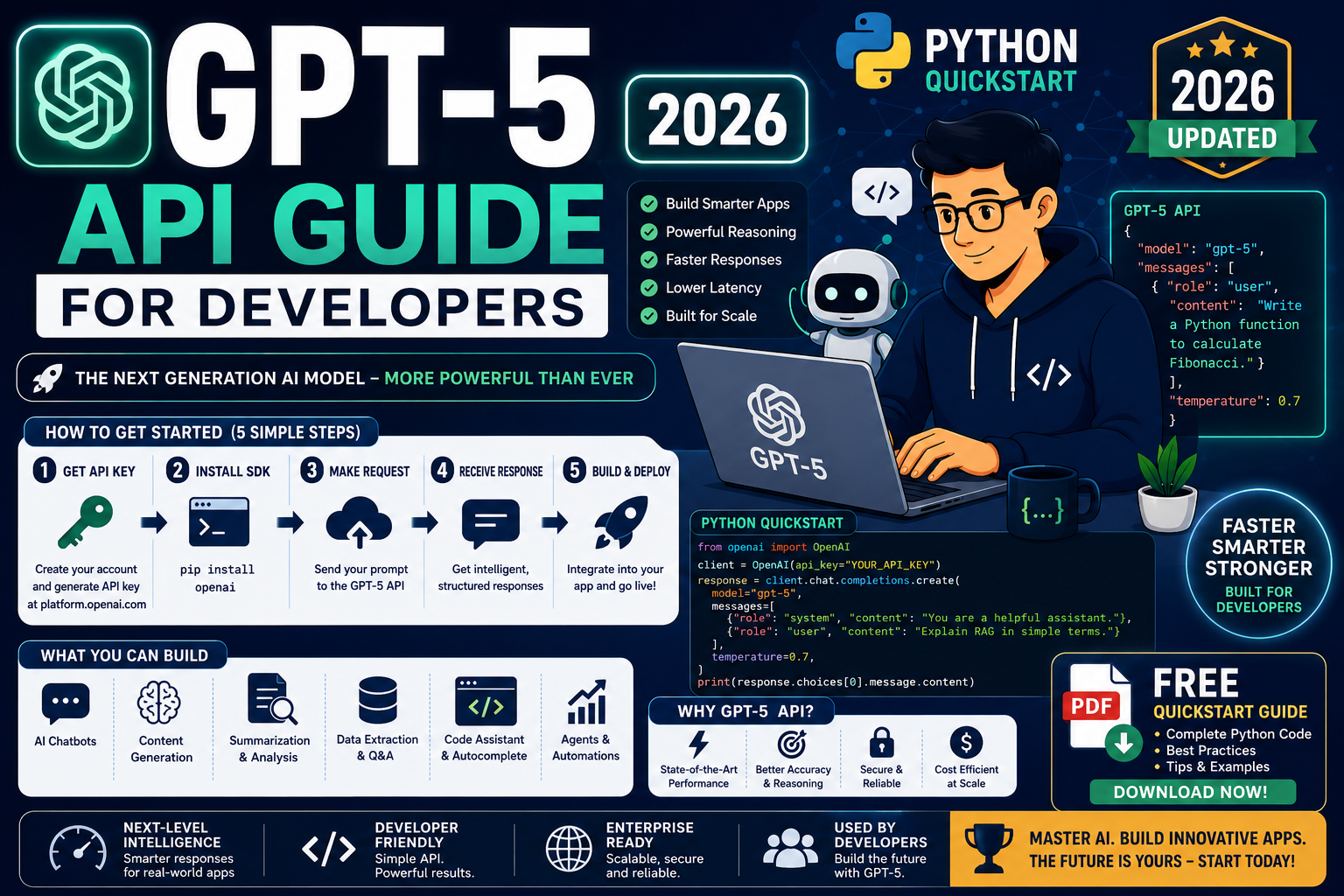
I have been shipping GPT-powered features into production apps since GPT-3.5, and every model release changes something in the API surface. GPT-5 in 2026 is no exception. This is the practical Python quickstart I wish existed the first time I opened the OpenAI dashboard, written for developers who want working code today.
Quick answer for 2026
Install the openai Python SDK, add your API key as an environment variable, and call client.chat.completions.create() with model="gpt-5". Streaming, function calling, and structured outputs all use the same endpoint with different parameters. Budget roughly $2 to $10 for a week of learning at moderate call volume.
What GPT-5 actually is in 2026
GPT-5 is OpenAI’s flagship model released in 2025 and matured through 2026. It replaced GPT-4o and GPT-4.1 as the default in the OpenAI API. Compared to the GPT-4 family, GPT-5 delivers stronger reasoning, better tool use, longer context (up to 400K tokens on the highest tier), and native multimodal support for text, images, and audio in a single request.
What GPT-5 gives you in the API:
- One model that handles chat, vision, code, and audio in the same request
- Function calling with automatic argument validation
- Structured outputs that enforce a JSON schema
- Streaming responses for real-time UI
- Long context for entire documents or codebases in one call
By the way, if your app only needs classification, extraction, or short answers, consider gpt-5-mini. It costs about a fifth of gpt-5 and is often good enough. I use gpt-5-mini for roughly 70% of the production calls in my own SaaS.
Setup: install the SDK and get your API key
First, install the official Python SDK:
pip install openai
Then create an API key at platform.openai.com/api-keys. Copy it once (OpenAI will not show it again). Store it as an environment variable, never in your code:
export OPENAI_API_KEY="sk-proj-..."
On Windows PowerShell, use $env:OPENAI_API_KEY="sk-proj-...". For production, put it in a secrets manager (AWS Secrets Manager, Google Secret Manager, or a self-hosted vault), never in Git.
Your first GPT-5 API call in Python
This is the minimum working request:
from openai import OpenAI

client = OpenAI()  # picks up OPENAI_API_KEY from env

response = client.chat.completions.create(
    model="gpt-5",
    messages=[
        {"role": "system", "content": "You are a helpful Python tutor."},
        {"role": "user", "content": "Explain list comprehensions in 3 sentences."},
    ],
)

print(response.choices[0].message.content)
Run this and you should see a 3-sentence explanation. If you get an authentication error, your API key is not exported. If you get a rate-limit error, add billing info at platform.openai.com/settings/organization/billing. First-tier limits are tight until you spend the first $5.
Streaming responses
For chat interfaces, streaming is what makes GPT-5 feel fast. Instead of waiting for the whole response, you print each token as it arrives:
stream = client.chat.completions.create(
    model="gpt-5",
    messages=[{"role": "user", "content": "Write a haiku about coffee."}],
    stream=True,
)

for chunk in stream:
    delta = chunk.choices[0].delta.content
    if delta:
        print(delta, end="", flush=True)
print()  # newline at the end
In a web app, forward each delta to the browser over Server-Sent Events or WebSocket. Users see the answer appear word by word instead of a spinner. First-token latency for GPT-5 in 2026 is typically 300 to 800 milliseconds.
Function calling and tools
Function calling lets the model decide when to invoke your Python functions and how to pass arguments. This is how you connect GPT-5 to a database, an API, or a payment gateway.
tools = [{
    "type": "function",
    "function": {
        "name": "get_weather",
        "description": "Get current weather for a city",
        "parameters": {
            "type": "object",
            "properties": {
                "city": {"type": "string", "description": "City name"},
            },
            "required": ["city"],
        },
    },
}]

response = client.chat.completions.create(
    model="gpt-5",
    messages=[{"role": "user", "content": "What is the weather in Manila?"}],
    tools=tools,
)

tool_call = response.choices[0].message.tool_calls[0]
print(tool_call.function.name)       # get_weather
print(tool_call.function.arguments)  # {"city": "Manila"}
Then you call the real function, take the result, and send it back to the model in a second API call so it can produce the final user-facing answer. The full round-trip is 3 messages: user question, model tool call, tool result, model final answer.
Structured outputs with JSON schema
When you need reliable JSON, do not just ask the model to “respond in JSON.” Use structured outputs, which guarantees the response matches your schema:
from pydantic import BaseModel

class ProductReview(BaseModel):
    product_name: str
    rating: int
    pros: list[str]
    cons: list[str]

response = client.chat.completions.parse(
    model="gpt-5",
    messages=[
        {"role": "system", "content": "Extract structured review data."},
        {"role": "user", "content": "The Cursor IDE is amazing at 4/5 stars. Great AI, weak Linux support."},
    ],
    response_format=ProductReview,
)

review = response.choices[0].message.parsed
print(review.rating)  # 4
print(review.pros)    # ["Great AI"]
This is a huge upgrade from the old “please return JSON” pattern. The model literally cannot return anything that fails your schema. I use this everywhere I would have written brittle regex parsers before.
GPT-5 pricing in 2026
OpenAI adjusts pricing every few months. The 2026 baseline as of publication:
- gpt-5: roughly $2.50 per million input tokens, $10 per million output tokens
- gpt-5-mini: roughly $0.25 per million input tokens, $1 per million output tokens
- gpt-5-nano: roughly $0.05 per million input tokens, $0.20 per million output tokens
Prompt caching (input tokens seen recently) discounts cached input by about 50%. Batch API discounts async workloads by 50%. Always check platform.openai.com/docs/pricing for the current numbers before you build a business case.
Common GPT-5 API mistakes to avoid
These are the mistakes I keep seeing in developer projects:
- Hardcoding the API key in source. Even in private repos. Especially in private repos. Use environment variables or a secrets manager, always.
- Not setting a timeout. The SDK’s default is generous. Set
client = OpenAI(timeout=30.0)so a hung request cannot freeze your worker. - Retrying on the wrong errors. Retry on 429 (rate limit) and 5xx. Do not retry on 4xx auth or validation errors. The SDK has built-in retry logic; use it.
- Sending the entire conversation on every call. Fine for short chats. Ruinous for long ones. Summarize old turns after a threshold to control cost.
- Skipping the system prompt. A clear system prompt reduces the tokens you waste re-explaining context in every user message.
- Choosing gpt-5 when gpt-5-mini would work. Test both on your actual task. If quality is similar, ship the cheaper model.
Official documentation
Where to run your GPT-5 apps in production
The links below are affiliate links. We may earn a commission at no extra cost to you if you purchase through them. See our affiliate disclosure for details.
- OnSpace AI for hosting AI apps that call the GPT-5 API
- Kamatera cloud VPS for running Python API servers and worker queues
- Rheinwerk Publishing for OpenAI API and applied LLM books
Frequently asked questions
Do I need a paid OpenAI account to use the GPT-5 API?
Yes. The free tier only covers ChatGPT web usage, not API access. Add a payment method at platform.openai.com and pre-load $5 or $10 to unlock higher rate limits and larger context. Billing is pay-as-you-go: you are charged only for the tokens you use.
Can I use the GPT-5 API from the Philippines?
Yes. The API is available in the Philippines. Payment works with international credit cards, most local Visa or Mastercard debit cards from BDO, BPI, and UnionBank, plus GCash Mastercard virtual cards. Latency from PH to OpenAI’s US endpoints is typically 200 to 300 ms, which is fine for most apps.
Should I use GPT-5 or GPT-5-mini for my project?
Start with gpt-5-mini. It handles classification, extraction, translation, summarization, and most chat tasks well. Upgrade to gpt-5 only when mini’s quality is clearly insufficient. Most production apps I ship end up mostly on mini with gpt-5 called only for the hardest 20% of requests.
Is the GPT-5 API good enough for a BSIT capstone project?
Yes, and it is one of the strongest capstone choices in 2026. GPT-5 powered chatbots, form fillers, and content-generation tools defend well in panels because the tech is current and the value is obvious. Budget roughly $10 to $30 in API credits to build and demo. Log every prompt and response for your documentation chapter.
How do I handle rate limits in production?
The SDK auto-retries with exponential backoff on 429 errors. For heavier traffic, queue requests through a message broker (Redis, RabbitMQ) and process at a controlled rate. Contact OpenAI support to raise your organization’s tier once you have proven sustained usage. Tier 5 unlocks tens of millions of tokens per minute.
Can I switch to Claude or Gemini without rewriting my code?
Partly. Both Anthropic and Google offer OpenAI-compatible endpoints in 2026, so you can swap the base URL and often keep most of your code. For full feature parity (function calling, structured outputs), use each provider’s native SDK. If provider flexibility matters, wrap all LLM calls in a thin interface layer from day one.
Many teams document their prompt library and API integration patterns in Notion, which pairs well with GPT-5 for content workflows. For polishing model output before shipping to end users, Grammarly catches tone and grammar issues that GPT-5 occasionally misses on domain-specific writing.
Bottom line for 2026 developers
The GPT-5 API is easier to use in 2026 than any previous OpenAI model. Six or seven lines of Python give you a working call. Structured outputs and function calling replace 90% of the parsing and orchestration code you used to write. The hard part is no longer the API. It is picking the right model tier, controlling cost, and building an evaluation harness so you know when the model gets worse or a new release breaks your prompts.
Start with the quickstart. Ship one small feature end to end. Then iterate. I hope this article helps. Feel free to comment below if you get stuck on setup, billing, or your first function calling test.

Joken E. Villanueva
Founder & Lead Developer at PIES IT Solution
Founder of PIES Information Technology Solutions, a software company building production-grade applications for institutions across the Philippines. Over 8 years of hands-on full-stack development experience, currently leading the development of ClinicAI, an AI-powered clinic management platform.
Expertise: PHP · MySQL · JavaScript · AI Integration · SaaS Architecture · Python · Database Design · View all posts by Joken E. Villanueva →