
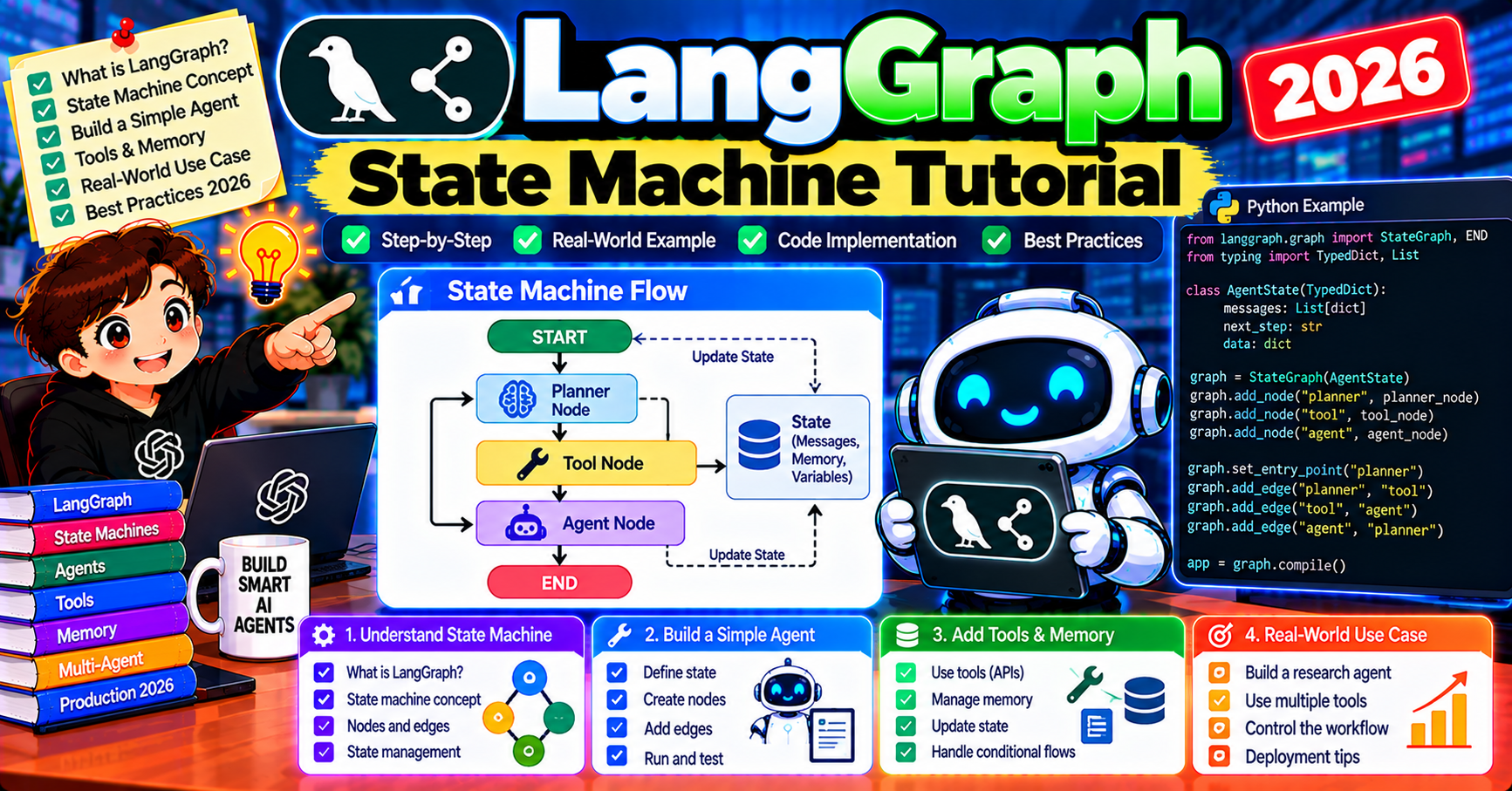
LangGraph is the state-machine framework from the LangChain team for building production-grade AI agents. Where CrewAI uses roles and AutoGen uses conversations, LangGraph uses nodes, edges, and shared state. This gives you the lowest-level control of the three major Python agent frameworks, which is exactly what you want when your agent system needs to handle production concerns: checkpointing, interrupts, parallel execution, and complex control flow. This tutorial walks through building a complete LangGraph agent step by step so you understand not just the API but the mental model.
The LangGraph mental model
A LangGraph agent is a directed graph with three components:
- Nodes: Python functions that take state and return partial state updates. One node per step in your agent’s workflow.
- Edges: control flow between nodes. Can be static (always go from A to B) or conditional (choose B or C based on state).
- State: a TypedDict (or Pydantic model) that all nodes read and write. The state object is the shared memory of your agent.
Think of it as a flow chart you execute. Each node is a decision or action; edges are the arrows; the state is what you carry through the chart.
Install and import
pip install langgraph langchain-openai

# .env
OPENAI_API_KEY=sk-...
LangGraph works standalone (does not require LangChain), but the LangChain OpenAI integration makes LLM calls easier. For other providers install langchain-anthropic, langchain-google-genai, etc.
Build a research agent in 50 lines
Our agent takes a user question, decides whether to search the web or answer directly, loops if needed, and returns a final answer.
from langgraph.graph import StateGraph, END
from langchain_openai import ChatOpenAI
from typing import TypedDict, Annotated
import operator

class AgentState(TypedDict):
    question: str
    research: Annotated[list[str], operator.add]  # list that accumulates
    answer: str
    iterations: int

llm = ChatOpenAI(model="gpt-4o")

def decide_search(state: AgentState) -> AgentState:
    """LLM decides: do we have enough info or do we need to search?"""
    prompt = f"Question: {state['question']}\nResearch so far: {state['research']}\nAnswer YES if you need more research, NO if you can answer now."
    decision = llm.invoke(prompt).content.strip().upper()
    return {"iterations": state.get("iterations", 0) + 1}

def search(state: AgentState) -> AgentState:
    """Run a web search and add results to research."""
    result = tavily_search(state["question"])  # defined elsewhere
    return {"research": [result]}

def answer(state: AgentState) -> AgentState:
    """Produce the final answer based on research."""
    prompt = f"Question: {state['question']}\nResearch: {state['research']}\n\nAnswer concisely."
    final = llm.invoke(prompt).content
    return {"answer": final}

def should_continue(state: AgentState) -> str:
    """Conditional edge: search again or finish?"""
    if state["iterations"] >= 3:
        return "answer"
    # Decide based on LLM's YES/NO above
    return "search" if needs_more_research(state) else "answer"

graph = StateGraph(AgentState)
graph.add_node("decide", decide_search)
graph.add_node("search", search)
graph.add_node("answer", answer)
graph.set_entry_point("decide")
graph.add_conditional_edges("decide", should_continue, {"search": "search", "answer": "answer"})
graph.add_edge("search", "decide")
graph.add_edge("answer", END)

app = graph.compile()
result = app.invoke({"question": "What are the top 3 LLM observability tools in 2026?",
                      "research": [], "answer": "", "iterations": 0})
print(result["answer"])
Pattern: three nodes (decide, search, answer), a loop (decide to search to decide), a termination (decide to answer to END). State accumulates research across loop iterations via the operator.add reducer on the research field.
The Annotated + operator pattern
State fields can specify reducers via Annotated. The reducer tells LangGraph how to combine updates:
- Default (no annotation): later writes overwrite earlier (last-write-wins)
- operator.add on list: appends; multiple nodes can add to the same list without clobbering
- operator.add on int/str: concatenates/sums
- Custom reducer: write your own function with signature (current, update) -> new
Example of a messages list that accumulates agent chat history:
from langchain_core.messages import BaseMessage
from langgraph.graph.message import add_messages

class ChatState(TypedDict):
    messages: Annotated[list[BaseMessage], add_messages]  # built-in message reducer
LangGraph’s built-in add_messages reducer is message-aware (deduplicates by ID, handles streaming chunks). Use it anytime your state carries conversation history.
Checkpointing: resume after crash
Production-grade feature that LangGraph makes trivial. Add a checkpointer and your agent persists state between invocations:
from langgraph.checkpoint.postgres import PostgresSaver

checkpointer = PostgresSaver.from_conn_string("postgresql://user:pass@host/db")
app = graph.compile(checkpointer=checkpointer)

# Run with a thread_id to persist state
config = {"configurable": {"thread_id": "user-123-session-abc"}}
app.invoke({"question": "..."}, config=config)

# Resume later with the same thread_id; state picks up where it left off
app.invoke({"question": "..."}, config=config)  # continues from last state
Backends: SQLite, Postgres, Redis, MongoDB. For dev use MemorySaver (in-process); for production use Postgres or Redis.
Human in the loop: interrupt_before
Pause the agent at specific nodes and require human approval:
app = graph.compile(
    checkpointer=checkpointer,
    interrupt_before=["send_email", "charge_card"],
)

# First run: executes until interrupt node, then returns
state = app.invoke(initial_input, config=config)

# Human reviews state["pending_email"] in your UI
# User approves. Resume:
app.invoke(None, config=config)  # None means "continue from checkpoint"
Essential for high-stakes agents (payments, destructive actions, external messaging). The agent runs up to the interrupt node, saves state, and returns control to your code. You present the pending action to a human, get approval, and resume.
Parallel execution
LangGraph can run nodes in parallel when they do not depend on each other. Fork + join pattern:
def web_research(state):
    return {"research": [tavily_search(state["question"])]}

def internal_docs_research(state):
    return {"research": [internal_search(state["question"])]}

def synthesize(state):
    return {"answer": llm_synthesize(state["research"])}

graph = StateGraph(State)
graph.add_node("web", web_research)
graph.add_node("docs", internal_docs_research)
graph.add_node("synthesize", synthesize)

# Fork: both research nodes run from entry point
graph.set_entry_point("web")  # also runs docs due to the next line
graph.add_edge("__start__", "web")
graph.add_edge("__start__", "docs")

# Join: synthesize waits for both
graph.add_edge("web", "synthesize")
graph.add_edge("docs", "synthesize")
graph.add_edge("synthesize", END)
Both research nodes run concurrently; synthesize waits for both. Wall-clock time cuts roughly in half for independent-task workloads.
Observability: LangSmith integration
Zero-config tracing when LangSmith env vars are set:
LANGSMITH_API_KEY=lsv2_pt_...
LANGSMITH_TRACING=true
LANGSMITH_PROJECT=my-agent
Every graph execution auto-traces. The LangSmith UI shows the full node-by-node trace with input/output per step, cost, latency, tool calls. Essential for debugging production agents.
LangGraph vs AutoGen vs CrewAI
When to pick LangGraph specifically:
- You need checkpointing (resume after crash) or human-in-the-loop interrupts out of the box
- Your workflow has conditional branching the other frameworks hide
- You want parallel execution where supported
- You are already on LangChain / LangSmith (shared tooling)
- Your workflow is a true state machine, not a conversation (AutoGen) or role-based pipeline (CrewAI)
Common state design patterns
How you design the state TypedDict shapes the whole graph. Four patterns worth knowing:
Pattern 1: Flat state. One TypedDict with all fields. Simple, easy to debug. Works for graphs under 10 nodes. Breaks when state fields multiply because every node technically sees every field. Mitigate by prefixing field names (research_results, writer_draft, reviewer_feedback) so ownership is clear.
Pattern 2: Namespaced state by agent. Nest state fields under agent names ({"researcher": {...}, "writer": {...}}). Each agent reads/writes its own namespace. Scales to larger graphs without cognitive load. Requires more boilerplate in node functions but worth it past 10 nodes.
Pattern 3: Messages-only state. State is just a list of chat messages (messages: Annotated[list, add_messages]). Agents read the full conversation; latest message signals state transitions. Simplest shape; works for ReAct-style agents and chatbots.
Pattern 4: Hybrid messages + structured. Messages list for conversation, plus explicit structured fields for anything that needs to be queried or filtered. Most production LangGraph agents converge to this pattern because pure messages becomes a wall of text; pure structured loses the natural chat UX.
Conditional routing patterns
Conditional edges are where graph complexity actually lives. Three patterns worth knowing beyond the simple yes/no branch:
- Keyword routing: route function returns based on substring match in state.
if "APPROVED" in state["review"]: return "end". Simple + deterministic. - LLM-decided routing: route function calls a small LLM to classify the next step. More flexible but adds a per-request LLM call. Reserve for genuinely dynamic routing where keyword matching fails.
- Counter-based routing: route based on an iteration counter in state. Common for retry loops (max 3 retries then escalate) and research loops (max 5 search cycles then answer).
Frequently Asked Questions
Official documentation
Do I need LangChain to use LangGraph?
No. LangGraph is standalone. The LangChain OpenAI integration is convenient but you can call any LLM API directly from your node functions. Pure Python inside each node.
How does LangGraph handle streaming?
Call app.stream(input) instead of app.invoke(input) to receive events as they happen (node started, node completed, LLM token emitted). Streaming works with checkpointing; the stream picks up from the checkpoint on resume.
Can I visualize the graph?
Yes. app.get_graph().draw_mermaid() returns a Mermaid diagram source you can paste into mermaid.live. For a web UI, use LangGraph Studio (free during preview; part of LangGraph Platform in general availability).
What is LangGraph Platform?
LangChain’s commercial hosting for LangGraph agents. Deploy a graph as a hosted service with scalability + persistence + UI handled for you. Pricing: free tier for development, paid tiers for production throughput. Alternative: self-host your compiled graph in any Python runtime.
How is LangGraph different from LangChain Agents (AgentExecutor)?
LangChain’s AgentExecutor was the old agent primitive (deprecated for new projects as of 2024). LangGraph is the modern replacement. Migrate: wrap your old AgentExecutor logic as a single LangGraph node, add state and control-flow around it incrementally.
Does LangGraph support subgraphs?
Yes. A compiled graph can be a node in another graph. Useful for hierarchical agent systems (outer graph orchestrates, inner subgraphs handle specialized workflows). Keep state schemas compatible between parent and subgraph for clean handoff.

Angel Jude Suarez
Full-Stack Developer at PIES IT Solution
Focuses on Python development, machine learning, and AI integration. Has built production AI systems including OpenAI Whisper integration for medical transcription and GPT-4o-powered diagnosis assistance. Strong background in pandas, scikit-learn, and TensorFlow.
Expertise: Python · PHP · Java · VB.NET · ASP.NET · Machine Learning · AI Integration · OpenCV · Django · CodeIgniter · View all posts by Angel Jude Suarez →