
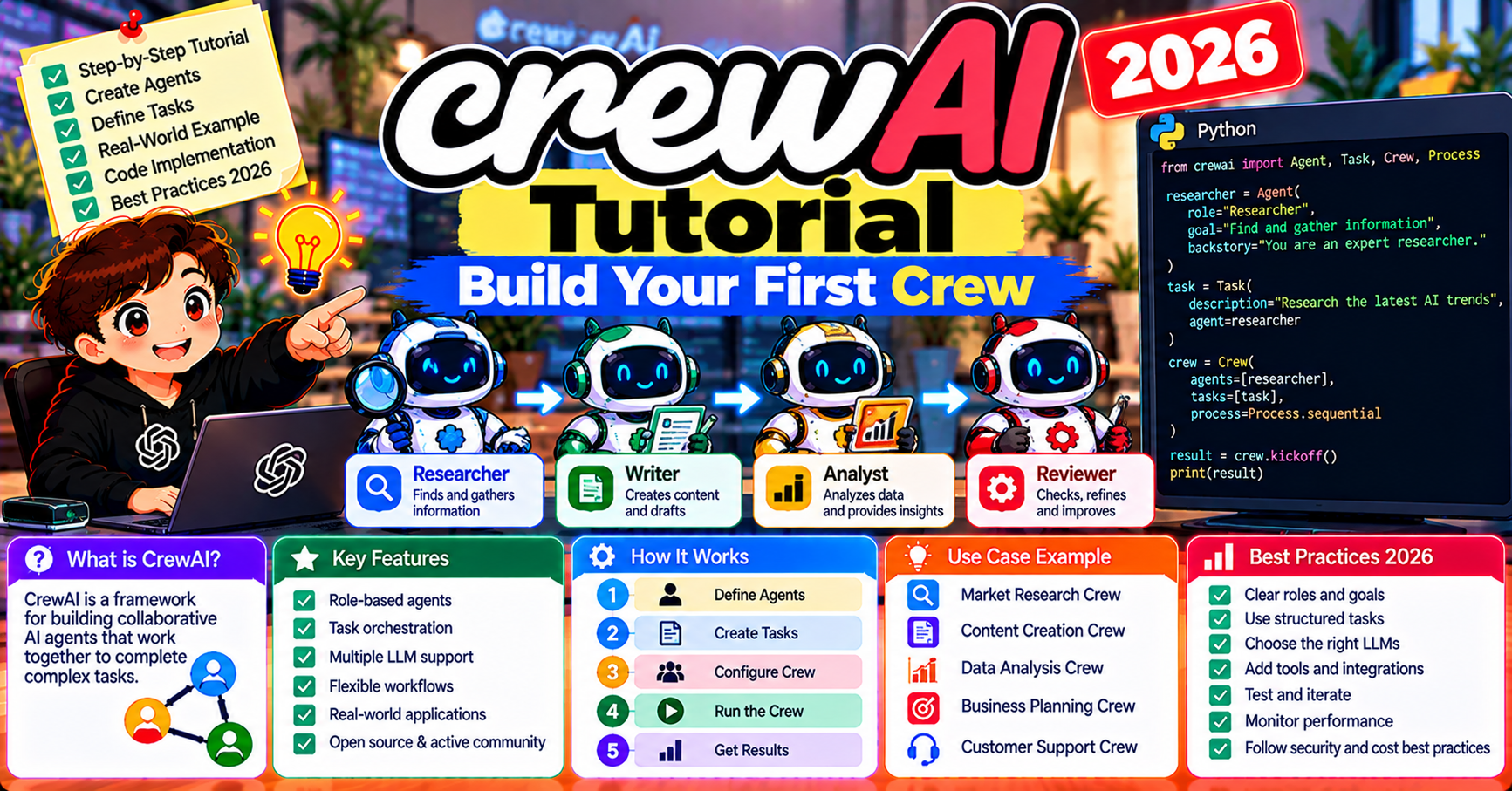
CrewAI is the simplest multi-agent framework to pick up in 2026. Where AutoGen requires understanding group chats and LangGraph requires understanding state machines, CrewAI gives you three primitives (Agent, Task, Crew) that mirror how human teams actually work. You define roles, assign tasks, and the framework handles handoffs. This tutorial walks through building your first working crew end to end: a competitive-research workflow with three agents that produces a published-ready market brief. You will have a running demo in under an hour.
What CrewAI is
CrewAI is a Python framework for orchestrating role-based AI agents. Each agent has a role (what job it does), a goal (what it is trying to achieve), and a backstory (character context that shapes its behavior). Tasks are discrete units of work assigned to specific agents. A Crew is the container that runs tasks in order and passes context between agents.
Why pick CrewAI over the alternatives:
- Fastest time-to-working-demo (a few hours vs. a few days for AutoGen or LangGraph)
- Readable code (your non-engineer teammates can review a Crew config and understand it)
- Role abstraction matches how humans think about workflow design
- Mature in 2026 (v0.80+), with built-in memory, callbacks, and task caching
- Clean separation between definition (what the crew does) and execution (how it runs)
Install and configure
pip install crewai crewai-tools

# .env
OPENAI_API_KEY=sk-...
SERPER_API_KEY=...  # for the web-search tool
CrewAI defaults to OpenAI but works with any provider via the LLM abstraction. Serper is a cheap search API ($5 for 2,500 searches) that CrewAI’s built-in SerperDevTool uses.
Define three agents
from crewai import Agent
from crewai_tools import SerperDevTool, ScrapeWebsiteTool

search = SerperDevTool()
scrape = ScrapeWebsiteTool()

researcher = Agent(
    role="Senior Market Researcher",
    goal="Find current pricing, features, and positioning of competing products in {category}",
    backstory=(
        "You have 10 years of experience in competitive intelligence. "
        "You cite sources, cross-check facts, and never make up data. "
        "If you cannot find verified information, you say so explicitly."
    ),
    tools=[search, scrape],
    verbose=True,
)

analyst = Agent(
    role="Competitive Analyst",
    goal="Synthesize research findings into a strategic positioning assessment",
    backstory=(
        "You find patterns that researchers miss. You identify pricing gaps, "
        "feature parity, and whitespace. Your assessments inform executive decisions."
    ),
    verbose=True,
)

writer = Agent(
    role="Executive Brief Writer",
    goal="Transform analysis into a 400-word brief suitable for a C-suite reader",
    backstory=(
        "You write for executives who have 2 minutes to read. "
        "Lead with the headline insight. Support with 3 facts max. "
        "No filler, no hedging, no 'in conclusion'."
    ),
    verbose=True,
)
Three agents, each with a specific role. Notice the backstories: they are not just flavor. The framework includes the backstory in the system prompt, so detailed backstories genuinely shape agent behavior.
Define three tasks
from crewai import Task

research_task = Task(
    description=(
        "Research the top 5 competitors in the {category} market. "
        "For each: pricing tiers, flagship features, target audience, and public positioning. "
        "Cite your sources. Current year data only (2026)."
    ),
    expected_output="A structured list with 5 competitor profiles, each with pricing, features, audience, and positioning.",
    agent=researcher,
)

analysis_task = Task(
    description=(
        "Analyze the competitive landscape. Identify: pricing gaps, feature whitespace, "
        "positioning opportunities, and the one competitor most vulnerable to disruption."
    ),
    expected_output="A 200-word strategic assessment with specific recommendations.",
    agent=analyst,
    context=[research_task],  # passes research_task's output to analyst
)

writing_task = Task(
    description="Transform the strategic assessment into a 400-word executive brief.",
    expected_output="A publication-ready 400-word brief with headline, body, and action recommendations.",
    agent=writer,
    context=[analysis_task],
    output_file="brief.md",  # auto-save the final output to a file
)
The context parameter is CrewAI’s handoff mechanism. The analyst receives the researcher’s full output automatically; the writer receives the analyst’s. No manual message passing needed.
Assemble and run the Crew
from crewai import Crew, Process

crew = Crew(
    agents=[researcher, analyst, writer],
    tasks=[research_task, analysis_task, writing_task],
    process=Process.sequential,  # tasks run in order
    verbose=True,
)

result = crew.kickoff(inputs={"category": "AI code review tools"})
print(result)
Run it and watch the agents work. The researcher calls the search tool, pulls competitor data, hands off to the analyst. The analyst synthesizes, hands off to the writer. The writer produces the final brief and saves to brief.md. Expected run time: 1-3 minutes depending on model + search latency.
Process modes: sequential vs hierarchical
CrewAI offers two process modes:
- Process.sequential: tasks run in order, each receives the previous task’s output as context. Default. Fits most workflows (what we built above).
- Process.hierarchical: a manager agent decides which agent handles each task and routes work. More flexible for emergent workflows but costs an extra LLM call per task-routing decision.
Switch to hierarchical:
from crewai import Crew, Process
from langchain_openai import ChatOpenAI

crew = Crew(
    agents=[researcher, analyst, writer],
    tasks=[research_task, analysis_task, writing_task],
    process=Process.hierarchical,
    manager_llm=ChatOpenAI(model="gpt-4o"),
    verbose=True,
)
Hierarchical shines when the workflow is non-linear (e.g., writer may need to send a task back to the analyst if the brief is missing data). For strict sequential workflows, sequential is simpler and cheaper.
Add memory across runs
By default each crew.kickoff starts fresh. For agents that remember prior conversations, add memory:
from crewai import Crew, Process

crew = Crew(
    agents=[researcher, analyst, writer],
    tasks=[research_task, analysis_task, writing_task],
    process=Process.sequential,
    memory=True,  # enable short-term + long-term memory
    embedder={"provider": "openai", "config": {"model": "text-embedding-3-small"}},
)
CrewAI’s memory module stores short-term (within-crew-run) + long-term (across-crew-runs) + entity (facts about people/things) memory. Backed by ChromaDB locally; swap for a managed vector DB in production.
Observability + cost tracking
Enable verbose mode (verbose=True on agents and crew) to see every step in the console during development. For production, integrate with AgentOps:
import agentops
agentops.init(os.environ["AGENTOPS_API_KEY"])
# ... rest of code unchanged
AgentOps auto-traces every CrewAI step with cost, latency, and tool-call details. Dashboard at app.agentops.ai shows per-crew runs with full detail.
Common CrewAI gotchas
- Agents ignoring instructions: usually a system-prompt + backstory issue. Make the role more specific; add explicit “do NOT do X” directives.
- Context overflow: in long sequential crews, each task gets prior tasks’ outputs as context, which stacks tokens quickly. Mitigate with summarizer tasks between heavy stages.
- Tool infinite loops: if a tool returns an error, some agents retry indefinitely. Wrap tools in try/except with a hard-fail message that signals the agent to move on.
- Model-provider misconfiguration: set the LLM explicitly on each agent for non-OpenAI providers. Default fallback is OpenAI; silent misconfigurations cause confusing failures.
Scaling CrewAI past 5 agents
A 3-agent crew is simple to reason about. A 10-agent crew needs structure. Three patterns teams use when crews grow:
Pattern 1: Switch to hierarchical process. Sequential works for 2-5 agents. Past that, task dependencies become hard to express in a flat list. Hierarchical mode delegates routing to a manager agent that picks which specialist handles each task. More flexible but adds ~$0.03-0.08 per task in manager LLM calls.
Pattern 2: Sub-crews. Break a 10-agent crew into 2-3 smaller crews that run as pipeline stages. Crew A (researchers, 4 agents) produces output that Crew B (analysts, 3 agents) consumes, which produces output that Crew C (writers, 3 agents) consumes. Each crew stays small and comprehensible; the pipeline between them handles the macro-workflow.
Pattern 3: Tag-based routing. Instead of defining 10 specialist agents, define 3 agent templates (research, analysis, writing) and spawn multiple instances with different context per task. CrewAI 0.80+ supports this via dynamic agent instantiation. Cuts system-prompt duplication and keeps agent catalogs manageable.
Monitoring long-running crews
Multi-hour crews need observability beyond the console verbose output. Three production monitoring tips:
- Set up AgentOps dashboards per crew-type. Group runs by crew name so you can see “research crews averaged 4.2 min and $0.12 last week” at a glance. Catches cost drift early.
- Alert on task-level timeouts. CrewAI tasks default to no timeout; a stuck tool call can hang a crew indefinitely. Set per-task max_execution_time (300-600 seconds typical) and route timeouts to a human review queue.
- Log the final output + the rubric. For every finished crew, log both the final answer AND a scoring rubric (did it hit the task objective? how confident?). Builds a labeled dataset you can later use to improve prompts.
Frequently Asked Questions
Official documentation
Can I use CrewAI with non-OpenAI models?
Yes. Pass an llm parameter to each Agent constructor pointing to any LangChain-compatible LLM (ChatAnthropic, ChatOllama, ChatGoogleGenerativeAI). CrewAI uses LangChain’s provider abstractions under the hood.
How does CrewAI compare to AutoGen for the same task?
CrewAI builds the same thing in roughly half the code with cleaner abstractions. AutoGen gives more control over conversation dynamics (debate, hand-off, etc). For most workflows CrewAI is faster to ship; AutoGen wins when agents genuinely need to converse rather than hand off.
What is the YAML config approach?
CrewAI supports declarative YAML files that define agents and tasks separately from Python code. Great for non-engineers to tune roles and tasks without editing Python. Use crewai create CLI to scaffold a project with the YAML structure.
How much does a typical crew run cost?
The 3-agent research-and-write example costs $0.05-0.15 per run on GPT-4o (depending on how much the researcher searches). Scales linearly with number of tasks and model choice. Switching to GPT-4o-mini for the writer cuts cost roughly in half with modest quality drop.
Can agents run in parallel?
CrewAI 0.80+ added async task execution. Tag tasks with async_execution=True and they run in parallel when they do not depend on each other via context. Reduces wall-clock time but same total cost.
Is CrewAI production-ready?
Yes for most use cases as of v0.80+. CrewAI Enterprise (paid tier) adds collaboration features, dashboards, and enterprise support. For solo developers or small teams, the OSS version is production-capable.

Caren Bautista
Technical Writer at PIES IT Solution
Responsible for crafting clear, well-structured, and beginner-friendly content across the platform. Handles the writing, proofreading, and editorial review of tutorials, guides, and documentation to ensure every article is accurate, readable, and easy to follow.
Expertise: Technical Writing · Content Creation · Documentation · Editorial Writing · JavaScript · TypeScript · Python · Python Errors · HTTP Errors · MS Excel · View all posts by Caren Bautista →