
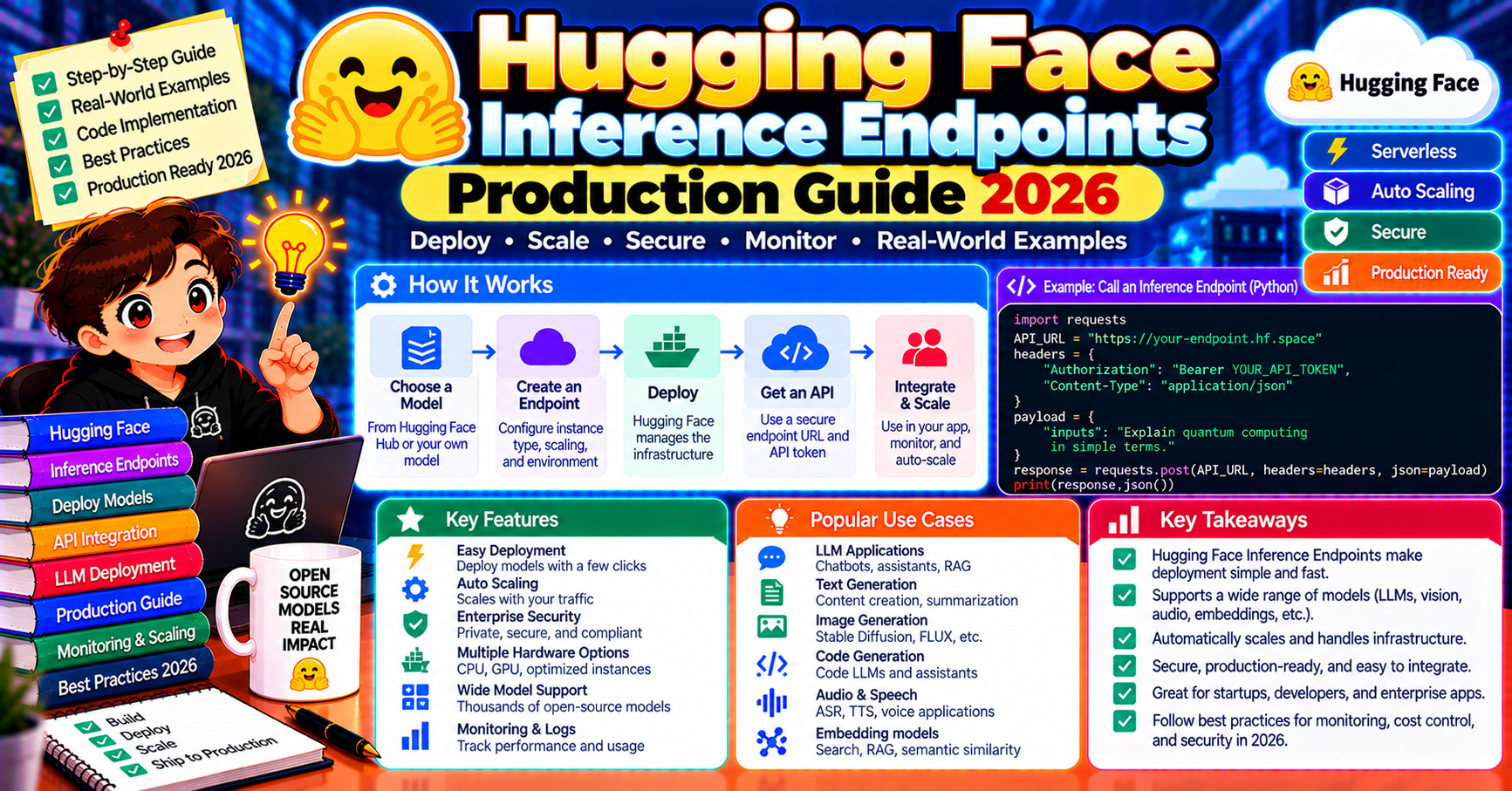
Hugging Face Inference Endpoints turn any model on the Hub into a production API in about three clicks. Pick a model, pick a GPU, click Deploy. In exchange for giving up some flexibility vs rolling your own vLLM/TGI stack, you get managed autoscaling, built-in metrics, SOC 2 compliance, and tight integration with the biggest open-source model catalog in the world. In 2026 it is the first serious option teams reach for when deploying an open-source LLM, especially one from the Hub they already know and trust. This article walks through the production deployment workflow end to end: picking a model, choosing hardware, autoscaling policies, and the specific gotchas when you cross from prototype to production.
What Inference Endpoints is
Inference Endpoints (IE) is Hugging Face’s managed deployment platform. Give it a model ID from the Hub (e.g., meta-llama/Llama-3.3-70B-Instruct) and a hardware config, it returns an HTTPS endpoint running Text Generation Inference (TGI) or Transformers under the hood. Pricing is per hour of GPU uptime; the endpoint autoscales based on request volume.
Three deployment tiers:
- Dedicated Endpoints: your own GPU(s), autoscaling, private endpoint URL
- Serverless Inference (Pro, 2024+): pay per request, no infrastructure to manage, higher per-request cost
- Enterprise: VPC, SOC 2, SSO, enterprise support
Deploy in three clicks
From the Hub model page, click “Deploy to Inference Endpoints”:
- Pick cloud provider (AWS, Azure, GCP) and region
- Pick instance type (CPU/GPU, memory, GPU count)
- Set autoscaling: min replicas, max replicas, scale-to-zero on/off
Click Create. 2-10 minutes later the endpoint URL is live. Call it:
import requests

ENDPOINT = "https://your-endpoint-123.us-east-1.aws.endpoints.huggingface.cloud"
HF_TOKEN = "hf_..."

response = requests.post(
    ENDPOINT,
    headers={"Authorization": f"Bearer {HF_TOKEN}"},
    json={
        "inputs": "Explain prompt caching in two sentences.",
        "parameters": {"max_new_tokens": 200, "temperature": 0.3},
    },
)
print(response.json())
Or use the OpenAI-compatible messages endpoint TGI exposes:
from openai import OpenAI

client = OpenAI(
    base_url=f"{ENDPOINT}/v1",
    api_key=HF_TOKEN,
)
response = client.chat.completions.create(
    model="tgi",  # IE uses this placeholder
    messages=[{"role": "user", "content": "Hello"}],
    max_tokens=200,
)
OpenAI SDK compatibility is a 2024+ addition and means your existing code works unchanged.
Picking the right GPU
Hugging Face offers 10+ GPU types. The right pick depends on model size and expected throughput:
| Model size | Recommended GPU | Approx cost/hour |
|---|---|---|
| 7B (Mistral, Llama 7B) | T4 (16GB) or L4 (24GB) | $0.50-0.80 |
| 13B (Llama 13B) | A10 (24GB) | $1.00-1.30 |
| 34B-40B (Mixtral 8x7B, Qwen 32B) | A100 (40GB) or L40S | $3-4.50 |
| 70B (Llama 3.3 70B, Qwen 72B) | A100 80GB or 2x A100 40GB | $5-7 |
| 70B+ production (highest throughput) | 2x H100 or 4x A100 80GB | $12-20 |
Quantized models (AWQ, GPTQ) run on smaller GPUs: a 4-bit quantized 70B fits on a single A100 40GB with mild quality loss. Hugging Face Hub tags quantized model variants explicitly; look for -AWQ or -GPTQ suffixes.
Autoscaling policies
Three autoscaling parameters that matter:
- Min replicas: lower bound. Set to 1 for always-warm (no cold start, higher base cost) or 0 for scale-to-zero (zero idle cost, 60-120s cold start on first request).
- Max replicas: upper bound. Keeps you from runaway cost on traffic spikes. Set based on peak traffic estimate plus 50% headroom.
- Scale metric: HuggingFace scales on pending-request count by default. For LLM workloads this works well; one request can tie up the GPU for 1-30 seconds.
For user-facing chat where latency matters, use min=1 (warm) and max 3-5x your peak concurrency. For batch workloads or infrequent API calls, use min=0 (scale-to-zero) and accept the cold-start on first-of-the-day requests.
Custom handlers for non-text workloads
IE supports custom inference logic via handler.py in your model repo:
# handler.py in your Hub repo
from transformers import pipeline

class EndpointHandler:
    def __init__(self, path=""):
        self.pipe = pipeline("text-generation", model=path)

    def __call__(self, data):
        inputs = data.pop("inputs")
        return self.pipe(inputs, max_new_tokens=200)[0]
Deploy the repo as an endpoint; IE picks up handler.py and uses it instead of the default inference. Lets you add custom pre/post-processing, chain multiple models, or deploy architectures TGI does not natively support.
Observability built in
Every endpoint ships with a monitoring dashboard: requests/second, tokens/second, GPU utilization, memory, latency p50/p95/p99. Metrics stay for 30 days (longer on enterprise). The TGI backend also exports Prometheus-compatible metrics on /metrics for integration with your existing stack.
Logs: endpoint logs stream to the UI in real time; download historical logs via the HF API or forward to CloudWatch/Datadog via a sidecar.
Cost control patterns
- Scale-to-zero for dev/staging: dev endpoints should always scale to zero. Zero traffic costs zero. Takes 60-120s cold start, acceptable for dev.
- Separate endpoints per workload class: real-time chat (always warm) vs batch processing (scale-to-zero) on separate endpoints. One monolithic endpoint with mixed workload leaves either latency or cost on the table.
- Quantization aggressively: a 4-bit quantized 70B runs on an A100 40GB ($5/hr) vs full-precision 70B on 2x A100 80GB ($14/hr). Quality hit is 2-5% on most benchmarks; cost cut is ~65%.
- Monitor GPU utilization: if your p95 utilization is under 40%, you are overprovisioned. Reduce max replicas or move to smaller GPU.
- Reserved vs on-demand: enterprise tier supports reserved GPU capacity at 30-50% discount vs on-demand. Worth it if you have steady 24/7 traffic.
When Inference Endpoints is the right pick
- You deploy models from the Hugging Face Hub (which is now 500K+ models)
- You want managed autoscaling without writing deployment code
- You need SOC 2 / HIPAA (enterprise tier)
- You want OpenAI-compatible API out of the box
- You prefer web UI deploy over code deploy
When something else is better
- Replicate: when the model is popular and public (shared infrastructure cheaper)
- Modal: when you need custom Python logic beyond just inference
- Baseten: when production ML ops features (A/B tests, canaries) matter more than Hub integration
- vLLM on your own GPU: at very high volume (10M+ requests/month on steady traffic), self-hosted raw infrastructure is cheaper
- Replicate + Lambda Labs: when you want absolute lowest cost and have ops bandwidth
Frequently Asked Questions
Can I deploy a private fine-tuned model?
Yes. Upload the fine-tuned weights to a private HF Hub repo; deploy as a private endpoint. The weights never leave the HF infrastructure boundary. Access control is per-repo.
Does HF Inference Endpoints support function calling / tool use?
Yes if the model supports it. Llama 3.3 instruct variants and Mistral Nemo support tool use natively via TGI. Pass tool definitions in the OpenAI-compatible API format; TGI returns tool calls in the response.
How do I handle streaming responses?
TGI supports Server-Sent Events (SSE) streaming out of the box. Call with stream=True on the OpenAI client; chunks arrive progressively. Latency to first token is typically 100-500ms depending on GPU.
What is the difference between Inference Endpoints and Spaces?
Spaces is for interactive demos with Gradio/Streamlit UIs (free tier includes CPU, GPU available on paid tiers). Inference Endpoints is for production APIs with autoscaling and SLAs. Use Spaces for demos, Inference Endpoints for production.
Can I migrate from Inference Endpoints to self-hosted vLLM?
Yes with minimal code changes. TGI and vLLM both expose OpenAI-compatible APIs. Switch the base URL. Model file is identical (same Hub weights). Infrastructure migration is a Terraform/Kubernetes job, not an application migration.
How does HF pricing compare to the big cloud providers directly?
HF Inference Endpoints adds ~20-40% premium over raw GPU rental on AWS/GCP/Azure. In exchange you skip the ops work (autoscaling, deploy, monitoring, model loading). For small-mid teams the time saved outweighs the premium; at high scale, self-hosted saves money.
Official documentation

Angel Jude Suarez
Full-Stack Developer at PIES IT Solution
Focuses on Python development, machine learning, and AI integration. Has built production AI systems including OpenAI Whisper integration for medical transcription and GPT-4o-powered diagnosis assistance. Strong background in pandas, scikit-learn, and TensorFlow.
Expertise: Python · PHP · Java · VB.NET · ASP.NET · Machine Learning · AI Integration · OpenCV · Django · CodeIgniter · View all posts by Angel Jude Suarez →