
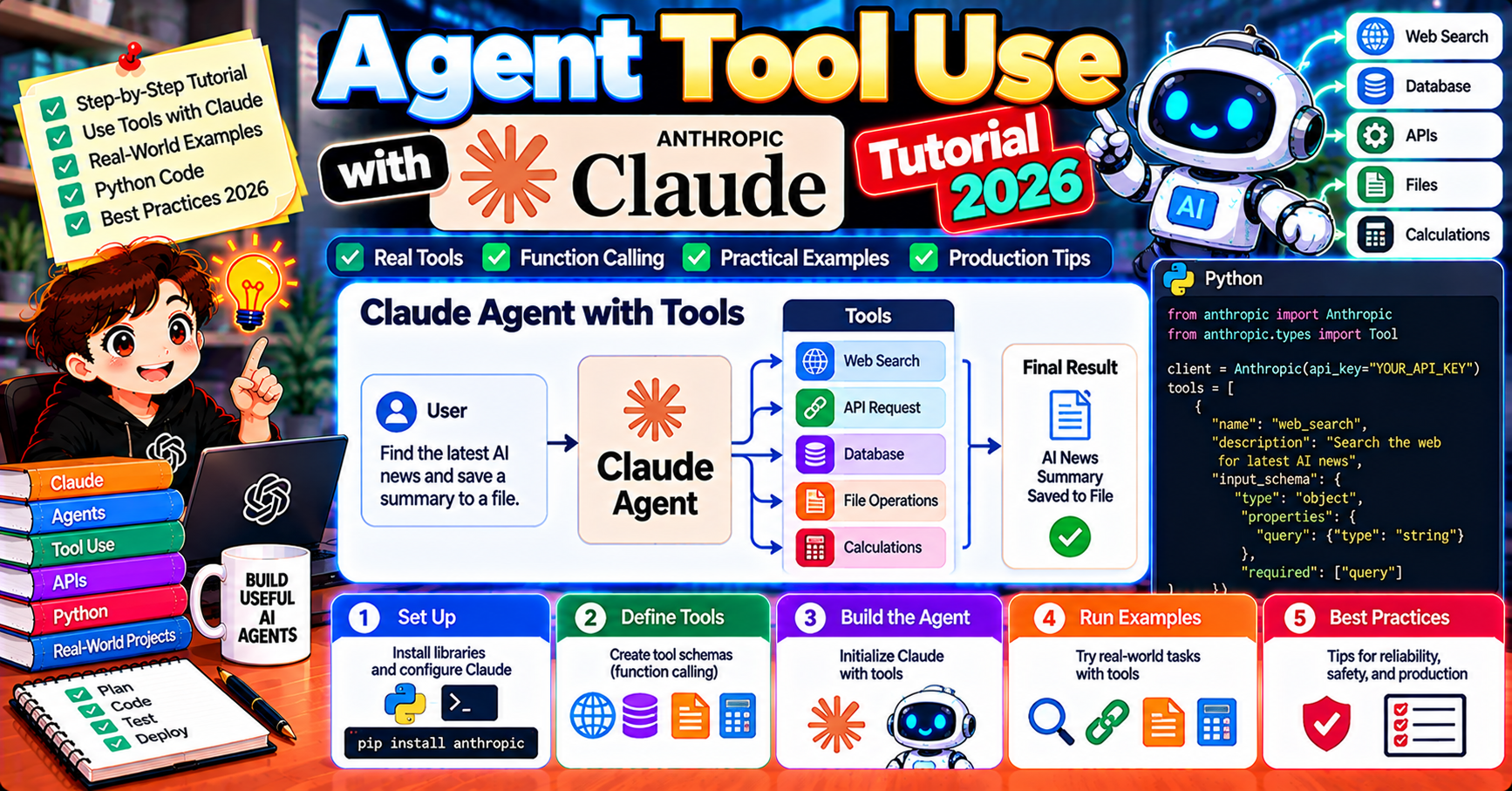
Claude’s tool-use API lets you build agents without any orchestration framework. In 2026 Claude Sonnet 5.5 and Opus 5.5 handle complex multi-step tool-use workflows directly through the Anthropic SDK with no LangChain, LangGraph, or CrewAI dependency. This tutorial walks through building a working tool-using agent step by step: a weather + calendar agent that calls multiple APIs to answer scheduling questions. By the end you understand the raw tool-use loop well enough to build or debug any Claude agent.
Why learn raw Claude tool use before frameworks
Every multi-agent framework ultimately calls an LLM provider’s tool-use API under the hood. Understanding the raw API gives you:
- Faster debugging when a framework misbehaves (you can read the raw tool_use/tool_result exchanges)
- Freedom to drop a framework when it adds more complexity than value
- Clarity about what’s framework magic vs what the LLM actually does
- The simplest possible path for small agents (one script, no dependencies)
If your use case fits in 300 lines of Python without a framework, use the raw API. Reach for CrewAI, LangGraph, or AutoGen when the orchestration gets complex enough to justify them.
Install + first tool-use call
pip install anthropic

from anthropic import Anthropic
client = Anthropic()

tools = [{
    "name": "get_weather",
    "description": "Get current weather for a city.",
    "input_schema": {
        "type": "object",
        "properties": {
            "city": {"type": "string", "description": "City name"},
        },
        "required": ["city"],
    },
}]

response = client.messages.create(
    model="claude-sonnet-5-5",
    max_tokens=1024,
    tools=tools,
    messages=[{"role": "user", "content": "What's the weather in Tokyo?"}],
)
print(response.content)
Claude sees the user question and the available tool, decides to call get_weather, and returns a tool_use block with the arguments. You implement get_weather yourself (call a real weather API), send the result back to Claude in a follow-up message, and Claude produces the final natural-language answer.
The tool-use loop pattern
The core pattern for any Claude agent:
- Send user message + available tools
- Receive Claude’s response
- If stop_reason == “tool_use”, execute each tool call, collect results
- Send a follow-up message with tool_result blocks
- Receive Claude’s next response
- Loop until stop_reason == “end_turn” (Claude is done)
In code:
def agent_loop(user_message, tools, tool_implementations, max_iterations=10):
    messages = [{"role": "user", "content": user_message}]

    for i in range(max_iterations):
        response = client.messages.create(
            model="claude-sonnet-5-5",
            max_tokens=1024,
            tools=tools,
            messages=messages,
        )
        messages.append({"role": "assistant", "content": response.content})

        if response.stop_reason == "end_turn":
            return response.content[-1].text  # final text answer

        # Execute each tool call
        tool_results = []
        for block in response.content:
            if block.type == "tool_use":
                tool_fn = tool_implementations[block.name]
                try:
                    result = tool_fn(**block.input)
                    tool_results.append({
                        "type": "tool_result",
                        "tool_use_id": block.id,
                        "content": str(result),
                    })
                except Exception as e:
                    tool_results.append({
                        "type": "tool_result",
                        "tool_use_id": block.id,
                        "content": f"Error: {e}",
                        "is_error": True,
                    })

        messages.append({"role": "user", "content": tool_results})

    return "Max iterations reached without completion"
That is the complete agent framework in 25 lines. Everything else is tools and prompts.
Build a weather + calendar agent
Define two tools: get weather and get calendar events. Agent will combine them to answer questions like “should I take an umbrella to my 3pm meeting tomorrow?”
import requests
from datetime import datetime, timedelta

def get_weather(city: str, date: str = "today") -> str:
    """Fetch weather for city on date (today, tomorrow, YYYY-MM-DD)."""
    # Real implementation: call OpenWeatherMap or similar
    r = requests.get(f"https://api.weather.example/forecast?city={city}&date={date}")
    data = r.json()
    return f"{data['condition']}, {data['temp']} degrees C, chance of rain {data['rain']}%"

def get_calendar(date: str) -> str:
    """Fetch calendar events for date (today, tomorrow, YYYY-MM-DD)."""
    # Real implementation: call Google Calendar API
    r = requests.get(f"https://api.calendar.example/events?date={date}")
    events = r.json()
    return "\n".join(f"{e['time']}: {e['title']} at {e['location']}" for e in events)

tools = [
    {
        "name": "get_weather",
        "description": "Get weather forecast for a city on a specific date.",
        "input_schema": {
            "type": "object",
            "properties": {
                "city": {"type": "string"},
                "date": {"type": "string", "description": "today, tomorrow, or YYYY-MM-DD"},
            },
            "required": ["city"],
        },
    },
    {
        "name": "get_calendar",
        "description": "Get calendar events for a specific date.",
        "input_schema": {
            "type": "object",
            "properties": {
                "date": {"type": "string"},
            },
            "required": ["date"],
        },
    },
]

implementations = {"get_weather": get_weather, "get_calendar": get_calendar}

result = agent_loop(
    "Should I take an umbrella to my 3pm meeting tomorrow?",
    tools,
    implementations,
)
print(result)
Claude will call get_calendar to find tomorrow’s 3pm meeting location, then call get_weather for that city, then answer naturally. Multi-step reasoning across tools without any orchestration code.
System prompts for agents
Agent behavior is 80% system prompt. For reliable agents, invest in system prompts that specify:
- What the agent IS (its role, scope, capabilities)
- What tools it HAS and when to use each
- What it should NOT do (out-of-scope requests)
- How to handle errors (tool failures, missing info)
- When to end the conversation (stop criteria)
system = """You are a calendar + weather assistant.

You have two tools: get_weather and get_calendar. Use them together to answer
scheduling questions.

When answering:
- Call get_calendar first to find the event location + time
- Call get_weather for the event's city and date
- Give a concise one-sentence recommendation (take umbrella / dress warm / etc)

Do NOT:
- Try to add, modify, or delete calendar events (not supported)
- Give weather for cities not tied to a calendar event
- Make up information if tools return errors

If a tool returns an error, explain what went wrong and stop."""

response = client.messages.create(
    model="claude-sonnet-5-5",
    max_tokens=1024,
    system=system,
    tools=tools,
    messages=messages,
)
Specific system prompts prevent 80% of agent misbehavior. Vague prompts produce vague behavior.
Parallel tool use
Claude can call multiple tools in a single turn when they do not depend on each other. The response.content list contains multiple tool_use blocks:
response = client.messages.create(
    model="claude-sonnet-5-5",
    max_tokens=1024,
    tools=tools,
    messages=[{"role": "user", "content": "Weather in Tokyo AND Paris AND London?"}],
)
# response.content may contain 3 tool_use blocks (one per city)
# Execute all 3 in parallel using asyncio or threading; send all tool_results back in one message
Execute parallel tool calls concurrently to cut wall-clock time. Easy with asyncio or ThreadPoolExecutor. The follow-up message should contain all three tool_result blocks in one user message, not separate messages.
Common pitfalls and fixes
- Agent loops indefinitely: set a hard max_iterations (10-20 typical). Loop is almost always a sign of a broken tool returning errors Claude keeps retrying.
- Agent ignores tools and answers from memory: tighten the system prompt. Say “ALWAYS use get_weather for weather questions, do NOT answer from training data.”
- Agent calls wrong tool: tool descriptions matter. “Get calendar events” vs “Get calendar events for a specific date”: the latter is clearer.
- Tool call errors crash the agent: wrap tool implementations in try/except, return error strings with is_error=True in the tool_result. Claude will see the error and either retry with different inputs or explain the failure to the user.
- Token blow-up on long conversations: each turn appends to messages list; after 20 turns context is 50K+ tokens. Add summarization or trim the oldest tool_result pairs after they are no longer relevant.
Prompt caching with tool-use agents
The system prompt + tool definitions are stable across requests but can be large (easily 2K-5K tokens for a 10-tool agent). Enable prompt caching to cut per-request cost:
response = client.messages.create(
    model="claude-sonnet-5-5",
    max_tokens=1024,
    system=[
        {
            "type": "text",
            "text": system_prompt,
            "cache_control": {"type": "ephemeral"},
        }
    ],
    tools=tools,  # tool definitions are also cached automatically with system
    messages=messages,
)
After the first request, subsequent requests with the same system prompt + tools hit the cache and bill at 10% of the input price. On an agent handling 1000 requests per day, this is a 50-90% cost cut on the input tokens.
When to graduate to a framework
Raw tool-use works great until the agent gets complex. Specific signals it’s time to adopt a framework:
- You have 10+ tools and the system prompt becomes unmaintainable
- You need checkpointing or human-in-the-loop interrupts (LangGraph)
- You have multiple agents that need to coordinate (CrewAI, LangGraph, AutoGen)
- Observability needs are growing (LangSmith integration via LangGraph)
- Non-engineers need to tune agent behavior (CrewAI YAML config)
Until any of these apply, raw tool use is the simplest, most debuggable, lowest-dependency path.
Frequently Asked Questions
Official documentation
Does Claude support function calling the same way OpenAI does?
Yes conceptually, with API shape differences. Claude’s “tools” are OpenAI’s “functions”; input_schema is parameters; stop_reason=tool_use is Claude’s equivalent of OpenAI’s tool_calls. Models convert between the two formats; business logic transfers cleanly.
Can I use Claude’s web_search tool as a built-in?
Yes, as of 2026 Anthropic ships a native web_search tool (tool type: web_search_20250305). No API key required for the tool itself; costs are included in Claude’s pricing. See our Research Assistant with Web Search article for the full pattern.
How does tool use work with streaming?
Call client.messages.stream() instead of create(); you receive text + tool_use blocks as they are generated. For tool_use blocks, wait until the full block arrives before executing (partial tool arguments are not valid JSON).
Does Claude Opus 5.5 handle tool use better than Sonnet 5.5?
Marginally, at 5x the cost. Sonnet 5.5 is production-grade for 95% of tool-use workflows. Reserve Opus 5.5 for agents where small mistakes have outsized consequences (financial, medical, legal). Benchmark on your actual workload before paying the Opus premium.
How many tools can I define per request?
No hard limit from Anthropic’s API, but practical limit is 20-30 tools before Claude’s selection accuracy drops. For large tool catalogs, use a retrieval step to pick the most relevant 5-10 tools per request based on the user query.
Can tools return structured data (not just strings)?
Tool_result.content is always a string from Claude’s perspective. Pass structured data as JSON strings; Claude parses them in its reasoning. For complex nested structures, consider adding a schema description to the tool so Claude knows what to expect.

Adrian Mercurio
Full-Stack Developer at PIES IT Solution
Specializes in building complete capstone projects with full documentation. Strong background in PHP/MySQL development and database design. Has personally built and tested over 30 capstone-ready projects with ER diagrams, DFDs, and chapter-by-chapter thesis documentation.
Expertise: PHP · Laravel · Database Design · Capstone Projects · C# · C · C++ · Python · AI Projects · View all posts by Adrian Mercurio →