
Backlinks are still the single biggest ranking factor in 2026 despite years of Google trying to reduce their weight. Every serious SEO project starts with a backlink audit, and Moz Link Explorer is the tool that most Filipino agencies use to run one because the interface is beginner-friendly and the free tier gives you enough to test-drive before committing.
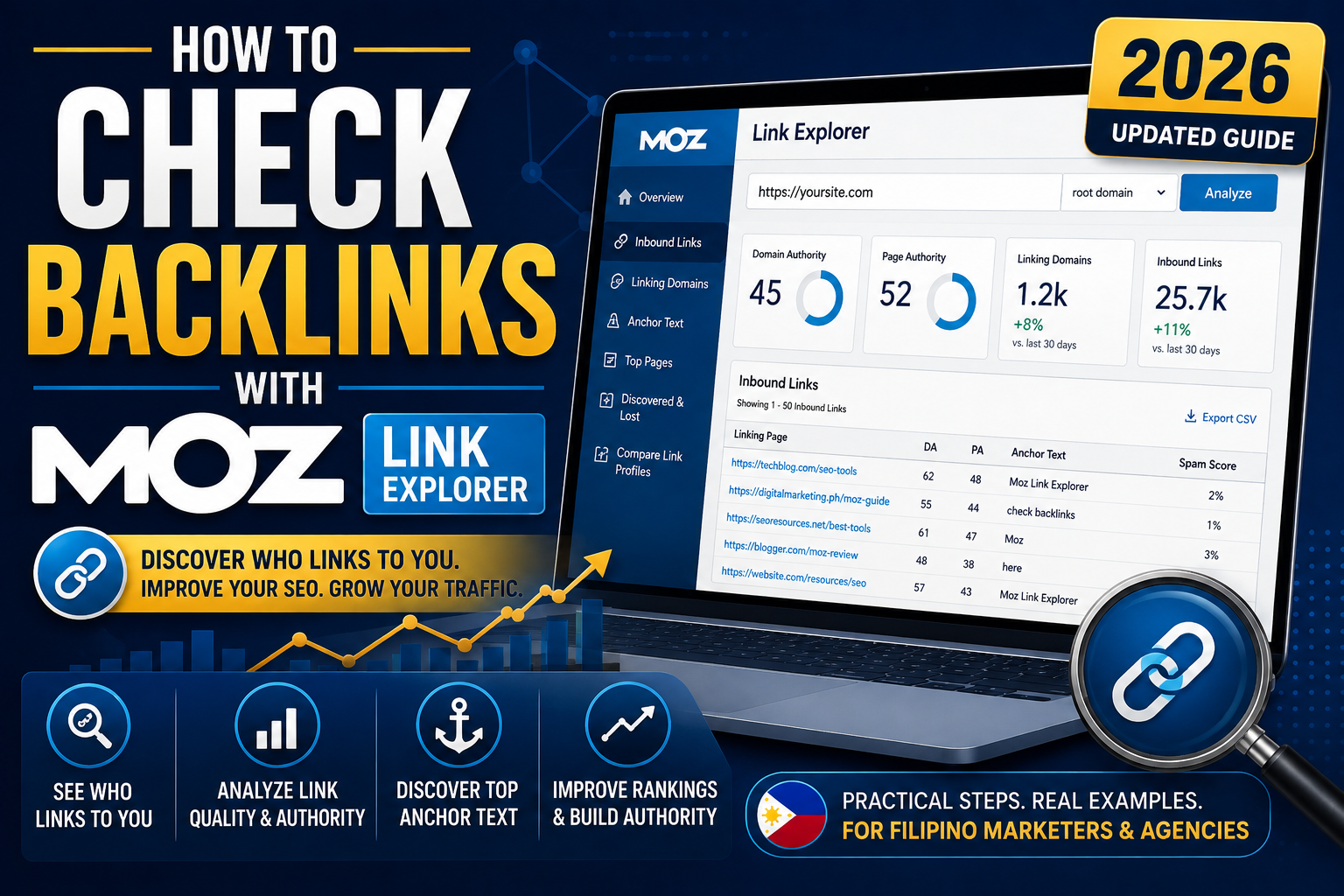
This guide walks you through checking backlinks in Moz Link Explorer end to end, from your first domain query to spotting toxic links you may need to disavow.
What Moz Link Explorer actually shows you
Before diving in, know what data you can expect:
- Domain Authority (DA) and Page Authority (PA) for any URL
- Total number of inbound links and referring domains
- Spam Score (0-17) for each linking domain, so you can spot toxic sources
- Anchor text distribution (what words other sites use to link to you)
- Top-linked pages on your own site
- Link intersect (which domains link to your competitors but not you)
- Historical link growth over 2+ years
Free tier gives you 10 queries per month. Moz Pro Standard (USD 99/mo) unlocks unlimited queries plus the competitor comparison features that make the tool worth paying for.
Step 1: Open Moz Link Explorer
- Go to moz.com/link-explorer or log in to Moz Pro at analytics.moz.com
- In the left sidebar, click Link Research
- Click Link Explorer
- You will see the main search bar
If you are using the free version, you may need to create a free Moz account to get past 3 queries. The free tier is limited to 10 queries per month total across all tools.
Step 2: Enter your target URL
You can query:
- A full domain (like itsourcecode.com) to see all inbound links to the whole site
- A subdomain (like blog.example.com) to isolate a specific section
- An exact URL (like example.com/blog/post-title/) to see backlinks to one page
Type the URL, select the scope (Root Domain, Subdomain, or Exact URL), and click Analyze. Moz returns results in 5 to 15 seconds depending on domain size.
Step 3: Read the summary metrics
The top of the report shows the key numbers:
- Domain Authority (DA): 1-100 score of the domain’s overall link strength. New sites: 1-15. Established: 20-50. Big brands: 70+. Your own site’s DA is a rough proxy for how easily you can rank for competitive keywords.
- Page Authority (PA): Same 1-100 scale but for a specific URL. Individual page PA usually varies from your domain DA by 5-15 points.
- Linking Domains: Total unique domains linking to your target. This matters more than raw link count (500 links from 10 sites is weaker than 200 links from 100 different sites).
- Inbound Links: Raw total of individual links pointing to your target.
- Ranking Keywords: How many keywords your target currently ranks for in the top 100.
- Spam Score: Your OWN domain’s Spam Score (0-17). Below 5 is healthy. 5-9 is caution. 10+ is danger.
Step 4: Review your top linking domains
Scroll down to the Inbound Links section. This is where the real audit work happens:
- Click the Inbound Links tab
- Sort by Domain Authority descending to see your strongest link sources first
- Review the top 20 to 30 for legitimacy (real editorial links vs suspicious spam)
- Note any surprising high-DA links you did not know about (they are usually the result of one of your articles going semi-viral in a niche community)
Also review anchor text (what words the linking page used). Ideal distribution: 30 percent branded (your site name), 40 percent long-tail phrases, 20 percent naked URLs, 10 percent generic (“click here”, “learn more”). Over 60 percent exact-match keyword anchor text triggers Google over-optimization flags.
Step 5: Use Link Intersect to find backlink gaps
This is where Moz Pro really pays off. Link Intersect shows domains that link to your competitors but not to you, which is your immediate outreach opportunity list.
- From Link Explorer, click Link Intersect in the left sidebar (Moz Pro only)
- Enter your domain in the top box
- Enter 2 to 5 competitor domains in the next boxes
- Click Analyze
- Sort the results by Domain Authority descending
Every high-DA site in this list that links to multiple competitors is a natural outreach target. Look for their contact page and pitch them your relevant content or resource.
Step 6: Spot and handle toxic links
Not all backlinks help you. Some can actively hurt your rankings. Moz’s Spam Score flags these:
- In Inbound Links, sort by Spam Score descending
- Review any linking domain with Spam Score 6 or higher
- For each toxic link, first try to contact the linking site and ask for removal (free option, works 20-30 percent of the time)
- For unremovable toxic links, add them to a disavow file (a plain text list of domains you want Google to ignore)
- Submit the disavow file via Google Search Console (Legacy Tools section)
Word of caution: only disavow links you are certain are toxic. Google specifically warns publishers not to over-use the disavow tool because you can accidentally suppress legitimate authority sources.
Common backlink audit mistakes
- Auditing only once a year. Backlink profiles shift monthly. Do a light audit every quarter, deep audit annually.
- Focusing on link count instead of referring domains. 100 domains with 1 link each is stronger than 1 domain with 100 links.
- Ignoring the Spam Score. Toxic links accumulate silently. A quarterly Spam Score sort catches them before they hurt.
- Not tracking competitor link growth. If a competitor gained 50 new referring domains last month, they know something you do not. Investigate their new links.
- Over-disavowing. Filipino agencies especially tend to be trigger-happy with disavow. Only disavow links you have verified are genuinely spammy or unnatural.
Quick step-by-step summary (click to expand)
- Open Link Explorer. moz.com/link-explorer or Moz Pro dashboard, click Link Research then Link Explorer.
- Enter target URL. Full domain, subdomain, or exact URL. Set scope, click Analyze.
- Read summary metrics. Domain Authority, Page Authority, Linking Domains, Inbound Links, Spam Score.
- Review top linking domains. Sort by DA descending, check top 20-30 for legitimacy, review anchor text distribution.
- Use Link Intersect. Enter your domain plus 2-5 competitors. Find high-DA sites linking to them but not you. Outreach targets.
- Spot toxic links. Sort Spam Score descending. Attempt removal, then disavow only verified spam via Google Search Console.
Official Moz + Google documentation
Try Moz Link Explorer (affiliate)
The links below are affiliate links. We may earn a commission at no extra cost to you when you sign up. See our affiliate disclosure.
- Start Moz Pro 30-day free trial, full Link Explorer with unlimited queries and Link Intersect access
- Google Digital Marketing Certificate (Coursera), learn backlink strategy before deep-diving Moz
- Complete Link Building Course (Udemy), tactical backlink acquisition playbook
- DataCamp Marketing Analytics track, for measuring backlink ROI over time
Frequently asked questions
Is Moz Link Explorer free?
Moz offers 10 queries per month across all its tools on the free tier, which is enough to test-drive Link Explorer but not enough for real audit work. Full access requires Moz Pro (USD 99 per month or PHP 5,600). The 30-day free trial gives unlimited Link Explorer queries during the trial.
What is a good Domain Authority score?
DA is relative to your niche. Brand new sites start at 1-5. Established niche sites reach 20-40. Larger authority sites hit 40-70. Major brands and news sites score 70-95. Focus on trending your own DA upward rather than comparing to unrelated industries.
What is a Spam Score and when should I worry?
Spam Score is a 0-17 rating Moz assigns based on 27 signals that historically correlate with penalized sites. Below 5 is healthy. 5-9 warrants review. 10 or higher is danger territory and worth investigating each linking domain. Your own site’s Spam Score matters as much as individual linking sites.
How often should I check my backlinks?
Light quarterly check (30 minutes reviewing top new links and Spam Score changes) is enough for most sites. Deep annual audit (2-3 hours including Link Intersect and competitor analysis) sets your outreach strategy for the year. Time-sensitive niches (news, product launches, seasonal) benefit from monthly checks.
Should I disavow toxic backlinks?
Only after trying removal first. Contact the linking site and ask for the link to be removed (works about 20-30 percent of the time). For unremovable toxic links, add them to a disavow file and submit via Google Search Console. Do not over-disavow because you can accidentally suppress legitimate authority sources. Only disavow links you have verified are genuinely spammy.
Can I use Moz Link Explorer to find outreach opportunities?
Yes, via the Link Intersect feature (Moz Pro only). Enter your domain plus 2-5 competitor domains, and Moz shows every site that links to your competitors but not to you. Every high-DA result in that list is a natural outreach target. This is often the highest-ROI backlink acquisition tactic for small agencies.

Caren Bautista
Technical Writer at PIES IT Solution
Responsible for crafting clear, beginner-friendly content across the platform.
Expertise: Technical Writing · Content Creation · Documentation · Editorial Writing · JavaScript · TypeScript · Python · Python Errors · HTTP Errors · MS Excel · View all posts by Caren Bautista →