
Writing a blog post that ranks in 2026 is more repeatable than most beginners think. Google’s SEO game is not magic; it is a checklist that consistently produces top-10 rankings when followed carefully. The best SEO writers I have worked with in Filipino agencies do not have a special writing gift. They follow the same 15-item checklist for every post, every time.
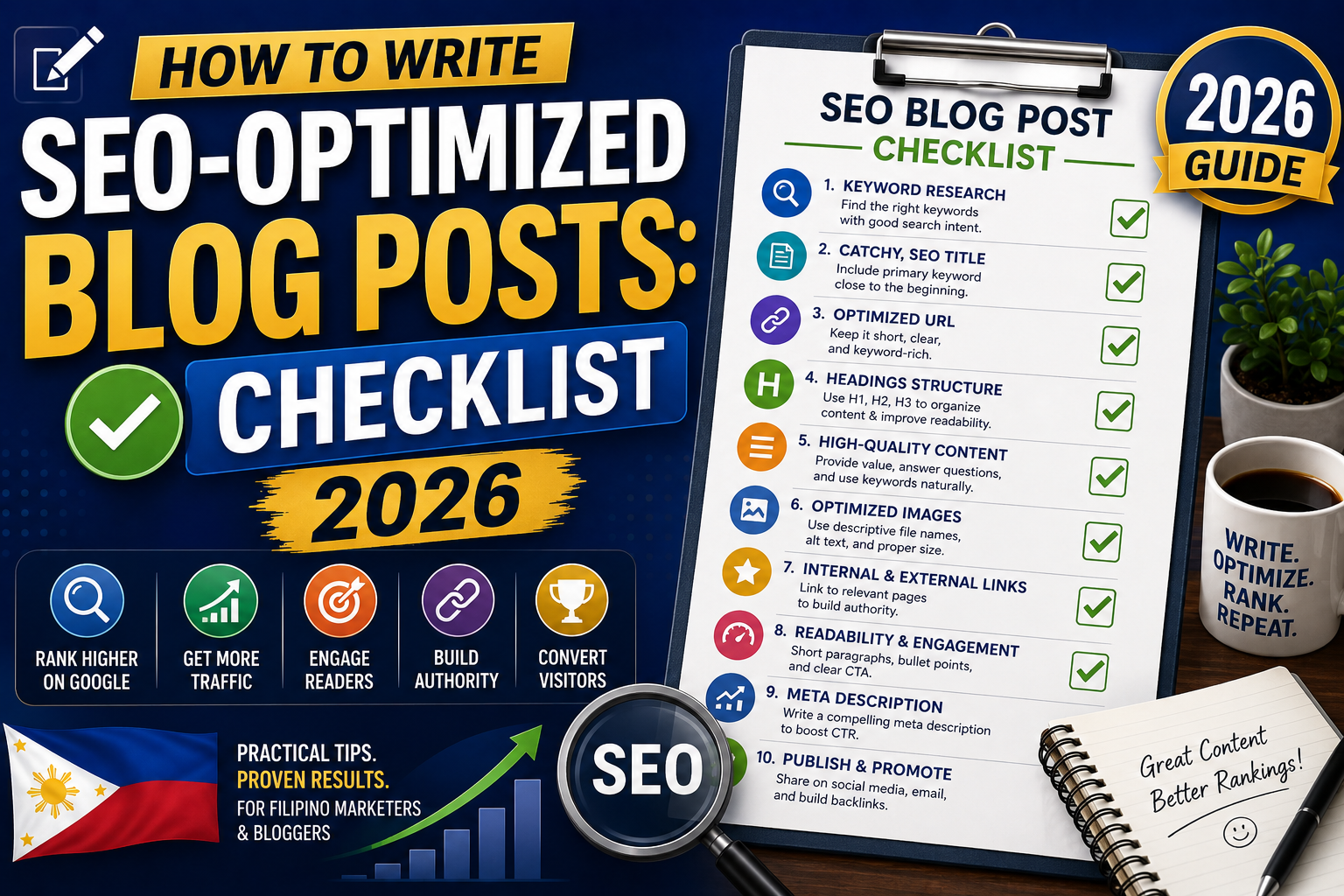
This is that checklist, walked through end to end with the specific tools I use at each step.
Step 1: Pick one primary keyword before writing anything
Never open your CMS and start typing without a keyword. Steps:
- Open your keyword research tool (Moz Keyword Explorer is my default)
- Enter your topic seed
- Filter for Difficulty under 40 and monthly Volume 100 or higher
- Pick ONE primary keyword you will target
- Note 3 to 5 semantically related secondary keywords for natural inclusion later
The primary keyword should match the intent of the post you plan to write. Informational post = informational query. Comparison post = “X vs Y” query. Tutorial = “how to X” query. Mismatched intent kills rankings even for perfectly-written content.
Step 2: Analyze the current top 5 ranking pages
Before writing, understand what Google already thinks belongs in the top 10 for your keyword:
- Search your primary keyword on google.com.ph (or your target country)
- Open the top 5 organic results in new tabs
- For each one, note: word count, number of H2 sections, presence of tables/lists/images, tone (formal vs conversational), and whether they answer sub-questions in FAQ format
- Your post should match or exceed these patterns to have a fair shot at ranking
Rule of thumb: if the top 5 all average 2,000 words, do not publish an 800-word post and expect to compete. If they all have detailed comparison tables, your post needs one too.
Step 3: Write a title that includes the primary keyword
Rules for title tags in 2026:
- Under 60 characters (longer titles get truncated in Google SERPs)
- Primary keyword within the first 40 characters
- Include the current year for freshness signal (2026)
- Add a specificity hook (a number, “guide”, “step-by-step”, “real”, “honest”)
- Avoid clickbait; Google penalizes titles that overpromise vs the content
Examples that work: “12 Best VPNs for Filipinos (2026 Honest Ranking)”, “How to Fix ModuleNotFoundError in Python (2026 Guide)”, “Notion vs ClickUp: Which One in 2026?”
Step 4: Write a meta description that earns the click
Meta description does not directly affect ranking but massively affects CTR from Google search results.
- Under 155 characters
- Include the primary keyword naturally
- Preview a specific benefit or outcome (“in 60 seconds”, “3 methods”, “with real screenshots”)
- End with a light CTA-style hook that hints at the article body
Weak: “Learn about VPNs and how they work.” Strong: “The 12 best VPNs for Filipinos in 2026 ranked by speed, price, and PH server count. Free 30-day trials of our top picks included.”
Step 5: Structure with H2 headings that answer sub-questions
Google favors scannable content. Your H2 headings should:
- Cover 6 to 10 sub-questions related to the primary keyword
- Use natural language (not keyword-stuffed)
- Include the primary keyword in at least 2 of your H2s (never in all of them; looks manipulative)
- Answer “People Also Ask” questions from Google if relevant to your topic
Format H2s with visual weight (larger font, brand color) so scanners can navigate. On itsourcecode.com we use a blue left-border accent.
Step 6: Write the intro in 2 to 3 short paragraphs
The intro should:
- Answer the primary question or hook the reader in the first sentence
- Include the primary keyword in the first paragraph naturally
- Preview what the rest of the post will cover in one sentence
- Total under 100 words (long intros lose readers before they hit the value)
Step 7: Include images and screenshots
Pure text articles rank worse than image-supported ones in 2026. Rules:
- At least 1 image per 500 words of body copy
- Featured image at the top (used in social shares)
- Alt text on every image describing the content and including relevant keywords where natural
- Compress images with TinyPNG or ImageOptim (target under 100KB per image)
- Use WebP format where your CMS supports it
Step 8: Add internal links to 3 to 5 related posts
Internal links help both SEO and reader retention:
- 3 to 5 links per post to related articles on your own site
- Use descriptive anchor text (not “click here”)
- Link out to authoritative sources (Google, Wikipedia, official docs) 1 to 3 times per post to earn E-E-A-T signals
- External links open in new tabs so readers stay on your site
Step 9: Add a FAQ section at the end
FAQ sections consistently earn Google’s Rich Results FAQ display.
- 5 to 8 real questions readers have about your topic
- Answers in 2 to 4 sentences each
- Include FAQPage JSON-LD schema markup (Yoast SEO handles this automatically on WordPress)
- Pull the exact questions from Google’s “People Also Ask” section for maximum topical alignment
Step 10: Run through a technical checklist before publishing
Final pre-publish checklist:
- URL slug is short and keyword-focused (avoid stop words like “the”, “a”, “and”)
- Featured image set
- Meta description written and under 155 chars
- All H2s use consistent styling
- All links open correctly (test with a click-through)
- Yoast SEO shows green light on all major checks
- Reading time estimate visible (helps set reader expectations)
- Author byline attached with linked bio (for E-E-A-T)
- Publish date and modified date fresh (2026)
- Structured data (FAQPage or HowTo) validated in Google Rich Results Test
Step 11: Post-publish promotion (first 48 hours matter)
Publishing is only half the job. In the first 48 hours:
- Share on your LinkedIn, X, and any relevant Facebook groups
- Send to your email newsletter if you have one
- Submit URL to Google Search Console for immediate crawl (10 URLs per day limit)
- Add to your existing Notion or Airtable content tracker for follow-up ranking checks
Common mistakes SEO writers make
- Writing before choosing a keyword. Every post needs a specific target before the first word.
- Keyword stuffing. Repeat your primary keyword 3-5 times in the body, no more. Modern Google detects and penalizes over-optimization.
- Skipping the SERP analysis. You cannot beat pages you have not read.
- Ignoring the FAQ opportunity. FAQ sections are one of the easiest ways to earn Rich Results in 2026.
- Not updating old posts. Refreshing a 12-month-old post with 2026 data and new stats often ranks it higher than writing a new one.
Quick step-by-step summary (click to expand)
- Pick ONE primary keyword. Difficulty under 40, Volume 100+, matches your post’s intent.
- Analyze top 5 ranking pages. Note word count, structure, and format to match or exceed.
- Write title tag. Under 60 chars, primary keyword in first 40, include year and specificity hook.
- Write meta description. Under 155 chars, natural keyword, specific benefit preview.
- Structure with H2 sub-questions. 6-10 H2s covering sub-questions, keyword in 2 max.
- Write short intro. Under 100 words, hook plus keyword plus preview.
- Add images. At least 1 per 500 words, alt text on every one, compress to under 100KB.
- Add internal + external links. 3-5 internal, 1-3 external to authoritative sources.
- Add FAQ section. 5-8 questions with FAQPage schema for Rich Results.
- Run pre-publish technical checks. URL slug, meta desc, Yoast green lights, schema validation, author byline.
- Promote first 48 hours. LinkedIn, groups, newsletter, GSC reindex submission.
Official SEO writing resources
Tools to accelerate SEO writing (affiliate)
The links below are affiliate links. We may earn a commission at no extra cost to you when you sign up. See our affiliate disclosure.
- Moz Pro (30-day free trial), keyword research and on-page grading for every post
- Google Digital Marketing Certificate (Coursera), foundational SEO writing training
- Complete SEO Bootcamp (Udemy), tactical writing playbook plus tool tutorials
- DataCamp Marketing Analytics track, for measuring post performance over time
Frequently asked questions
How long should an SEO blog post be in 2026?
There is no magic number, but the top 5 pages currently ranking for your keyword tell you the answer. If they all average 2,000 words, plan for 1,800 to 2,500. If they average 800, do not overshoot into 3,000 unnecessarily. Length should match reader expectation for the query, not exceed it artificially.
How many keywords should I target in one blog post?
One primary keyword plus 3 to 5 semantically related secondary keywords per article. Targeting 15 different keywords in one post usually fails to rank for any of them because the content becomes unfocused. Save the extras for follow-up articles that link back to the main pillar.
Should I use AI to write SEO blog posts?
You can use AI as a research and outlining aid, but pure AI-generated content ranks poorly and can trigger Google’s Helpful Content system penalties. Human editing, real examples, and personal expertise consistently outperform pure AI output. Use AI for brainstorming and first drafts, but edit heavily before publishing.
How often should I update old blog posts for SEO?
Refresh evergreen posts every 12 to 18 months. Update seasonal or time-sensitive posts (annual guides, “best of 2026” listicles) every 6 months. When you refresh, update the year in the title, add new stats or examples, remove outdated information, and re-publish with a new modified date to signal freshness to Google.
Does keyword density still matter in 2026?
Not the way it did in 2010. Modern Google uses semantic analysis, not keyword-counting. Aim to use your primary keyword 3 to 5 times naturally in the body. Include synonyms and related terms throughout. Do not force the exact keyword everywhere; Google detects and penalizes over-optimization.
Should I include a FAQ section on every blog post?
Yes, on informational and how-to posts. FAQ sections consistently earn Google’s Rich Results FAQ display, which improves CTR from search results. Pull the 5 to 8 real questions from Google’s People Also Ask box for your primary keyword, and add FAQPage JSON-LD schema markup (Yoast SEO handles this automatically on WordPress).

Caren Bautista
Technical Writer at PIES IT Solution
Responsible for crafting clear, beginner-friendly content across the platform.
Expertise: Technical Writing · Content Creation · Documentation · Editorial Writing · JavaScript · TypeScript · Python · Python Errors · HTTP Errors · MS Excel · View all posts by Caren Bautista →