
This is one of the first questions every new SEO in the Philippines asks: if Google Search Console is free and shows my real Google data, do I even need a paid tool like Moz Pro? The short answer is yes, and this comparison shows exactly why. The two tools solve different problems, and understanding where they overlap versus where they diverge is the difference between an SEO who reports on symptoms and one who diagnoses causes.
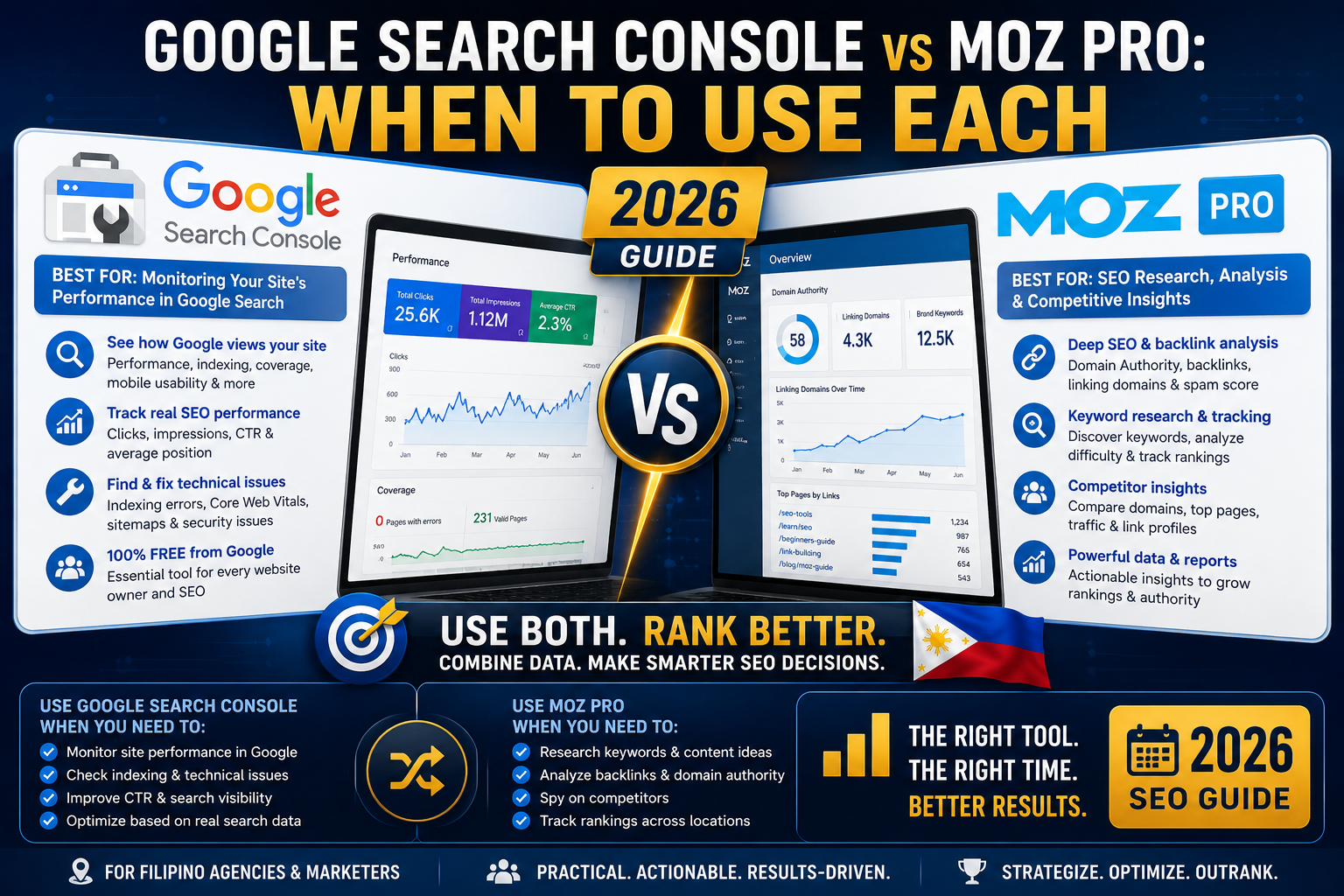
This guide walks through what each tool actually shows, where they overlap, and the practical workflow that uses both together for maximum insight.
The 30-second answer
- Google Search Console is the only source of truth for your actual Google click and impression data. It is free and universally required for every SEO. Use it to see what happened.
- Moz Pro is a paid SEO toolkit that shows competitor data, keyword opportunities, and backlink analysis Google Search Console cannot. Use it to see why and what to do next.
- Use both together. GSC tells you your traffic reality, Moz tells you your competitive landscape.
What Google Search Console shows you
GSC is the direct feed from Google’s own systems. What you get:
- Actual clicks and impressions for every query your site ranks for (last 16 months)
- Average position for each query
- CTR percentage per query
- Which pages Google has indexed, and why some were excluded
- Crawl errors, sitemap health, and structured data issues
- Core Web Vitals scores based on real user data (not lab simulation)
- Manual actions and security issues (if any)
- Manual reindex requests (10 URLs per day per property)
Cost: Free forever. Requires only domain ownership verification.
What Moz Pro shows you that GSC cannot
Moz is the diagnostic layer on top of what GSC shows. Its critical additions:
- Domain Authority (predictive metric for ranking ability)
- Backlink profile with quality scoring (Domain Authority per linking domain, anchor text distribution, Spam Score)
- Competitor visibility (see competitor DA, their top keywords, their backlink sources)
- Link Intersect (domains linking to competitors but not you = outreach targets)
- Keyword Explorer with search volume estimates for keywords you do not yet rank for
- Keyword difficulty scoring so you know which targets are realistic
- SERP analysis showing who currently ranks for any query, at what DA
- On-page grader with specific recommendations per page
Cost: USD 99 to USD 179 per month (roughly PHP 5,600 to 10,100). 30-day free trial available.
Where they overlap (and which one wins)
Both tools cover some of the same territory. Here is who wins on each:
- Your site’s keyword rankings: GSC wins for actual position data (real Google numbers). Moz wins for tracking rank movements over time in a clean dashboard.
- Site technical health: GSC wins for issues Google itself detected. Moz wins for issues Google has not surfaced yet but should.
- Backlink data: GSC shows some links but is incomplete. Moz shows a much larger and better-scored backlink index.
- Top-performing pages: GSC wins because it shows Google’s actual traffic view. Moz gives context (which pages have highest PA, why).
- Reporting to clients: Moz wins for cleaner exports and DA-based competitive framing. GSC is too raw for polished client reports.
The workflow that uses both together
Here is the weekly workflow most Filipino SEO specialists run:
Monday morning (GSC): Check Performance report. Identify pages where clicks dropped week over week. Note any queries where position dropped 5+ spots.
Monday afternoon (Moz): For each declining page, run it through Moz Keyword Explorer. See if a competitor moved into a stronger position (their PA rose or they gained new backlinks). If so, plan a counter-move (new content, more links, or on-page optimization).
Wednesday (GSC + Moz): Pull “Queries where CTR is under 3 percent” from GSC. Cross-reference these against Moz Keyword Explorer Priority scores. Rewrite titles and metas for the top 5 opportunities.
Friday (Moz): Run Link Intersect against 3-5 competitors. Add any new high-DA link sources to your outreach queue for next week.
This workflow surfaces 5-10 actionable insights per week that pure GSC monitoring would miss.
When Google Search Console alone is enough
You can skip Moz Pro if:
- You are a solo blogger or non-agency site owner just starting out (first 6 months)
- Your total site traffic is under 1,000 visits per month (Moz cost per insight is too high at that scale)
- You are not competing on backlinks or trying to systematically outrank competitors
- You have no client reporting obligations
For a personal blog with 500 visits per month, GSC plus Google Analytics plus Yoast SEO is enough. Moz becomes worth paying for once you cross 5,000 monthly visits or start managing client SEO.
When you actually need Moz Pro on top of GSC
Add Moz Pro when:
- You manage SEO for one or more paying clients
- You need to explain competitive positioning to non-technical stakeholders
- You want to systematically identify backlink outreach opportunities
- Your site crossed 5,000 monthly visits and you want to compound growth
- You need clean client-facing reports with quarterly DA and ranking trends
Common mistakes when using both
- Reporting Moz DA to clients as if it were a Google metric. DA is Moz’s own scoring, not Google’s. Always caveat DA reports appropriately.
- Trusting Moz keyword volume without cross-checking. Moz volume is a good estimate but Google Search Console impressions are the ground truth once your page ranks.
- Not connecting GSC to Moz Pro. Moz Pro can ingest GSC data if you connect the accounts. This unlocks better ranking reports and richer keyword lists.
- Ignoring Moz Spam Score. GSC will not warn you about toxic incoming links until they hurt rankings. Moz Spam Score is an early warning system.
Official documentation
Start with Moz Pro (affiliate)
The links below are affiliate links. We may earn a commission at no extra cost to you when you sign up. See our affiliate disclosure.
- Try Moz Pro 30-day free trial, the diagnostic layer that complements Google Search Console
- Google Digital Marketing Certificate (Coursera), learn to use GSC and paid tools together
- Complete SEO Bootcamp (Udemy), one-time low fee covering both GSC and paid SEO tools
- DataCamp Marketing Analytics track, for cross-referencing GSC data with business metrics
Frequently asked questions
Is Google Search Console enough on its own for SEO?
For solo bloggers, personal sites, and businesses under 1,000 monthly visits, yes. GSC plus Google Analytics plus Yoast SEO (WordPress) covers the essentials. For anyone managing client SEO, competing on backlinks, or scaling past 5,000 monthly visits, adding a paid tool like Moz Pro pays for itself quickly through opportunity discovery.
What can Moz Pro see that Google Search Console cannot?
Competitor data (their DA, top keywords, backlink sources), Link Intersect for outreach opportunities, keyword search volume estimates for queries you do not yet rank for, keyword difficulty scoring, and a much larger backlink index with Spam Score early warnings. GSC only shows your own site data; Moz shows the competitive landscape.
Should I connect Google Search Console to Moz Pro?
Yes, if you have Moz Pro. Connecting GSC to Moz enriches your keyword and ranking reports with actual Google click and impression data. It also lets you set up better rank tracking that combines Moz’s competitive framing with GSC’s ground truth. The connection takes 5 minutes to set up.
Is Google Search Console’s data accurate?
Yes. GSC data comes directly from Google’s own systems, so it is the ground truth for what actually happened. However, GSC does have a slight lag (2-3 days) and Google filters out some queries with very low impressions for privacy reasons. For real-time or complete data, combine GSC with server logs.
Can I use Moz Pro without Google Search Console?
Technically yes, but you would be flying blind on your actual Google traffic. Every SEO project should always have GSC set up because it is free and shows real user behavior. Moz Pro without GSC data still gives competitive insights, but you would be missing the reality check that GSC provides on how those insights translate to actual results.
How much does Moz Pro cost in the Philippines?
Moz Pro Standard is USD 99 per month (roughly PHP 5,600 at 2026 exchange rates). Medium tier is USD 179 per month (PHP 10,100). Both include a 30-day free trial with full features so you can validate the tool against your workflow before committing. Annual billing gives roughly 20 percent discount.

Leah Whynett Dela Pena
Technology Writer at PIES IT Solution
Leah Whynett Dela Pena is a technology writer at PIES IT Solution, author of 93 career and IT education guides.
Expertise: Tech Careers · IT Education · Web Development Careers · Software Engineering Careers · Cybersecurity Careers · IT Certifications · Career Guidance · View all posts by Leah Whynett Dela Pena →