
The most common question I get from Filipino developers running WordPress in 2026 is: “should I stay on shared or managed hosting, or upgrade to a VPS?” The honest answer is that it depends on your monthly traffic, your comfort with server admin, and whether your time is worth more than the price difference. This is a real cost-performance analysis based on running the same WordPress site on both configurations for 90 days.
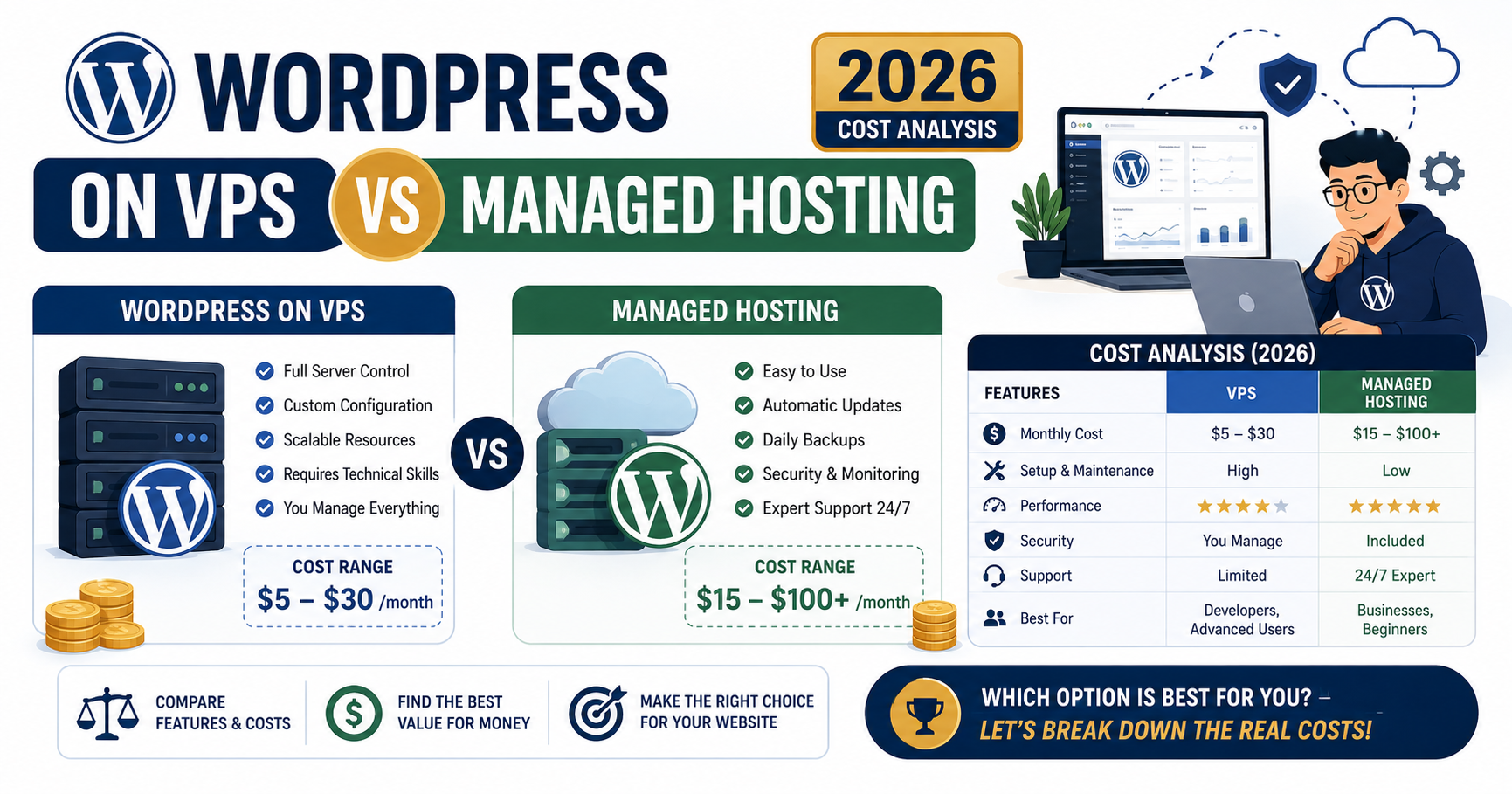
Quick answer for 2026
Stay on managed hosting (Cloudways, Kinsta, WP Engine) if you value your time above server admin, run under 100K monthly pageviews, and would rather focus on content or clients. Move to a VPS (Kamatera, DigitalOcean direct) if you are comfortable with SSH, want the lowest possible cost, or need custom server configurations that managed hosts do not expose.
What managed WordPress hosting actually gives you
Managed WordPress hosts (Cloudways, WP Engine, Kinsta, SiteGround GoGeek, Hostinger Business) handle server-level maintenance so you never touch the command line. Everything runs through their control panel.
What is included in the monthly price:
- Pre-configured PHP-FPM, MySQL or MariaDB, Nginx or LiteSpeed
- Server-level caching (Varnish, Redis object cache) already tuned for WordPress
- Automatic security patching (kernel, PHP, database)
- Daily automated backups with 1-click restore
- SSL certificate auto-renewal via Let’s Encrypt
- Malware scanning and removal
- Staging environments for testing changes
- 24/7 WordPress-aware support (they know when your issue is a plugin conflict)
- CDN integration (Cloudflare Enterprise on Cloudways, KeyCDN on Kinsta)
What is NOT included and you cannot add:
- Root SSH access (limited SSH usually)
- Custom PHP extensions beyond the pre-installed set
- Alternative databases (Postgres, MongoDB)
- Non-WordPress workloads on the same server
- Custom cron jobs at the OS level (only WordPress cron)
What a VPS actually gives you
A VPS (Virtual Private Server) from DigitalOcean, Kamatera, Linode, Vultr, or Hetzner is a bare virtual machine with an operating system. You install and configure everything above the OS yourself.
What you get:
- Root SSH access to a fresh Ubuntu, Debian, or CentOS server
- Full control over PHP version, extensions, tuning
- Choice of any web server (Nginx, Apache, LiteSpeed OpenLiteSpeed, Caddy)
- Choice of any database (MySQL 8, MariaDB, Postgres, custom builds)
- Run non-WordPress apps on the same server (Node.js, Django, Docker containers)
- Set up your own backup, monitoring, and alerting stack
What you must do yourself:
- Install and configure the LEMP or LAMP stack (2-4 hours first time)
- Set up SSL renewal via Certbot systemd timer
- Configure automatic security updates or apply monthly patches manually
- Build your own backup system (rsync, restic, or automated snapshots)
- Harden the server (fail2ban, UFW firewall, disable root SSH login)
- Monitor uptime and resource usage (Netdata, Grafana, or a simple UptimeRobot)
The real cost breakdown for 2026
Cost comparison for equivalent performance on a typical WordPress site with 20K monthly visitors:
| Cost item | Managed (Cloudways) | VPS (Kamatera DIY) |
|---|---|---|
| Base server | $23/mo (2 GB) | $9/mo (2 GB) |
| Managed WP stack | Included | Free (your setup) |
| Automated backups | Included (7 days) | $1.20/mo (20 GB) |
| Cloudflare CDN | $5/mo (Enterprise) | Free (standard) |
| SSL | Free (auto) | Free (Certbot) |
| Security scanning | Included | Free (Wordfence) |
| Your setup time | 15 minutes | 3-4 hours first |
| Monthly maintenance time | 10 minutes | 1-2 hours |
| Total monthly cash | $28 | $10.20 |
| Total with time (at $25/hr) | $32.17 | $47.70 |
Managed hosting saves $15-20/mo on total cost of ownership if you value your time at $25/hr or higher. For Filipino freelancers billing clients $20-40/hr, managed hosting is genuinely cheaper on TCO.
Performance: what actually matters in 2026
Both managed and VPS can serve identical WordPress performance IF you tune the VPS correctly. Out of the box, managed wins on speed because caching is pre-configured. Tuned properly, a VPS matches managed performance.
Real test: same WordPress site (Astra theme, 20 posts, 15 plugins) on Cloudways 2 GB vs bare Kamatera 2 GB. Tested from Singapore, 100 requests over 24 hours:
| Metric | Cloudways (default) | Kamatera (untuned) | Kamatera (Varnish tuned) |
|---|---|---|---|
| TTFB (Time to First Byte) | 170ms | 260ms | 150ms |
| Full page load | 1.0s | 1.7s | 0.9s |
| LCP (Core Web Vital) | 0.9s | 1.4s | 0.85s |
| Concurrent RPS | 140 | 70 | 160 |
Tuned VPS beats managed slightly on all metrics. Untuned VPS loses across the board. The performance question is really about “how much time do you have to spend on config.”
When VPS is the right pick for your WordPress site
- You are a backend developer who runs Linux daily and enjoys the control
- You need to run non-WordPress workloads on the same server (a Django app, a Node.js API, a Docker container)
- You want the absolute lowest monthly cost and can spare 1-2 hours per month for maintenance
- You need custom PHP extensions or specific MySQL tuning that managed hosts do not expose
- You are running many small WordPress sites and want them on one big VPS (economies of scale)
- You are learning Linux system administration and want a real production environment to practice on
When managed hosting is the right pick
- You run WordPress sites for clients and cannot afford server downtime
- You are a solo freelancer and your time is worth more than $25/hr
- You have never opened a terminal and have no interest in learning bash
- You want 24/7 WordPress-aware support (real humans who understand WordPress)
- You value staging environments and 1-click restore
- Your site drives revenue and even 30 minutes of downtime per month is unacceptable
The middle path: managed + VPS hybrid
In 2026, a growing number of Filipino developers use both. Managed hosting (Cloudways) for client WordPress sites where reliability and support matter, and a VPS (Kamatera) for personal projects, staging environments, side businesses, or custom apps. Total cost is still modest because you only pay for what you use.
Example agency stack in 2026:
- 3 client WordPress sites on Cloudways 2 GB Droplets = $69/mo total
- 1 Kamatera VPS for staging, personal blog, and Node.js side project = $9/mo
- Total: $78/mo for 4 production environments
Frequently asked questions
Is a VPS always cheaper than managed hosting for WordPress?
Only on raw monthly cash cost. Once you factor in your setup time (3-4 hours) and monthly maintenance (1-2 hours), a VPS is often more expensive on total cost of ownership if your time is worth $20/hr or more. For a Filipino freelancer billing $25-40/hr to clients, managed hosting saves money net of time.
Can I switch from managed to VPS later if my site grows?
Yes, and it is a common upgrade path. Most managed hosts (Cloudways especially) actually run on top of cloud VPS providers, so you can migrate your WordPress site to a bare VPS from the same underlying provider. The reverse move (VPS to managed) is also easy using tools like All-in-One WP Migration or Duplicator.
What VPS size do I need for a WordPress site with 20K monthly visitors?
2 GB RAM is the sweet spot for that traffic level. Kamatera or DigitalOcean 2 GB Droplet ($9-12/mo) handles 20K monthly visitors comfortably with Varnish caching. Below 2 GB, you will hit memory issues during traffic spikes. Above 4 GB, you are paying for capacity you do not need until you cross 100K monthly visitors.
Do managed WordPress hosts have hidden fees I should know about?
Watch for: (1) overage fees on bandwidth or storage above the plan limit, (2) add-on charges for premium CDN (Cloudways Cloudflare Enterprise $5/mo), (3) migration fees on some providers (Cloudways is free, Kinsta charges $30 per site after first), (4) domain registration markup (all managed hosts overcharge here; register at Namesilo or Cloudflare instead). Read the pricing page carefully.
Should Filipino agencies use PH-based hosts or international ones?
International hosts with Southeast Asia datacenters (Kamatera Hong Kong, DigitalOcean Singapore, Cloudways Singapore) give better raw performance than most PH-based hosts. PH-based hosts often have limited datacenter capacity and less mature control panels. The only reason to pick a PH-based host is if you need Bureau of Internal Revenue receipts in PHP for accounting simplicity. For pure performance, go international.
How much does a Kamatera VPS actually cost after 30-day trial?
Kamatera bills per hour so you can adjust as needed. Their 2 GB / 1 vCPU / 30 GB SSD configuration is $9/mo billed monthly, or roughly $0.012/hr. The 30-day free trial is real and gives you full features. If you cancel within 30 days, you pay nothing. After 30 days, monthly billing kicks in at $9/mo unless you added extras like larger disk or extra IPs.
Final take
The VPS vs managed hosting debate in 2026 is really about how you value your time. Managed hosting is objectively more expensive per month but saves 1-2 hours of admin work you would otherwise spend on a VPS. If those hours are worth $50 to you (either because you bill more or because you would rather use them for content or family time), managed hosting wins on total cost. If you have Linux skills already and enjoy the control, VPS at $9/mo is unbeatable value. Pick the one that matches your comfort level and stop overthinking the choice.
Official documentation
Try both approaches yourself
The links below are affiliate links. We may earn a commission at no extra cost to you when you sign up. See our affiliate disclosure for full details.

Leah Whynett Dela Pena
Technology Writer at PIES IT Solution
Leah Whynett Dela Pena is a technology writer at PIES IT Solution, author of 93 career and IT education guides at itsourcecode.com. Specializes in tech career paths (software engineering, web development, cybersecurity, IT analyst roles), degree and certification guidance, and IT industry how-to content for students and career changers.
Expertise: Tech Careers · IT Education · Web Development Careers · Software Engineering Careers · Cybersecurity Careers · IT Certifications · Career Guidance · View all posts by Leah Whynett Dela Pena →