
Everyone needs cash sometimes. Whether it is for a jeepney fare, a market vendor who does not accept GCash yet, or a small tip, being able to pull physical pesos out of your GCash wallet at an ATM is one of the most useful features in the app. We have used this many times ourselves, and it works reliably as long as you know the process.
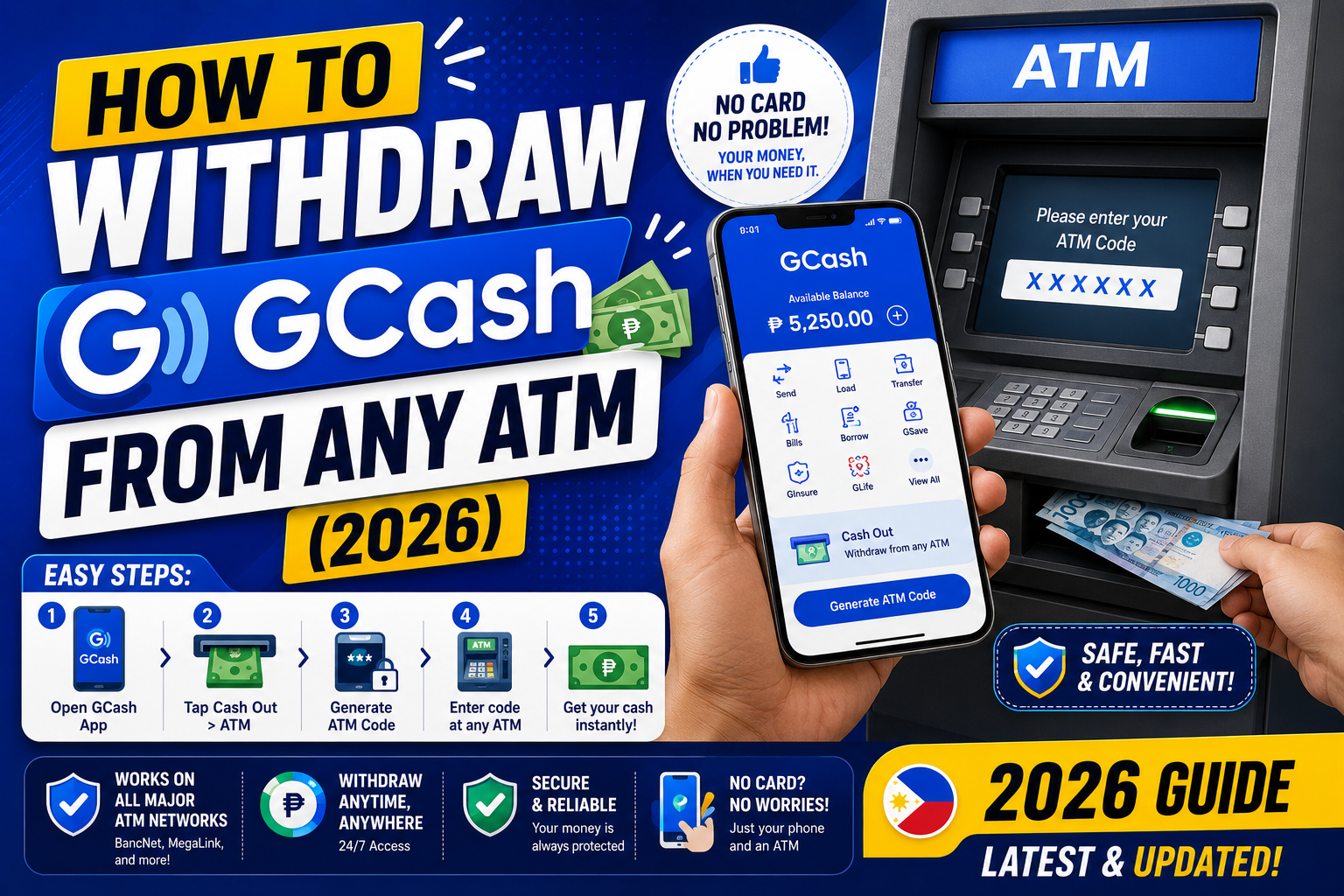
This guide walks through the exact steps to withdraw cash from GCash at any ATM in the Philippines, the fees involved, daily and monthly limits, and what to do when the transaction fails.
Two ways to withdraw GCash cash at an ATM
You have two options, and the fees are different:
- GCash Cardless Withdrawal: Uses only your phone. Generate a reference code in the app, enter it at a partner ATM. Available at BancNet and Instapay-linked ATMs (BPI, BDO, Metrobank, Landbank, PNB, and 40+ other banks).
- GCash Mastercard withdrawal: Uses the physical GCash Mastercard card. Insert the card at any ATM in the Philippines (or abroad) and enter your PIN. Requires ordering the physical card first (PHP 150 delivery fee).
Both methods pull money from your GCash wallet. Cardless is faster to set up (no card to order) but limited to certain ATM networks. Mastercard is more flexible but requires the physical card.
Method 1: GCash Cardless Withdrawal (no card needed)
This is what we recommend for most users because you do not need to wait for a card to arrive.
Step 1: Open GCash and start cash-out
- Open the GCash app on your phone
- Tap Cash Out on the home screen
- Scroll down to find ATM Withdrawal or Cardless ATM
- Tap it
Step 2: Enter withdrawal amount
- Enter the amount you want to withdraw (minimum PHP 200, must be in multiples of PHP 100)
- Confirm the amount
- Note the fee (PHP 20 per withdrawal via BancNet, PHP 0 to PHP 25 depending on the bank)
Step 3: Generate the reference code
- Tap Confirm
- GCash generates a 6-digit reference code and a QR
- The code is valid for 30 minutes (screenshot it to be safe)
Step 4: Visit a partner ATM
- Go to any BancNet-affiliated ATM (BPI, BDO, Metrobank, Landbank, PNB, and most other Philippine banks)
- Do NOT insert a card
- On the ATM screen, look for Cardless Withdrawal, GCash, Instapay, or Others menu options (the wording varies by bank)
- Enter the 6-digit reference code from your GCash app
- Confirm the amount
- Take the cash and receipt
The full process takes 2 to 3 minutes at the ATM once you have the code. GCash deducts the money from your wallet immediately when you generate the code, not when you withdraw. If you never use the code, the money is refunded after 30 minutes.
Method 2: GCash Mastercard withdrawal
For frequent ATM users, the physical GCash Mastercard is more convenient because it works at any ATM without needing to generate a code first.
How to get the GCash Mastercard:
- Open GCash and tap the card icon at the top of the home screen
- Tap Get a GCash Mastercard
- Confirm your delivery address
- Pay the PHP 150 delivery fee (deducted from your wallet)
- Wait 3 to 7 business days for delivery
- Activate the card in the app once it arrives
Using the GCash Mastercard at an ATM:
- Insert the card at any ATM (BancNet, Megalink, ExpressNet, or foreign networks)
- Enter your GCash Mastercard PIN (different from your GCash MPIN)
- Choose Withdrawal and select Savings account (even though it is technically a wallet)
- Enter the amount
- Take the cash
Fees for Mastercard withdrawal: PHP 20 per transaction at BancNet-affiliated ATMs. Higher at non-partner ATMs (PHP 35 to PHP 250 depending on the bank).
Fees and limits (2026 rates)
- Cardless withdrawal fee: PHP 20 per transaction (some banks waive it, some add PHP 10 extra)
- Mastercard withdrawal fee at BancNet partners: PHP 20 per transaction
- Mastercard withdrawal fee at non-partners: PHP 35 to PHP 250 depending on the bank
- Minimum per withdrawal: PHP 200
- Maximum per withdrawal: PHP 20,000 (some ATMs cap at PHP 10,000)
- Daily cash-out limit (all methods combined): PHP 50,000 for Fully Verified accounts
- Monthly cash-out limit: PHP 500,000 for Fully Verified accounts
Basic (unverified) accounts cannot use ATM withdrawal at all. You must be Fully Verified to access this feature.
Common problems and how to fix them
- ATM says “invalid code”: Your code likely expired (30-minute window). Return to GCash, cancel the transaction, and generate a fresh code.
- ATM does not have a Cardless option in the menu: Not all ATMs support cardless yet. Look for BPI, BDO Cash Agad, Metrobank, and Landbank ATMs which reliably support it. Some rural or older 7-Eleven ATMs do not.
- Money was deducted but cash did not dispense: Rare but happens. GCash automatically refunds within 24 hours. Screenshot the receipt (if you got one) and message GCash support with your transaction reference.
- Card is inserted but ATM says “card not recognized”: The magnetic strip may be dirty or worn. Wipe it and retry. If it persists, order a replacement card in the GCash app.
- Daily cash-out limit reached: Wait until the next calendar day (limits reset at midnight PH time). Or use GCash to Pay Bills or Buy Load instead if you need to spend the money.
Which method should you use?
Use Cardless Withdrawal if:
- You only withdraw cash occasionally (once or twice per month)
- You do not want to carry a physical card
- You are always near BancNet-partner ATMs (which is basically anywhere in urban PH)
Use GCash Mastercard if:
- You withdraw cash multiple times per week
- You travel and need ATM access in provincial areas where BancNet may not be available
- You go abroad and need international ATM access
- You want a backup payment method you can swipe like a debit card at physical stores
Cost-wise, both methods are similar at PHP 20 per transaction. The physical Mastercard has the one-time PHP 150 delivery fee. If you withdraw 8 or more times per month, the Mastercard is worth ordering for convenience alone.
Safety tips for ATM withdrawals
- Always cover the keypad when entering your PIN or reference code
- Check that the ATM has no suspicious attachments on the card slot (skimmers) before inserting your card
- Use ATMs inside bank branches or well-lit locations, especially at night
- Do not accept help from strangers, even if they claim to be bank staff
- Take your cash and receipt immediately, then leave the area
- Change your GCash MPIN and Mastercard PIN every 6 months
- Enable GCash biometric login and notification alerts so you catch unauthorized activity fast
Quick step-by-step summary (click to expand)
- Open GCash Cash Out. Tap Cash Out, then ATM Withdrawal (Cardless).
- Enter amount. Minimum PHP 200, in multiples of PHP 100. Confirm the PHP 20 fee.
- Generate reference code. GCash gives a 6-digit code valid for 30 minutes. Screenshot it.
- Visit a BancNet partner ATM. BPI, BDO, Metrobank, Landbank, PNB, and most Philippine banks.
- Select Cardless Withdrawal. On the ATM screen (menu wording varies). Do NOT insert a card.
- Enter reference code and confirm. Take your cash and receipt within 2 to 3 minutes.
Official documentation
Frequently asked questions
How much does it cost to withdraw GCash at an ATM?
Standard fee is PHP 20 per withdrawal through a BancNet partner ATM (BPI, BDO, Metrobank, Landbank, PNB, and most others). Some banks may add PHP 10 extra. Non-BancNet ATMs charge PHP 35 to PHP 250 depending on the bank. The fee is deducted from your GCash wallet, not the withdrawn amount.
What is the maximum GCash withdrawal per day at an ATM?
Per single withdrawal: PHP 20,000 (some ATMs cap at PHP 10,000 due to their own machine limits). Daily total across all withdrawals: PHP 50,000 for Fully Verified accounts. Monthly total: PHP 500,000. Basic accounts cannot use ATM withdrawal at all, only Fully Verified accounts have this feature.
Can I withdraw GCash at a 7-Eleven ATM?
Sometimes, but not reliably. 7-Eleven has both partner ATMs (which support GCash Cardless) and non-partner ATMs (which do not). Look for the BancNet logo or check the on-screen menu for Cardless or GCash options. For guaranteed success, use bank branch ATMs (BPI, BDO, Metrobank) which reliably support cardless withdrawal.
Do I need a physical card to withdraw GCash from an ATM?
No. The Cardless Withdrawal method requires only your phone. You generate a 6-digit reference code in the app, then enter it at a BancNet partner ATM. The physical GCash Mastercard is optional and useful only if you withdraw cash frequently or need ATM access at non-BancNet locations.
What if my GCash reference code expires before I reach the ATM?
The 30-minute expiry cancels the transaction and refunds the money to your GCash wallet automatically. You can generate a fresh code and try again. GCash charges the fee only when you successfully withdraw, not when you generate a code that expires.
What happens if the ATM dispensed no cash but my GCash wallet was deducted?
This is rare but happens occasionally. GCash automatically refunds within 24 hours after the failed transaction is detected on the ATM network’s end. If the refund does not arrive in 24 hours, contact GCash support at the Help Center with your reference number and any receipt the ATM produced. Do NOT re-attempt the withdrawal in the meantime.

Adones Evangelista
Programmer & Technical Writer at PIES IT Solution
Adones Evangelista is a programmer and writer at PIES IT Solution, author of over 900 tutorials.
Expertise: JavaScript · Python · Django · Laravel · Error Debugging · C/C++ · View all posts by Adones Evangelista →