
About the Project
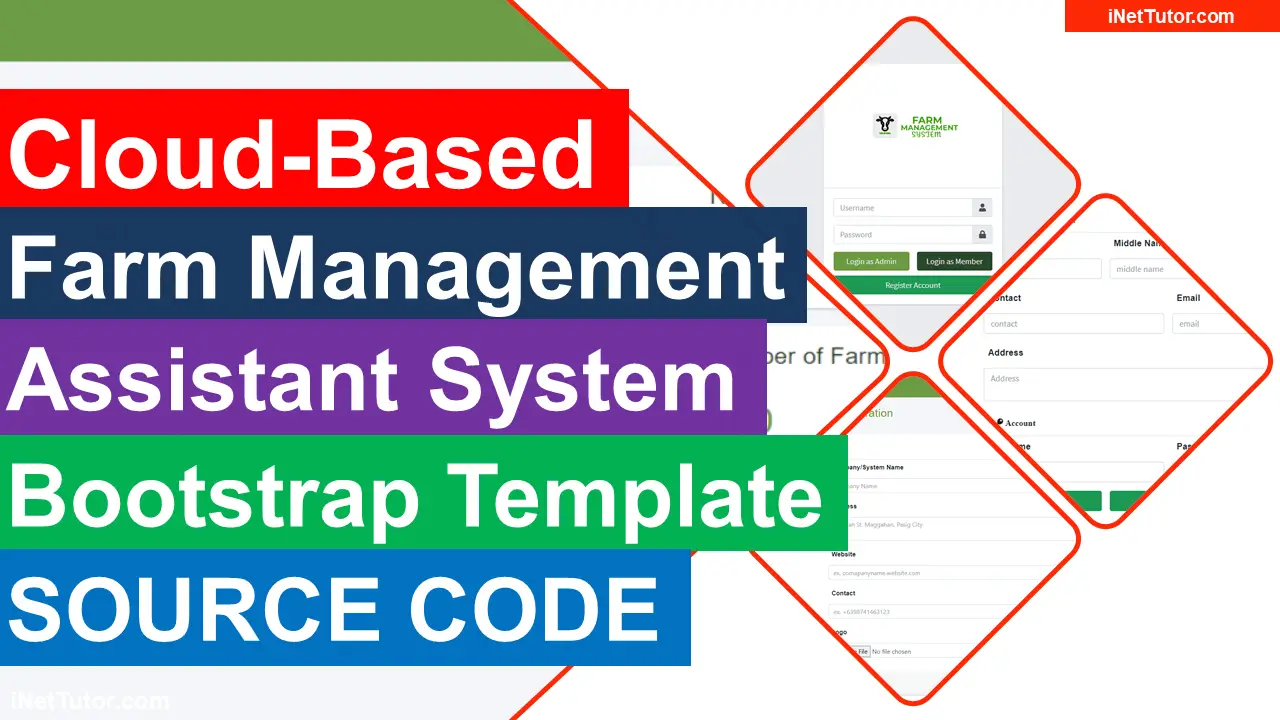
A Cloud-Based Farm Management Assistant System is a system that would allow farmers to manage their crops and livestock remotely, through the use of cloud computing technology. This system would provide farmers with a variety of tools and features that would help them to more effectively manage their farms.
These tools would include, but would not be limited to, a mapping tool that would allow farmers to track the location of their crops and livestock, an inventory tool that would allow farmers to keep track of their stock, and a reporting tool that would provide farmers with detailed information about their farms.
A Cloud-Based Farm Management Assistant System could have a number of benefits for farmers. For example, it could help them to more effectively monitor their crops and livestock. This would allow them to identify problems early, and to take steps to address them.
It could also help farmers to optimize their farming practices, by providing them with information about the best ways to grow their crops and manage their livestock.
Benefits of using the project
The benefits and advantages of the Cloud-Based Farm Management Assistant System are numerous. It is incredibly user-friendly, which is one of the advantages. The technology is simple to learn and use, making it ideal for farmers who aren’t computer savvy.
It’s also simple to manage your farm with the Cloud-Based Farm Management Assistant System. The system may be accessed from any device, and it will maintain track of your farm’s data so that you can access it at any time. Finally, the Farm Management Assistant System on the Cloud is cost-effective.
It is far less expensive than traditional agricultural methods and does not necessitate a large amount of equipment or people. Overall, the Cloud-Based Farm Management Assistant System offers numerous advantages and benefits, making it an ideal tool for farmers.
Screenshots


Video Demo
Summary
The Cloud-Based Farm Management Assistant System is a project that is designed to help farmers manage their farms more effectively. The system is cloud-based, which means that it can be accessed from anywhere that has an internet connection. The system is also mobile-friendly, which means that it can be accessed from smartphones and tablets. The system includes a variety of features that will help farmers manage their farms more effectively.
This article will provide you the idea on the design and list of features in developing a farm management system. Source code of the template is also included for your reference. We hope that this could help you in terms of planning the user interfaces for the said project.
You may visit our Facebook page for more information, inquiries, and comments. Please subscribe also to our YouTube Channel to receive free capstone projects resources and computer programming tutorials.
Hire our team to do the project.
Related Capstone Resources
- Mobile Based Farm Management Application Capstone Project
- Poultry Farm Management System Project in Laravel with Source Code
- Dairy Farm Management System ER Diagram
- IPO Model Conceptual Framework of Farm Management System
- Abstract of Farm Management System
- Dairy Farm Management System Database Design
- Pharmacy Management System Free Bootstrap Template Source Code
- Driving School Management System Bootstrap Template
- Qr Code Fare Payment System Bootstrap Template
- Food Donation Services System Free Bootstrap Template
- Academic Performance Tracking System Bootstrap Template
- Student Management System Project
BSIT capstone essentials
General guidance for BSIT capstone projects that applies across all specializations.
- Start Chapter 3 (methodology) first. Forces you to think about the whole system.
- Do documentation and coding in parallel. Never save documentation for the end.
- Meet weekly with the team. Track blockers, adjust the timeline.
- Back up everything daily. Two locations minimum.
- Get adviser feedback per major milestone. Not just at the end.
- Rehearse the defense presentation multiple times. Time yourself.
Common capstone mistakes to avoid
- Copying without attribution. Panels use Turnitin. Cite everything you did not write yourself.
- Over-scoping the project. A well-executed simple system beats a poorly-executed ambitious one.
- Deferring documentation. Documentation quality is a big part of the grade.
- Skipping user testing. Panels ask about user feedback. Have real data.
- Ignoring adviser feedback. Advisers know what the panel will ask.
Recommended free tools for capstone projects
- draw.io / diagrams.net. UML diagrams for Chapter 3.
- Google Docs. Collaboration + version history + adviser comments.
- Zotero or Mendeley. Reference management + auto-formatted citations.
- GitHub. Version control for the source code (also earns E-E-A-T signal on your CV).
- Grammarly. Language + tone check on the documentation.
- Turnitin. Plagiarism check before submission (some schools provide access).
- ChatGPT or Claude. For outline scaffolding — not for writing the actual content.
Where to get more capstone resources
- Capstone project ideas. Browse itsourcecode.com/topics/fyp/ for 140+ tested capstone concepts.
- Working source code. itsourcecode.com/topics/free-projects/ has 1,000+ downloadable projects.
- UML diagrams. itsourcecode.com/uml/ has 300+ free UML examples for Chapter 3.
- ER diagrams. itsourcecode.com/topics/uml/erd/ for database schemas.
Frequently asked questions
How long should a BSIT capstone project take?
4-6 months is typical. Longer timelines encourage scope creep. Shorter timelines risk incomplete testing. Plan for parallel development + documentation to avoid last-minute rush.
What should I focus on first when starting a capstone?
Start with Chapter 3 (system design and methodology) — the diagrams and database schema force you to think about the whole system. Chapter 1 and 2 become easier once you know exactly what you are building.
Should I code first or document first?
Do both in parallel. Design in Chapter 3 first, then start coding while writing Chapter 1 and 2. Do not save documentation for the end. Panels can tell when documentation was rushed.
What common capstone mistakes should I avoid?
Do not over-scope. Do not copy from other capstones without attribution. Do not skip user testing. Do not defer documentation. Do not forget to back up your code and documents daily.
How do I balance capstone with regular coursework?
Block dedicated capstone time in your weekly schedule (10-15 hours minimum). Do not treat capstone as extra credit — it’s your thesis. Communicate schedule conflicts to your team early.

Joken E. Villanueva
Founder & Lead Developer at PIES IT Solution
Founder of PIES Information Technology Solutions, a software company building production-grade applications for institutions across the Philippines. Over 8 years of hands-on full-stack development experience, currently leading the development of ClinicAI, an AI-powered clinic management platform.
Expertise: PHP, MySQL, JavaScript, AI Integration, SaaS Architecture, VB.NET, Database Design, Capstone Documentation, Java · View all posts by Joken E. Villanueva →
what is the password for the source code zip file. Thanks
Zip file password:itsourcecode.com or itsourcecode