
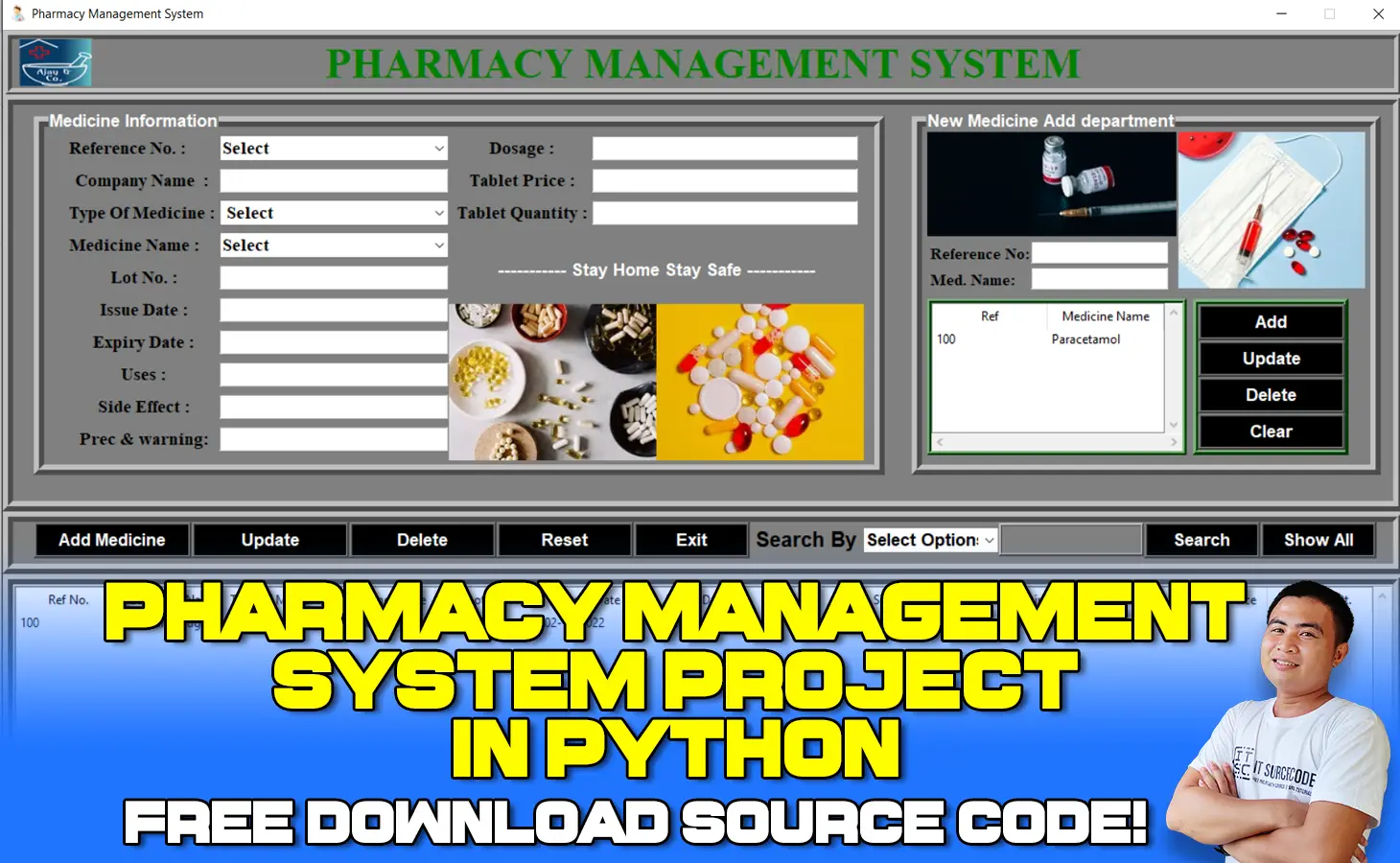
What is Pharmacy Management System Project in Python?
The Pharmacy Management System Project in Python is a computer-based program for managing, monitoring, and recording medical store activities.
Through automated features, it helps to increase the efficiency of medical stores. It also aids in the resolution of challenges with manual pharmacy management.
The pharmacy management system, often known as the pharmacy information system, is a system that organizes and manages the drug usage process within pharmacies by storing data and enabling functionality.
A Pharmacy Management System in Python with Graphical User Interface (GUI) with a SQLite3 database connectivity in python using Tkinter.
A user can add, update, delete, search medicine details.
Why Pharmacy Management System is Important?
A Pharmacy Management System can also help you keep track of your inventory.
Prescriptions must be exact and supplied in precise amounts, according to Pharmacy Management software.
This can also improve the quality and satisfaction scores.
You can also appropriately control or manage the expiration of drugs.
What are the objectives of Pharmacy Management System Project Report in Python?
The Pharmacy Management System’s major goal is to keep track of Medicines, Stocks, Inventory, Pharmacy, and Sales.
It keeps track of all information pertaining to Medicines, Companies, Sales, and Medicines. Because the project is entirely constructed at the administrative level, only the administrator has access.
What are the Benefits of Pharmacy Information System?
The pharmacy information system (PIS) is a multi-functional system that helps pharmacists keep track of drug supplies and organize them.
The technology helps to reduce prescription errors, improve patient safety, track costs, and report drug usage.
What is the concept of Pharmacy Management System?
One of the most important responsibilities of pharmacy management is to supervise and manage the pharmacy employees in order to ensure healthy working relationships and outcomes.
Pharmacists, pharmacy assistants, and pharmacy technicians are among the several categories of pharmacy employees.
Pharmacy Management System Project in Python : Project Details and Technology
| Project Title: | Pharmacy Management System Project in Python with Source Code |
|---|---|
| Abstract : | Pharmacy Management System Project in Python is a system that stores data and enables functionality that organizes and maintains the medication use process within pharmacies. |
| Project Type: | Desktop Application |
| Technology : | PyCharm IDE Platform |
| Language: | Python |
| Database : | SQLite3 |
| Developer: | IT Source Code |
Project Output
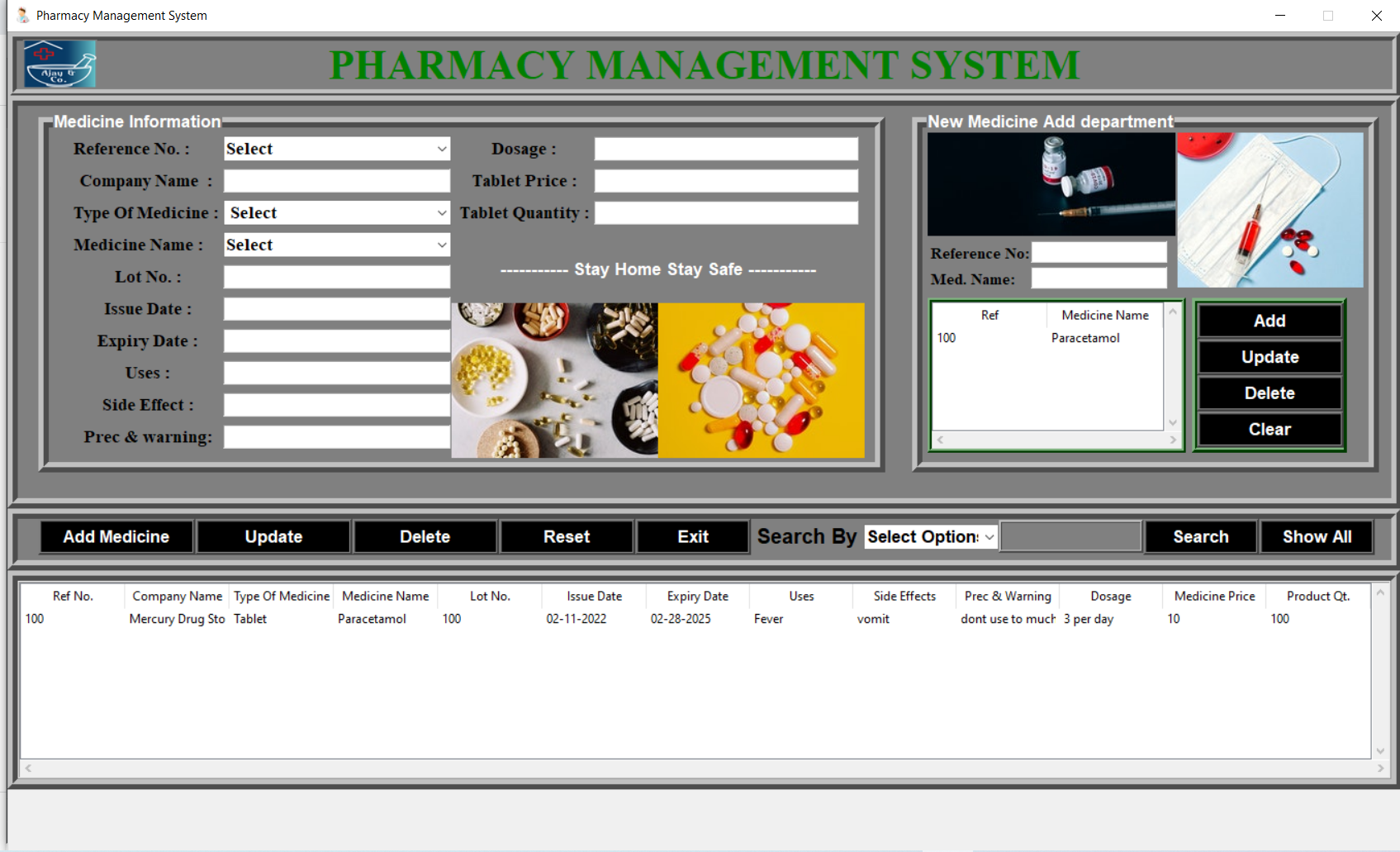
To start executing this System Project in Python, make sure you have PyCharm IDE installed in your computer.
By the way if you are new to python programming and you don’t know what would be the the Python IDE to use, I have here a list of Best Python IDE for Windows, Linux, Mac OS that will suit for you.
I also have here How to Download and Install Latest Version of Python on Windows.
Steps on how to run Pharmacy Management System Project in Python with Source Code
Time needed: 5 minutes
Pharmacy Management System Project in Python with Source Code
- Step 1: Download source code.
First, download the source code given below.

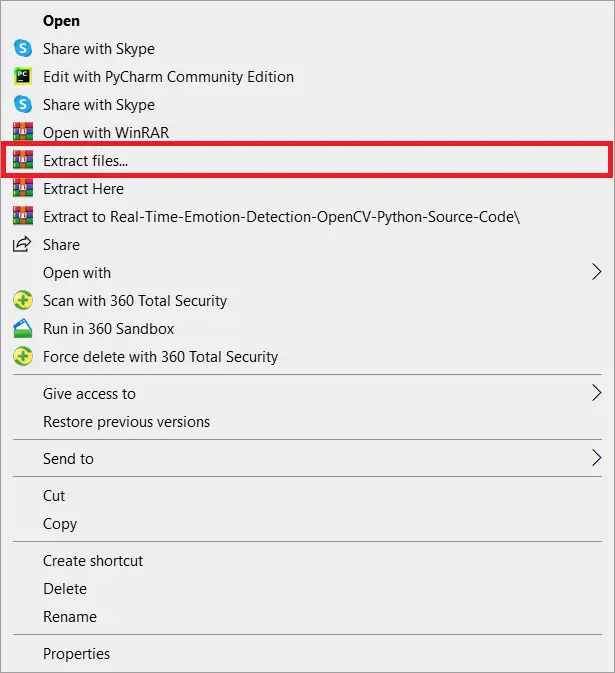
- Step 2: Extract file.
Next, after you finished download the source code, extract the zip file.

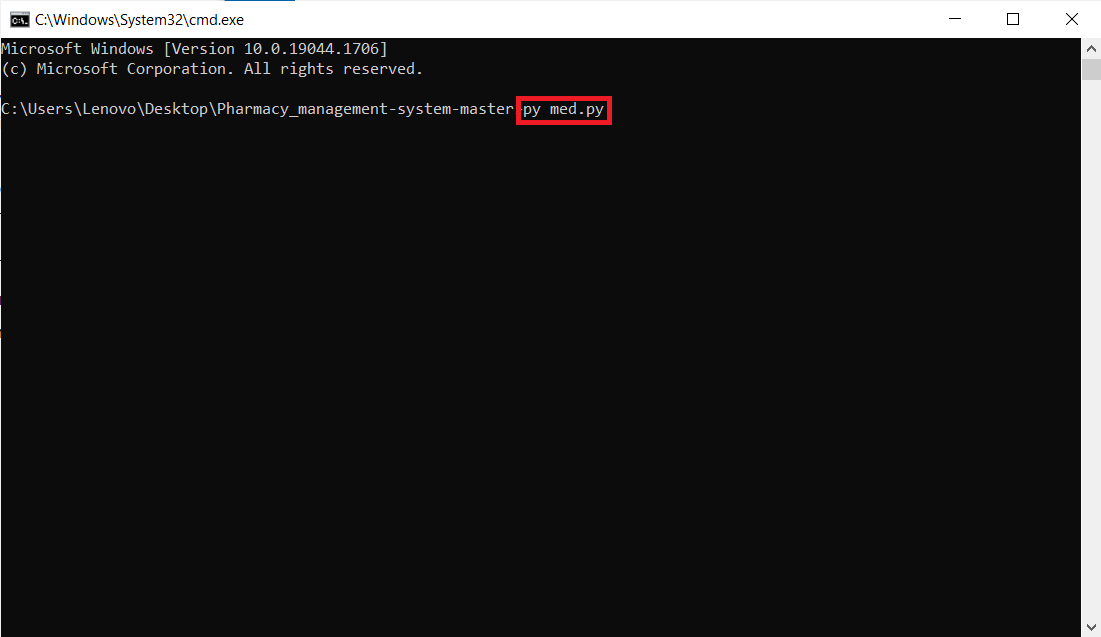
- Step 3: Run Project
Last, open the project folder and run the project.


Download Source Code below
Summary
This Pharmacy Management System is a quick and easy Python project for beginners and intermediates alike, and it broadens knowledge of Python applications.
Finally, this entire Python project with free source code is an absolute project and a valuable means for users to learn and explore more about it.
Related Articles
- Pharmacy Management System Project in Node JS with Source Code
- Pharmacy Management System Project in C++ with MySQL Database
- Pharmacy Management System Free Bootstrap Template Source code
- Pharmacy Management System Project in Laravel with Source Code
- Pharmacy Management System Project In CodeIgniter With Source Code
- Pharmacy Management System Project in C++ with Source Code
- Pharmacy Management System Project using Vb.Net Source Code
Pharmacy Management System Project Report / Documents
- Project Report on Pharmacy Management System
- Pharmacy Management System DFD | Dataflow Diagrams Level 0, 1 and 2
- Pharmacy Management System Use Case Diagram
- Pharmacy Management System ER Diagram
- Pharmacy Management System Thesis | Chapter 3 – Methodology
- Chapter 2: Review of Related Literature in Pharmacy Management System
- Pharmacy Management System Thesis Chapter 1
Inquiries
If you have any questions or suggestions about the Pharmacy Management System Project in Python with Source Code, please feel free to leave a comment below.
Technology stack and requirements
To run this Python project on your development machine, you need:
- Python 3.10 or higher. Download from python.org or install via Anaconda if you prefer bundled packages.
- pip package manager. Comes with Python. Used to install project dependencies from requirements.txt.
- Virtual environment. Use venv or conda to isolate project dependencies from your global Python install.
- VS Code or PyCharm. Free code editors with Python syntax highlighting, IntelliSense, and debugging.
- Git. For version control and cloning source code repositories.
Installing the source code
- Download or clone the repository. Get the ZIP archive from the download link on this page and extract it.
- Create a virtual environment. Open a terminal in the project folder and run: python -m venv venv, then activate it (venv\Scripts\activate on Windows or source venv/bin/activate on Mac/Linux).
- Install dependencies. Run pip install -r requirements.txt to install all libraries the project needs.
- Configure environment variables. If the project uses API keys (OpenAI, Anthropic, database), create a .env file and set the required keys.
- Run the project. Follow the run command in the README (usually python main.py or streamlit run app.py).
Using this project for your BSIT capstone
- Chapter 1 (Introduction). Discuss the real-world problem this system solves. Cite Philippine or international use cases where the manual process could be automated.
- Chapter 2 (RRL). Compare your project against 5-10 similar published works. Cite ACM, IEEE, or arXiv papers for academic-standard sources.
- Chapter 3 (Methodology). Document the model architecture, training data, hyperparameters, and evaluation metrics used.
- Chapter 4 (Results). Report accuracy, precision, recall, F1-score, and confusion matrix. Screenshot the running app on real inputs.
- Chapter 5 (Conclusion). Identify features for Version 2: better model, larger dataset, mobile deployment, or REST API.
Modules typical of Pharmacy Management System Project
- Core Python logic. Main functions implementing the business logic of the system.
- Data storage. SQLite for simple projects, PostgreSQL or MongoDB for larger data.
- User interface. Tkinter for desktop, Streamlit for data dashboards, or Flask/FastAPI for web.
- Input validation. Type checking and range validation before processing user data.
- Reports. CSV or PDF export using pandas.to_csv() or ReportLab.
- Testing. pytest unit tests covering core functions.
Common enhancements for capstone review
- Add REST API. Convert desktop app to FastAPI service for mobile or web front-ends.
- Multi-user support. Add login, roles, and per-user data isolation.
- Cloud deployment. Deploy to Render, Railway, or Fly.io for public access.
- Docker containerization. Package the app in Docker for portable deployment.
Official documentation
Frequently Asked Questions
How does this Python pharmacy management system work?
Inventory (medicines, expiry tracking, low-stock alerts), sales/POS, supplier purchase orders, reports. Tkinter + MySQL.
What Python version and libraries does this project require?
Most projects in this batch use Python 3.10, 3.11, or 3.12. Standard libs: tkinter (built-in), sqlite3 (built-in). External: pip install pillow opencv-python pygame mysql-connector-python reportlab requests beautifulsoup4.
How do I set up the database for this Python project?
For SQLite (most common, no setup): the .db file auto-creates on first run. For MySQL: install MySQL Server, create an empty database, import the included .sql file, edit connection in db.py with your credentials.
Can I use this Python project for a BSIT capstone or thesis?
Yes. Python is rising fast in Philippine BSIT panels. Extend it: add user roles, dashboards (matplotlib), PDF reports (reportlab), email notifications (smtplib), real domain extension. Pair with Chapter 1-5 documentation.
Why am I getting ‘ModuleNotFoundError’?
Three common Python issues: (1) Module not installed, pip install
Where can I find more Python projects with source code?
Browse the Python Projects hub for the full library. For computer vision see OpenCV Projects. For ML capstones see Machine Learning Projects. For BSIT capstone ideas see 150 Best Capstone Project Ideas.

Angel Jude Suarez
Full-Stack Developer at PIES IT Solution
Focuses on Python development, machine learning, and AI integration. Has built production AI systems including OpenAI Whisper integration for medical transcription and GPT-4o-powered diagnosis assistance. Strong background in pandas, scikit-learn, and TensorFlow.
Expertise: Python · PHP · Java · VB.NET · ASP.NET · Machine Learning · AI Integration · OpenCV · Django · CodeIgniter
· View all posts by Angel Jude Suarez →
dabase issue problem
pls Video link pls sheare