
Pharmacy Management System Project using Vb.Net Source Code
The Pharmacy Management System Project using Vb.Net is a desktop application which is developed in VB platform. Pharmacy Management System is a open source you can Download zip and edit as per you need.
It is developed using VB and MySql Database. Pharmacy management system is a management system that is designed to improve accuracy and to enhance safety and efficiency in the pharmaceutical store. This software code helpful in academic projects for college students.
This system was created using Visual Basic 2008 and MySql database of the system, and Crystal Reports.
Pharmacy Management System Using VB.Net: Features
- Add Supplier
Adding your suppliers in Timely allows you to order and keep track of your products.
To add a supplier, go to Side Bar Menu > Supplier and Click Add Supplier.
Enter the details of the supplier and click Save . Once a supplier is added, it will show in the main list of suppliers. - Add Category
To add a category , go to Top Bar Menu > Category and Click Add Category.
Enter the details of the category and click save . Then your new category will be created. - Add Generic
To add a generic, go to Top Bar Menu > generic and Click Add Generic.
Enter the details of the generic and click save. Once a generic added, it will show in the main list of generics. - Add Shelves
To add a shelves, go to Top Bar Menu > shelves and Click Add shelves.
Enter the details of the shelves and click save . Then your new shelves will be created. it will show in the main list of shelves. - Add Item
Add new items to your inventory item list. You can enter descriptions, prices and default accounts for your item.
In the Side Bar Menu, select Item , Click Add New. Complete the Item Code and Item Name fields, Click Save. it will show in the main list of Item. - Add Quantity in Item
You can add a quantity to every product on the list
- Add Customer
Timely makes it easy to add and manage information about your clients.
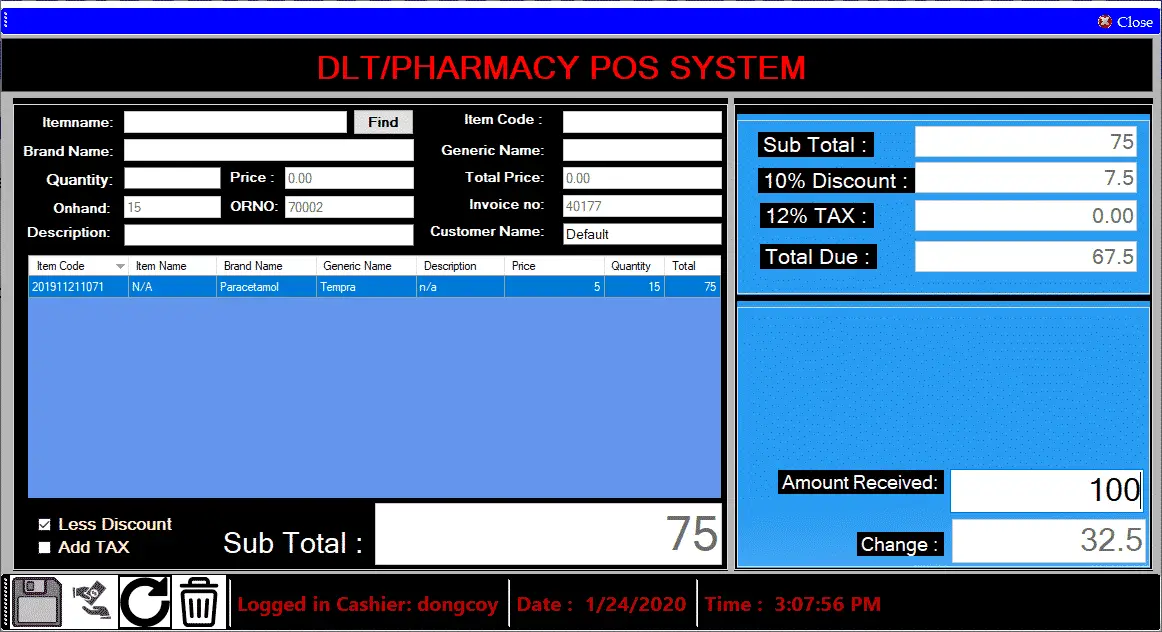
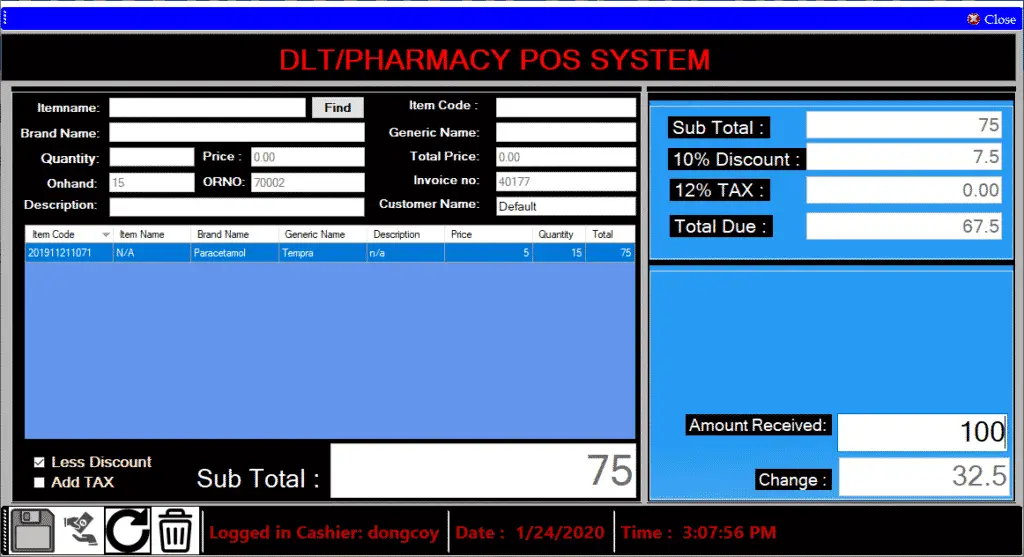
This includes the basics like the client contact details appointment. - Point of Sale
A point of sales or POS transaction also referred to as POS purchase refers to the final settlement, billing and payment made at the counter after purchase of any goods and services.
- Manage User
If you are the Administrator (owner) of your computer system, you can create, edit, and view details about user accounts. Additionally, you can search for users, change user details and manage what users have permission to see and do
- Login and Logout
In computer security, logging in (or logging on, signing in, or signing on) is the process by which an individual gains access to a computer system by identifying and authenticating themselves. The user credentials are typically some form of “username” and a matching “password”,
Login Information:
Main Dashboard
Username: adones
Password: 1
Point of sale
Username: shella
Password: 1
Download here the full source code of Pharmacy Management System Project using Vb.Net
After you download the source code, extract it and look for the thesis_pharmacy sql file and import it into phpmyAdmin.
If you have any questions or suggestions about this Pharmacy Management System, please contact me through facebook or email.
Facebook: Adones Eter Evangelista
Email Address: adones020792@gmail.com
Contact Number: 09153226944
Technology stack and requirements
To run this VB.NET project, you need the following on your development machine:
- Visual Studio 2019 or later. The free Community Edition is enough for building, debugging, and running the project.
- .NET Framework 4.7.2 or higher. Most Windows 10 and 11 systems have it preinstalled through Windows Update.
- MySQL Server 8.0 or MSSQL Express 2019. Choose whichever your capstone panel prefers; both work with VB.NET data adapters.
- MySQL Connector/NET or SqlClient library. Add via NuGet Package Manager inside Visual Studio.
- Crystal Reports (optional). Required only if the project generates printable reports; install the runtime redistributable.
Installing the source code
The download link contains a ZIP archive with the full solution. Extract and set up in five steps:
- Extract the archive to a folder outside Program Files (avoids permission issues).
- Open the .sln file in Visual Studio. It loads the full solution with all forms and modules.
- Restore NuGet packages. Right-click the solution then Restore NuGet Packages if prompted.
- Import the database. Locate the .sql file in the archive and import via phpMyAdmin (MySQL) or SQL Server Management Studio.
- Update the connection string in App.config or module code to match your local database name, user, and password.
How to use this project for your BSIT capstone
This VB.NET project maps cleanly to standard BSIT capstone documentation. Suggested chapter alignment:
- Chapter 1 (Introduction). Discuss the problem the system solves in real-world context. Cite Philippine business or academic use cases where a manual process could be replaced.
- Chapter 2 (Review of Related Literature). Compare this system’s features against 5-10 similar published projects. Cite journals like IJERT or IEEE Access for academic-standard sources.
- Chapter 3 (Methodology). Include Use Case Diagram, Data Flow Diagram, Entity Relationship Diagram, and Activity Diagram covering all major workflows in the system.
- Chapter 4 (Results and Discussion). Screenshot each module of the running system with a caption explaining what data it processes and which user role interacts with it.
- Chapter 5 (Conclusion and Recommendations). Identify features that could be added in a Version 2, such as web dashboard, mobile app, or REST API export.
Modules typical of Pharmacy Management System Project using Vb.Net Source Code
- Patient registration. Personal info, contact person, medical history, allergies, and insurance details.
- Appointment scheduling. Book slots by doctor and date, with SMS or email reminder to the patient.
- Consultation notes. Doctor input for chief complaint, diagnosis, prescription, and follow-up plan.
- Pharmacy / medicine dispensing. Link prescriptions to inventory, deduct dispensed quantity, and print label.
- Billing and payments. Compute charges, apply insurance discounts, and print official receipts.
- Reports. Daily patient census, revenue per doctor, most-prescribed medicine, and patient history logs.
Common enhancements for capstone review
- Electronic health records (EHR). Add complete patient history across visits accessible to any authorized doctor.
- Telemedicine integration. Embed a video-call widget for remote consultations, especially relevant post-2020.
- Lab results integration. Import CBC and chemistry lab results with reference-range highlighting.
- Data privacy compliance. Add audit trail and role-based access to meet Data Privacy Act (RA 10173) requirements.
Official documentation
Frequently Asked Questions
How does this VB.NET pharmacy management system work?
Inventory (medicines, expiry tracking, low-stock alerts), sales/POS (prescription verification, invoice printing), supplier purchase orders, reports.
What Visual Studio and SQL Server versions does this VB.NET project require?
Most projects use VB.NET WinForms on .NET Framework 4.5+ with SQL Server 2012 Express or higher. To run: install Visual Studio 2019 / 2022 (Community is free) with the ‘Desktop development with .NET’ workload, install SQL Server Express + SSMS, open the .sln file, build, run.
How do I set up the database for this VB.NET project?
Open SQL Server Management Studio (SSMS) and connect to your SQL Server (e.g. localhost\SQLEXPRESS). Right-click Databases, choose Restore Database OR New Database then import the included .sql script. Update the connection string in App.config (or in code-behind Module) with your server name + credentials. Rebuild and run.
Can I use this VB.NET project for a BSIT capstone or thesis?
Yes, VB.NET is one of the most accepted languages by Philippine BSIT panels. Extend it: add role-based access (admin/staff/customer login redirect), Crystal Reports or RDLC reports, dashboards with Chart control, audit log, multi-branch support. Pair with Chapter 1-5 documentation matching your panel’s rubric.
Why am I getting ‘connection error’ or ‘cannot find SQL Server’?
Three common VB.NET issues: (1) Connection error: SQL Server isn’t running. Open SQL Server Configuration Manager and verify SQL Server (SQLEXPRESS) service is started. (2) Wrong server name in connection string. Try .\SQLEXPRESS, (local)\SQLEXPRESS, or your machine name. (3) Login failed: SQL Server is set to ‘Windows-only’ authentication. Switch to Mixed Mode in SSMS Server Properties, Security.
Where can I find more VB.NET projects with source code?
Browse the VB.NET Projects hub for the full library. For C# WinForms alternatives see C# Projects. For ASP.NET web alternatives see ASP.NET Projects. For BSIT capstone idea lists see 150 Best Capstone Project Ideas.

Adones Evangelista
Programmer & Technical Writer at PIES IT Solution
Adones Evangelista is a programmer and writer at PIES IT Solution, author of over 900 tutorials and error-fix guides at itsourcecode.com. Specializes in JavaScript, Django, Laravel, and Python error debugging covering ValueError, TypeError, AttributeError, ModuleNotFoundError, and RuntimeError, plus C/C++ and PHP capstone projects for BSIT students.
Expertise: JavaScript · Python · Django · Laravel · Error Debugging · C/C++
· View all posts by Adones Evangelista →
What is the name for creating database name?
Hello. https://jayrims.co.uk/