
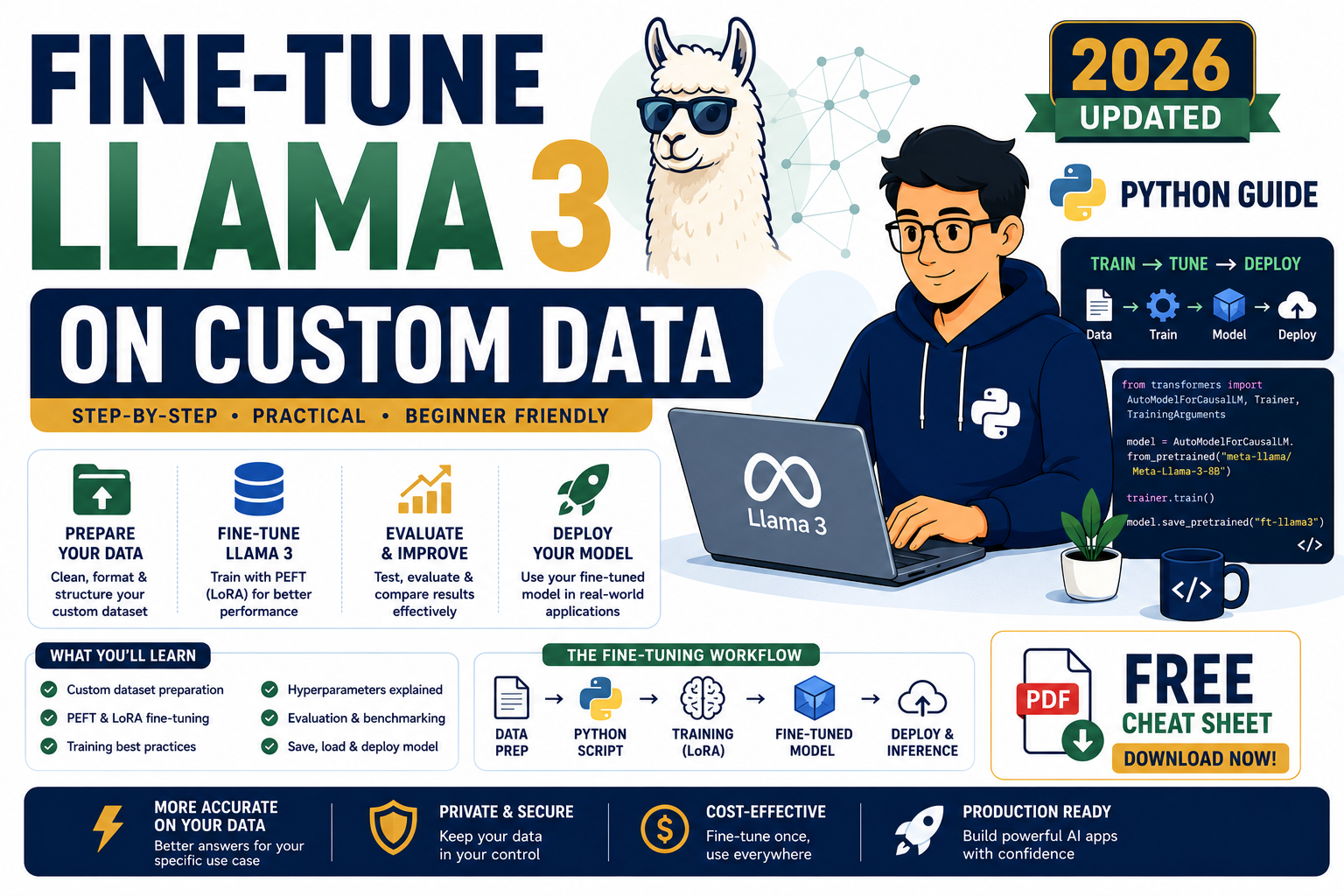
Fine-tuning Llama 3 on your own data is the fastest way to make an open-source LLM sound like your product, follow your instructions, and answer questions inside your domain. In 2026 the workflow is mature and cheap. This is the honest Python walkthrough for developers who want to ship a fine-tuned Llama 3 model this week.
Quick answer for 2026
Use QLoRA (4-bit quantization plus LoRA adapters) with the Hugging Face PEFT and TRL libraries. On a single 24GB GPU (RTX 4090, RTX 5090, or a Kamatera A10G instance) you can fine-tune Llama 3 8B in 2 to 6 hours for under $10. For Llama 3 70B, rent an A100 or H100 for a few hours and expect $30 to $80 total cost.
What fine-tuning Llama 3 actually means in 2026
Fine-tuning is the process of continuing the training of a pre-trained model on a smaller, task-specific dataset. Llama 3 already knows English, code, and general reasoning. Fine-tuning teaches it your specific format, tone, jargon, or task.
In 2026, almost nobody does full fine-tuning anymore. The standard approach is parameter-efficient fine-tuning (PEFT) and specifically QLoRA. Instead of updating all 8 billion parameters of Llama 3, you freeze the base model and train tiny adapter layers on top. This cuts GPU memory usage by roughly 75% and training cost by 90% or more, with almost no quality loss for most tasks.
Common reasons to fine-tune Llama 3 in 2026:
- Match a company voice or specific writing style
- Learn a structured output format (JSON schemas, XML tags, custom DSL)
- Encode domain knowledge that changes rarely (legal, medical, engineering jargon)
- Follow specific multi-step instructions your prompts alone cannot enforce
- Reduce prompt length so inference is faster and cheaper
When to fine-tune vs use RAG or prompt engineering
Fine-tuning is not always the right answer. Before you spend GPU hours, run through this checklist:
- Need the model to know new facts that update often? Use RAG, not fine-tuning. Fine-tuning bakes in outdated info.
- Task works with 3 to 5 example prompts? Just use few-shot prompting. Cheaper and faster to iterate.
- Need consistent format across thousands of calls, or reduce prompt cost at scale? Fine-tune.
- Need the model to think like an expert in your field or follow complex behavioral rules? Fine-tune.
- Combining both is common: fine-tune for style and format, then use RAG for fresh facts at inference time.
What you need before you start
Three things determine whether your fine-tune will succeed or waste your GPU budget: the dataset, the hardware, and the base model choice.
Dataset. You need at least 500 high-quality examples for a real effect, 2,000 to 10,000 is the sweet spot for most tasks. Format each example as an instruction plus expected output. Quality beats quantity. Ten thousand mediocre examples produce a worse model than 1,000 clean ones.
Hardware. For Llama 3 8B with QLoRA: 24GB VRAM minimum (RTX 4090, RTX 5090, A10G, or L4). For Llama 3 70B with QLoRA: 48GB VRAM minimum (A100 40GB works with aggressive quantization, A100 80GB or H100 is comfortable). If you do not own a GPU, rent one hourly on Kamatera, Vast.ai, RunPod, or Lambda Labs.
Base model. Llama 3 8B Instruct is the default 2026 pick for most teams. It follows instructions out of the box and fine-tunes quickly. Reach for 70B only when 8B cannot handle your task quality target.
Full code: fine-tune Llama 3 with QLoRA in Python
This end-to-end script fine-tunes Llama 3 8B Instruct on a custom instruction dataset. It runs on a single 24GB GPU in about 3 hours with 2,000 training examples.
First, install the dependencies:
pip install torch transformers peft trl bitsandbytes accelerate datasets
Then the training script:
import torch
from datasets import load_dataset
from transformers import AutoModelForCausalLM, AutoTokenizer, BitsAndBytesConfig
from peft import LoraConfig, get_peft_model
from trl import SFTTrainer, SFTConfig

BASE_MODEL = "meta-llama/Meta-Llama-3-8B-Instruct"

# 4-bit quantization config for QLoRA
bnb_config = BitsAndBytesConfig(
    load_in_4bit=True,
    bnb_4bit_quant_type="nf4",
    bnb_4bit_compute_dtype=torch.bfloat16,
    bnb_4bit_use_double_quant=True,
)

# Load the tokenizer and the quantized base model
tokenizer = AutoTokenizer.from_pretrained(BASE_MODEL)
tokenizer.pad_token = tokenizer.eos_token

model = AutoModelForCausalLM.from_pretrained(
    BASE_MODEL,
    quantization_config=bnb_config,
    device_map="auto",
)

# Configure LoRA adapters
lora_config = LoraConfig(
    r=16,
    lora_alpha=32,
    target_modules=["q_proj", "k_proj", "v_proj", "o_proj"],
    lora_dropout=0.05,
    bias="none",
    task_type="CAUSAL_LM",
)
model = get_peft_model(model, lora_config)

# Load your dataset. Format each row as {"text": "instruction + response"}
dataset = load_dataset("json", data_files="train.jsonl", split="train")

# SFT trainer configuration
training_args = SFTConfig(
    output_dir="./llama3-finetuned",
    num_train_epochs=3,
    per_device_train_batch_size=4,
    gradient_accumulation_steps=4,
    learning_rate=2e-4,
    lr_scheduler_type="cosine",
    logging_steps=10,
    save_strategy="epoch",
    bf16=True,
    max_seq_length=1024,
    packing=True,
)

trainer = SFTTrainer(
    model=model,
    args=training_args,
    train_dataset=dataset,
    tokenizer=tokenizer,
)

trainer.train()
trainer.save_model("./llama3-finetuned/final")
print("Fine-tuning complete. Adapter saved to ./llama3-finetuned/final")
Your training dataset (train.jsonl) should have one JSON object per line with a “text” field in Llama 3 chat format:
{"text": "<|begin_of_text|><|start_header_id|>user<|end_header_id|>\n\nWhat is the return policy?<|eot_id|><|start_header_id|>assistant<|end_header_id|>\n\nOur return policy allows returns within 30 days of purchase with the original receipt.<|eot_id|>"}
{"text": "<|begin_of_text|><|start_header_id|>user<|end_header_id|>\n\nDo you ship to Manila?<|eot_id|><|start_header_id|>assistant<|end_header_id|>\n\nYes, we ship to Manila and all Metro Manila addresses. Standard delivery takes 2 to 4 business days.<|eot_id|>"}
Evaluate the fine-tuned model
Never trust the training loss alone. Always run the fine-tuned model on held-out examples the training set never saw. Here is the minimum inference test:
from peft import PeftModel
from transformers import AutoModelForCausalLM, AutoTokenizer

BASE_MODEL = "meta-llama/Meta-Llama-3-8B-Instruct"
ADAPTER_PATH = "./llama3-finetuned/final"

tokenizer = AutoTokenizer.from_pretrained(BASE_MODEL)
base_model = AutoModelForCausalLM.from_pretrained(BASE_MODEL, device_map="auto", torch_dtype="bfloat16")
model = PeftModel.from_pretrained(base_model, ADAPTER_PATH)
model.eval()

prompt = "What is your return policy?"
inputs = tokenizer(prompt, return_tensors="pt").to(model.device)
outputs = model.generate(**inputs, max_new_tokens=200, temperature=0.1)
print(tokenizer.decode(outputs[0], skip_special_tokens=True))
Keep a set of 20 to 50 evaluation prompts and run them before every training run. Track which answers improve and which regress. If regressions outnumber gains, roll back to the previous checkpoint.
Deploy the fine-tuned model
You have two options for serving your fine-tuned Llama 3:
Option 1: Merge adapters into the base model. Call model.merge_and_unload() to fold the LoRA weights into the base model and save a standalone model. This is the simplest deployment path and works with vLLM, TGI, or any standard inference server.
Option 2: Serve base model plus adapter. Keep the base model shared across many fine-tuned adapters. Load the adapter at request time. This is cheaper if you serve multiple fine-tuned variants (per-customer or per-tenant models).
For production, run inference on OnSpace AI, Kamatera GPU instances, or self-hosted vLLM on your own hardware. Ollama also supports loading fine-tuned Llama 3 models locally for development and small-team internal tools.
Common fine-tuning mistakes to avoid in 2026
Most fine-tune failures come from a small set of predictable mistakes:
- Too few examples. Below 500 examples, the model often memorizes the training set and gets worse at everything else.
- Inconsistent formatting. Mixing chat format with plain text confuses the model. Pick one Llama 3 template and stick with it across every example.
- Training too long. More epochs is not always better. Watch validation loss. Stop when it plateaus or rises.
- Ignoring the base model version. Llama 3 Instruct and Llama 3 base behave very differently. Match your dataset format to the model you are tuning.
- Skipping evaluation. Never ship a fine-tuned model without a held-out eval set. Training loss looks great even when the model is silently broken.
- Fine-tuning when RAG would work. Do not fine-tune facts that will change. Use RAG for anything you would update more than once a quarter.
Official documentation
Try the tools and books
The links below are affiliate links. We may earn a commission at no extra cost to you if you purchase through them. See our affiliate disclosure for details.
- Kamatera GPU cloud for on-demand A10G, A100, and H100 instances
- OnSpace AI for AI project hosting and inference
- Rheinwerk Publishing for machine learning and Python engineering books
Frequently asked questions
How many examples do I need to fine-tune Llama 3?
The floor is around 500 clean examples. The sweet spot is 2,000 to 10,000. Beyond 10,000 you see diminishing returns for most tasks unless the model has to learn a large new domain. Quality matters more than quantity. Prune duplicates and low-quality examples before you train.
How much does fine-tuning Llama 3 cost in 2026?
Llama 3 8B with QLoRA on a rented 24GB GPU (A10G, L4) runs about $0.60 to $1.20 per hour. A typical run finishes in 2 to 6 hours. Total cost per fine-tune is roughly $2 to $10. Llama 3 70B needs an A100 or H100 at $2 to $4 per hour and typically costs $30 to $80 per run.
Should I fine-tune Llama 3 or just use GPT-4o / Claude / Gemini?
Fine-tune Llama 3 when you need data residency, per-token cost control at high volume, offline inference, or a custom voice you cannot get from prompt engineering alone. Use closed API models when time-to-first-result matters more than long-term cost or when your traffic is low enough that per-call pricing wins.
Can I fine-tune Llama 3 on Google Colab or Kaggle for free?
Colab free tier gives you a T4 (16GB) which is too small for Llama 3 8B even with 4-bit quantization. Colab Pro or Kaggle T4/P100 will run 8B with QLoRA if you keep the context short and batch size at 1. For serious runs, rent an A10G or L4 from Kamatera, RunPod, or Vast.ai.
Is fine-tuning Llama 3 a good BSIT capstone project in 2026?
Yes. A capstone that fine-tunes Llama 3 on a Philippine-specific dataset (Tagalog customer support, DTI compliance Q&A, LGU services, local school FAQ) demonstrates real ML engineering skill, is defendable in front of panels, and produces a working artifact your school can keep using after graduation.
What is the difference between LoRA and QLoRA?
LoRA (Low-Rank Adaptation) freezes the base model weights and trains small adapter matrices on top. QLoRA adds 4-bit quantization of the base model on top of LoRA, cutting VRAM usage by roughly 4x with minimal quality loss. In 2026, QLoRA is the default for consumer and mid-range GPUs. Use plain LoRA only when you have plenty of VRAM and want the small quality edge.
For the theory behind QLoRA, PEFT, and adapter training, the deep learning specializations on Coursera and DataCamp cover fine-tuning fundamentals with guided notebooks that pair well with the code above.
Bottom line for 2026 AI developers
Fine-tuning Llama 3 is no longer a research task. With QLoRA, PEFT, and TRL, a working fine-tune of an 8B model costs under $10 and finishes overnight on a single rented GPU. The hard part is not the code, it is picking a real problem, curating a clean 2,000-example dataset, and evaluating whether the fine-tuned model actually beats a good prompt on your task.
Start small. Fine-tune Llama 3 8B first. Prove the workflow end to end before you spend $80 on a 70B run. If you get stuck, feel free to comment below and I will help you debug your training script.

Angel Jude Suarez
Full-Stack Developer at PIES IT Solution
Focuses on Python development, machine learning, and AI integration. Has built production AI systems including OpenAI Whisper integration for medical transcription and GPT-4o-powered diagnosis assistance. Strong background in pandas, scikit-learn, and TensorFlow.
Expertise: Python · Machine Learning · AI Integration · OpenCV · Django · PyTorch · TensorFlow · LangChain · OpenAI SDK · Anthropic SDK · View all posts by Angel Jude Suarez →