
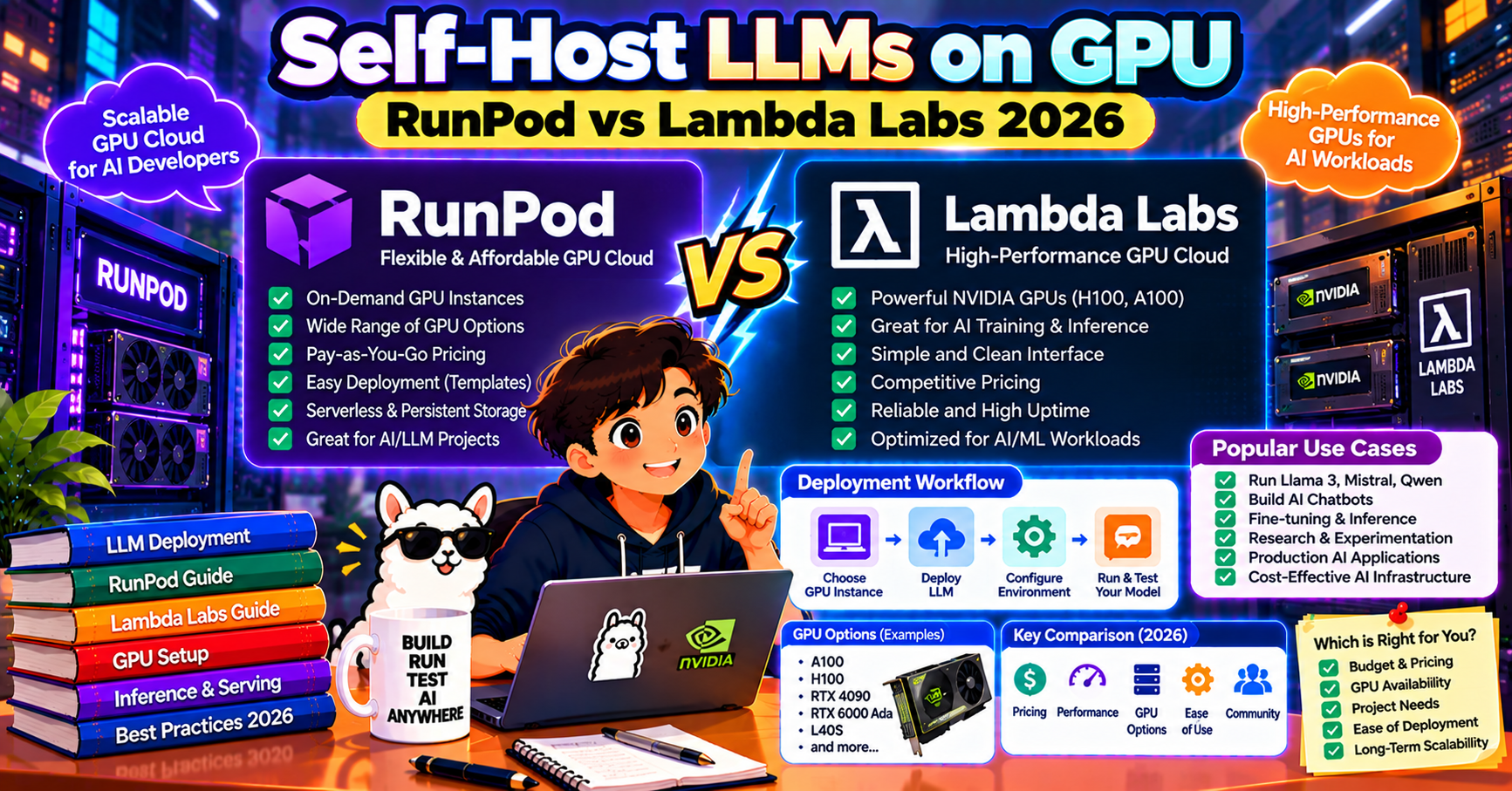
You have an open-source LLM you want to serve, but your laptop GPU is not enough and you do not want to buy a $10,000 workstation. The practical 2026 solution is renting a cloud GPU by the hour. This tutorial walks through self-hosting an LLM on a cloud GPU using either RunPod or Lambda Labs, both of which rent H100s and A100s for a few dollars per hour. You will have a working inference endpoint in about 25 minutes.
Why rent instead of buy
A single H100 costs around $30,000. Renting one costs $2 to $3 per hour on RunPod or Lambda in 2026. If your inference workload runs 4 hours a day on average, renting pays for itself for over 7 years before you break even on buying. For most teams the right answer is renting until you reach steady-state traffic justifying hardware.
Two more practical reasons: cloud GPUs come with pre-configured drivers (CUDA, cuDNN, nvidia-container-runtime) which saves 2 to 5 hours of setup time, and you can scale down to zero when nobody is using the model.
RunPod vs Lambda Labs in 2026
RunPod: pay-per-minute billing, large template library (pre-built Docker images for vLLM, TGI, Ollama, A1111, ComfyUI), Serverless mode that scales to zero. Good for experimentation and bursty workloads.
Lambda Labs: pay-per-hour billing with discounts for reserved instances, cleaner UX, better for long-running workloads. Lambda’s reserved H100 pricing is often 20 to 30% cheaper than on-demand.
September 2026 pricing (on-demand, hourly):
- RTX 4090 24GB: $0.35 (RunPod), $0.44 (Lambda)
- A100 40GB: $0.99 (RunPod), $1.10 (Lambda)
- A100 80GB: $1.60 (RunPod), $1.79 (Lambda)
- H100 80GB: $2.49 (RunPod), $2.99 (Lambda)
- H200 141GB: $3.99 (RunPod), $4.49 (Lambda)
For a first-time self-host test, start with an A100 80GB on RunPod. It fits 70B models comfortably and costs under $2 per hour.
Step 1: Rent the GPU (RunPod)
- Sign up at runpod.io and add a credit card. The minimum deposit is $10.
- Click Pods then Deploy. Pick GPU type (A100 80GB).
- Pick a template. For a vLLM deployment, pick “vLLM Latest” from the template dropdown. For Ollama, pick “Ollama” template. For a bare container, pick “PyTorch 2.4 CUDA 12.4”.
- Pick region (any) and click Deploy On-Demand. Your pod starts in 60 to 90 seconds.
- Open the Connect panel and click “HTTP Service :8000” to open the deployed endpoint in your browser.
Step 2: Load your model
If you used the vLLM template, the pod boots with vLLM serving an environment-variable-selected model. Set the MODEL_NAME env variable on the pod to your choice:
MODEL_NAME=meta-llama/Llama-3.1-70B-Instruct
Alternatively, SSH into the pod and run vLLM manually:
vllm serve meta-llama/Llama-3.1-70B-Instruct \
  --dtype auto \
  --api-key your-key \
  --port 8000 \
  --max-model-len 8192
The model downloads to the pod’s volume (around 140 GB for a 70B model, takes 10 to 15 minutes on first run). Attach a persistent volume so the download is not repeated when you restart the pod.
Step 3: Call the endpoint from your code
vLLM exposes an OpenAI-compatible API. Your existing OpenAI SDK code works with one URL change:
from openai import OpenAI

client = OpenAI(
    base_url="https://YOUR-POD-ID-8000.proxy.runpod.net/v1",
    api_key="your-key",
)

response = client.chat.completions.create(
    model="meta-llama/Llama-3.1-70B-Instruct",
    messages=[{"role": "user", "content": "Hello"}],
)
print(response.choices[0].message.content)
Replace YOUR-POD-ID with the pod ID from the RunPod dashboard. The proxy URL stays stable as long as the pod is running.
Lambda Labs path
Lambda’s workflow is similar:
- Sign up at lambdalabs.com and request access (approvals usually clear in a day).
- Launch an instance from the dashboard. Pick GPU type and region.
- SSH into the instance using the key pair Lambda generated.
- Install vLLM:
pip install vllm - Run
vllm serve ...as above. - Expose the port through Lambda’s firewall and reach it directly at the instance’s public IP.
Lambda does not provide a managed proxy like RunPod. You get a raw IP, so set up TLS yourself (Caddy is 5 minutes).
Cost control
GPU rental bills add up fast. Three practical controls:
- Stop when idle: both platforms bill by the minute (RunPod) or hour (Lambda). Stop the pod when not in use. RunPod Serverless mode scales to zero automatically.
- Use smaller models when possible: a Qwen 3 32B on a 4090 ($0.35/hour) is often enough. Reserve the H100 for the 70B+ workloads.
- Set a billing alert: RunPod has a hard cap. Lambda bills to your card. For either, set a weekly alert so you catch runaway spend early.
When self-hosting beats using a hosted API
Rough breakeven math for a 70B model handling 100,000 requests per month at 500 input + 200 output tokens:
- OpenAI GPT-4o: around $265 per month at list price
- Self-hosted on rented A100 80GB running 24/7: around $1152 per month ($1.60 x 24 x 30)
- Self-hosted with RunPod Serverless scaling to zero (6 hours per day average): around $288 per month
Self-hosting pays off when: your traffic is predictable enough that your GPU stays busy, your prompts have long common prefixes that benefit from heavier caching, or when data cannot leave your network. Hosted APIs win for bursty traffic, small teams without infra skills, or when you need frontier model quality.
Common deployment pitfalls
Teams that self-host for the first time hit the same handful of issues. Save yourself the day of debugging:
- Cold-start cost of large models: downloading a 70B weights file (140 GB in fp16) over a cold pod can take 20 to 40 minutes. Use provider-cached weights (RunPod templates, Lambda disk images) or bake the model into a container image stored close to the compute region.
- CUDA driver mismatches: your container’s PyTorch wheel assumes CUDA 12.4 but the host provides 12.1. Pin the base image to a known-good CUDA version and test on the actual provider before production.
- Idle GPU burning money: a reserved instance left running overnight because autoscale was off is a $60 to $200 surprise on next month’s bill. Set a billing alert and a hard max-run-time on experimental workloads.
- Not watching VRAM headroom: a model that fits in 48 GB with 2K-token context overflows at 32K context because KV cache grows linearly. Benchmark at your real context lengths, not synthetic ones.
Scaling patterns beyond a single GPU
Once a single GPU is maxed, three paths forward:
- Horizontal replicas behind a load balancer: simplest. Add a second identical pod and round-robin requests. Works until a single request is too big for one GPU.
- Tensor parallelism: split a large model (Llama 3.3 70B, Qwen3 72B) across 2 or 4 GPUs with NVLink. vLLM supports this with
--tensor-parallel-size 4. Latency improves; throughput scales sub-linearly because of inter-GPU communication. - Managed inference endpoints: when ops cost of self-hosting is more than the savings, move the workload to Together AI, Fireworks, or Groq. They give you self-host economics without the pager.
Frequently Asked Questions
Official documentation
Which cloud GPU platform is cheapest in 2026?
RunPod is typically the cheapest on-demand (A100 80GB at $1.60/hr vs Lambda’s $1.79). For reserved long-running workloads, Lambda’s committed-use discounts can be 20 to 30% below RunPod on-demand. For bursty experimentation, RunPod wins. For always-on production, Lambda often wins.
Can I use my fine-tuned model this way?
Yes. Point vllm serve at the Hugging Face repo containing your fine-tuned model (or upload the model files to the pod’s persistent volume). The OpenAI-compatible endpoint behaves identically.
Does RunPod have a persistent storage option?
Yes. RunPod Network Volumes let you keep model files across pod restarts. Attach a 200 GB volume for about $0.07 per GB per month. Essential for 70B models to avoid re-downloading on every pod restart.
What about Vast.ai or Paperspace?
Vast.ai is a GPU marketplace, often cheaper than RunPod but with less reliable availability and sometimes consumer-grade hardware (RTX 4090s rented from gamers). Paperspace was acquired by DigitalOcean in 2023 and remains stable but pricing has drifted higher. For a 2026 production self-host, RunPod and Lambda are the main picks; Vast.ai works for cost-sensitive experiments.
How much slower is cloud GPU vs local GPU?
Network latency adds 20 to 80 ms per request depending on your location vs the pod region. Pick a region close to your users. For bursty single-user chat, this is noticeable but survivable. For high-throughput batch jobs, latency is irrelevant.
Can I run multiple models on one pod?
Technically yes, but each model consumes GPU memory. On an A100 80GB you can usually fit one 70B model OR two 30B models OR several smaller models simultaneously. For true multi-model serving, use TGI (which handles multi-model natively) or deploy one pod per model and route in your app.

Glay Eliver
Programmer & Technical Writer at PIES IT Solution
Glay Eliver is a programmer and writer at PIES IT Solution, author of over 600 tutorials at itsourcecode.com. Specializes in JavaScript tutorials, Microsoft Office how-tos (Excel, Word, PowerPoint), and Python error debugging covering ImportError, TypeError, AttributeError, ModuleNotFoundError, and JavaScript ReferenceError. Authored several of the site's highest-traffic Excel and MS Office reference articles.
Expertise: JavaScript · MS Excel · MS Word · MS PowerPoint · Python · Python ImportError · Python TypeError · Python AttributeError · ModuleNotFoundError · JavaScript ReferenceError · Pygame · View all posts by Glay Eliver →