
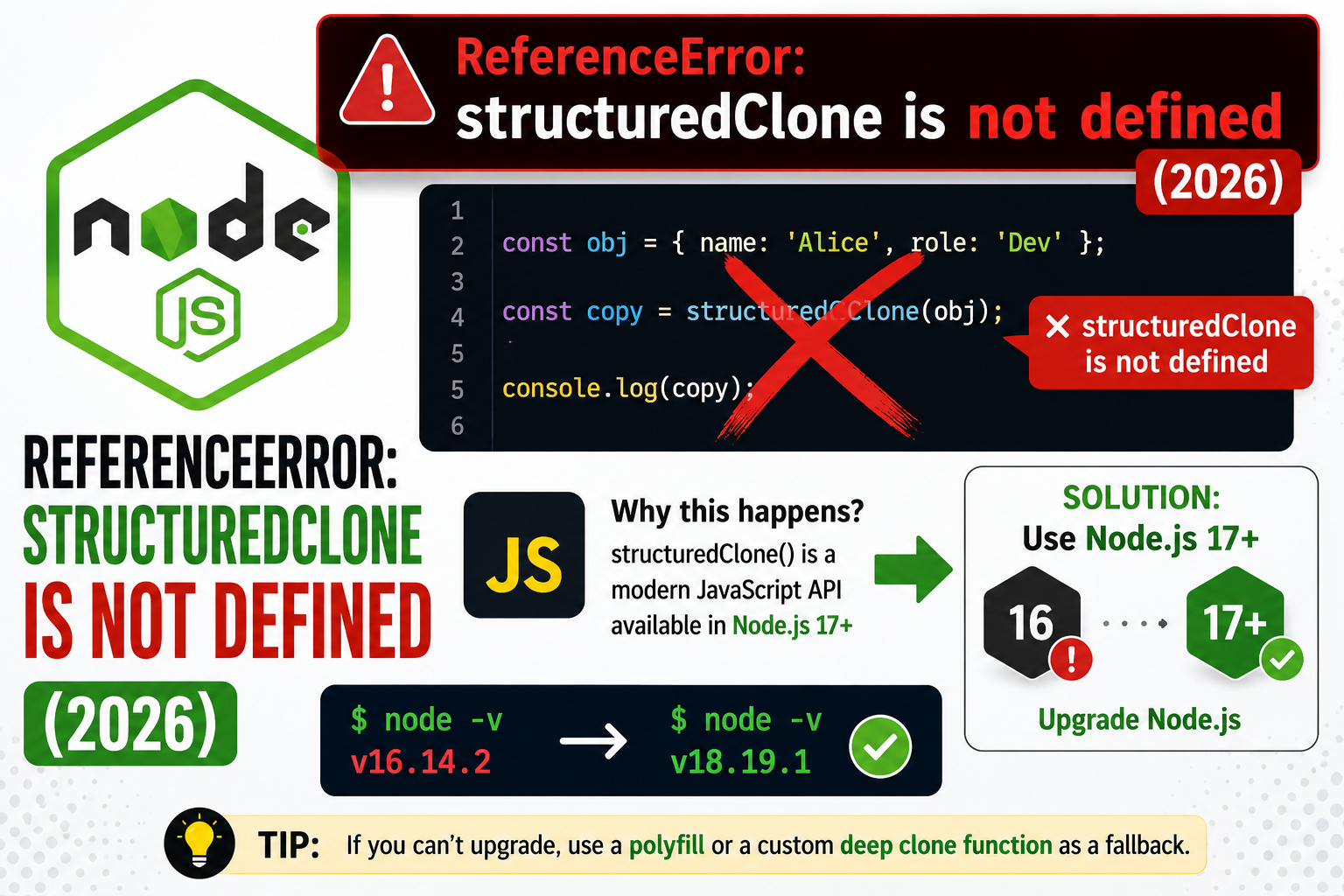
structuredClone() is the built-in deep-clone function that handles Map, Set, Date, RegExp, ArrayBuffer, and circular references. It works in modern browsers and Node 17+. If you see ReferenceError: structuredClone is not defined, you are on an older runtime. Two paths to fix.
Step 1: Check runtime support
| Runtime | structuredClone available |
|---|---|
| Chrome / Edge | 98+ (Feb 2022) |
| Firefox | 94+ (Nov 2021) |
| Safari | 15.4+ (March 2022) |
| Node.js | 17+ (October 2021) |
| Bun / Deno | All recent versions |
Fix 1: Upgrade runtime (recommended)
// Modern Node 17+ or any 2022+ browser:
const original = {
  user: 'pies',
  nested: { count: 42 },
  date: new Date(),
  map: new Map([['a', 1]])
};
const clone = structuredClone(original);
clone.nested.count = 99;
console.log(original.nested.count);   // 42 (unaffected)
console.log(clone.date instanceof Date); // true
Fix 2: JSON parse/stringify (limited, fast)
const clone = JSON.parse(JSON.stringify(original));

// Pros: works everywhere
// Cons: loses Date (becomes string), Map/Set (become {}/[]),
// undefined values, functions, RegExp, BigInt, circular refs (throws)
Fix 3: lodash.cloneDeep (heavier but complete)
npm install lodash
import cloneDeep from 'lodash/cloneDeep';

const clone = cloneDeep(original);
// Handles Map, Set, Date, RegExp, functions (by reference),
// circular refs, custom Symbol.iterator
Fix 4: @ungap/structured-clone polyfill
npm install @ungap/structured-clone

import structuredClone from '@ungap/structured-clone';

const clone = structuredClone(original);
// Matches the spec; install only on old browsers
What structuredClone supports
| Type | Cloned? |
|---|---|
| Object, Array, plain | Yes |
| Date, RegExp, Map, Set | Yes |
| ArrayBuffer, TypedArray | Yes |
| Circular references | Yes |
| Function, Symbol | No (throws DataCloneError) |
| DOM nodes, class instances with methods | No (throws or strips methods) |
Official documentation
Debugging checklist for ReferenceError
Before diving into fixes, run through this diagnostic checklist. Nine times out of ten the answer surfaces here.
- Read the full traceback, not just the error message. The stack trace shows exactly which line and which call chain triggered the error. The last line names the immediate cause; earlier lines show how you got there.
- Add print or debug statements just before the failing line. Print the variable, its type, and its value. Nine out of ten error surprises come from the value being different from what you assumed.
- Check JavaScript / Node.js version compatibility. Errors sometimes result from APIs that changed between versions. Run your interpreter version check and compare against the library documentation for that version.
- Isolate the failing call in a minimal reproducer. Copy the failing line into a small standalone script with hardcoded inputs. If it fails there too, the bug is in your code. If not, something in your surrounding context is contributing.
- Search the exact error message. Include the class name and the specific text in your search. Chances are someone else hit the same issue and the fix is documented on Stack Overflow or the library’s GitHub issues.
Common causes for ReferenceError
Most instances of this error trace back to one of these root causes:
- Uninitialized or missing input. A variable was not populated before use, or the input source (file, API response, database row) did not contain the expected key or value.
- Type mismatch. The code expected a specific type (dict, list, string) but received something different. JavaScript / Node.js’s dynamic typing means this often surfaces at runtime, not at compile time.
- Version drift. The library API changed and your code assumes the old signature. Check the library’s changelog for breaking changes since the version you last used.
- Race condition or ordering issue. Async or concurrent code sometimes tries to access data before it is ready. Add awaits, locks, or explicit ordering to fix.
- Copy-paste from stale tutorial. Older tutorials may use APIs that no longer exist. Always check the official docs for the current version.
Testing and prevention
Preventing this class of error from recurring is more valuable than fixing it once. Build these habits into your workflow:
- Write tests that trigger the error path. If your test suite hits the error scenario, catch and assert it. A well-written test prevents the same bug from returning.
- Validate inputs at API boundaries. When data enters your code from external sources (HTTP requests, file uploads, database queries), validate structure and types immediately.
- Use type hints and static analysis. Tools like mypy for Python or TypeScript for JavaScript catch many type mismatches before you run the code.
- Log important state. Structured logging with context helps you debug production issues faster. Include enough context to reconstruct what happened.
- Read the library changelog. Before upgrading a dependency, skim the changelog for breaking changes. Two minutes of reading saves an hour of debugging.
When to ask for help
Some errors are worth solving yourself for the learning. Others are worth asking about early. Ask for help when: the error blocks a customer-facing feature, you have spent an hour without progress, the error involves security or data integrity, or you are unsure whether your fix will introduce new bugs. Post to Stack Overflow with a minimal reproducer, or ask a senior developer on your team. Time boxes are your friend.
Production hardening for ReferenceError
Fixing ReferenceError once is not enough. To prevent it from recurring in production, harden the surrounding code with these patterns.
- Defensive coding at API boundaries. Every function that receives external data (HTTP requests, database rows, file uploads, third-party API responses) should validate structure and types before proceeding. Use validation libraries like Pydantic (JavaScript specific) to enforce schemas at the boundary.
- Structured logging with context. When ReferenceError occurs, your logs should include enough context to reconstruct the failure. Include the operation name, input values, user or request ID, and the full stack trace. Avoid logging sensitive data (passwords, tokens, PII).
- Error monitoring and alerting. Tools like Sentry, Rollbar, or Datadog capture production errors with stack traces and context. Set up alerts for ReferenceError so you know within minutes when it happens in production.
- Retry logic with exponential backoff. For transient errors (network failures, temporary API errors), retry with 1-second, 2-second, 4-second delays. Cap at 3-5 retries to prevent infinite loops.
- Circuit breakers for external dependencies. If an external service repeatedly fails, stop calling it for a period and return a fallback response. Prevents cascading failures.
Testing strategies to catch ReferenceError early
Investing in tests that specifically trigger the error path prevents regressions. Build these into your test suite:
- Unit tests for the failing function. Write a test that reproduces the exact conditions that caused ReferenceError. If your test fails, your fix works. If your test passes with the buggy code, your test is not testing the right thing.
- Property-based testing. Tools like Hypothesis for Python generate random inputs and check invariants hold. Great for catching edge cases you did not think of.
- Integration tests with real dependencies. Mock-heavy unit tests miss real-world issues. Have at least one integration test that hits a real database, API, or file system.
- Continuous integration. Run your test suite on every pull request. Catch bugs before they reach main.
Frequently Asked Questions
structuredClone vs spread operator: what is the difference?
{…obj} does a SHALLOW clone: top-level is new, nested objects are still shared references. structuredClone is DEEP: nested objects are also recursively cloned. Mutating clone.nested.x does not affect original.nested.x with structuredClone, but it does with spread.
structuredClone vs JSON.parse(JSON.stringify)?
structuredClone preserves Map, Set, Date (as Date), RegExp, BigInt, ArrayBuffer, circular refs. JSON loses all of those. structuredClone is also typically 2-3x faster than the JSON round-trip and gives clearer error messages on uncloneable values.
Can structuredClone clone class instances?
Only data properties are cloned. Methods, prototypes, and getters/setters are lost. The clone is a plain object with the same data. For full class cloning, you need a custom .clone() method or a library like clone-deep.
Why does my clone throw DataCloneError?
The object contains an uncloneable value: a function, a Symbol, a DOM node, or a class instance using private fields. Find the offender by cloning sub-objects one by one. For the function case, omit it before cloning or refactor to use plain data.
Is structuredClone slow?
It is fast for typical sizes (under 10MB / 100k properties). Benchmarks in V8 show 2-3x speedup over JSON round-trip. For massive objects (millions of properties), consider streaming or immer for partial copies.

Adrian Mercurio
Full-Stack Developer at PIES IT Solution
Specializes in building complete capstone projects with full documentation.
Expertise: PHP, Laravel, Database Design, Capstone Projects, C#, C, C++, Python, AI Projects · View all posts by Adrian Mercurio →