
Python IndexError after calling .split() means the resulting list has fewer parts than your code expected. This is the classic “log parser breaks on the one line with a weird format” bug. Three patterns fix it safely.
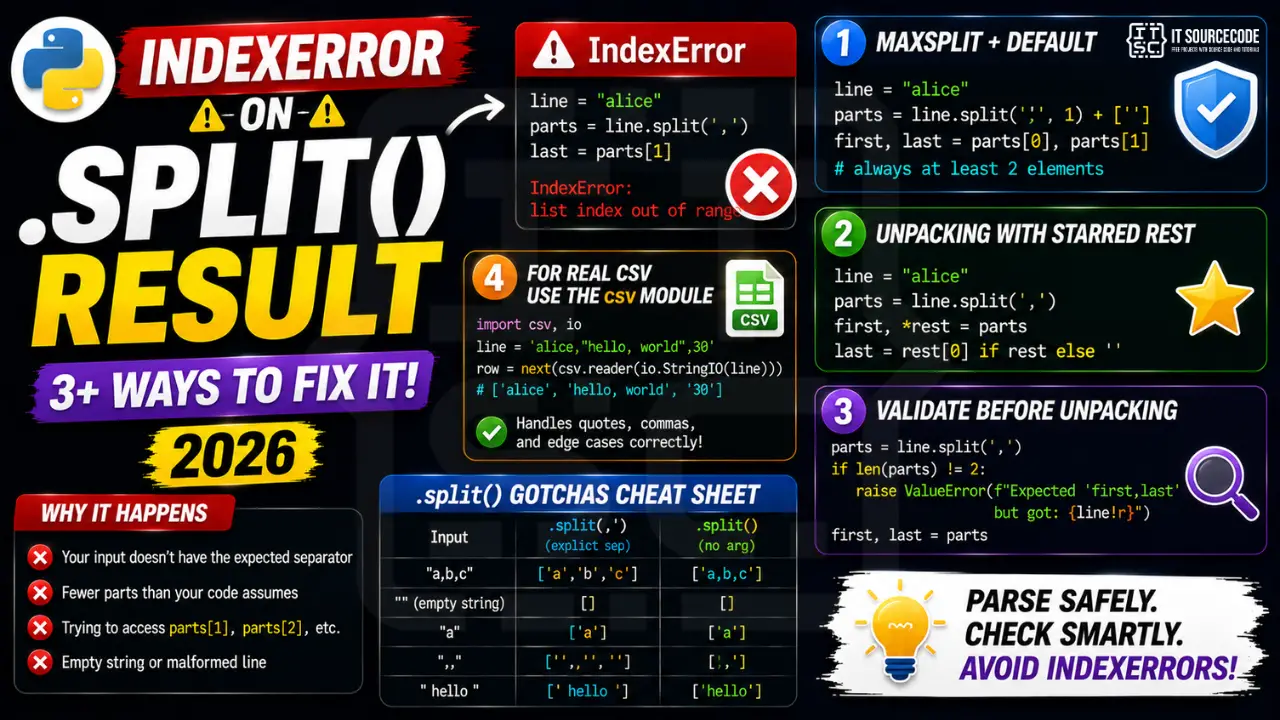
Minimal reproducer
line = "alice"
parts = line.split(',')
first_name, last_name = parts  # ValueError, not enough values
# Or:
first = parts[0]
last = parts[1]  # IndexError: list index out of range
Fix 1: Use maxsplit + default
line = "alice"
parts = line.split(',', 1) + ['']  # always at least 2 elements
first, last = parts[0], parts[1]
Fix 2: Unpacking with starred rest
line = "alice"
parts = line.split(',')
first, *rest = parts
last = rest[0] if rest else ''
Fix 3: Validate before unpacking
parts = line.split(',')
if len(parts) != 2:
    raise ValueError(f"Expected 'first,last' but got: {line!r}")
first, last = parts
Fix 4: For real CSV use the csv module
import csv
import io

line = 'alice,"hello, world",30'
reader = csv.reader(io.StringIO(line))
row = next(reader)  # ['alice', 'hello, world', '30']
# csv handles quoted commas, escaping, line continuations correctly
Common split() gotchas
| Input | .split(‘,’) | .split() (no arg) |
|---|---|---|
| “a,b,c” | [‘a’,’b’,’c’] | [‘a,b,c’] |
| “” | [”] | [] |
| “a” | [‘a’] | [‘a’] |
| “,,” | [”,”,”] | [‘,,’] |
| ” hello “ | [‘ hello ‘] | [‘hello’] |
Without an argument, .split() splits on any whitespace AND collapses multiple whitespace AND strips leading/trailing whitespace. With an explicit separator, it does exactly one split per occurrence.
Debugging checklist before trusting split()
- Print the raw string right before split. Confirm the delimiter actually appears in it.
- Check for extra whitespace. Users often paste values with trailing spaces that split creates empty elements from.
- Use
maxsplitif you know exactly how many pieces you expect. Anything above that is a data problem. - Verify the split result length before indexing with
len(parts) >= N.
Safe split patterns
# Pattern 1: guard on length
parts = raw.split(",")
if len(parts) >= 3:
    a, b, c = parts[0], parts[1], parts[2]
else:
    raise ValueError(f"expected 3 parts, got {len(parts)}: {raw!r}")

# Pattern 2: unpack with default via itertools
from itertools import zip_longest
a, b, c = (raw.split(",", 2) + [""] * 3)[:3]

# Pattern 3: strict split with maxsplit
left, _, right = raw.partition("=")   # always returns 3 parts
Real-world example: parsing CSV lines
def parse_row(line):
    """Parse CSV line, tolerate missing columns."""
    fields = line.strip().split(",")
    # Pad to exactly 5 columns
    fields = (fields + [""] * 5)[:5]
    name, email, role, dept, hire_date = fields
    return {"name": name.strip(), "email": email.strip(),
            "role": role.strip(), "dept": dept.strip(), "hire_date": hire_date.strip()}

print(parse_row("Ana,ana@x.com,dev"))   # missing dept/hire_date fill as empty
Common mistakes with split-then-index
- Trusting user input format. Users skip fields, add extras, or use different delimiters.
- Ignoring empty leading/trailing splits.
",,a,b".split(",")returns["", "", "a", "b"]. - Using regex when a fixed delimiter would do.
re.splitis slower and more prone to accidental captures.
Related IndexError patterns worth knowing
- IndexError: list index out of range on
items[i]. Same guard pattern: checklen(items) > ifirst. - IndexError: string index out of range on
text[0]. Usetext[:1]for empty-safe extraction. - IndexError from re.findall()[0] when no match. Check the list length before indexing.
Testing your fix with pytest
Write regression tests so this bug does not come back the next time someone edits the parser.
import pytest

def parse_row(line):
    fields = (line.strip().split(",") + [""] * 5)[:5]
    return {"name": fields[0], "email": fields[1], "role": fields[2]}

def test_full_row():
    r = parse_row("Ana,ana@x.com,dev,,")
    assert r == {"name": "Ana", "email": "ana@x.com", "role": "dev"}

def test_missing_columns():
    r = parse_row("Ana,ana@x.com")
    assert r["role"] == ""   # padded, no IndexError

def test_empty_line():
    r = parse_row("")
    assert r["name"] == ""

def test_extra_columns_ignored():
    r = parse_row("Ana,ana@x.com,dev,x,y,z,extra")
    assert r["name"] == "Ana"   # first 5 columns kept
Quick reference summary
The safest approach to split-then-index in Python is to always pad the split result to your expected length before indexing. This works in one line: (raw.split(",") + [""] * N)[:N]. The alternative is to check len(parts) >= N before every access, which is verbose and easy to forget in one branch.
Performance note on split with many columns
Python’s str.split() is fast because it is implemented in C and runs in linear time relative to the input. For CSV lines under 100 columns, split with pad is faster than importing csv module and creating a reader object. For CSV files with quoted fields or embedded commas, always use the csv module. The pad-then-slice trick handles the safety concern without adding parse overhead.
Why IndexError happens
List index out of range means you accessed my_list[i] beyond the list’s actual length. Python lists are indexed from 0 to len(list)-1.
Common triggers
- Off-by-one.
my_list[len(my_list)]fails — uselen(my_list) - 1. - Empty container.
my_list[0]fails when the list is empty. - Wrong data source. CSV had fewer columns than expected.
- Loop range wrong.
for i in range(len(my_list) + 1)— off-by-one. - API returned empty result. Unhandled empty response.
Diagnostic pattern
# BAD — accessing first element without check
def get_first(items):
    return items[0]     # IndexError if items is empty

# GOOD — guard for empty
def get_first(items):
    if not items:
        return None
    return items[0]

# BETTER — use Optional and let caller handle
from typing import Optional, Sequence, TypeVar
T = TypeVar("T")

def get_first(items: Sequence[T]) -> Optional[T]:
    return items[0] if items else None

# For pandas, use .iloc with .empty check
import pandas as pd
def first_row(df: pd.DataFrame) -> Optional[dict]:
    if df.empty:
        return None
    return df.iloc[0].to_dict()

# For enumerate-based loops, this is safe
for i, item in enumerate(items):
    print(i, item)      # never IndexError

# Never write: for i in range(len(items) + 1)
Best practices
- Prefer enumerate over range(len()). Never off-by-one.
- Guard empty containers. Return None or default before accessing.
- Use slicing.
items[:5]is safe even if items has fewer than 5 elements. - Use type hints with Optional. Communicates that the value may not exist.
- Use pytest with edge cases. Test empty lists, single-element lists, off-by-one boundaries.
Official documentation
Quick step-by-step summary (click to expand)
- Check the split result length before indexing. Assign to a variable, then check its length: parts = s.split(); if len(parts) greater than 2: use parts[2].
- Provide a maxsplit argument for known formats. Use s.split(“,”, 3) to force at most 4 items when parsing known-format CSV lines.
- Unpack with defaults using * operator. Use first, *rest = parts to safely handle variable-length results without IndexError.
- Use rsplit for right-side parsing. For paths and file extensions, rsplit(“/”, 1) or rsplit(“.”, 1) is safer than left-side split.
Frequently Asked Questions
What is the difference between .split() and .split(‘,’)?
.split() with no argument splits on any whitespace and collapses multiple whitespace into one separator. .split(‘,’) splits on exactly comma, treats every comma as a separator, returns empty strings between consecutive commas. For CSV-like data always specify the separator.
When should I use rsplit() instead of split()?
rsplit() starts from the right. Useful when you want maxsplit on the trailing parts: “a.b.c.d”.rsplit(‘.’, 1) returns [‘a.b.c’, ‘d’], perfect for extracting file extensions. split(‘.’, 1) would give [‘a’, ‘b.c.d’].
Why does my split fail on Windows line endings?
Windows files end with \r\n, Linux/Mac with \n. If you split on \n, the \r remains as a trailing character on each line. Strip first: line.strip().split(‘,’). Or open files with newline=” and let csv module handle it.
Should I use .split() or re.split() for parsing?
.split() for a single literal separator. re.split() for regex patterns (multiple separators, whitespace+punctuation, etc.). re.split() is slower but more flexible. For CSV with quoted fields, neither works correctly; use the csv module.
Can I split on multiple delimiters at once?
Yes with re.split(r'[,;|]’, text). Or chain str.replace() to normalize first: text.replace(‘;’, ‘,’).replace(‘|’, ‘,’).split(‘,’). For parsing user-supplied data, regex split is cleaner.

Adrian Mercurio
Full-Stack Developer at PIES IT Solution
Specializes in building complete capstone projects with full documentation. Strong background in PHP/MySQL development and database design. Has personally built and tested over 30 capstone-ready projects with ER diagrams, DFDs, and chapter-by-chapter thesis documentation.
Expertise: PHP · Laravel · Database Design · Capstone Projects · C# · C · C++ · Python · AI Projects
· View all posts by Adrian Mercurio →