
The employee management system project in Laravel is a based program. This is simple, yet it is really educational for educational purposes. This software can be used as a learning aid for programmers who are new to Laravel.
This employee management system in the Laravel program keeps track of all of the company’s employees. As a result, the organization will be able to increase personnel efficiency. People used registers to keep track of their records in the past, which was inefficient.
A basic Laravel project is an employee management system project in PHP Laravel. The CRUD operation can be done here. You may also manage to retain employee records by tracking of their department and divisions in this project.
Anyway, if you want to level up your programming knowledge, especially PHP, try this new article I’ve made for you Best PHP Projects With Source Code Free Download.
Employee Management System Project in Laravel also includes a downloadable source code for free, just find the download button below and click to start downloading the source code file.
| About Project | Project Details |
|---|---|
| Project Name : | Employee Management System Project in Laravel |
| Project Platform : | PHP Framework |
| Programming Language Used: | Laravel Language |
| Developer Name : | itsourcecode.com |
| IDE Tool (Recommended): | Sublime |
| Project Type : | Web Application |
| Database: | MYSQL |
Read also about the Employee Management System project in PHP
What is Laravel and why it is used?
Laravel is a web application framework with expressive, elegant syntax. Laravel attempts to take the pain out of development by easing common tasks used in the majority of web projects, such as authentication, routing, sessions, and caching.
Here are some of the features of the Employee Management System Project in Laravel:
- Add Employee
- Update Employee
- Delete Employee
- Basic CRUD operations on departments, divisions, cities, states, and so on.
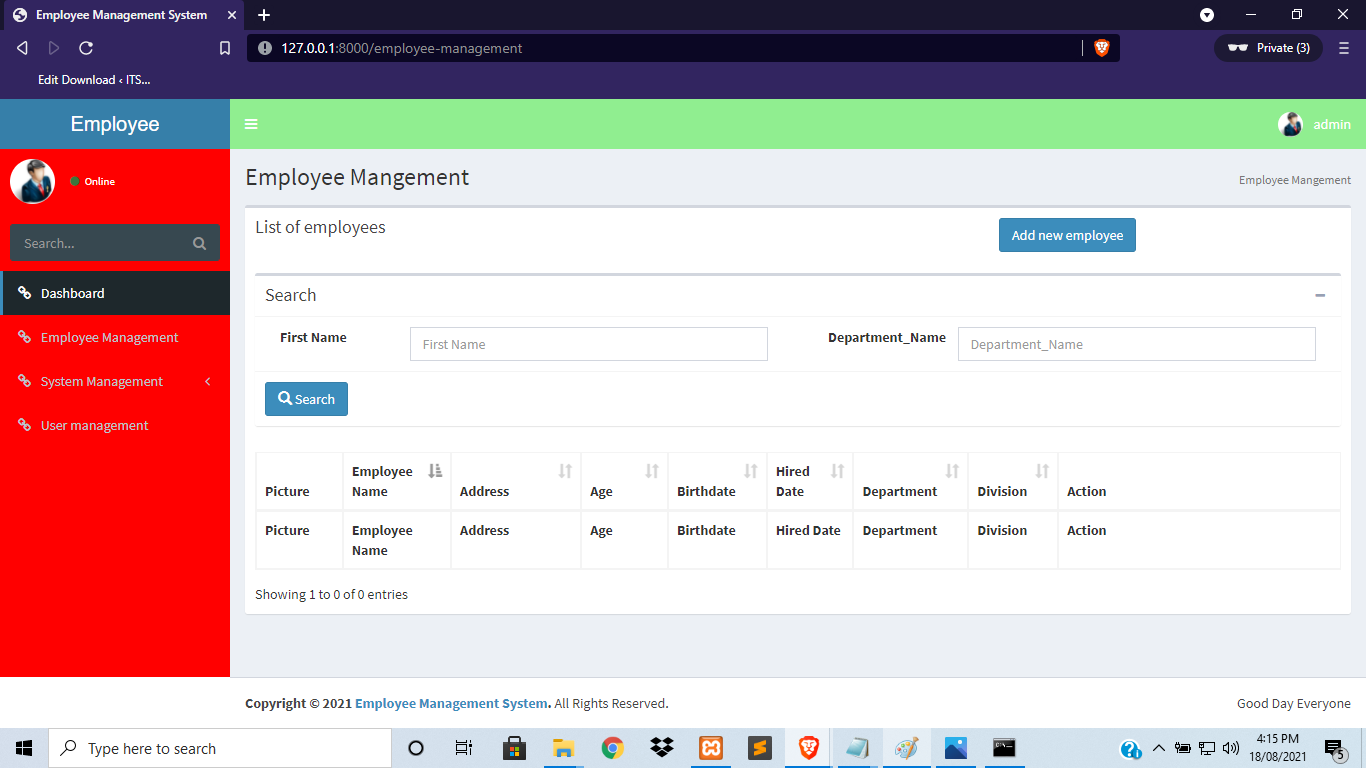
- Employees can be search using their first name and department.
To start executing an Employee Management System Project in Laravel, make sure that you have any platform in creating CSS, bootstrap, and HTML installed on your computer, in my case, I will use Sublime Text.
Employee Management System Project in Laravel Steps On How To Run The Project
Time needed: 5 minutes
Here are the steps on how to run an Employee Management System Project in Laravel with Source Code.
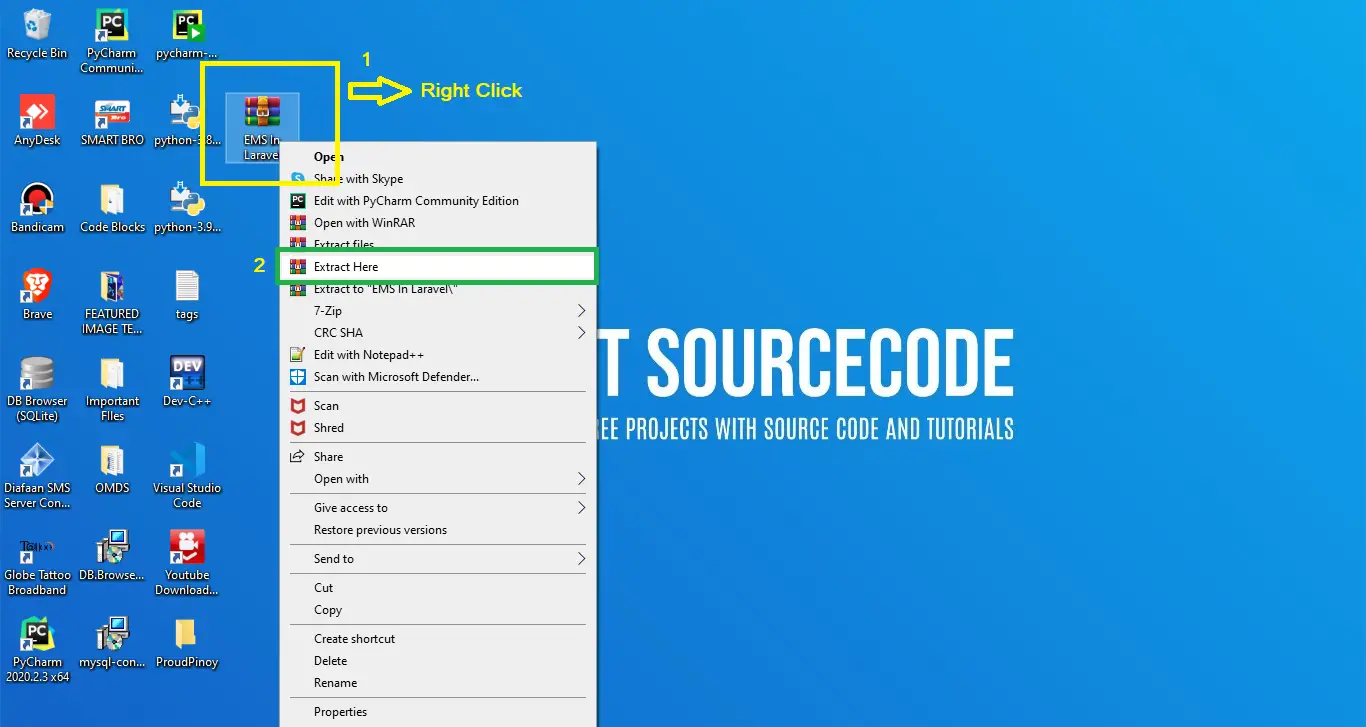
- Step 1: Extract file
Next, after you finish downloading the source code, extract the zip file.

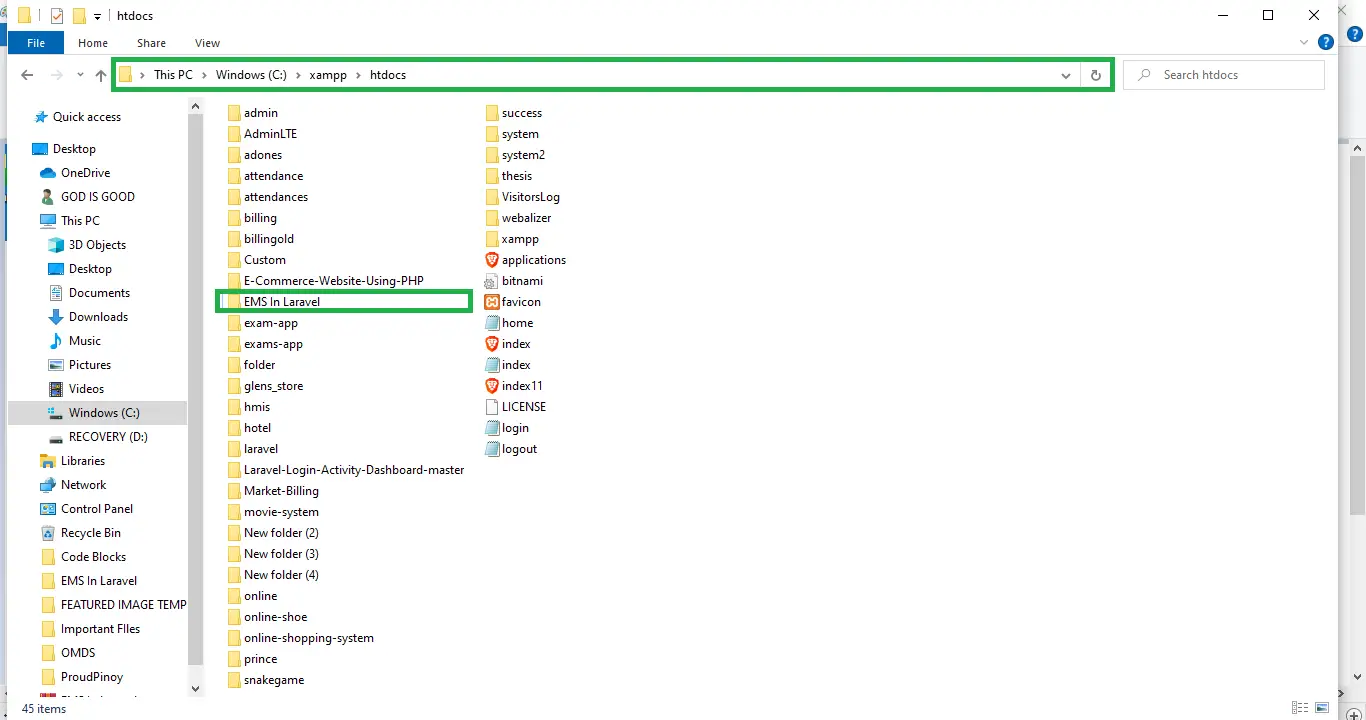
- Step 2: Copy Project Folder
Next, Copy the destination folder to the xampp/htdocs folder.

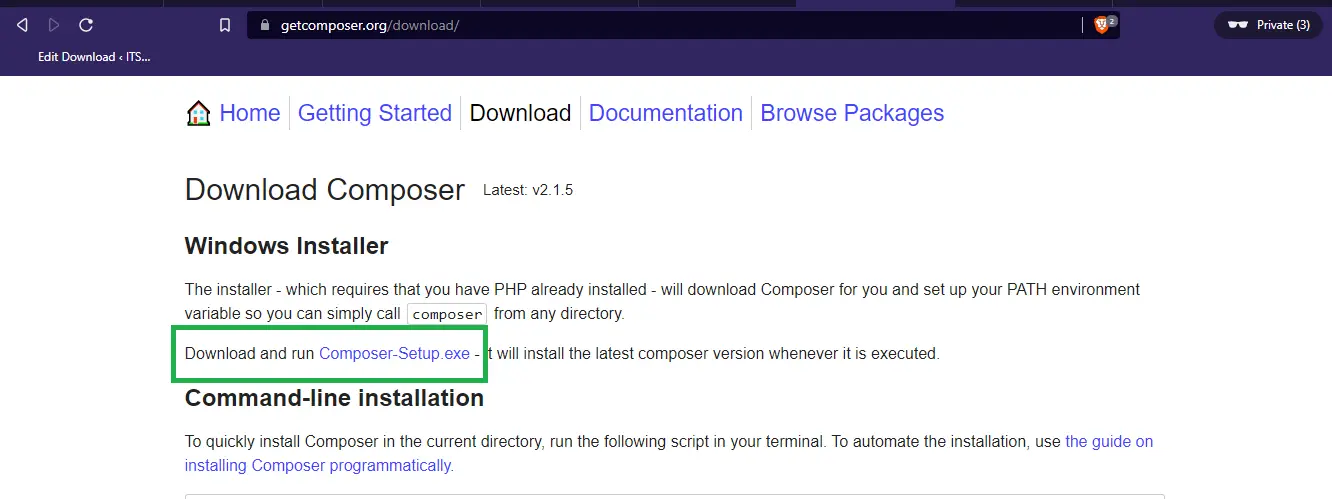
- Step 3: Installed the composer and the Laravel
Next, You need to install first the Composer and the Laravel libraries.

- Step 4: Open Command Prompt
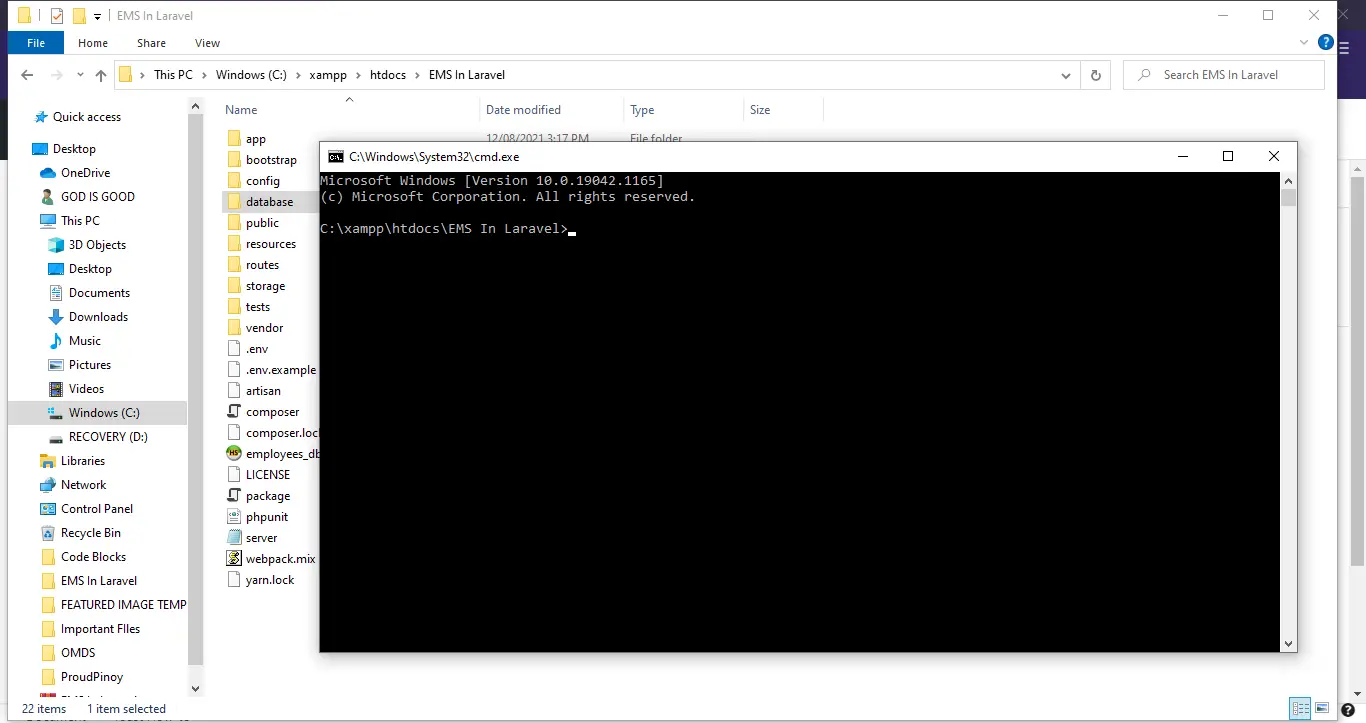
Next, go to the project folder directory then type CMD to open the command prompt.

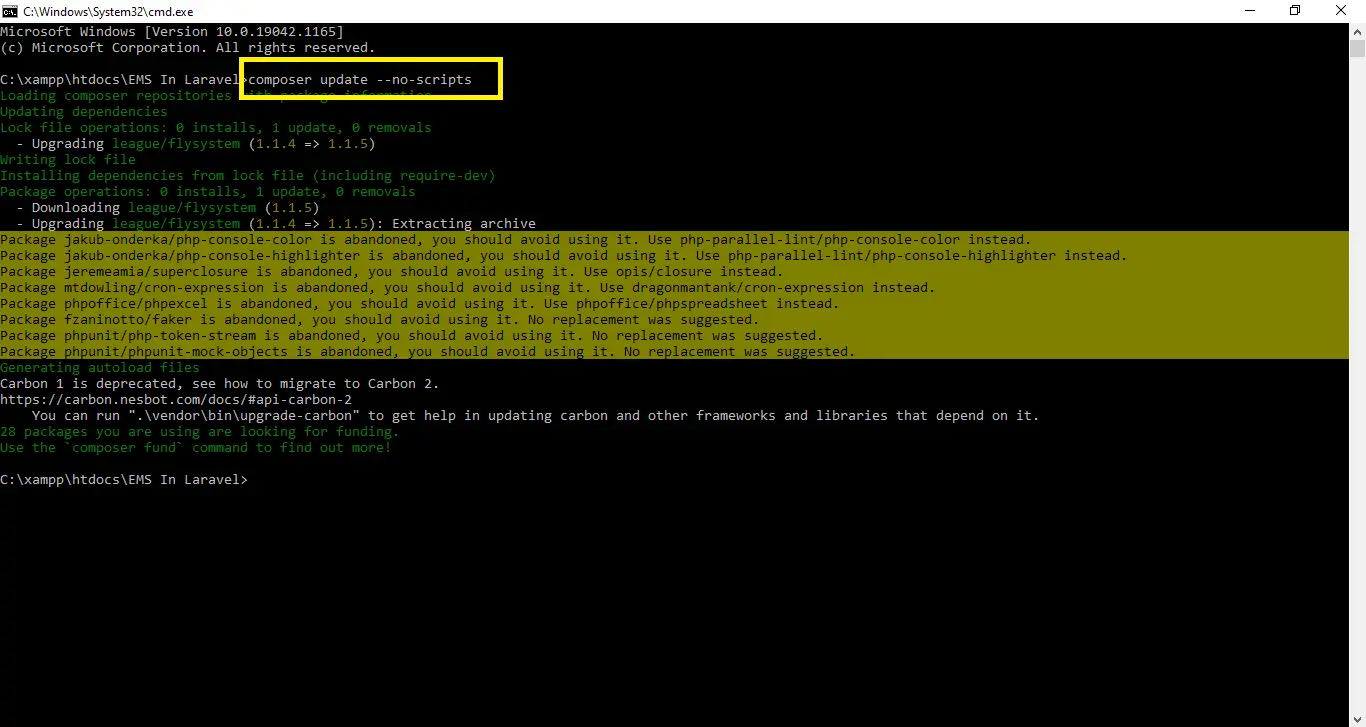
- Step 5: Composer update –no-scripts
Next, After you finish installing the composer and the Laravel. now run “composer update –no-scripts” in your command prompt.
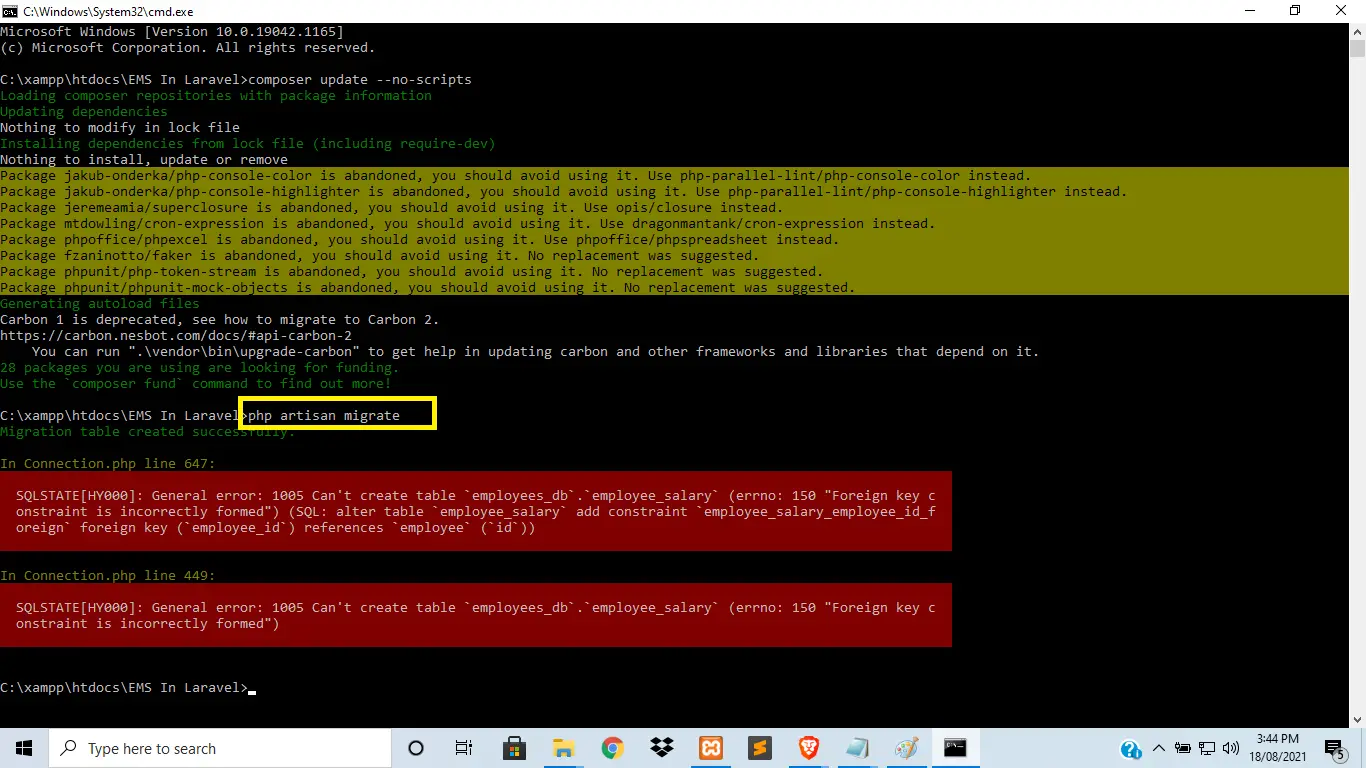
- Step 6: php artisan migrate
Next, After running composer update –no-scripts, type “php artisan migrate” in your command prompt to migrate the db files.

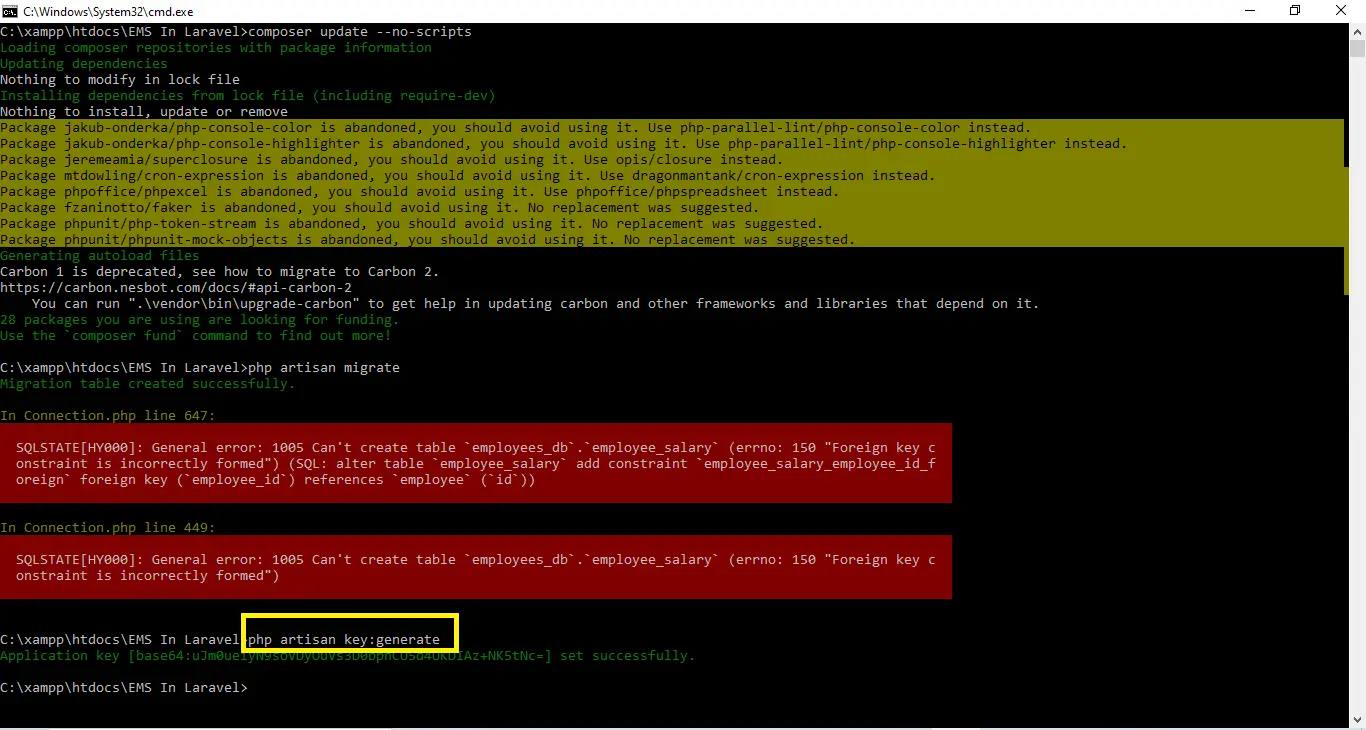
- Step 7: php artisan key:generate
Next, then type “php artisan key:generate ” in your command prompt. A command that sets the APP_KEY value in your . env file. By default, this command is run following a composer create-project laravel/laravel command.

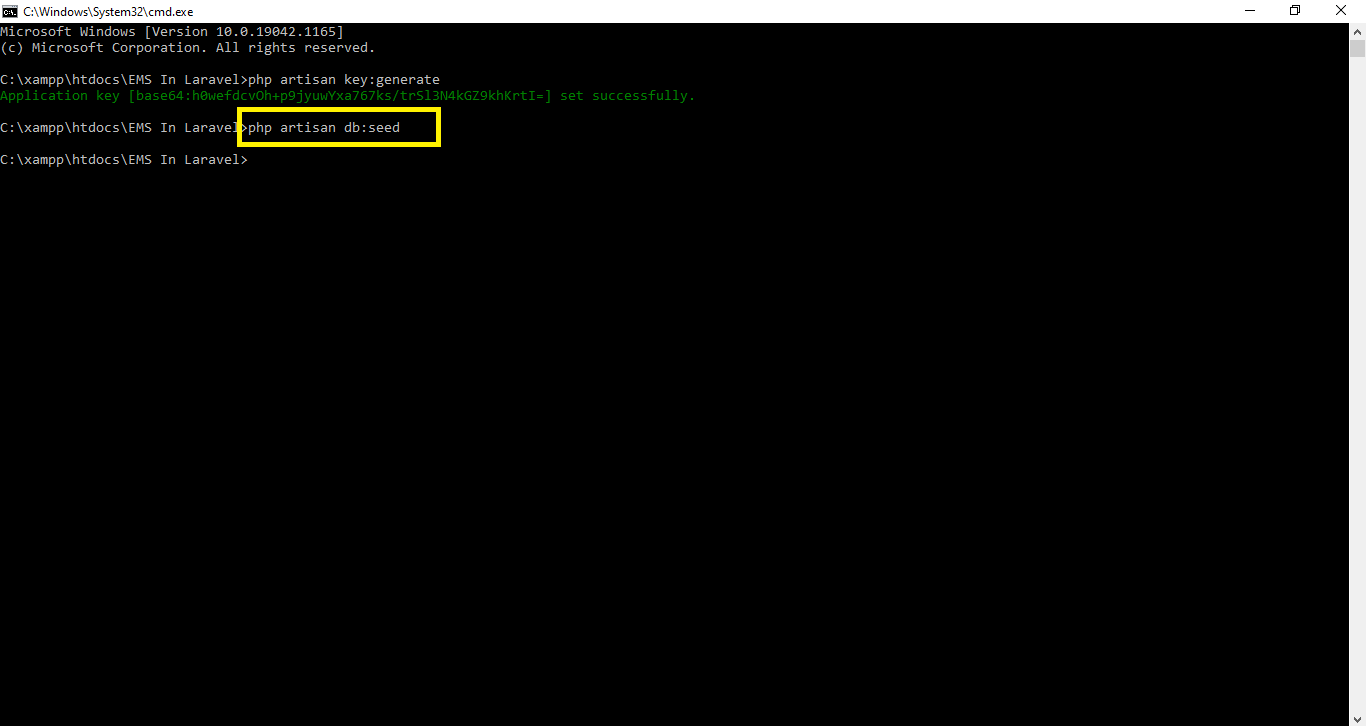
- Step 8: php artisan db:seed
After that, type “php artisan db:seed ” in your command prompt. This command will export data into the user’s table.
So this way we can fill data into a Mysql table from the Laravel application.
Now we want to make one controller to handle the login process. So, We have to write the following command in the command prompt.
to
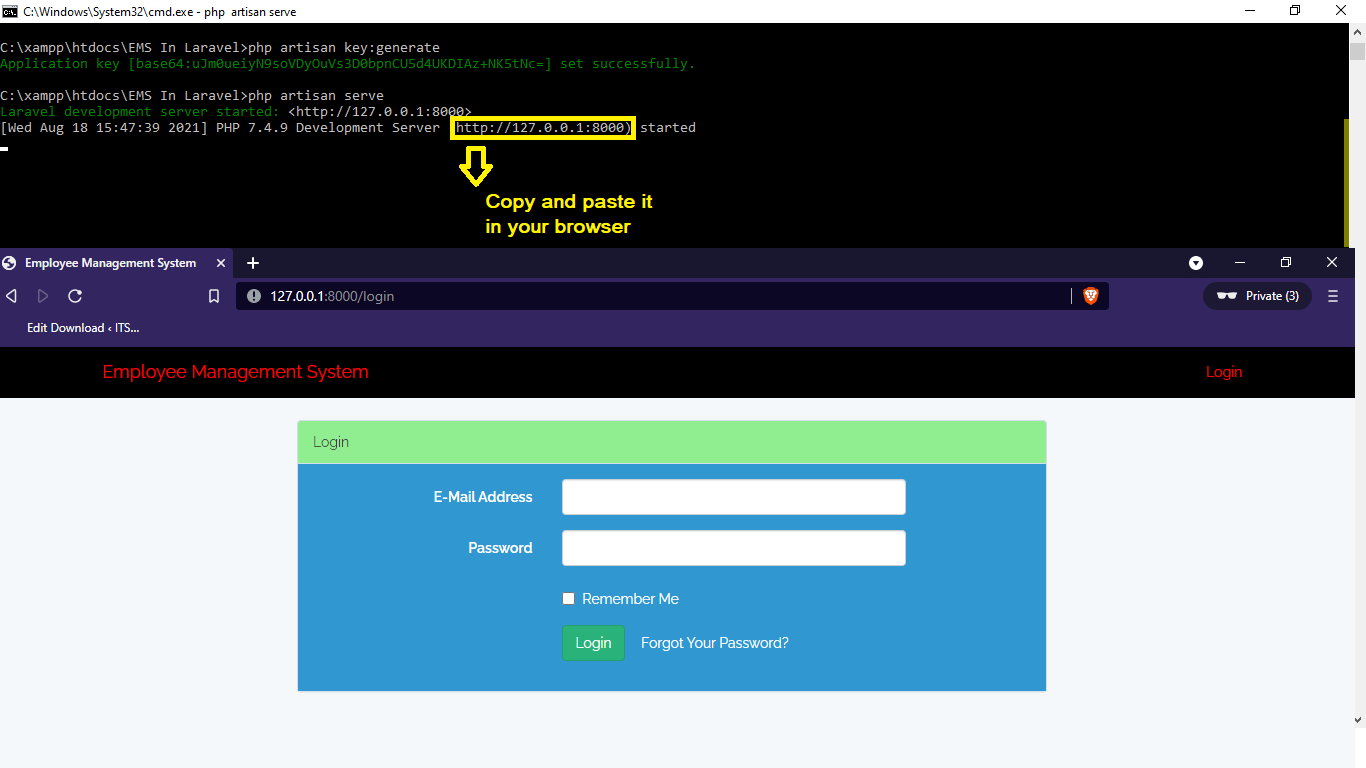
- Step 9: php artisan serve
Lastly, type “php artisan db:seed” in your command prompt. The purpose of using Php artisan serve (PHP builtin server) is just for testing and easy starting your project it should not be used in real website deployment.
- Step 10: The actual code.
Finally, You are free to download the downloadable source code given below.
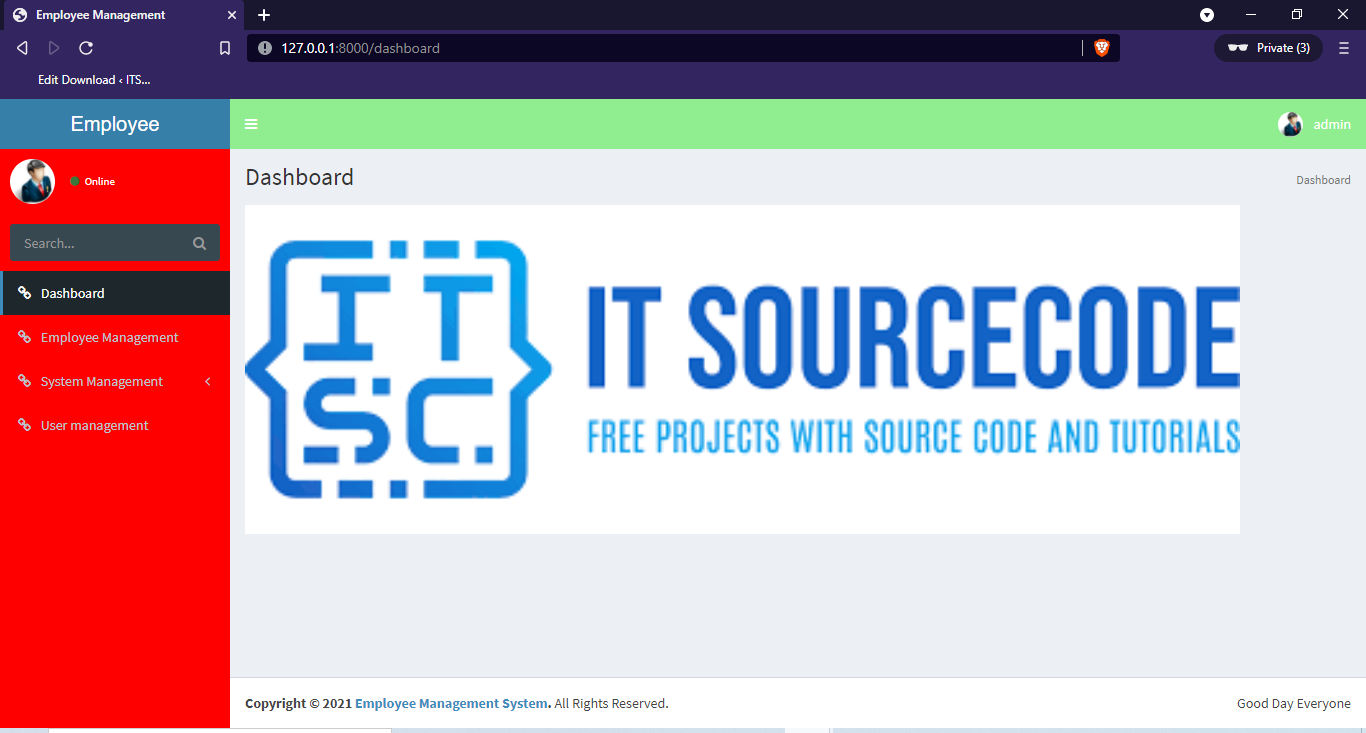
Here are some output images of the system:
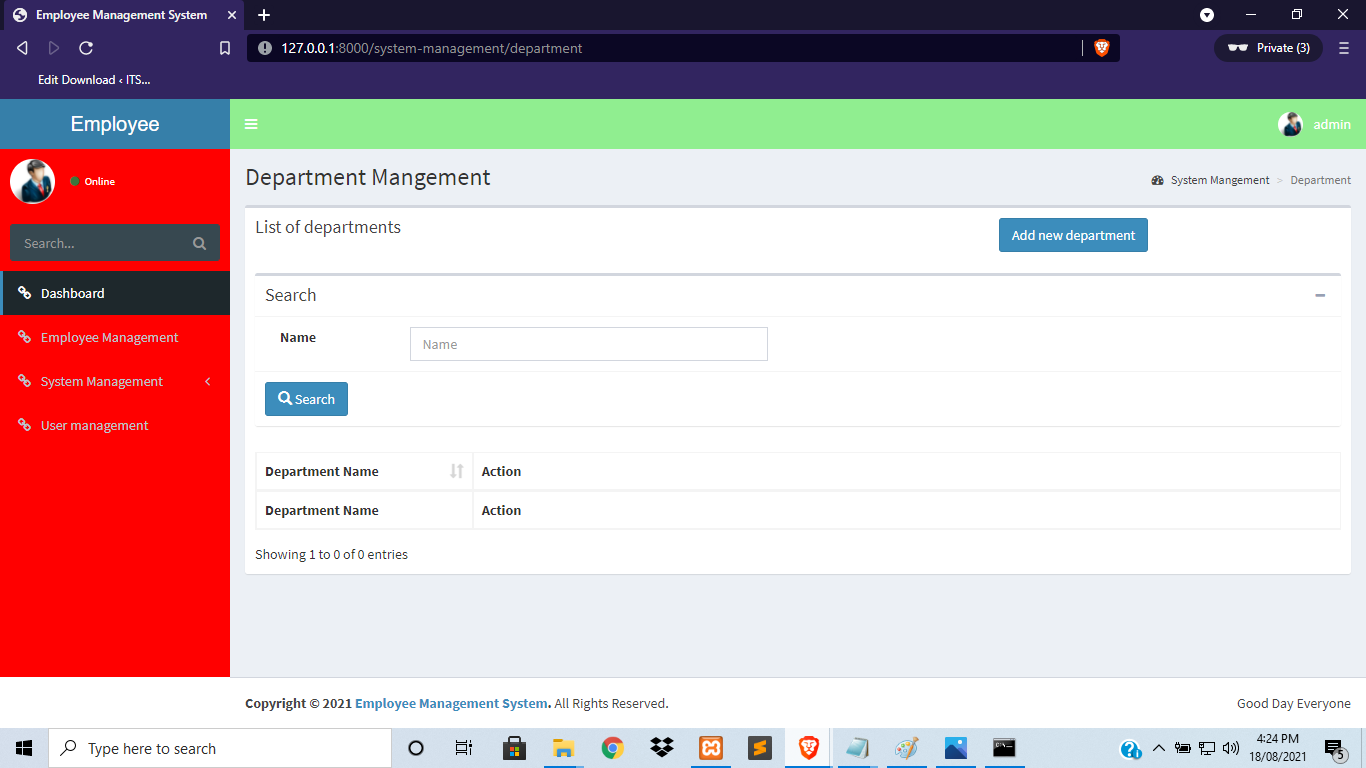
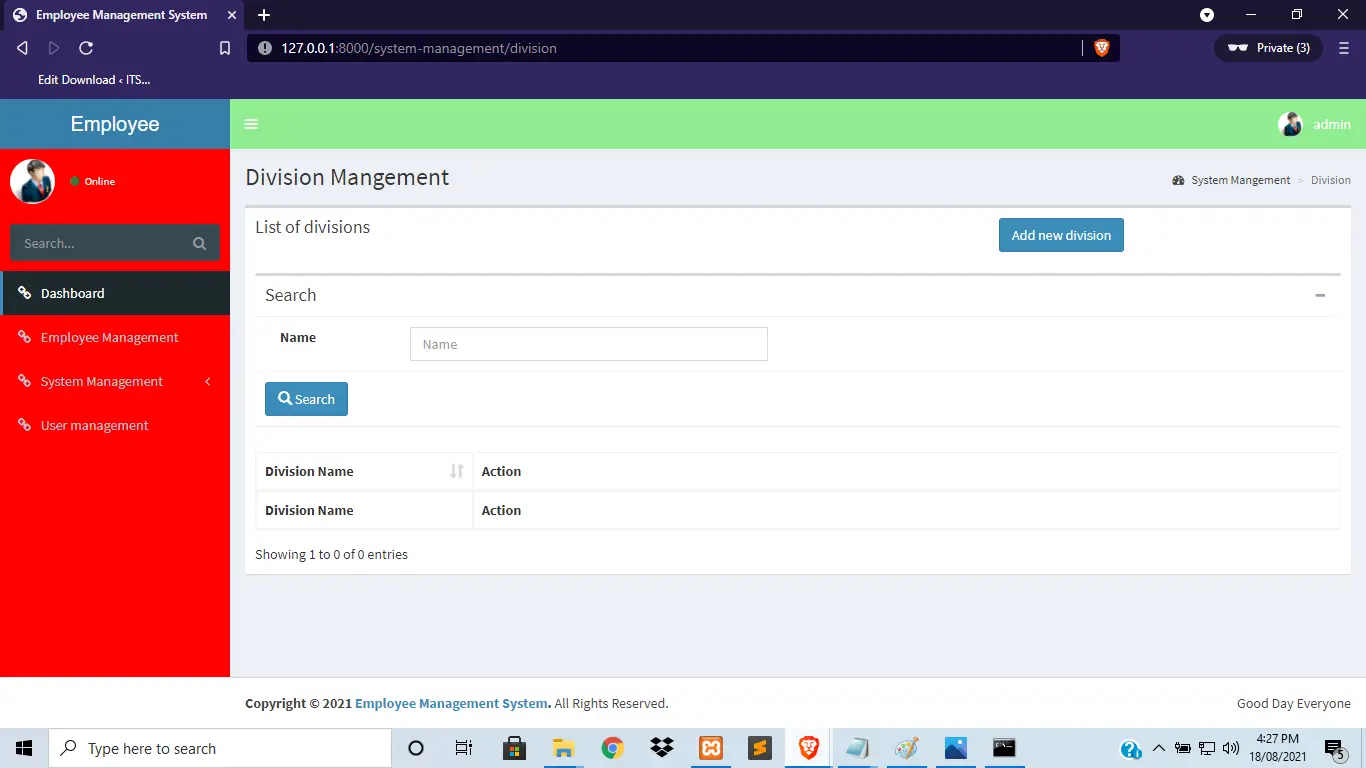
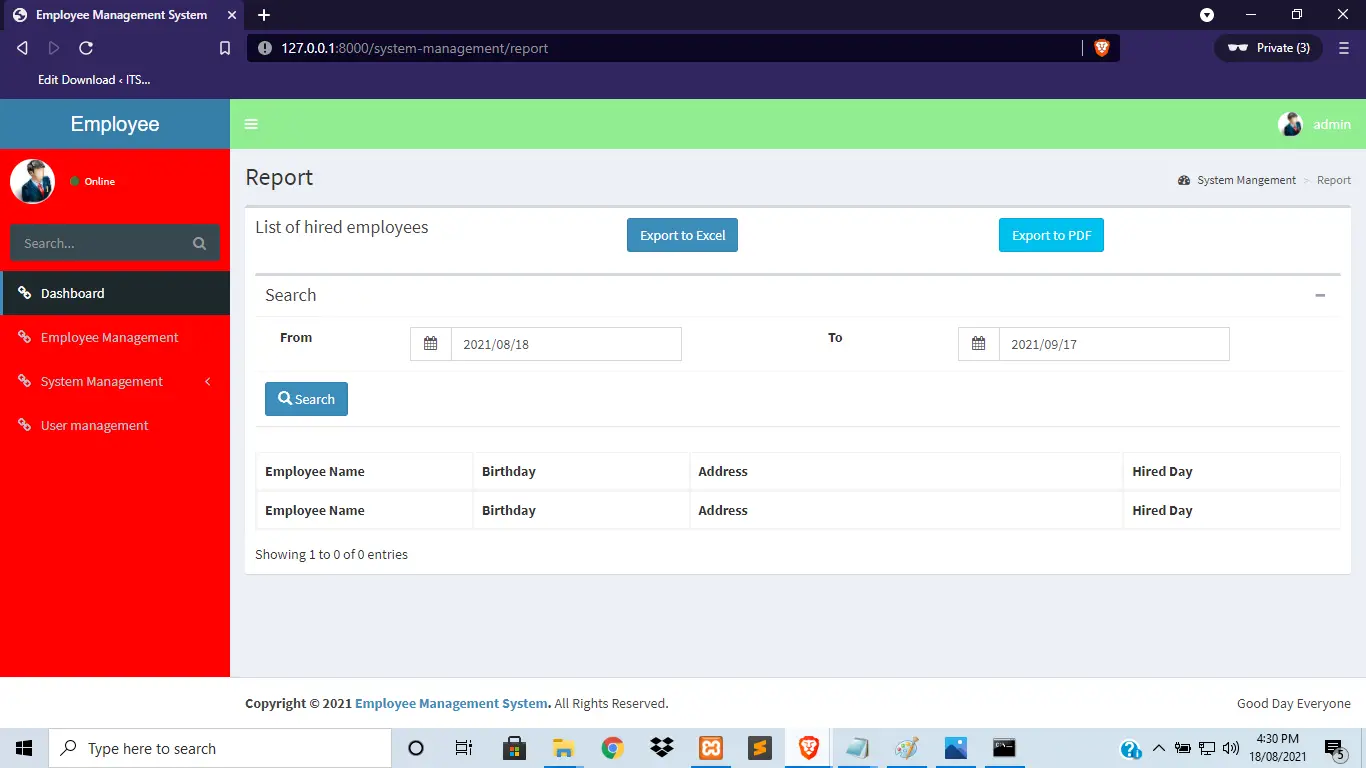
Download the Source Code below
Summary
This is a Laravel and Bootstrap 4-based employee management system Project. This Laravel project can assist you if you are learning Laravel and want to develop some useful things.
This project will help you improve your Laravel coding skills. This project includes the characteristics listed above. Happy Coding!
Inquiries
If you have any questions or suggestions about the Employee Management System Project in Laravel with Source Code, please feel free to leave a comment below.
Official documentation
Frequently Asked Questions
How does this Laravel employee management system work?
Employee master (profile, position, department, contact, employment history), document attachments, performance reviews, training records, asset assignment. Spatie Permission separates HR admin and employee self-service views. Foundation for adding payroll/attendance modules as scope extension.
What Laravel and PHP versions does this project require?
Most projects in this batch run on Laravel 9 or 10 with PHP 8.1+. A few older projects need Laravel 7-8 with PHP 7.4. Check the project’s composer.json for the exact requirement. To run any of them: install Composer, run composer install, copy .env.example to .env, generate the app key with php artisan key:generate, migrate the database with php artisan migrate, then php artisan serve.
How do I set up the database for this Laravel project?
Open phpMyAdmin (or your MySQL client), create a new empty database (typical names: laravel_school, laravel_pos, etc.). Edit your .env file: set DB_DATABASE to the new database name, DB_USERNAME and DB_PASSWORD to your local MySQL credentials. Run php artisan migrate –seed to create tables and (if seeders are included) sample data.
Can I use this Laravel project for a BSIT capstone or thesis?
Yes, but extend it. A bare CRUD app is too narrow for full capstone scope. Add: user roles (Spatie Permission), reports/dashboards (Laravel Charts), PDF exports (Laravel Snappy or DomPDF), email notifications (Laravel Mail), and a real domain extension (analytics, audit log, multi-branch support). Pair with Chapter 1-5 documentation matching your panel’s rubric.
Why am I getting ‘Class not found’ or ‘No application encryption key’ errors?
Three common Laravel startup issues: (1) Run composer install to pull dependencies into vendor/. (2) Run php artisan key:generate to create the APP_KEY in .env (required for cookies, sessions, and encrypted fields). (3) Run composer dump-autoload after adding new classes manually. If migrations fail with ‘Specified key was too long’: add Schema::defaultStringLength(191) to AppServiceProvider::boot().
Where can I find more Laravel projects with source code?
Browse the Laravel Projects hub for the full library. For broader PHP capstones see PHP Projects (300+ vanilla PHP + MySQL systems). For Python full-stack alternatives see Django Projects. For BSIT-focused capstone idea lists see 150 Best Capstone Project Ideas.

Adones Evangelista
Programmer & Technical Writer at PIES IT Solution
Adones Evangelista is a programmer and writer at PIES IT Solution, author of over 900 tutorials and error-fix guides at itsourcecode.com. Specializes in JavaScript, Django, Laravel, and Python error debugging covering ValueError, TypeError, AttributeError, ModuleNotFoundError, and RuntimeError, plus C/C++ and PHP capstone projects for BSIT students.
Expertise: JavaScript · Python · Django · Laravel · Error Debugging · C/C++ · View all posts by Adones Evangelista →
Any Password given in Extract File?
Zip file password:itsourcecode.com or itsourcecode
Please give me admin login information. advance thanks to you.
The admin login information is in the folder of database/seed/usertableseeder.php
I am deploying it on AWS amazon Linux 2 everything installs and work perfectly but when I try to get the home page http://server-IP/projectname/public it redirects me to /public/login page and the page shows a 404 error. what i am missing in this
server amazon Linux 2
webserver nginx
db msql
PHP 7
It is running in windows but I did not try to run in linux.