
Phishing costs Filipino small and medium businesses (SMBs) more than most owners realize. A single successful business email compromise (BEC) can drain the business bank account, expose customer data triggering DPA penalties, or install ransomware that halts operations for days. Yet most Filipino SMBs invest zero pesos in team phishing awareness, relying on hope and email filters. This guide covers the current 2026 phishing landscape, the red flags your team must recognize, and affordable training approaches that actually work.
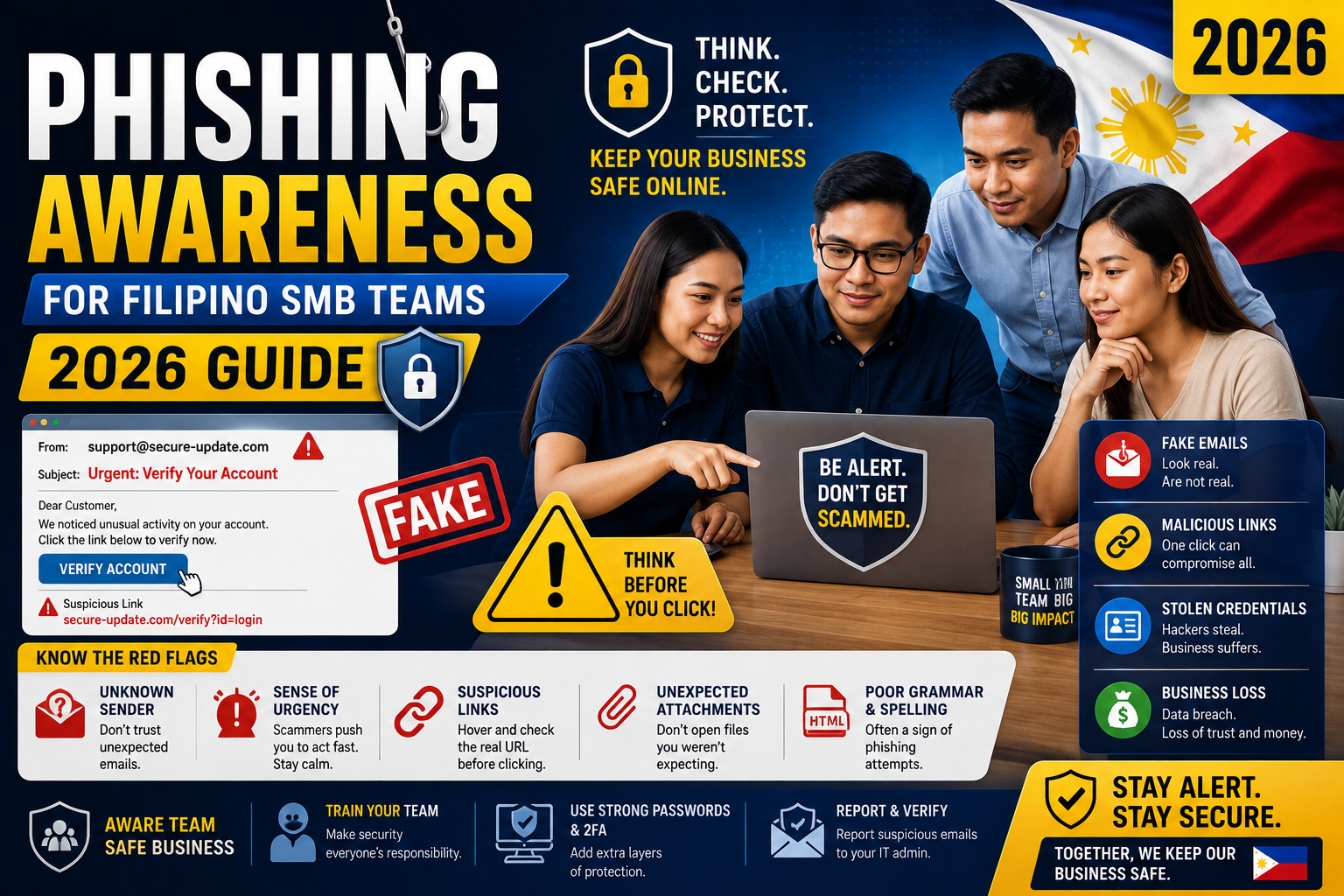
The 2026 phishing threat landscape for Filipino SMBs
Phishing has evolved beyond the obvious “Nigerian prince” scams. Modern attacks are targeted, well-researched, and often indistinguishable from legitimate communication without careful inspection. Common attack patterns hitting Filipino SMBs in 2026:
1. CEO fraud / Business Email Compromise (BEC)
Attackers impersonate the business owner (usually a “gmail.com” address slightly different from the real one, like `joken.villanuevva@gmail.com` versus `joken.villanueva@gmail.com`) and email an employee urgently requesting a wire transfer, gift card purchase, or credential reset. Common target: finance staff or executive assistant.
Losses per successful CEO fraud: typically PHP 50,000 to PHP 500,000. Recovery rate from bank: near zero once transfer completes.
2. Vendor impersonation
Attackers monitor your outbound emails (via compromised employee email account, or breach at your vendor’s side) and inject a fake invoice at the moment a real invoice is expected. The fake invoice has the attacker’s bank account.
Losses per successful vendor impersonation: typically PHP 100,000 to PHP 1,000,000. Detection often delayed 30-60 days.
3. Credential harvesting
Fake login pages (Gmail, Microsoft 365, PayPal, GCash Business) that steal credentials. Once attacker has your email password, they set up forwarding rules and monitor for opportunities to execute the two attacks above.
2026 evolution: attackers use residential proxy IPs so login-alert emails from Google/Microsoft show “sign-in from Manila” (not from Russia), making the compromise harder to detect.
4. Fake job offers / recruiter phishing
Attackers pose as recruiters offering high-paying remote jobs. Victim clicks “download offer letter” which installs malware. Common target: Filipino developers looking for US remote work.
5. Supply chain attacks
Attackers compromise a software vendor and push malicious updates to the vendor’s customers. Notable examples: SolarWinds 2020, 3CX 2023. Most Filipino SMBs are not direct targets but can be caught in the collateral damage.
Red flags every team member must recognize
Train your team to pause and verify when they see ANY of these signals:
Signal 1: Urgency
“Need this transfer done TODAY before 5 PM.” “URGENT: reply immediately.” Attackers weaponize urgency to prevent verification. Legitimate business communication rarely demands sub-24-hour turnaround on financial transactions.
Signal 2: Unusual sender domain
Sender email like `joken@piesitsolutions.com` when the real domain is `piesitsolutions.ph`. Or `admin@microsoftt.com` (double ‘t’). Always verify sender domain by hovering over the email address, not just the display name.
Signal 3: Deviation from normal payment channels
Your regular vendor suddenly emails “new bank account, please pay to this instead.” Attacker classic. ALWAYS verify via a phone call (using number you already have, not from the email signature) before updating vendor payment details.
Signal 4: Unusual request from executive
CEO email asking employee to “buy PHP 25,000 in Amazon gift cards for a client thank-you.” Almost always CEO fraud. Real executives do not delegate this via email without prior in-person discussion.
Signal 5: Grammar and phrasing that feels off
2026 attacks use AI-generated text, so grammar is often fine. But phrasing may feel slightly off (word choices your CEO would not use, unusual sentence structures, formal tone when your CEO is casual). Trust the “this feels weird” instinct.
Signal 6: Attachments you did not expect
Especially: `.zip`, `.docm`, `.xlsm`, `.pdf` with generic names like “Invoice.pdf” or “Statement.zip”. Legitimate business attachments usually have specific descriptive names and come after prior email conversation setup.
Signal 7: Links to suspicious domains
Hover over the link and check the destination. Common tricks: `microsoft-com.security-alert.info` (fake), `googledrive-shared.ph-docs.com` (fake), `login.paypal.com.security-check.net` (fake). Real domains never have long subdomains preceding a suspicious primary domain.
The 5-question verification framework
Before your team acts on any financial or credential-related request, they must answer YES to all 5:
- Did I confirm the request via a second channel (phone call, in-person, Slack DM to a known-good account)?
- Is the sender’s domain 100% correct (not a lookalike, character substitution, or misspelling)?
- Would this request be normal for this sender in normal times (not out-of-character)?
- Are all links clean when hovered (no suspicious domains, no URL shorteners in unexpected contexts)?
- Am I outside “urgency panic mode” (calm decision, not reacting to artificial time pressure)?
If ANY answer is NO, do not act. Escalate to IT admin or business owner for verification.
Technical defenses your business must deploy
Team awareness is essential but not sufficient. Layer these technical protections:
Email security
- Google Workspace or Microsoft 365 (both have modern anti-phishing filtering built in). Do NOT use unfiltered free Gmail or self-hosted email for business.
- Enable SPF, DKIM, DMARC on your domain (prevents attackers from spoofing YOUR domain to your customers). Most Philippine hosting providers help with this in cPanel.
- External sender warning banner: both Workspace and Microsoft 365 can auto-add a banner to emails from outside your organization, making impersonation attempts obvious.
Two-factor authentication (2FA)
- Every employee’s email, GCash Business, banking, and admin accounts must have 2FA enabled.
- Prefer hardware keys (YubiKey) for CEO and finance roles. SMS 2FA can be intercepted; hardware keys cannot be phished.
- Google Advanced Protection Program for CEO and finance leads (highest security tier).
Password management
- Company-wide password manager (1Password Business at USD 8/user/month or Bitwarden Business at USD 5/user/month). Prevents password reuse across services.
- Enforced strong-password policy (minimum 16 characters, generated by password manager).
Endpoint protection
- Windows Defender enabled on all Windows PCs (comes free with Windows 11).
- Malwarebytes Premium as second-layer protection (USD 45/year per device).
- Ensure automatic updates for OS and browsers are enabled.
Backup and recovery
- Daily automated backups of critical data (customer database, financial records, source code).
- Off-site backup (Google Drive, Dropbox, or cloud object storage). Ransomware cannot encrypt backups it cannot reach.
- Quarterly restore test (verify backups actually work).
Training approaches that actually work
Approach 1: Simulated phishing tests (best)
Send fake phishing emails to your own team on a monthly cadence, tracking who clicks. Provide immediate education when someone clicks (they land on a page saying “This was a simulated phishing test. Here is what you should have noticed.”). Repeat clickers get additional training. Non-clickers get positive reinforcement.
Tools: KnowBe4 (enterprise-grade, USD 1,000+ per year), Hoxhunt, Cofense, Infosec IQ. For small teams (under 25 people), simpler tools like GoPhish (free, self-hosted) work.
Approach 2: Quarterly 30-minute team meetings
Review recent real attacks (from public news + your own inbox). Discuss what worked, what did not. Update the “what to watch for” list. Costs zero pesos, requires 30 minutes of team leader prep per quarter.
Approach 3: Onboarding checklist
Every new hire completes a 1-hour phishing awareness module before getting production access. Include 5-question framework, 7 red flags, and 3-4 real example emails to analyze. Save in your onboarding docs.
Approach 4: Reward reporting culture
Make it easy and rewarded for employees to report suspicious emails. Even false positives get a “thank you for reporting” acknowledgment. This normalizes the reporting behavior so real threats get flagged.
If your team gets phished
Assume it will eventually happen. Have the incident response plan ready:
- Contain immediately. Force password reset on the compromised account. Revoke all active sessions. Turn off any forwarding rules the attacker set up.
- Assess scope. What emails did the attacker have access to? What financial transactions occurred? What other accounts might be compromised (any account where the same password was used)?
- Notify affected parties. If customer data was exposed, notify per Data Privacy Act (RA 10173) within 72 hours. If a bank transfer occurred, call the bank immediately (recovery window is minutes to hours).
- Document. Timeline of events, screenshots of the phishing email, actions taken. Save for insurance claims and future training.
- Improve defenses. What layer of defense failed? Was it awareness (train team more) or technical (deploy stronger tools) or policy (add new verification step)?
- Report to authorities. Business email compromise involving financial loss can be reported to PNP Anti-Cybercrime Group. Recovery rate is low but reporting builds statistics that inform policy.
Cost of phishing awareness vs cost of phishing incident
| Investment | Annual cost |
|---|---|
| Google Workspace / Microsoft 365 | USD 6-15/user/month = PHP 4,000-10,000/user/year |
| Password manager (Bitwarden Business) | USD 5/user/month = PHP 3,400/user/year |
| Hardware keys for finance + CEO (5 keys) | PHP 15,000 one-time |
| KnowBe4 or equivalent (10 users) | USD 200/year = PHP 11,000/year |
| Total for 10-person team, year 1 | ~PHP 100,000 |
| Cost of ONE successful BEC transfer | PHP 100,000 to PHP 1,000,000+ |
One prevented incident pays for years of defense investment.
Bottom line
Phishing is the highest-frequency, highest-impact security risk facing Filipino SMBs in 2026. Team awareness is essential (train quarterly + simulated tests + onboarding module). Technical layers (Workspace or Microsoft 365 + 2FA + password manager + hardware keys for finance + backups) prevent the majority of attacks that awareness misses.
Total investment: roughly PHP 100,000 per year for a 10-person team. Downside of skipping: one PHP 500,000 wire transfer to attacker’s bank account.
The math is not close. Invest now. Feel free to comment below or reach out via our contact page for specific guidance on your team’s setup.
Official documentation
Recommended security tools (affiliate)
Some links below are affiliate links. See our affiliate disclosure.
- Google Workspace, best email security baseline for PH SMBs
- Microsoft 365 Business, Workspace alternative with Office apps
- 1Password Business, company-wide password management
- Malwarebytes Premium, endpoint protection for team laptops
- NordVPN, public Wi-Fi protection for team members working remotely
Frequently asked questions
How often do Filipino SMBs actually get phished?
More often than owners realize. Local security firm Trend Micro Philippines reported approximately 40 percent of PH SMBs experienced at least one successful phishing attempt in 2024-2025. The visible incidents (major bank transfer losses reported in news) are the tip of the iceberg. Silent credential compromises used for further reconnaissance are far more common.
Can Gmail or Outlook stop all phishing?
No. Google and Microsoft ML-based filters catch 95-99 percent of automated bulk phishing. The remaining 1-5 percent (targeted spear-phishing, business email compromise, novel attacks) reach the inbox by design. This is why team awareness is essential even with best-in-class email filtering. Filters buy you time; awareness closes the gap.
Should I use a phishing simulation service or DIY?
For teams over 25 people, use a service like KnowBe4 (USD 20/user/year enterprise tier). The platform automates simulation delivery, tracking, and remediation training. For teams under 25, GoPhish free self-hosted tool works if you have basic technical skill. Below 10 people, quarterly team meetings covering recent real attacks might be enough combined with strong technical defenses.
What if my bank account is drained via phishing?
Call the bank IMMEDIATELY (recovery window is minutes to hours before wire completes). File police report at PNP Anti-Cybercrime Group. Notify National Privacy Commission if customer data was exposed. Recovery from Philippine banks on completed wire transfers is rare (under 20 percent). Prevention is dramatically cheaper than recovery.
Is cyber insurance worth it for Filipino SMBs?
Available but limited coverage in the Philippines. Global insurers (AIG, Zurich, Marsh) offer cyber policies to Filipino businesses. Typical annual premium: PHP 30,000-100,000 for coverage limit of PHP 5-10M. Worth considering if your business handles significant customer data or processes larger transactions. Do the math: annual premium vs cost of one worst-case incident.
Are Filipino BPO agents at higher phishing risk?
Yes, meaningfully. BPO agents handle high volumes of customer email daily including sensitive account information. Attackers target BPO agents specifically because a single compromise can expose thousands of customer records. Higher-tier PH BPOs invest heavily in phishing training precisely because the exposure is elevated. Smaller BPO shops without dedicated security training are frequent breach targets.

Leah Whynett Dela Pena
Technology Writer at PIES IT Solution
Leah Whynett Dela Pena is a technology writer at PIES IT Solution, author of 93 career and IT education guides at itsourcecode.com. Specializes in tech career paths (software engineering, web development, cybersecurity, IT analyst roles), degree and certification guidance, and IT industry how-to content for students and career changers.
Expertise: Tech Careers · IT Education · Web Development Careers · Software Engineering Careers · Cybersecurity Careers · IT Certifications · Career Guidance · View all posts by Leah Whynett Dela Pena →