
Password managers stopped being optional in 2026. With data breaches averaging 4 per month for major services (per Have I Been Pwned reporting), reusing passwords across sites is the single biggest personal cybersecurity risk. A good password manager fixes this in an evening of setup and never bothers you again.
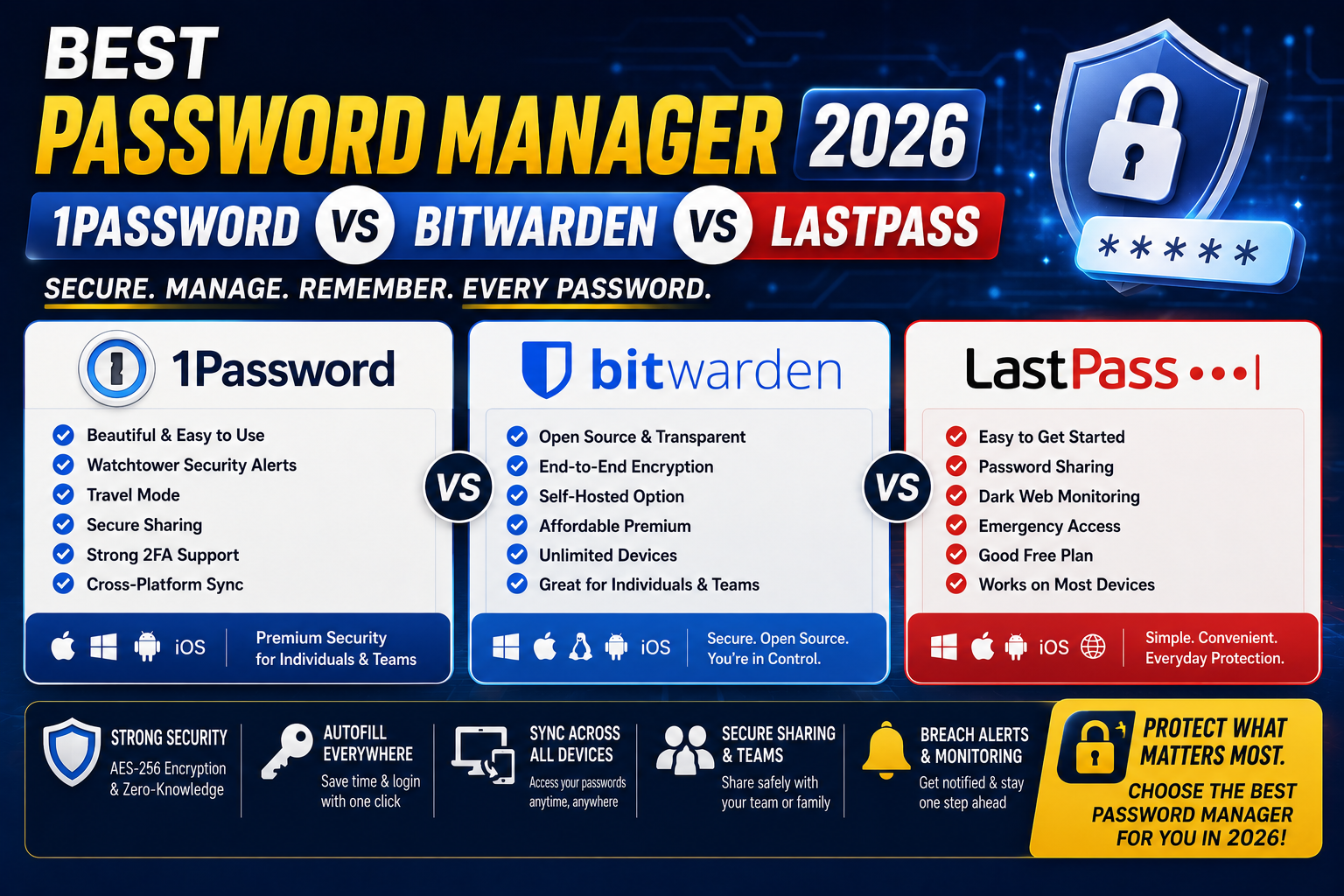
The three most-recommended options for 2026 are 1Password, Bitwarden, and LastPass. I’ve used all three across the past 3 years for personal and team accounts. This is the honest breakdown of which one wins for what use case.
The 30-second answer
- Pick 1Password if you want the best all-around experience with clean UX, family sharing, travel mode, and generous features. Best default choice for most Filipinos.
- Pick Bitwarden if you want the best free tier that’s genuinely usable, or if you prefer open-source software you can self-host.
- Skip LastPass in 2026. After multiple security incidents and pricing hikes, competitors are meaningfully better.
Pricing side by side (2026)
1Password:
- Individual: USD 2.99/month (billed annually, USD 35.88/year)
- Families: USD 4.99/month (5 members)
- Teams Starter: USD 19.95/month flat (up to 10 users)
- Business: USD 7.99/user/month
Bitwarden:
- Free: Unlimited passwords, unlimited devices, 1 user
- Premium: USD 10/year (essentially $0.83/month)
- Families: USD 40/year (6 users)
- Teams: USD 3/user/month
- Enterprise: USD 5/user/month
LastPass:
- Free: 1 device type only (major limitation since 2021)
- Premium: USD 3/month
- Families: USD 4/month (6 users)
- Teams: USD 4/user/month
Cost winner: Bitwarden at USD 10/year for premium features. Even at Family tier (6 users for USD 40/year), Bitwarden is 60 percent cheaper than 1Password’s family plan.
Security architecture
All three use industry-standard zero-knowledge encryption where your master password never leaves your device. Details differ:
- 1Password: Zero-knowledge encryption + Secret Key architecture (an extra encryption layer even 1Password’s servers cannot decrypt). Regular independent security audits. Bug bounty program.
- Bitwarden: Zero-knowledge encryption. Fully open-source (you can audit the code yourself). Regularly independently audited. Self-hosting option for maximum privacy.
- LastPass: Zero-knowledge encryption. However, had significant security incidents in 2022-2023 where encrypted vault backups were stolen. While the vaults themselves stayed encrypted, the breach damaged trust.
Security winner: 1Password and Bitwarden tied. Both have strong architectures and clean audit history. LastPass has meaningfully worse track record post-2022.
Feature comparison
1Password:
- Watchtower (breach monitoring, weak password alerts, 2FA suggestions)
- Travel Mode (remove sensitive vaults when traveling through customs)
- Secure document storage (25GB on Individual, more on higher tiers)
- Emergency Kit (printable recovery document)
- SSH agent integration for developers
- Passkeys support (all platforms)
Bitwarden:
- Password health reports (weak, reused, exposed)
- Send (secure text/file sharing, expiring links)
- Emergency Access (delegate vault access to trusted contact)
- Passkeys support
- Self-hosting on your own server
- Open-source (you can inspect and modify the code)
LastPass:
- Security Dashboard
- Emergency Access
- Dark Web Monitoring (Premium only)
- Passkeys support (delayed compared to 1Password/Bitwarden)
Feature winner: 1Password by a small margin. Travel Mode is unique. SSH integration matters for Filipino developers.
Family plans
1Password Families (USD 4.99/month for 5 members): Best in class family experience. Shared vaults with granular permissions. Kid-friendly setup. Family recovery via any family member.
Bitwarden Families (USD 40/year for 6 members): Excellent value. Shared collections work well. Interface less polished than 1Password but functionally strong.
LastPass Families (USD 4/month for 6 members): Adequate but interface feels dated.
Family plan winner: 1Password for premium experience, Bitwarden for cost-conscious families. Both beat LastPass.
Cross-device sync and browser extensions
All three sync across Windows, macOS, Linux, iOS, and Android. Extensions available for Chrome, Firefox, Edge, Safari, Brave.
- 1Password: Native apps polished on every platform. Browser extension is best-in-class for autofill accuracy.
- Bitwarden: Cross-platform sync solid but native apps feel less polished than 1Password. Browser extension autofill occasionally misses complex forms.
- LastPass: Free tier limits you to 1 device TYPE (either mobile OR desktop, not both). This limitation makes free LastPass essentially unusable in 2026.
Cross-device winner: 1Password on polish, Bitwarden on breadth (self-hosting option means unlimited flexibility).
Which one for what user
Solo Filipino freelancer or professional: Bitwarden Premium (USD 10/year). Unbeatable value. All essential features. Zero compromise on security.
Filipino family (5-6 members): 1Password Families or Bitwarden Families. 1Password wins on polish, Bitwarden wins on cost (60 percent cheaper). Both are great.
Filipino small business or startup (2-15 team members): 1Password Teams Starter at USD 19.95/month flat for up to 10 users. Best price per feature at small team scale.
Filipino agency (15+ team members): Bitwarden Teams at USD 3/user/month. Scales cost-effectively. Open-source gives compliance-conscious agencies audit visibility.
Filipino developer: 1Password. The SSH agent integration and CLI tools save real time in developer workflows. Worth the extra cost vs Bitwarden.
Privacy-focused Filipino user: Bitwarden self-hosted on your own server. Complete data sovereignty, no cloud dependencies.
Why LastPass is not recommended in 2026
LastPass was the market leader from 2010-2020 but has fallen sharply since:
- August 2022 breach: Attackers accessed LastPass developer environment
- November 2022 breach: Encrypted vault backups stolen. While master password wasn’t compromised, weak passwords could be brute-forced offline.
- March 2023 disclosure: LastPass admitted employee laptop compromise led to backup theft
- Free tier crippled 2021: Restricted to 1 device type, forcing paid upgrade or migration
- Price increases: Premium raised from USD 12/year to USD 36/year (3x)
Given 1Password’s Individual plan at USD 35.88/year (essentially the same price as LastPass Premium) and Bitwarden’s Premium at USD 10/year (a third of the price), there’s no scenario where LastPass wins on merit in 2026.
Migration between password managers
All three support import/export in standard formats (CSV, JSON, .1pif for 1Password). Migration typically takes 15-30 minutes and includes:
- Export from current manager as CSV or native format
- Import into new manager
- Verify all logins imported correctly (spot-check 5-10 accounts)
- Update browser extensions
- Uninstall old manager after 30-day verification period
Keep old manager active for 30 days as insurance. After confirming everything works on the new one, then fully migrate.
Common mistakes when choosing
- Sticking with LastPass out of habit. The security incidents and pricing changes make switching worthwhile even if you’ve used LastPass for years.
- Using the browser’s built-in password manager instead. Chrome, Safari, and Firefox built-in managers are convenient but lack cross-browser sync, family sharing, and password health features.
- Not enabling 2FA on your password manager account. The password manager IS your most critical account. Turn on 2FA (hardware key or authenticator app) as a non-negotiable step.
- Reusing your master password from another service. Master password must be unique, long (16+ characters), and memorable. If it exists in a breach, everything in the vault is at risk.
- Skipping the emergency recovery setup. All three offer emergency access or recovery kits. Set them up so a family member can access your vault if something happens to you.
Final verdict for Filipinos in 2026
For 70 percent of Filipinos: Bitwarden Premium at USD 10/year. Best value in cybersecurity. Zero compromise on features. Open-source auditability.
For those who want the premium experience: 1Password at USD 35.88/year. Best cross-device polish, Travel Mode for OFWs and business travelers, developer-focused features.
Skip LastPass. Better options exist at every price point in 2026.
Official documentation
Try our top picks (affiliate pending)
Links below may become affiliate links (Impact partner applications pending). See our affiliate disclosure.
- Bitwarden Premium (USD 10/year), our top pick for value
- 1Password Individual (USD 35.88/year), our top pick for premium experience
Frequently asked questions
Which is the best password manager in 2026?
Bitwarden Premium (USD 10/year) for value. 1Password Individual (USD 35.88/year) for premium experience. Both are excellent. LastPass is no longer recommended after 2022-2023 security incidents. All three use zero-knowledge encryption so your master password never leaves your device.
Is Bitwarden really free?
Yes, Bitwarden Free is genuinely free forever with unlimited passwords, unlimited devices, and full core functionality. Premium at USD 10/year adds emergency access, encrypted file sharing, TOTP authenticator, and priority support. Bitwarden is fully open-source, which means the code is publicly auditable.
Is LastPass safe to use in 2026?
Technically yes, but not recommended. LastPass had significant security incidents in 2022-2023 where encrypted vault backups were stolen. While master passwords stayed uncompromised, weak passwords could be brute-forced offline. Combined with the free tier’s device restrictions and 3x price increases, 1Password and Bitwarden are meaningfully better options in 2026.
Can I use the browser’s built-in password manager instead?
You can but should not for anything important. Chrome and Safari built-in managers lack cross-browser sync, family sharing, password health reports, breach monitoring, and secure notes. If you use one browser exclusively and have simple needs, they work. For real cybersecurity, dedicated password managers are meaningfully better.
How long does it take to migrate from LastPass to 1Password or Bitwarden?
15-30 minutes for the actual data migration. Both 1Password and Bitwarden support LastPass CSV import natively. Keep LastPass active for 30 days as insurance while verifying everything migrated correctly. After that period, cancel LastPass and delete the account.
Do these password managers work with Filipino banking apps?
Yes for browser-based login (BPI, BDO, UnionBank online banking). Mobile banking apps (GCash, Maya, BPI mobile) typically use their own biometric login and do not integrate with third-party password managers. That is a security feature, not a bug. You would still store your bank login credentials in the password manager for reference, just wouldn’t autofill on mobile.

Leah Whynett Dela Pena
Technology Writer at PIES IT Solution
Leah Whynett Dela Pena is a technology writer at PIES IT Solution, author of 93 career and IT education guides at itsourcecode.com. Specializes in tech career paths (software engineering, web development, cybersecurity, IT analyst roles), degree and certification guidance, and IT industry how-to content for students and career changers.
Expertise: Tech Careers · IT Education · Web Development Careers · Software Engineering Careers · Cybersecurity Careers · IT Certifications · Career Guidance · View all posts by Leah Whynett Dela Pena →