
Windows 11 ships with Microsoft Defender enabled by default. For most Filipino home users, Defender alone is enough in 2026. But that answer is too simple for professionals, gamers, or families managing multiple devices, where paid antivirus can add real value. This comparison covers 6 antivirus options tested in 2026 with real detection rates and honest verdicts on when to pay and when to stay free.
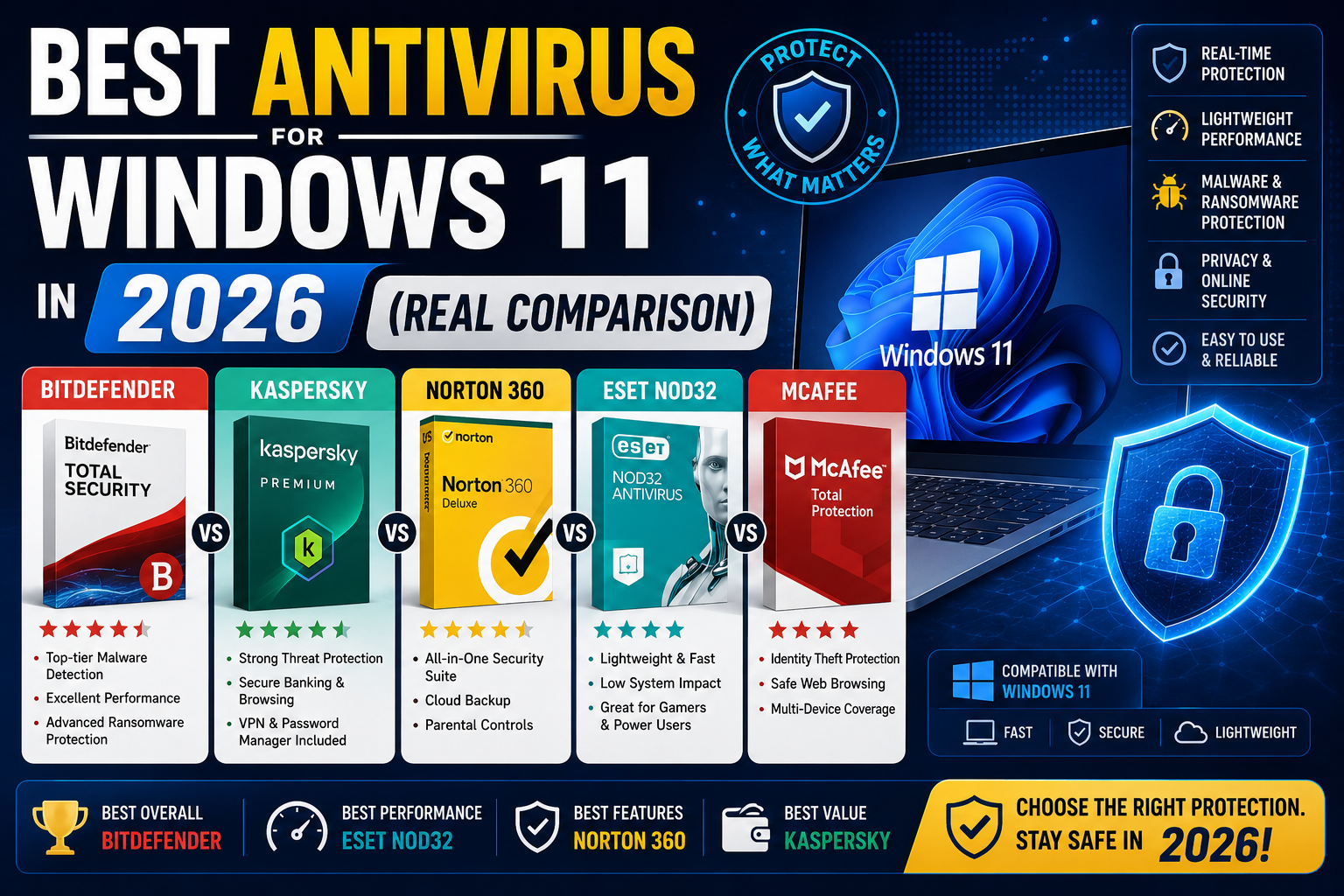
Quick verdict
- Home user with basic browsing: Windows Defender (free, built in) plus Malwarebytes free for occasional second-opinion scans. Total cost: PHP 0.
- Family with multiple PCs and less tech-savvy users: Bitdefender Total Security (PHP 2,000/year for 5 devices) for its parental controls and multi-device management.
- Freelance developer or business owner: Windows Defender plus Malwarebytes Premium (USD 45/year) for real-time second-layer protection.
- Gamer: Windows Defender or Bitdefender (both have game mode). Skip Norton (too resource-heavy).
Detection rates (AV-TEST + AV-Comparatives 2025-2026)
Independent labs test antivirus products monthly against thousands of real malware samples. Latest results:
| Product | Detection rate | False positives | Performance impact |
|---|---|---|---|
| Bitdefender | 99.9% | Very low | Low |
| Kaspersky | 99.9% | Very low | Low |
| Norton 360 | 99.8% | Low | Medium-High |
| Microsoft Defender | 99.6% | Very low | Very low |
| McAfee Total Protection | 99.5% | Medium | High |
| Malwarebytes Premium | 99.3% (complement, not primary) | Low | Very low |
Meaningful takeaway: the gap between best (Bitdefender 99.9%) and Windows Defender (99.6%) is 3 malware samples per 1,000. For a typical home user encountering maybe 5-10 malware attempts per year, the gap is essentially zero. For a corporate SOC processing 100,000 threats per week, the 0.3% gap matters.
1. Microsoft Defender at Free, Built into Windows 11
Cost: Free (included with Windows 11).
Detection: 99.6% per AV-TEST 2025-2026 rolling averages.
Strengths: Deep OS integration (Microsoft owns Windows, so Defender sees kernel-level threats other AVs cannot). Zero performance overhead (uses idle CPU cycles). Cloud-delivered protection updates in near real-time. No ads, no upsells, no nag screens.
Weaknesses: Limited network protection features. No VPN included. No password manager. No parental controls. Ransomware protection is basic (Controlled Folder Access works but requires manual whitelist tuning).
Best for: Everyone by default. Most Filipino home users need nothing more.
2. Bitdefender Total Security at PHP 2,000/year for 5 devices
Cost: Around PHP 2,000 per year for 5-device license (Windows, Mac, Android, iOS).
Detection: 99.9% consistently across all test scenarios.
Strengths: Best-in-class detection rate. Includes VPN (limited 200 MB/day free tier, unlimited on Premium Security tier). Password manager included. Parental controls with content filtering. Ransomware remediation (rolls back encrypted files if attack succeeds). Game mode auto-detects fullscreen apps and pauses notifications. Low performance impact.
Weaknesses: Free VPN tier is very limited (200 MB/day). Interface is more complex than Defender. Renewal price is higher than first-year promo.
Best for: Families with multiple devices needing parental controls plus password management plus VPN in one package.
3. Kaspersky Premium at PHP 2,500/year for 3 devices
Cost: Around PHP 2,500 per year for 3-device Premium tier.
Detection: 99.9% consistently. Traditionally best-in-class alongside Bitdefender.
Strengths: Excellent detection. Unlimited VPN included in Premium. Password manager included. Data leak checker (warns if your credentials appeared in known breaches). Safe Money browser sandbox for banking sessions. Low performance impact.
Weaknesses: Kaspersky is a Russian company. Some enterprise environments and government agencies ban it for supply-chain risk reasons. If you work with US government contracts, Kaspersky is off-limits. For personal use in the Philippines, no regulatory concern.
Best for: Filipino professionals wanting top-tier detection plus unlimited VPN in one purchase. Skip if you have any US government affiliations.
4. Norton 360 Deluxe at PHP 2,800/year for 5 devices
Cost: Around PHP 2,800 per year for 5-device Deluxe.
Detection: 99.8% detection rate.
Strengths: Strong detection. Unlimited VPN included. Password manager included. Dark web monitoring (checks if your email or credit card appears on dark web markets). 50 GB cloud backup included. LifeLock identity theft protection add-on available (US-focused, less useful in PH).
Weaknesses: Highest performance impact of the mainstream options. Scans can noticeably slow older PCs. Aggressive upselling in the UI. LifeLock features have limited relevance for Filipino users.
Best for: Users on newer PCs (2020+) who value Norton brand recognition and want VPN plus password manager plus backup bundled.
5. Malwarebytes Premium at USD 45/year for 5 devices
Cost: USD 45 per year (roughly PHP 2,565) for 5-device license.
Detection: 99.3% as a complement to another antivirus (not intended as primary).
Strengths: Designed to run ALONGSIDE Microsoft Defender or other primary AV, not replace it. Catches zero-day malware that signature-based AVs miss. Extremely low performance impact. Best-in-class at removing PUPs (Potentially Unwanted Programs), adware, and browser hijackers. Fast scan times.
Weaknesses: Not a full standalone antivirus. Should be paired with Defender or another primary AV. Free tier does not include real-time protection (on-demand scan only).
Best for: Second-layer protection alongside Defender. Excellent for freelance developers and business owners who cannot afford malware downtime.
6. McAfee Total Protection at PHP 2,500/year for unlimited devices
Cost: Around PHP 2,500 per year for unlimited-device tier.
Detection: 99.5%.
Strengths: Unlimited device coverage (rare at this price). VPN included. Password manager included. Identity monitoring. Ransomware protection.
Weaknesses: Highest performance impact of the group. Notorious for aggressive upselling and difficult-to-cancel subscriptions. Frequent bundled with new PC purchases as trial that quietly converts to paid. Slightly higher false positive rate.
Best for: Households with 6+ devices where unlimited licensing offsets the performance and UX downsides.
Recommendation by user profile
Filipino BSIT student on tight budget: Microsoft Defender alone. Free, comes with Windows, adequate protection for typical student browsing patterns.
Filipino home user with 1-2 devices: Microsoft Defender + occasional Malwarebytes free scan (once a month). Free.
Filipino family with kids on multiple devices: Bitdefender Total Security. The parental controls, content filtering, and 5-device coverage make it the best value at PHP 2,000/year for a family.
Filipino freelance developer or agency owner: Microsoft Defender + Malwarebytes Premium (USD 45/year). Real-time second-layer protection against zero-days that could hit your business email or client data.
Filipino small business (5-15 employees): Bitdefender GravityZone Business Security (roughly USD 30/device/year). Centralized dashboard for IT admin, remote deployment, policy management. Not the same as home Bitdefender.
Filipino gamer: Microsoft Defender or Bitdefender in Game Mode. Skip Norton and McAfee (both have measurable FPS impact in benchmarks).
The features that actually matter (and the ones that do not)
Matter for real security:
- Real-time protection (all products have this)
- Cloud-delivered threat intelligence updates (Defender, Bitdefender, Kaspersky excel)
- Ransomware rollback (Bitdefender, Kaspersky include this)
- Behavioral detection for zero-days (Malwarebytes, Bitdefender strong here)
Marketing filler but rarely used:
- Included VPN at most included VPNs are limited bandwidth or slow. Buy a dedicated VPN like NordVPN if you need one.
- Included password manager at worse UX than dedicated tools like 1Password or Bitwarden.
- System optimizer / PC cleanup at Windows already does this via Storage Sense.
- Cloud backup at small quotas (Norton 50 GB is decent, others 2-25 GB) do not replace real cloud storage.
The dangerous myth about “free antivirus”
Some free antivirus products (Avast, AVG in particular) have monetized user data in ways that violated user privacy. Avast Antivirus Free sold anonymized browsing data through subsidiary Jumpshot until FTC action in 2020. AVG had similar practices.
Windows Defender does NOT monetize your data. It is included with Windows for competitive parity reasons (Microsoft benefits from a secure Windows ecosystem, not from selling user data).
If choosing a free option, use Microsoft Defender. Avoid Avast, AVG, and other consumer freemium antivirus with checkered privacy histories.
Bottom line
For most Filipino Windows 11 users in 2026, Microsoft Defender is enough. Free, deeply integrated, 99.6% detection rate, zero performance overhead, no data monetization.
Upgrade to Bitdefender Total Security (PHP 2,000/year, 5 devices) if you have a family with kids needing parental controls, or want VPN + password manager bundled.
Add Malwarebytes Premium (USD 45/year) alongside Defender if you are a freelance developer or business owner who cannot afford downtime from malware.
Do not pay for antivirus you do not specifically need. Microsoft made Defender good enough that the majority of home users get nothing meaningful by upgrading.
Official documentation
Try antivirus + adjacent security tools (affiliate)
Some links below are affiliate links. We may earn a commission at no extra cost to you. See our affiliate disclosure.
- Malwarebytes Premium, our top pick as second-layer alongside Defender at USD 45/year
- Bitdefender Total Security, best all-in-one for families
- NordVPN, dedicated VPN for public Wi-Fi (better than antivirus-bundled VPNs)
- 1Password, dedicated password manager (better than antivirus-bundled ones)
Frequently asked questions
Is Microsoft Defender really enough in 2026?
For most Filipino home users, yes. Defender scores 99.6% detection rate in independent AV-TEST results, essentially tying paid alternatives. It is deeply integrated into Windows, receives cloud-delivered threat updates in near real-time, and has zero performance overhead. Combine with common-sense habits (do not download pirated software, do not click suspicious links) and you are well-protected.
Can I run two antivirus programs at once?
Traditional antivirus real-time engines conflict when running together (they scan each other and slow down or crash). Exception: Malwarebytes is specifically designed to run alongside another primary antivirus (like Defender) without conflict. Never run Bitdefender + Kaspersky + Norton simultaneously.
Why is Kaspersky controversial?
Kaspersky Lab is Russian-owned. In 2017, the US government banned Kaspersky from federal agency systems citing supply-chain risk. The FBI and NCSC (UK) issued similar advisories. For personal home use in the Philippines, there is no regulatory concern. Kaspersky detection quality is genuinely top-tier. But if you work on US government contracts or in industries that follow US federal cybersecurity guidance, choose Bitdefender or Norton instead.
Do I need antivirus if I only use my PC for browsing and email?
Yes, always. Malware infection primarily happens through browser downloads (drive-by attacks on compromised websites, malicious ads, phishing email attachments). Browsing and email are exactly where antivirus catches most threats. Even Defender is essential.
What about macOS antivirus?
This guide covers Windows 11. macOS has built-in XProtect and Gatekeeper which provide baseline protection. macOS malware exists but is rarer than Windows malware. For Mac users, Malwarebytes for Mac (free tier) plus common-sense habits is usually enough. Bitdefender and Norton also make Mac versions.
Should I disable Windows Defender if I install a paid antivirus?
No, and Windows 11 handles this automatically. When you install Bitdefender, Kaspersky, or Norton, Windows Defender automatically switches to “Periodic scan only” mode where it no longer runs real-time protection (avoiding conflict) but still scans on-demand as a second opinion. If you uninstall the paid antivirus, Defender automatically re-enables full real-time protection.

Leah Whynett Dela Pena
Technology Writer at PIES IT Solution
Leah Whynett Dela Pena is a technology writer at PIES IT Solution, author of 93 career and IT education guides at itsourcecode.com. Specializes in tech career paths (software engineering, web development, cybersecurity, IT analyst roles), degree and certification guidance, and IT industry how-to content for students and career changers.
Expertise: Tech Careers · IT Education · Web Development Careers · Software Engineering Careers · Cybersecurity Careers · IT Certifications · Career Guidance · View all posts by Leah Whynett Dela Pena →