
Shared hosting is the default starting point for almost every Filipino WordPress site owner. You pay PHP 149 to PHP 500 per month, and your site shares a physical server with hundreds of other sites. This works fine while your traffic is low. But there comes a point where shared hosting stops being enough, and the wrong response (staying too long) costs you customers, search rankings, and sanity. This guide identifies the 6 signals it is time to upgrade to VPS, and the migration path that keeps your site online through the transition.
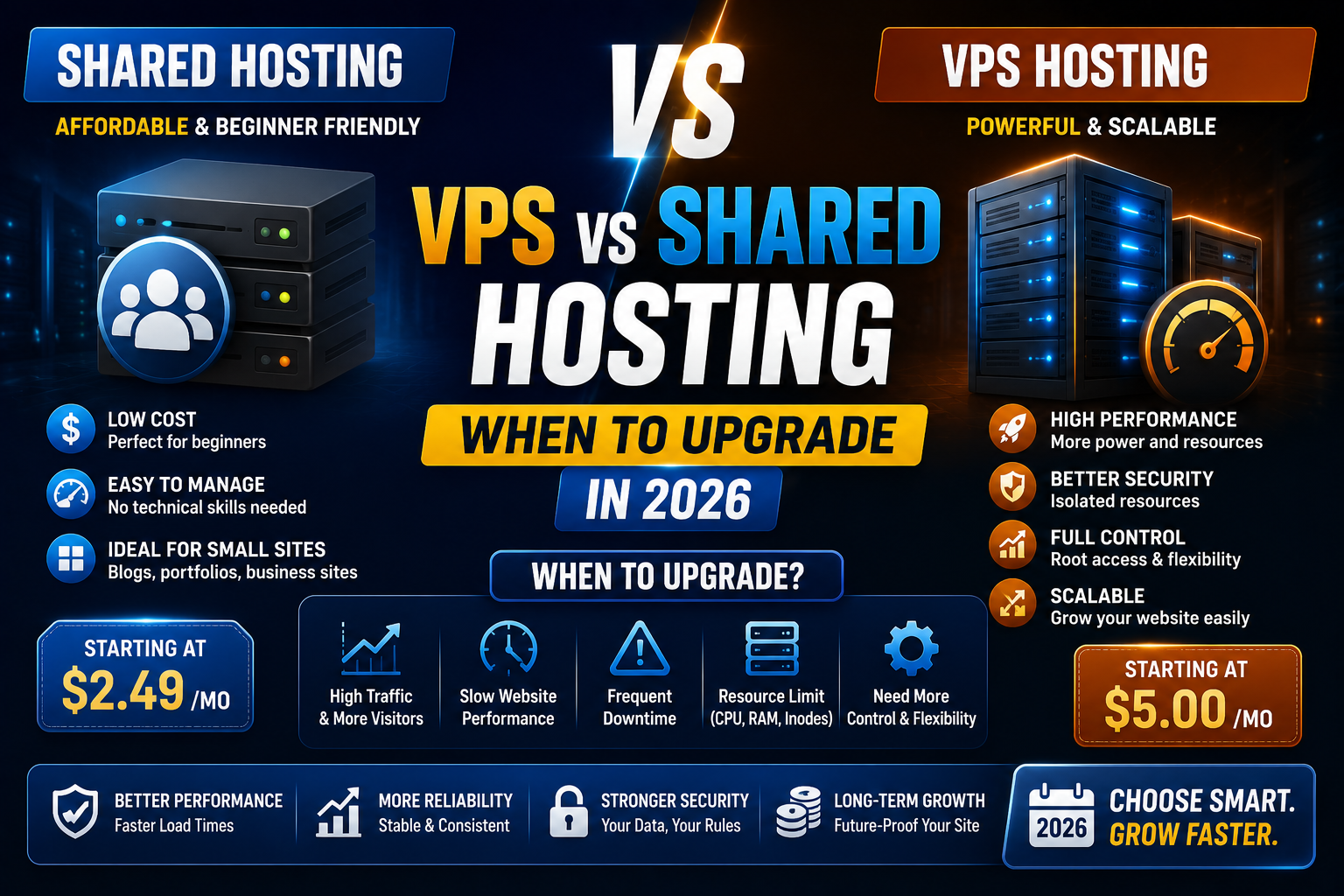
Quick verdict
- Stay on shared hosting if: Your site has under 500 daily visitors, load time is under 3 seconds, and you have not experienced downtime in the last 60 days.
- Upgrade to VPS if: You hit 2 or more of the upgrade signals below, or you are running WooCommerce with over 500 daily visitors, or your business absolutely cannot afford downtime during peak hours.
What is the actual difference between shared and VPS
Shared hosting puts your site on a server with 100 to 500 other sites, all competing for the same CPU, RAM, and disk I/O. Your resource allocation is not guaranteed. When another site on your shared server has a traffic spike, your site slows down too. Hosting providers oversell shared servers because most sites use their allocation sparingly.
VPS (Virtual Private Server) uses virtualization to give you a dedicated slice of a physical server. Your CPU cores, RAM, and disk space are guaranteed, isolated from other tenants. When your neighbor spikes, your site stays stable. You also get root access to install any software you need.
Analogy: shared hosting is like renting a bed in a hostel dorm with 20 others. VPS is like renting your own studio apartment in the same building. Same building, very different experience.
Signal 1: Your site regularly loads slower than 3 seconds
Google Core Web Vitals expects Largest Contentful Paint (LCP) under 2.5 seconds for a “Good” score. If your site loads in 3+ seconds during peak hours and your caching + CDN are already optimized, the shared server is the bottleneck.
Test yourself: run Google PageSpeed Insights on your homepage during your peak traffic hour (usually 8-10 PM in Metro Manila). If LCP is above 3 seconds consistently, you are hitting shared hosting’s resource ceiling.
Signal 2: Your host has warned you about resource usage
Shared hosting providers monitor per-account CPU, RAM, and I/O usage. When you exceed the fair-use threshold, they send warnings. The typical progression:
- Warning email: “Your account is using elevated resources”
- Second warning with account throttling: pages load slowly during peak
- Suspension: site goes offline until you upgrade or manually reduce load
If you have received even one such warning in the last 90 days, you are on the path to suspension. Move to VPS before you hit the suspension step.
Signal 3: You exceeded 500 daily visitors sustained
500 unique visitors per day is the rough threshold where shared hosting starts to feel strained for a typical WordPress site with a decent theme and 3-5 plugins. Above 1,000 daily visitors, shared hosting is almost always inadequate.
Check Google Analytics for your unique visitor trend over the last 30 days. If your daily average is above 500 and growing, plan the VPS upgrade in the next 30-60 days.
Signal 4: You are running WooCommerce or LMS
WooCommerce and Learning Management Systems (LearnDash, LifterLMS, TutorLMS) are dynamic-heavy WordPress plugins. Each cart addition, checkout, lesson progress update, and quiz submission runs multiple database queries that shared hosting struggles to serve concurrently.
A pure content blog can run on shared hosting past 500 daily visitors. A WooCommerce store with 500 daily visitors and 50+ SKUs starts creaking. Move to VPS as soon as you launch commerce or LMS functionality, not after.
Signal 5: You need custom server software
Shared hosting locks you out of installing:
- Redis or Memcached (server-side object caching, drastically improves WordPress performance)
- Newer PHP versions ahead of your host’s schedule
- Custom Nginx configurations or LiteSpeed cache modules
- Custom SSL certificates (some shared plans limit you to Let’s Encrypt only)
- Node.js, Python, or Ruby applications alongside your WordPress site
- Background workers or cron jobs beyond the basic wp-cron
If any of these appear in your roadmap, VPS is a prerequisite. Shared hosting cannot deliver them regardless of provider.
Signal 6: Your business cannot afford downtime
Shared hosting uptime is typically 99.5 to 99.9 percent, translating to 4 to 44 hours of downtime per year. Most of this hits during off-peak hours, but not always.
If your business depends on the site being available (client bookings, real-time inventory sync, urgent customer support requests), VPS with a proper SLA becomes a business necessity. Managed VPS providers like Cloudways offer 99.99 percent uptime SLAs with monetary compensation for breaches.
Real cost comparison
| Option | Monthly cost | PHP/month | Best for |
|---|---|---|---|
| Hostinger Premium Shared | USD 3.99 | PHP 227 | Starting sites, under 500 visits/day |
| A2 Turbo Boost Shared | USD 12-25 | PHP 680-1,425 | Premium shared, delays VPS need |
| Cloudways DigitalOcean 1GB VPS | USD 14 | PHP 800 | Best value first VPS upgrade |
| Cloudways 2GB VPS | USD 28 | PHP 1,600 | 1,500-3,000 daily visits |
| Cloudways 4GB VPS | USD 42 | PHP 2,400 | Serious traffic + WooCommerce |
| Kamatera 2GB VPS (unmanaged) | USD 12 | PHP 685 | Developers who prefer full control |
The jump from A2 Turbo Boost shared (USD 12-25) to Cloudways VPS (USD 14) is essentially free. Same price, dramatically better performance and reliability. This is the migration path we recommend most often.
Managed vs unmanaged VPS
Managed VPS (Cloudways, Kinsta, WP Engine) handles server maintenance, security patches, backups, monitoring for you. You focus on your site.
Unmanaged VPS (DigitalOcean direct, Linode, Vultr, Kamatera unmanaged) gives you a raw Linux server. You install and configure everything yourself: web server, PHP, MySQL, backups, security, monitoring.
For most Filipino WordPress site owners without a dedicated system administrator, managed VPS is worth the roughly 20-30 percent premium. The time saved on server maintenance (10-20 hours per month easily) is worth more than the price difference.
Migration path from shared to VPS
Follow this order to avoid downtime:
- Sign up for your target VPS (Cloudways DigitalOcean Singapore recommended for PH audience).
- Install the migration plugin on your existing shared hosting WordPress. Cloudways WordPress Migrator plugin is free and takes 30-90 minutes for typical site sizes.
- Verify the migrated site on the Cloudways temporary URL. Test homepage, sample posts, admin login, plugin functionality, WooCommerce checkout if applicable.
- Update DNS to point your domain to the Cloudways server IP. Propagation takes 15 minutes to 4 hours.
- Install SSL via Cloudways free Let’s Encrypt.
- Monitor for 7 days before cancelling your old shared hosting. If everything looks stable, cancel and request prorated refund.
Total migration time: 3-4 hours of active work spread over 24-48 hours. Zero visible downtime for visitors when done correctly.
Post-migration wins to expect
- Load time improvement: LCP typically drops from 3-4 seconds to 1.5-2 seconds
- Core Web Vitals: shifts from yellow/red to green on Google PageSpeed Insights
- Uptime: 99.99 percent instead of 99.5-99.9 percent
- Concurrent visitor capacity: 3-5x more visitors can browse simultaneously without slowdown
- WooCommerce checkout success rate: increases 10-20 percent because timeouts disappear
- SEO ranking: gradual improvement over 4-8 weeks as Google sees faster load times
Bottom line
Do not upgrade to VPS before you need it. Shared hosting under PHP 500/month is the right choice for sites under 500 daily visitors.
Do upgrade when you hit 2+ of the 6 signals. The right first upgrade is Cloudways DigitalOcean 1GB at USD 14 per month (roughly PHP 800). Same price as A2 Turbo Boost shared, dramatically better performance.
We hope this guide helps you make the right decision at the right time. Feel free to comment below if you want a second opinion on whether your specific site is ready to upgrade.
Official documentation
Try Cloudways or explore VPS alternatives (affiliate)
Some links below are affiliate links. We may earn a commission at no extra cost to you. See our affiliate disclosure.
- Cloudways, our top pick for first VPS upgrade with Singapore data center
- Kamatera, unmanaged VPS at USD 12/month for developers
- A2 Hosting, Turbo Boost shared as a bridge before full VPS
- Ultahost clear shared-to-VPS upgrade path in the same dashboard.
- Kamatera true cloud VPS with per-hour billing (skip the shared tier entirely).
Frequently asked questions
Will my SEO ranking drop during the migration?
No, if done correctly. URLs stay identical, only the underlying server changes. Google detects the DNS change and re-crawls transparently within a few days. In most cases, ranking improves 4-8 weeks post-migration because Core Web Vitals scores get better on VPS.
Do I need to know Linux to run a VPS?
For managed VPS like Cloudways, no. They provide a web dashboard for everything. For unmanaged VPS like DigitalOcean direct, yes. You need comfort with SSH, package management, and basic Linux commands. Most Filipino site owners without a dedicated system administrator are better off with managed VPS.
Can I go back to shared hosting if VPS is too expensive?
Yes, migration works in either direction. But rarely necessary. Once your site is on VPS and running smoothly, the reliability and speed are hard to give up. The USD 14/month Cloudways plan is close to premium shared hosting pricing anyway.
How much traffic can a Cloudways 1GB VPS actually handle?
Typical benchmarks show 2,000 to 5,000 daily unique visitors on a well-optimized WordPress site (caching enabled, images optimized, no runaway plugins). WooCommerce is more demanding: expect 1,000 to 2,500 daily visitors on 1GB. Scale to 2GB when you exceed these ranges.
Is Cloudways really necessary or can I use DigitalOcean directly?
If you are technically comfortable managing servers yourself, DigitalOcean direct saves you roughly USD 7-9/month compared to Cloudways (Cloudways markup on DigitalOcean droplets). Most Filipino site owners do not have this comfort level and value the managed dashboard, one-click WordPress install, automated backups, and WP-optimized caching that Cloudways adds. The USD 7-9/month is well-spent for that convenience.
What happens if my VPS runs out of resources?
Managed VPS providers like Cloudways let you scale RAM and CPU with a few clicks, no downtime for the upgrade. Your site briefly pauses (1-2 minutes) during the resize, then comes back with more resources. Unmanaged VPS resizes may require more manual work. Either way, VPS scaling is far smoother than the shared-to-VPS jump.

Caren Bautista
Technical Writer at PIES IT Solution
Responsible for crafting clear, well-structured, and beginner-friendly content across the platform. Handles the writing, proofreading, and editorial review of tutorials, guides, and documentation to ensure every article is accurate, readable, and easy to follow.
Expertise: Technical Writing · Content Creation · Documentation · Editorial Writing · JavaScript · TypeScript · Python · Python Errors · HTTP Errors · MS Excel · View all posts by Caren Bautista →