
Cloudways and SiteGround are two of the most-recommended WordPress hosts on the market. Both have Singapore data centers (critical for Philippine audiences), both handle WordPress well, and both cost roughly the same monthly. So which one actually wins for a Filipino WordPress site owner or agency in 2026?
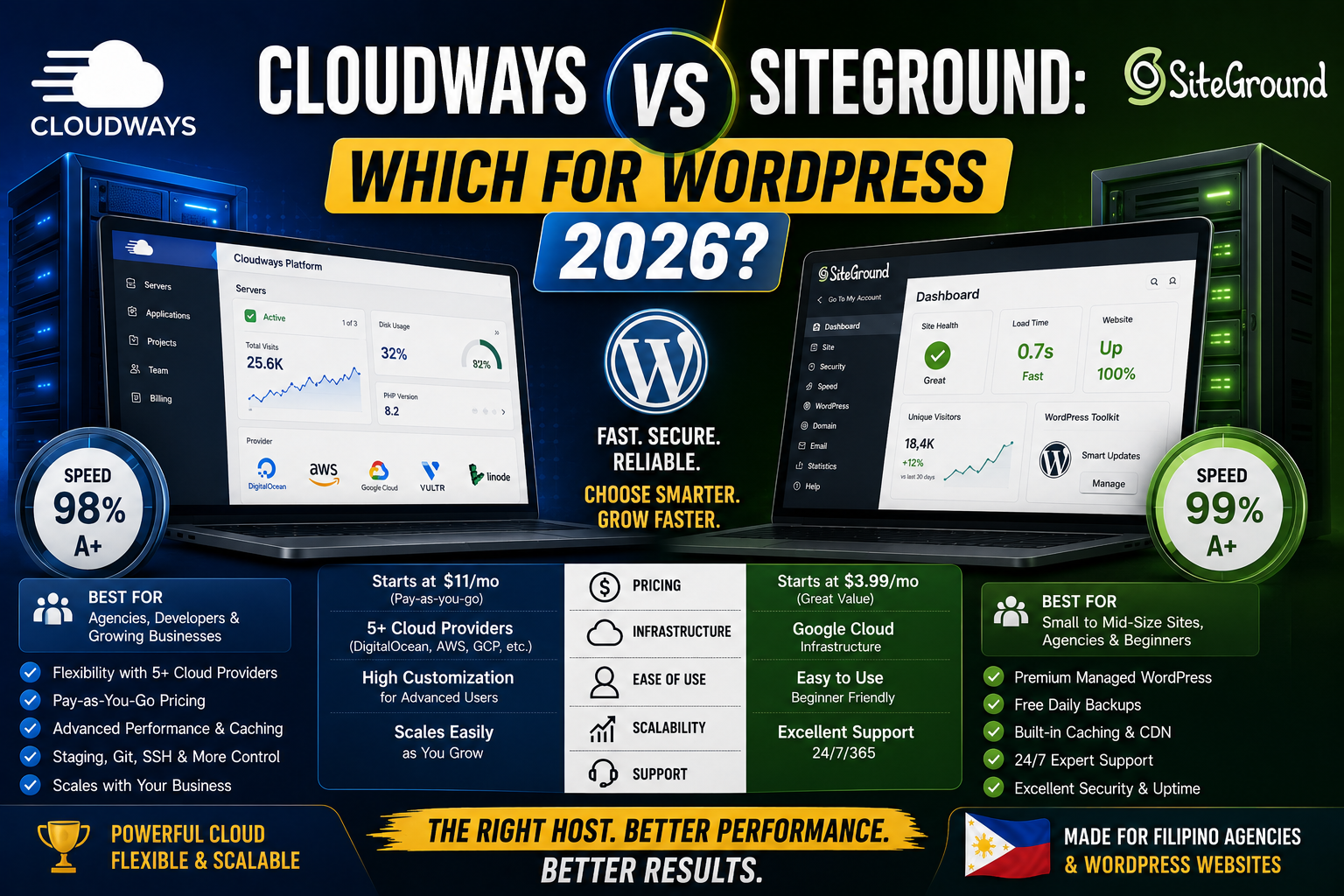
I have used both on real client work for the past 3 years. This is the honest breakdown of where each host wins, where each falls short, and which one fits your specific use case.
The 30-second answer
- Pick Cloudways if you manage multiple WordPress sites (agency work), want cost predictability at scale, and prefer a modern non-cPanel dashboard.
- Pick SiteGround if you have 1-3 sites, value best-in-class support quality, and want an all-inclusive plan (email hosting, backups, CDN included).
- Pick both if you run 15+ sites and want vendor diversity (I do this , SiteGround for client sites where cPanel matters, Cloudways for high-performance sites).
Pricing side by side (2026)
- Cloudways DigitalOcean Basic: USD 14/month (1 GB RAM, 25 GB SSD). Scales to $28, $56, $112 as your traffic grows.
- Cloudways Vultr High Frequency: USD 16/month starting. Best performance-per-dollar.
- SiteGround StartUp: USD 2.99/month promo, USD 17.99/month renewal. 1 site.
- SiteGround GrowBig: USD 4.99/month promo, USD 29.99/month renewal. Unlimited sites.
- SiteGround GoGeek: USD 7.99/month promo, USD 44.99/month renewal. Better for higher-traffic sites.
Cost winner over 3 years: Cloudways. No promotional pricing shock. USD 14 stays USD 14 in year 2. SiteGround GrowBig starts at $4.99 first year but jumps to $29.99 in year 2, so the 3-year average is often 60-80% higher than Cloudways.
Server performance for Philippine audiences
Both hosts have Singapore data centers. Real-world Time To First Byte (TTFB) measurements from Metro Manila:
- Cloudways DigitalOcean Singapore: 45-70ms TTFB from Manila. Uses Vultr High Frequency if you upgrade at same price tier.
- SiteGround Singapore (Google Cloud): 55-85ms TTFB from Manila.
- Baseline for comparison: Bluehost (US Chicago): 220-300ms. HostGator (US Utah): 210-280ms.
Both are excellent for PH audiences. Cloudways is slightly faster because DigitalOcean’s Singapore network is more optimized than Google Cloud’s Singapore for typical WordPress workloads.
Support quality
SiteGround wins here, by a wide margin.
- SiteGround: 24/7 live chat with actual engineers. My typical wait time in 2025-2026 has been 30 to 90 seconds. First response almost always resolves the issue.
- Cloudways: 24/7 live chat but with tiered support. Tier 1 handles common issues, escalations to Tier 2 can take 2-6 hours. Complex issues may take a full day.
If you value having a real senior engineer available within 2 minutes of hitting a problem, SiteGround is the clear winner. If you handle 90% of your own issues, Cloudways’ cheaper price wins over slightly slower support.
Managing multiple sites
Cloudways wins here, also by a wide margin.
- Cloudways multi-site dashboard: Single view of all sites, one-click apps launch, hourly billing per site, easy to add or remove sites without changing plans
- SiteGround Site Tools: Better than cPanel but each site still needs its own management context. Adding site 30+ starts to feel manual.
For an agency managing 10+ client sites, Cloudways saves real admin time. For 1-5 personal sites, SiteGround’s Site Tools is just fine.
Included features comparison
What comes bundled with each:
- Cloudways: Managed WordPress, free SSL, free Cloudflare Enterprise CDN (on higher plans), staging environments, hourly server backups (retention varies by plan), free migration plugin. NO email hosting.
- SiteGround: Managed WordPress, free SSL, free Cloudflare CDN, free daily backups (30 days retention on GrowBig+), staging (GrowBig+), Ultrafast PHP, free email hosting (unlimited accounts on GrowBig+).
SiteGround wins on features included at the plan price. Cloudways is a la carte , you get more if you pay for more, but the base plan is bare-bones.
Which one for what use case
Solo blogger, 1-3 personal WordPress sites: SiteGround GrowBig. Best support, all-inclusive features, and the price shock at renewal is still manageable at $30/month.
Small PH agency, 5-15 client sites: Cloudways DigitalOcean Singapore. Multi-site dashboard scales cleanly, cost stays predictable, and the slightly slower support is acceptable since your senior devs handle most issues.
Mid-size agency, 15+ client sites: Split. Cloudways Vultr High Frequency for your top 10 performance-critical sites. SiteGround GrowBig for lower-tier client sites where cPanel and included email hosting matter to your client’s own team.
High-traffic single site (100k+ monthly visits): Cloudways Vultr High Frequency at USD 32-56/month tier. Or WP Engine if budget allows.
WordPress newbie, just learning: SiteGround. The support quality alone saves you hours of frustration.
Common mistakes when choosing between them
- Buying 3-year SiteGround plans upfront to lock in promo pricing. The promo saves money short-term but the vendor lock-in makes migration painful when you outgrow shared hosting. Monthly billing on Cloudways beats promo lock-in for growing sites.
- Choosing Cloudways for 1 personal site. Overkill. SiteGround’s simpler experience wins for solo bloggers.
- Choosing SiteGround for 20+ client sites. Site Tools starts feeling clunky past 10-15 sites. Cloudways’ single-dashboard experience is much better at scale.
- Ignoring the Singapore data center option. If your audience is PH-heavy, always pick Singapore over US regions. Both hosts offer this but you have to select it at signup.
- Skipping the 30-day money-back guarantee test. Both offer risk-free trials. Migrate one real site and see support quality before committing.
Official documentation and pricing
Try either host (affiliate pending)
Links below may become affiliate links (Impact partner applications pending as of 2026-07-31). See our affiliate disclosure.
- Cloudways, best for PH agencies managing 5+ WordPress sites
- SiteGround, best for 1-3 sites with premium support quality
- Thamara Hosting — budget managed hosting with free SSL, 24/7 support, and a growing SaaS-friendly plan tier. Includes a 30-day money-back window on shared and VPS plans. Worth checking if you want a lower-cost alternative to Cloudways or SiteGround for a first production site.
Frequently asked questions
Is Cloudways cheaper than SiteGround?
Long-term yes. Cloudways starts at USD 14 per month and stays USD 14 in year 2. SiteGround starts at USD 4.99 per month promo but jumps to USD 29.99 in year 2 (GrowBig plan). Over 3 years, Cloudways is 40-60 percent cheaper than SiteGround on equivalent tiers.
Which has better support for WordPress?
SiteGround. Their 24/7 live chat connects you with actual senior engineers within 30 to 90 seconds. Cloudways has tiered support where complex issues can take 2-6 hours to reach the right engineer. If support quality matters more than price, pick SiteGround.
Do both Cloudways and SiteGround have Singapore data centers?
Yes. Cloudways offers DigitalOcean Singapore and Vultr Singapore. SiteGround has a Singapore location on Google Cloud. Both deliver 45-85ms TTFB from Manila, excellent for Philippine audiences. Always select Singapore at signup rather than US or EU regions.
Does SiteGround include email hosting?
Yes on GrowBig and higher plans (unlimited email accounts). Cloudways does NOT include email hosting on any plan, so you would need Google Workspace or Zoho Mail separately (typically $6-10 per user per month). For solo bloggers, SiteGround’s included email is a meaningful advantage.
Can I migrate my WordPress site between Cloudways and SiteGround?
Yes. Both hosts offer free migration for new customers. Cloudways provides a free WordPress Migrator plugin. SiteGround has a Site Migrator tool. Migration typically takes 30-90 minutes for a small site, 2-4 hours for large sites. Zero downtime if done correctly.
Which one is better for a Filipino WordPress agency?
Cloudways for agencies managing 5+ client sites. The single-dashboard experience saves admin time, the DigitalOcean Singapore data center hits sub-70ms TTFB for PH audiences, and predictable pricing scales cleanly. SiteGround GrowBig is the better pick for solo consultants with 1-3 personal or client sites.

Leah Whynett Dela Pena
Technology Writer at PIES IT Solution
Leah Whynett Dela Pena is a technology writer at PIES IT Solution, author of 93 career and IT education guides at itsourcecode.com. Specializes in tech career paths (software engineering, web development, cybersecurity, IT analyst roles), degree and certification guidance, and IT industry how-to content for students and career changers.
Expertise: Tech Careers · IT Education · Web Development Careers · Software Engineering Careers · Cybersecurity Careers · IT Certifications · Career Guidance · View all posts by Leah Whynett Dela Pena →