
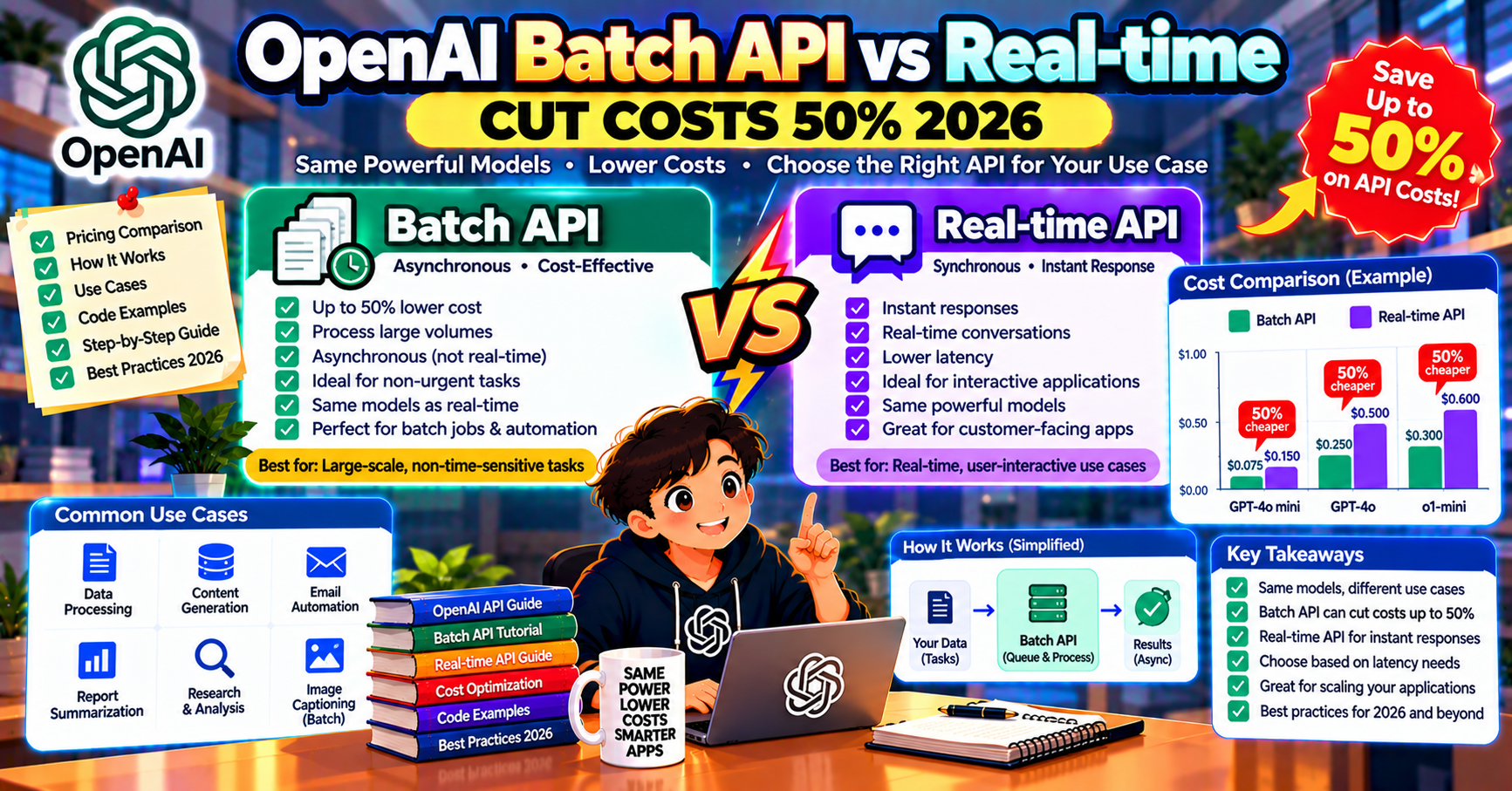
If your application calls OpenAI for background processing (classification, embedding generation, data extraction from documents), you are probably paying 2x more than you need to. The OpenAI Batch API cuts token costs by exactly half for jobs that do not need an immediate response. This article walks through what the Batch API actually does, how to use it, when it beats the real-time Chat Completions API, and the practical tradeoffs.
What the Batch API is
OpenAI’s Batch API accepts a batch of requests, processes them asynchronously over up to 24 hours, and returns results as a downloadable JSONL file. In exchange for the delayed turnaround, OpenAI charges 50% of the real-time price for both input and output tokens.
The 50% discount applies to every model that supports batch: GPT-4o, GPT-4o-mini, GPT-5, text-embedding-3-small, text-embedding-3-large. If you spend $1000 per month on OpenAI calls that do not need a real-time response, switching those calls to Batch saves $500 per month.
When Batch wins
- Overnight data pipelines: classify yesterday’s support tickets, extract entities from new documents, score leads. Submit at end of day, read results in the morning.
- Embedding large corpora: embedding 100K documents for a new RAG index. Save $100+ per million tokens.
- Scheduled analysis: weekly summarization of your changelog, monthly report generation, periodic data quality checks.
- Backfill jobs: generate missing metadata for a historical dataset. Latency is irrelevant; cost dominates.
- Evaluation runs: scoring your pipeline against a 1000-example golden set with LLM-as-judge. Not real-time; perfect for Batch.
When Batch loses
- Any user-facing request. Users do not wait 24 hours.
- Low-volume calls where 50% of $0.05 is $0.025 and the complexity of batch submission is not worth saving $25 per month.
- Interactive debugging where you need to see the response immediately.
- Workflows where downstream steps depend on the output within minutes.
Code example: classify 1000 tickets with Batch
Step 1: build the batch input file. Each line is one JSON request shaped like a Chat Completions call:
import json

tickets = load_tickets()  # list of {"id": "T001", "text": "..."}

with open("batch_input.jsonl", "w") as f:
    for t in tickets:
        request = {
            "custom_id": t["id"],
            "method": "POST",
            "url": "/v1/chat/completions",
            "body": {
                "model": "gpt-4o-mini",
                "messages": [
                    {"role": "system", "content": "Classify as bug, feature, question, billing."},
                    {"role": "user", "content": t["text"]},
                ],
            },
        }
        f.write(json.dumps(request) + "\n")
Step 2: upload and submit:
from openai import OpenAI
client = OpenAI()

batch_file = client.files.create(
    file=open("batch_input.jsonl", "rb"),
    purpose="batch",
)

batch_job = client.batches.create(
    input_file_id=batch_file.id,
    endpoint="/v1/chat/completions",
    completion_window="24h",
)
print(f"Batch submitted: {batch_job.id}")
Step 3: poll until complete and download results:
import time

while True:
    job = client.batches.retrieve(batch_job.id)
    print(f"Status: {job.status}, completed: {job.request_counts.completed}/{job.request_counts.total}")
    if job.status in ("completed", "failed", "expired"):
        break
    time.sleep(60)

if job.status == "completed":
    result = client.files.content(job.output_file_id)
    with open("batch_output.jsonl", "wb") as f:
        f.write(result.read())
Parse batch_output.jsonl to get per-request results, keyed by the custom_id you set in step 1.
Cost math
Classifying 1000 tickets with GPT-4o-mini at an average of 400 input + 50 output tokens per ticket:
- Real-time: (1000 * 400 * $0.15/M) + (1000 * 50 * $0.60/M) = $0.09
- Batch: half of that = $0.045
The dollar savings are small on single jobs but compound at scale. A support bot processing 100K tickets per month saves $450 to $500 per month moving to Batch. An embedding pipeline running 50M tokens per month saves $500 to $1000.
Rate limits and quotas
Batch has its own quota separate from real-time. In 2026, default limits for a Tier 2 account:
- Enqueued tokens: 2.5 million per model
- Max batch file size: 100 MB
- Max requests per batch: 50,000
- Max input tokens per batch: 10 million
If your job is larger, split into multiple batches and submit sequentially. The enqueued-tokens quota is per model, so you can run concurrent batches on different models (one on gpt-4o-mini, one on text-embedding-3-small) without interference.
Error handling
Individual requests inside a batch can fail without failing the whole batch. The output file includes an error field for each failed request. Common causes: malformed input JSON, content filter triggers, or model-specific errors like token overflow.
Build a retry loop that extracts failed requests from the output, fixes the issue (truncate oversized prompts, strip problematic characters), and resubmits those as a new smaller batch. Most production batch pipelines have this retry loop.
What Anthropic and Google offer
Anthropic’s Batch API (launched 2024, matured through 2025) works identically to OpenAI’s: 50% discount, up to 24-hour turnaround, custom_id correlation. Submit batches of Claude requests through client.messages.batches.create.
Google Gemini has a Batch Prediction API through Vertex AI with a similar discount model. The integration is slightly more involved than OpenAI’s (requires GCS buckets for input/output files) but the 50% savings is the same.
For provider-agnostic batch workloads, your pipeline needs small adapters for each provider’s batch format. The core “submit, poll, download” shape is identical across all three.
Batch architecture patterns that work
Three patterns separate robust batch pipelines from one-shot scripts you have to babysit.
- Chunked submission: split a 50K-request batch into five 10K batches. If one fails you lose 10K, not 50K. Submit concurrently; OpenAI’s enqueued-tokens quota is high enough that 5 small batches run in parallel with no slowdown vs one big batch.
- Database-driven state: persist each submitted batch id, status, submission time, and result file id in your own database. Your polling worker is stateless; if it crashes, a replacement reads the database and continues.
- Completion webhooks via scheduled poll: OpenAI does not push webhooks for batch completion. Run a cron every 10 minutes that polls all in-flight batches. When a batch finishes, trigger your downstream job automatically.
When batch does not pay off
A few cases where the operational complexity outweighs the 50% savings:
- Volume under 10K requests per month: the hour you spend building the batch pipeline is worth more than $5 to $50 saved per month.
- Jobs that need per-request retry logic: Batch returns errors in the output file. Resubmitting failures doubles the operational surface area; a real-time pipeline with retries is simpler.
- Models not supported by Batch (preview models, custom-tuned models in older tiers). Verify support in the OpenAI docs before planning around it.
- Jobs that drive downstream time-sensitive processes: if a Slack alert depends on the batch output within minutes, Batch is wrong.
Frequently Asked Questions
Official documentation
How long does a batch actually take?
Most batches complete in 1 to 6 hours, well within the 24-hour window. Larger batches (50K+ requests) and off-peak submissions trend toward the longer end. There is no SLA on earlier completion, so build your pipeline assuming the full 24-hour window.
Can I cancel a batch after submitting it?
Yes, via client.batches.cancel(batch_id). Cancelled batches may still bill for the portion processed before cancellation. For jobs you might cancel, submit smaller batches so cancellation loses less work.
Does the Batch API support structured outputs or tool calls?
Yes. The body field of each batch request accepts the full Chat Completions schema, including response_format for JSON mode and tools for function calling. Everything that works in real-time works in batch.
Can I mix models in one batch?
No. Each batch is tied to one endpoint and one model (specified in each request’s body). To run GPT-4o-mini and GPT-4o jobs together, submit two separate batches. They can run concurrently against separate quotas.
How do I avoid losing results if my polling script crashes?
The batch id and input file id persist in OpenAI’s system. You can retrieve a batch by its id at any time within the retention window (29 days). Store the batch id in your database when you submit; even if your worker crashes, a replacement can pick up the id and continue polling or download the result.
Can I use the Batch API with fine-tuned models?
Yes. Pass your fine-tuned model id in the body.model field exactly as you would in a real-time call. The 50% discount applies to the fine-tuned model’s inference pricing (which is already 2x the base model price), so the batch price is effectively the base model price.

Joken E. Villanueva
Founder & Lead Developer at PIES IT Solution
Founder of PIES Information Technology Solutions, a software company building production-grade applications for institutions across the Philippines. Over 8 years of hands-on full-stack development experience, currently leading the development of ClinicAI, an AI-powered clinic management platform.
Expertise: PHP · MySQL · JavaScript · AI Integration · SaaS Architecture · VB.NET · Database Design · Capstone Documentation · Java · View all posts by Joken E. Villanueva →