
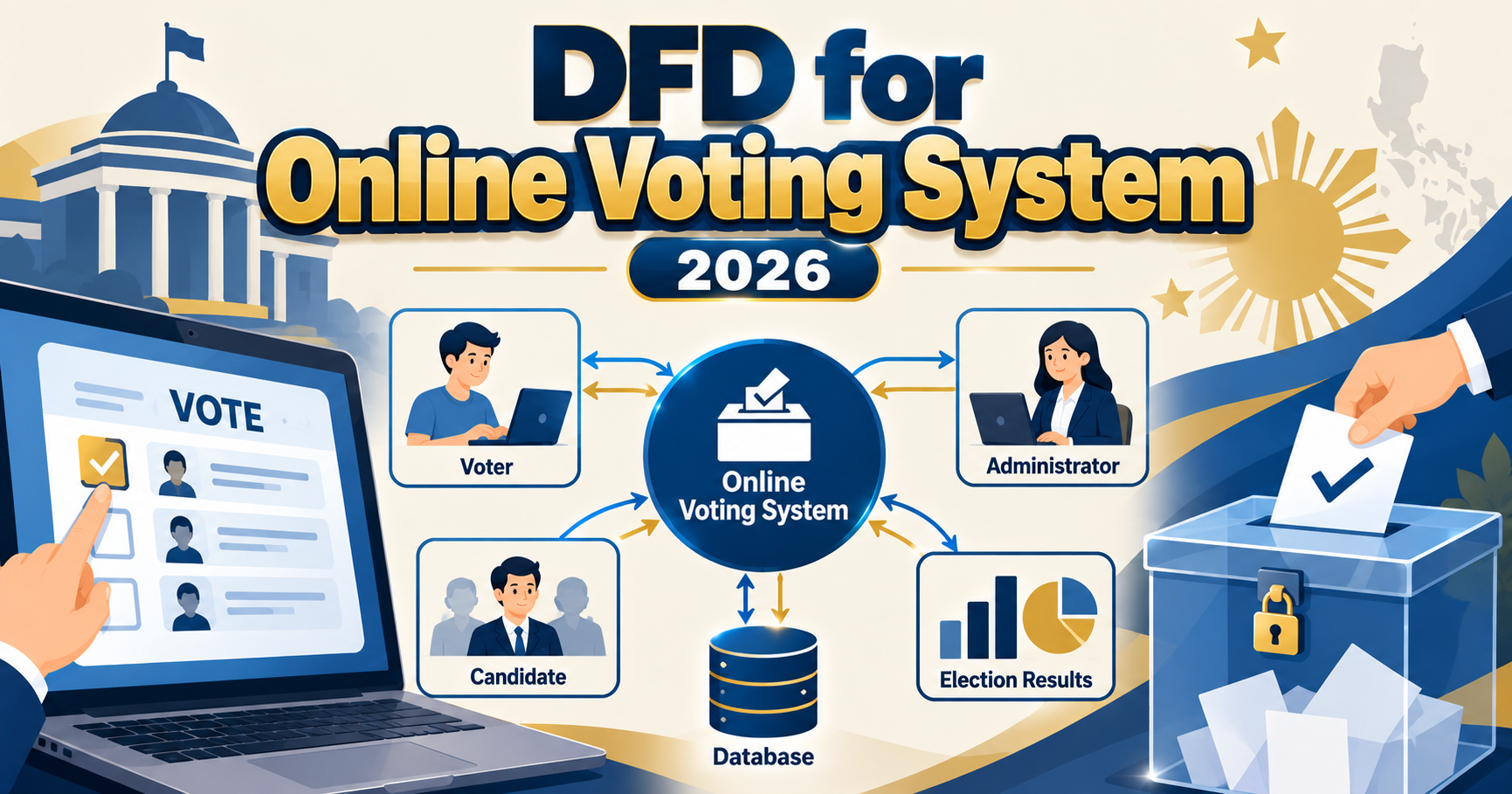
A data flow diagram (DFD) for an online voting system maps how voter authentication, ballot casting, encryption, and result tabulation move between the voter, election admin, and the system itself. Online voting projects remain a top BSIT capstone topic in 2026 because SK elections, school councils, cooperatives, and homeowners’ associations all need digital voting solutions. This DFD guide covers the three-level structure with security-focused details panel reviewers expect.
Quick 2026 verdict
A defensible online voting DFD has 4 external entities (Voter, Admin, Auditor, ID/OTP Verifier), 8-10 processes covering registration, authentication, ballot delivery, vote encryption, submission, tally, and audit, and 6-8 data stores with clear separation between voter identity and ballot content. Show one-vote-per-voter enforcement, encryption, and audit trail explicitly. Missing any of these three costs 10+ defense points.
Why online voting DFDs need extra security notation
Panel reviewers grade voting-system DFDs against a higher bar than typical CRUD projects. Voting has three unique requirements the DFD must show:
Want to customize this diagram for your capstone?
Open the Online Voting System template in CapstoneUML. Drag entities, rename processes, add data flows, then export as PNG, SVG, PowerPoint, or PDF for your Chapter 3 documentation.
- Ballot secrecy: the vote content must not be traceable back to the individual voter identity, even inside the database
- Vote integrity: one vote per authenticated voter, no duplicates, no tampering, no lost votes
- Auditability: every voter’s participation should be verifiable in aggregate (turnout counts match voter list) without exposing individual ballots
These three requirements pull in opposite directions. The DFD must show HOW your system balances them. Reviewers ask specifically: “How does your DFD prove ballot secrecy while still preventing duplicate votes?” A DFD that cannot answer this loses defense points.
Level 0 (context diagram)
Voter -----> [Online Voting System] <----- Election Admin
                       ^                          ^
                       |                          |
                ID / OTP Verifier              Auditor
External entities for a 2026 online voting DFD:
- Voter: registers using student ID or citizen credential, receives OTP, authenticates, casts encrypted ballot, receives confirmation code (not vote content)
- Election Admin: manages candidate list, defines election period, sets voter eligibility rules, monitors turnout, publishes results after election closes
- Auditor: independent role (adviser, faculty rep, outside party); reads audit logs after election to verify turnout integrity; cannot see individual ballots
- ID / OTP Verifier: external service for identity check (student registrar database, SMS OTP via Semaphore or Twilio, email OTP)
Level 1 (main process decomposition)
Level 1 expands the voting system into 8-10 sub-processes with clear separation between authentication and ballot handling:
- 1.0 Register Voter: input from Voter (name, student ID, email or phone); verifies with ID Verifier external entity; writes to
D1: VoterList - 2.0 Authenticate Voter: reads voter credential; sends OTP request to OTP Verifier; receives OTP confirmation; issues short-lived session token
- 3.0 Verify Eligibility and Not-Yet-Voted: reads
D1andD2: VoteRegistry; checks the voter is on the list AND has not already cast a ballot - 4.0 Deliver Ballot: reads
D3: CandidatesandD4: ElectionConfig; sends personalized ballot form to Voter - 5.0 Encrypt Ballot: on Voter’s device or server side, encrypts the ballot content using public key from
D5: EncryptionKeys - 6.0 Submit Encrypted Ballot: writes encrypted ballot to
D6: EncryptedBallotswith random ballot ID (not voter ID); writes voter-participation flag toD2without linking to the ballot ID - 7.0 Issue Confirmation Code: gives Voter a confirmation code (not the vote content) proving submission; Voter can verify their vote was received but not what they voted
- 8.0 Tally Votes: only runs after election close; reads
D6; decrypts each ballot using private key held by Admin; aggregates results; writes toD7: Results - 9.0 Manage Election Config: Admin creates election, defines positions and candidates, sets start/end times; writes to
D3, D4 - 10.0 Generate Audit Log: Auditor reads
D8: AuditLogto verify turnout counts, timestamp integrity, and system operations; sees no individual ballots
Data stores with security notation:
D1: VoterList(voter ID, name, contact, eligibility flags; governed under RA 10173)D2: VoteRegistry(voter ID, participation flag, timestamp; does NOT store ballot content or ballot ID)D3: Candidates(candidate ID, position, name, party, photo)D4: ElectionConfig(election ID, start time, end time, positions, allowed candidates)D5: EncryptionKeys(public key for ballot encryption; private key held by Admin, separated for security)D6: EncryptedBallots(random ballot ID, encrypted ballot content; does NOT link to voter ID)D7: Results(position, candidate ID, vote count, computed only after election close)D8: AuditLog(timestamp, event type, hash of previous log entry; append-only, tamper-evident)
Level 2 (focused sub-process zoom)
Best Level 2 candidates for online voting DFD defense:
- 2.0 Authenticate Voter expanded into 2.1 Receive Credential, 2.2 Verify With ID Verifier, 2.3 Generate OTP, 2.4 Send OTP via SMS or Email, 2.5 Validate OTP Input, 2.6 Issue Session Token
- 5.0 + 6.0 Encrypt and Submit Ballot expanded into 5.1 Load Public Key, 5.2 Encrypt Ballot Client-Side or Server-Side, 6.1 Generate Random Ballot ID, 6.2 Write Encrypted Ballot to Store, 6.3 Mark Voter as Voted in VoteRegistry, 6.4 Return Confirmation Code
- 8.0 Tally Votes expanded into 8.1 Verify Election Closed, 8.2 Load Private Key, 8.3 Decrypt Each Ballot in Random Order, 8.4 Aggregate by Candidate, 8.5 Write Results, 8.6 Log Tally Event to AuditLog
Security guarantees the DFD should prove
- Ballot secrecy. Voter ID lives in D1 and D2. Ballot content lives in D6 with a random ballot ID. There is no data flow linking voter ID to ballot ID. Even Admin cannot look at D6 and know who voted for whom.
- One vote per voter. The Submit Encrypted Ballot process must atomically write to both D6 (ballot store) and D2 (participation flag). The DFD should show a transaction-safe flow so a network failure cannot double-submit.
- Verifiability. Voter receives a confirmation code proving their ballot was recorded. The code encodes the ballot ID + timestamp hash but not the vote content. Voter can check the code exists in D6 without revealing their vote.
- Tamper evidence. D8 AuditLog is append-only with each entry containing a hash of the previous entry. Any modification breaks the chain. Show this as a hashed link data flow inside AuditLog.
- Data Privacy Act compliance. D1 (VoterList) contains personal data governed under RA 10173. Add annotation: “Retention: election period + 6 months. Access: Admin only, logged.”
Common panel questions and DFD answers
- “How do you prevent duplicate votes?” Point to Level 1 process 3.0 Verify Eligibility and Not-Yet-Voted reading from D2, and to the atomic write in 6.0.
- “How do you keep the ballot secret?” Point to the separation between D1/D2 (voter identity) and D6 (ballot content) with no data flow between them.
- “What if someone accesses the database directly?” Point to encryption on D6 and the private key being held by Admin only, plus D8 AuditLog for tamper detection.
- “How does the voter know their vote counted?” Point to 7.0 Issue Confirmation Code and the ability to verify the code exists in D6.
- “Who can decrypt the votes?” Admin, but only after election close, and every decryption is logged to D8. Show this in Level 2 of process 8.0.
Suitable election types for BSIT capstone
| Election Type | Voter List Source | Panel Fit |
|---|---|---|
| Student Council | Registrar student database | Excellent (natural school-audience DFD) |
| SK / Barangay | Local voter roll from barangay | Excellent (community-impact angle) |
| Cooperative General Assembly | Cooperative member list | Very good (real-business use case) |
| Homeowners’ Association | HOA member roster | Good |
| National Elections | COMELEC voter list | Avoid (COMELEC regulation, too broad for capstone) |
Frequently Asked Questions
Do I need to show encryption in the DFD or can I mention it in the paper only?
Show it explicitly. Add a process labeled “5.0 Encrypt Ballot” and a data store for keys. Reviewers explicitly grade voting DFDs on whether encryption is visible. Text-only mention in the paper without DFD representation loses 5-8 points.
How do I separate voter identity from ballot content in the DFD?
Use two separate data stores: VoterList (D1) for identity, EncryptedBallots (D6) for ballot content. Ensure no data flow arrows connect D1 to D6 directly. Draw a visual gap between them. Add a note: “No direct link between voter identity and ballot ID.”
Should client-side or server-side encryption be in the DFD?
Pick one and show it clearly. Server-side encryption is easier to implement and simpler to draw. Client-side (encrypt in the voter’s browser before submission) is more secure but harder to demonstrate. Client-side is a bonus point in defense if you can show working JavaScript encryption code alongside the DFD.
Where does OTP verification fit in the DFD?
OTP is part of process 2.0 Authenticate Voter with the OTP Verifier as an external entity (SMS gateway like Semaphore or Twilio, or email service). Show the OTP request going out and the OTP validation coming back before the voter gets a session token.
Does the DFD need to show the private key location?
Only conceptually. In Level 1, EncryptionKeys (D5) contains the public key. The private key is held offline by Admin (annotated on the diagram). In Level 2 of the Tally process, show the private key being loaded temporarily and logged to AuditLog after decryption completes.
What if my capstone election is small (under 50 voters)?
Scale still matters for defense. Panels give the same weight to a 30-voter cooperative election as to a 3000-voter school election, as long as the DFD shows the same rigor (encryption, one-vote-per-voter, audit trail). Small does not mean simple.
Related UML tutorials
- DFD for E-commerce Website (Levels 0, 1, 2)
- DFD for POS System (Complete 2026 Guide)
- DFD for Library Management System Data Flow Diagram
- Student Management System Class Diagram UML
Official documentation
Official documentation

Angel Jude Suarez
Full-Stack Developer at PIES IT Solution
Focuses on Python development, machine learning, and AI integration. Has built production AI systems including OpenAI Whisper integration for medical transcription and GPT-4o-powered diagnosis assistance. Strong background in pandas, scikit-learn, and TensorFlow.
Expertise: Python, PHP, Java, VB.NET, ASP.NET, Machine Learning, AI Integration, OpenCV, Django, CodeIgniter · View all posts by Angel Jude Suarez →
Skip the redraw: grab the Voting template
All three diagrams (Level 0, Level 1, Level 2) are ready to drag, rename, and export as PNG, SVG, PowerPoint, or PDF for your Chapter 3 documentation. Free preview, no card required.