
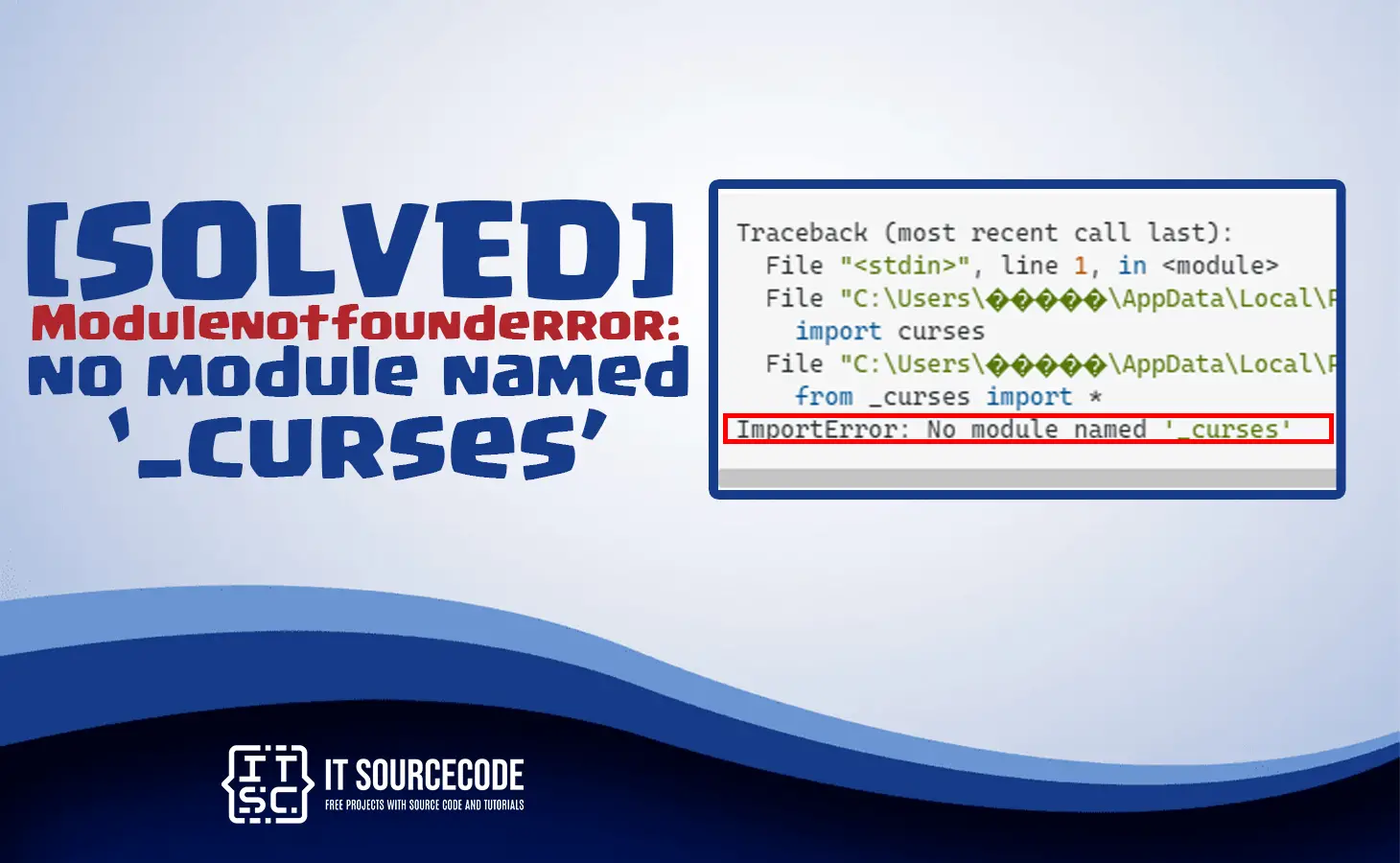
In this article, we will provide a solution for Modulenotfounderror: no module named ‘_curses’.
As well as a brief understanding of the curses module along with the root causes of this error.
So let’s get started with a brief understanding of what the curses module is.
curses module python
The curses module in Python is a library that provides an interface for creating terminal-based text-based user interfaces.
It enables the creation of interactive applications with features such as windows, text input, and cursor movement.
Additionally, curses module includes functions for controlling terminal input and output, as well as color and formatting options.
Primarily, curses library was created for the Unix operating system, but it has since been ported to other platforms.
Since then it is a popular choice for developing Python terminal-based applications and games.
What is Modulenotfounderror: no module named ‘_curses’?
The error “ModuleNotFoundError: No module named ‘curses’” occurs in Python when the ‘_curses’ module cannot be found.
This error usually occurs when attempting to run a program that relies on the ‘_curses’ module, which is a terminal handling module in Python.
Causes of Modulenotfounderror: no module named ‘_curses’?
As what mentioned above that “ModuleNotFoundError: No module named ‘_curses’” error occurs in Python when the ‘_curses’ module cannot be found.
This error can have several causes, including:
- Missing installation
- Incompatible Python version
- Incorrect environment
- System-level issues
- Installation errors
How to fix Modulenotfounderror: no module named ‘_curses’
Since the “ModuleNotFoundError: No module named ‘curses’” error occurs when the module is not found.
Here are the steps you can use:
- Check if the ‘_curses’ module is installed in your Python environment
Open your terminal and enter the following command:
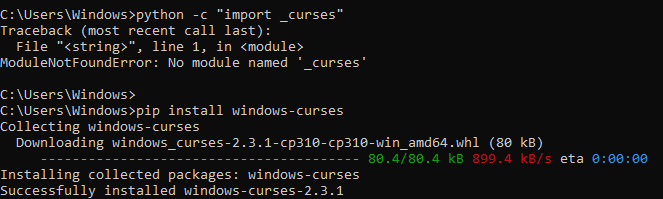
python -c “import _curses”
If the ‘_curses’ module is installed, you will not see any error messages.However, if the module is not installed, you will see the “ModuleNotFoundError: No module named ‘_curses’” error message.
- Install the _curse module
The ‘_curses’ module is not always included in the standard Python distribution, so you may need to install it separately.
To do this, you can use the following command:
pip install windows-curses
Note that this command only works on Windows.If you are using a different operating system, you may need to use a different command to install the ‘_curses’ module.

- Check the Python version:
If you are using an older version of Python, the ‘_curses’ module may not be available.
To check your Python version, enter the following command in your terminal:
python –version

If your Python version is older than 3.2, you may need to upgrade to a newer version of Python to use the ‘_curses’ module. - Use an alternative module:
If the ‘_curses’ module is not available or you are unable to install it for some reason, you can use an alternative module like ‘ncurses’ or ‘curses-apt’ instead.
These modules provide similar functionality to ‘_curses’ and may be easier to install on some systems.

Conclusion
In summary, the “ModuleNotFoundError: No module named ‘_curses’” error message indicates that the ‘_curses’ module is missing or not installed in your Python environment.
You can fix this error by installing the ‘_curses’ module, upgrading your Python version, or using an alternative module that provides similar functionality.
If you follow the solution, it will solve the error that you are facing right now. It is a simple solution, yet literally effective in solving the `error.
We hope that this article has provided you with the information you need to fix this error and continue working with Python packages.
If you are finding solutions to some errors you’re encountering we also have Modulenotfounderror no module named psutil.
Diagnostic checklist for “No module named ‘_curses'”
- Verify pip install target. Run
pip show _curses— if not installed, runpip install _curses. - Check the active Python interpreter.
which python(mac/Linux) orwhere python(Windows). Both pip and python must point to the same environment. - Check virtual environment activation. If you use venv/conda, activate before installing:
source .venv/bin/activate. - Rule out uppercase/lowercase. Python imports are case-sensitive:
import PyPDF2notimport pypdf2. - Rule out the pip-vs-package-name mismatch. Some packages install under a different name than you import (e.g.
pip install beautifulsoup4→import bs4).
Installing _curses
# Standard pip install
pip install _curses

# In a virtual environment (recommended)
python -m venv .venv
source .venv/bin/activate  # or .venv\Scripts\activate on Windows
pip install _curses

# With uv (faster alternative)
uv pip install _curses
Common causes for “No module named ‘_curses'”
- Python interpreter mismatch. Multiple Python installations can confuse pip. Verify with
which pythonandwhich pip. - Virtual environment not activated. If the venv isn’t activated, pip installs to your system Python instead.
- Notebook kernel mismatch. Jupyter uses a kernel that may differ from your terminal Python. Use
%pip install _cursesinside the notebook. - Import name differs from install name. pip install beautifulsoup4 → import bs4. Check the package’s PyPI page.
- Windows PATH issues. Ensure Python is on PATH; use
python -m pip installto invoke pip via the correct Python.
Working code example
# Verify install worked
import _curses
print(getattr(_curses, '__version__', 'no version attribute'))
Best practices
- Always use a virtual environment. Avoids most module-not-found errors.
- Use pip freeze to lock versions.
pip freeze > requirements.txtmakes your setup reproducible. - Consider uv or Poetry. Modern package managers with better dep resolution and reproducibility.
Official documentation
Frequently Asked Questions
What is Python ModuleNotFoundError and what causes it?
ModuleNotFoundError (a subclass of ImportError) is raised when Python cannot find the module you tried to import. Common causes: the package isn’t installed (pip install missing), wrong virtual environment activated, typo in module name, or Python can’t find your local module on the import path. The error message names exactly which module is missing.
How do I fix ‘ModuleNotFoundError: No module named X’?
Run pip install X first. If that succeeds but you still get the error, check which Python you’re using (which python OR python –version) vs which pip (which pip OR pip –version), they must match. Common gotcha: pip points to system Python 3.9 but you’re running python3.11 in a venv. Inside the venv, use python -m pip install X to be sure pip matches the active Python.
Why does my code work in one environment but not another?
Different Python versions or different installed packages. To diagnose: pip freeze > requirements.txt on the working environment, then pip install -r requirements.txt on the broken one. Use virtualenv (python -m venv venv) or conda for every project to avoid system-wide package collisions.
Is ModuleNotFoundError the same as ImportError?
ModuleNotFoundError is a subclass of ImportError added in Python 3.6. It specifically means ‘no such module exists.’ Plain ImportError covers a wider set: module exists but a name inside it can’t be imported (e.g. ‘cannot import name X from Y’). except ImportError catches both; except ModuleNotFoundError catches only the missing-module case.
Where can I find more ModuleNotFoundError fixes?
Browse the ModuleNotFoundError reference hub for 198+ specific module fixes (TensorFlow, Flask, Django, pandas, numpy, etc.). For related issues see ImportError. For broader Python setup see Python Tutorial hub.

Glay Eliver
Programmer & Technical Writer at PIES IT Solution
Glay Eliver is a programmer and writer at PIES IT Solution, author of over 600 tutorials at itsourcecode.com. Specializes in JavaScript tutorials, Microsoft Office how-tos (Excel, Word, PowerPoint), and Python error debugging covering ImportError, TypeError, AttributeError, ModuleNotFoundError, and JavaScript ReferenceError. Authored several of the site’s highest-traffic Excel and MS Office reference articles.
Expertise: JavaScript · MS Excel · MS Word · MS PowerPoint · Python · Python ImportError · Python TypeError · Python AttributeError · ModuleNotFoundError · JavaScript ReferenceError · Pygame
· View all posts by Glay Eliver →