
How to write Chapter 4 capstone is a question most BSIT students answer by turning it into a screenshot dump. They paste fifteen screenshots of the login page, dashboard, and reports module; write “as you can see, the system works” under each one; and submit it as a finished chapter.
The adviser then writes “where is the testing?” in red ink and sends it back.
The problem isn’t that screenshots are wrong. The problem is that screenshots aren’t results. And, the panel doesn’t want proof that the system has a login form.

They want proof that the system works under conditions that matter: multiple users hitting it at once, weak passwords being rejected, the database not corrupting when two clerks save at the same minute. That’s what Chapter 4 is for.
This guide walks through the six standard subsections of Chapter 4: implementation, testing, results, evaluation, statistical treatment, and discussion.
By the time you finish reading, you should be able to draft your first test case table tonight and have a real Chapter 4 ready for adviser review within a week.
Part of our complete capstone documentation series:
- Chapter 1: Introduction
- Chapter 2: Review of Related Literature (RRL)
- Chapter 3: Methodology
- Chapter 4: Results and Implementation (you are here)
- Chapter 5: Recommendations and Conclusion
- Full Chapter 1-5 Template (Free Download)
About the running example. Throughout this guide, we use the same Barangay Information System example from Chapters 1-3. Your system might be a Library Management System, Hospital Management System, Inventory Tracker, AI Chatbot, or anything else: the structure transfers, only the specifics change.
What Chapter 4 actually does
Four things every Chapter 4 must accomplish:
Documents how the system was deployed. Final hardware. Final software stack. The minute the system went from local development to actually running at the user’s location, that minute belongs in Chapter 4.
Proves the system was tested with discipline. Not “we clicked around and it worked.” Specific test cases, run by specific people, with documented pass/fail outcomes.
Reports evaluation results from real respondents. SUS scores, ISO 25010 ratings, Likert means and standard deviations. The numbers your panel will ask about.
Discusses what those numbers mean. A SUS of 78 is not a result. It is a data point. Chapter 4’s discussion section explains why 78 matters for your barangay’s specific use case.
If Chapter 4 only does the first item (lots of screenshots), it gets sent back. If it skips the discussion section, it gets sent back. The panel grades Chapter 4 against all four.
The 6 standard subsections of Chapter 4
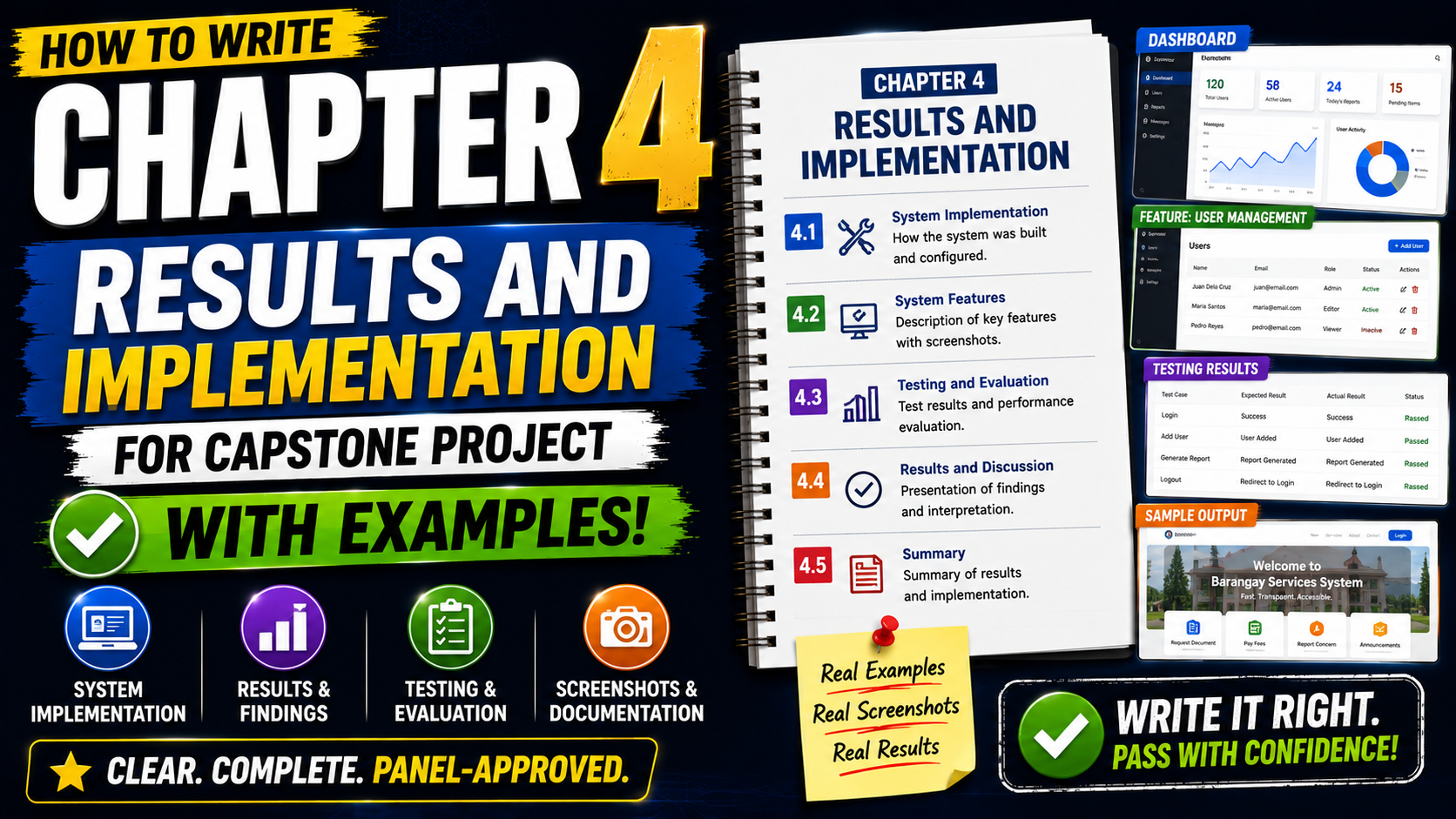
Most Philippine BSIT and BSCS capstone templates use this structure. Names vary slightly per school. CHMSC may call it “Project Implementation,” USLS may call it “Results and Discussion,” but the content is the same:
- 4.1 System Implementation: deployment, environment, hand-over
- 4.2 System Testing: unit, integration, user acceptance testing
- 4.3 Test Results: what passed, what failed, what was fixed
- 4.4 System Evaluation: ISO 25010, SUS, or custom rubric scoring
- 4.5 Statistical Treatment Results: Likert means, standard deviations, verbal interpretation
- 4.6 Discussion of Results: what the numbers mean and what they prove
Target total: ~3,000 words for the actual Chapter 4 document, not including screenshots and test case tables (those are appendices in many schools). Less than 2,000 signals you skipped sections. More than 4,500 signals you padded with screenshots that belong in appendix.
4.1 System Implementation
What this section does
It documents the move from development environment to production environment. Three things must appear: the final hardware setup, the final software stack with exact versions, and the hand-over process to the end user (the barangay, the school, whoever).
The 3-part structure
- Hardware specifications used in deployment. Exact model of the PC running the server. RAM, storage, OS version. Network setup (LAN-only, Wi-Fi router model, internet plan if applicable).
- Software stack with versions. XAMPP 8.2.4, MySQL 8.0.34, PHP 8.1.20, Apache 2.4.57, Bootstrap 5.3, jQuery 3.7.0. Versions matter. Your panel will ask if you patched the security vulnerabilities released after your build.
- Hand-over process. When you installed the system at the barangay hall, who was present, what training was conducted, what documentation was left behind (user manual, admin guide, backup procedure).
Worked example
The Barangay Information System was deployed at Barangay [name] hall on April 12, 2026. The server was installed on a desktop PC (Intel Core i3-12100, 8 GB DDR4 RAM, 256 GB SSD, Windows 10 Pro) provided by the barangay.
The system runs on XAMPP 8.2.4 with PHP 8.1.20, MySQL 8.0.34, and Apache 2.4.57. The user interface uses Bootstrap 5.3 and jQuery 3.7.0. The system operates on the barangay’s local network, with no internet dependency required for daily operations.
Hand-over took place over three working days. On day one, the researchers installed and configured XAMPP, imported the database schema, and seeded the system with 2,500 existing resident records migrated from the barangay’s Excel files.
On day two, the researchers conducted a 2-hour training session with the Barangay Secretary and three Kagawad assigned as system users. The training covered login, resident record management, certificate issuance, and the daily backup routine.
On day three, the researchers observed actual usage for half a day to catch real-world issues and produced a 12-page user manual and a 1-page quick-start card laminated and posted at the secretary’s desk.
4.2 System Testing
What this section does
It documents the three layers of testing every capstone defense expects: unit testing, integration testing, and user acceptance testing. Most students skip one or two of these. Panels notice.
The 3 layers explained briefly
- Unit testing: individual functions tested in isolation. Did the certificate-generation function produce the right PDF given a known resident record? Did the password validator reject “12345”?
- Integration testing: how the modules talk to each other. When the Secretary creates a resident in the resident module and then issues a certificate, does the certificate module pull the right record?
- User Acceptance Testing (UAT): the end users actually using the system to do their real work. Not the developers pretending to be users.
The test case table format
Every test case needs five columns: Test Case ID, Test Scenario, Test Steps, Expected Result, Actual Result + Pass/Fail. This format is non-negotiable across Philippine BSIT programs:
TC-001 | Resident Registration with Valid Data
Steps: Log in as Secretary → click “Add Resident” → fill in all required fields with valid data → click Save.
Expected: System saves the record and displays “Resident saved successfully” confirmation. New resident appears in the resident list.
Actual: System saves the record in 1.2 seconds. Confirmation displayed. New resident visible. PASS.
Plan for 25-40 test cases minimum. Less than 20 signals you barely tested. More than 60 belongs in the appendix.
4.3 Test Results
What this section does
Summarizes the test case outcomes from 4.2 as numbers, not as a wall of pass/fail rows. The panel wants the headline: how many cases? how many passed? what were the failures?
The 3-paragraph summary format
A total of 32 test cases were executed across three test phases: 14 unit tests, 12 integration tests, and 6 user acceptance test scenarios. Of these, 30 passed on first execution (93.75%), and 2 failed initially.
The two failures occurred in (1) the certificate-printing module, where the printer driver returned a paper size mismatch when the barangay’s printer was configured for Folio instead of A4, fixed by adding a paper-size selection dropdown; and (2) the daily backup routine, where the scheduled task did not fire because Windows Task Scheduler required administrator credentials, fixed by re-creating the task under the SYSTEM account.
After fixes, all 32 test cases passed. Full test case documentation, including screenshots of each pass/fail evidence, is included in Appendix C.
4.4 System Evaluation
What this section does
Reports the evaluation conducted with real respondents, using a standard instrument. The two most common instruments in Philippine BSIT capstones are ISO/IEC 25010 (software quality) and the System Usability Scale (SUS). Many schools require both; some accept either.
ISO 25010: the 8 quality characteristics
ISO 25010 evaluates software against eight characteristics: Functional Suitability, Performance Efficiency, Compatibility, Usability, Reliability, Security, Maintainability, and Portability. Most BSIT capstones evaluate against 5-6 of these (Maintainability and Portability are often skipped because they require code-level inspection by external evaluators).
Each characteristic gets a 5-point Likert score from respondents: 1 (Very Poor) to 5 (Excellent).
SUS: the 10-statement standard
The System Usability Scale is a 10-item questionnaire with a fixed wording set developed by John Brooke in 1986. Statements alternate positive and negative (odd-numbered statements are positive, even-numbered are negative). Respondents answer on a 1-5 Likert scale. The final SUS score is a single number between 0 and 100.
The SUS score is interpreted as: 0-50 (Not Acceptable), 51-68 (Marginal), 69-80 (Acceptable / Above Average), 81-100 (Excellent). The published average across thousands of systems is 68. A SUS of 75+ is a defensible Chapter 4 result.
Sample size: how many respondents
Minimum 10 respondents for SUS to produce statistically meaningful results. Most Philippine BSIT programs accept 10-15. Beyond 20, additional respondents add diminishing precision.
The respondents must be the actual end users (for a Barangay Information System: the Barangay Secretary, Kagawad, and Barangay Captain), not your classmates or random students.
4.5 Statistical Treatment Results
What this section does
Reports the actual numbers from the evaluation in 4.4: mean, standard deviation, verbal interpretation for each evaluated criterion. This is where most students lose points by reporting only the mean and skipping standard deviation.
The Likert verbal interpretation scale
Standard Philippine BSIT verbal interpretation for a 5-point Likert:
- 4.21 to 5.00: Excellent / Strongly Agree
- 3.41 to 4.20: Very Good / Agree
- 2.61 to 3.40: Good / Moderately Agree
- 1.81 to 2.60: Fair / Disagree
- 1.00 to 1.80: Poor / Strongly Disagree
Worked example: Likert results table
The system was evaluated by 12 respondents (1 Barangay Captain, 1 Secretary, 7 Kagawad, 3 frequent walk-in residents). The evaluation used a 5-point Likert scale across six ISO 25010 criteria.
Functional Suitability: Mean 4.58, SD 0.51: Excellent. Respondents consistently rated the system as meeting all functional requirements for resident records, certificate issuance, and blotter management.
Performance Efficiency: Mean 4.42, SD 0.67: Excellent. Certificate generation averaged 12 seconds in real-use conditions, well below the 60-second target stated in Chapter 1 objectives.
Usability: Mean 4.25, SD 0.62: Excellent. The Barangay Secretary, who had no prior database experience, was able to issue a certificate independently after one 30-minute training session.
Reliability: Mean 4.33, SD 0.65: Excellent. The system experienced one crash during the 4-week observation period, caused by a power outage, and recovered automatically with no data loss.
Security: Mean 4.17, SD 0.83: Very Good. The role-based access control was rated favorably, but two respondents flagged the lack of two-factor authentication as a future improvement.
Maintainability (developer self-assessment): Mean 4.00, SD 0.00: Very Good. Source code is documented per PSR-12 standards with inline comments and a 16-page maintenance manual.
Overall weighted mean: 4.29 (Excellent). The companion SUS score was 78.4, also in the “Above Average / Acceptable” range.
4.6 Discussion of Results
What this section does
This is the section the panel actually reads carefully. Numbers without interpretation don’t prove anything. The discussion section explains what each major result means in the context of the original problem from Chapter 1.
The 3-paragraph discussion structure
One paragraph per major theme. Cover at least:
- What the results prove relative to the original objectives. Did certificate processing actually drop from 2-3 days to under 15 minutes? Quote the Chapter 1 objective, then quote the Chapter 4 measured result.
- What surprised you (positively or negatively). The Functional Suitability score was higher than expected because the Secretary requested only the features she actually needed, keeping scope tight. The Security score was lower than expected because two-factor authentication was outside scope but became a real concern during UAT.
- What the comparison to the manual baseline shows. Before the system, certificate issuance took 2-3 working days. After the system, average certificate issuance took 12 minutes. That’s a 99.6% reduction. State numbers like this clearly. The panel will quote them in the deliberation.
Common mistakes that get Chapter 4 sent back
- ❌ Replacing test cases with screenshots (“here is the login page, here is the dashboard”). Screenshots are evidence, not test cases.
- ❌ Reporting mean without standard deviation. A mean of 4.5 with SD of 1.8 is very different from 4.5 with SD of 0.3.
- ❌ Using your classmates as respondents instead of actual end users. Panels can tell.
- ❌ Skipping the verbal interpretation column on Likert results. The panel wants both the number and the label.
- ❌ No comparison to baseline. If the manual process takes 2-3 days and your system takes 12 minutes, say so. Numbers tell the story.
- ❌ Writing the discussion section as a repeat of the results section. Discussion explains; results report. They’re different sections.
- ❌ Padding with marketing claims (“our amazing system revolutionized the barangay”). Cut every adjective that isn’t a measurement.
Quick reference: Chapter 4 readiness checklist
Before sending Chapter 4 to your adviser, confirm each item:
- [ ] 4.1 names the exact hardware and software versions used in deployment
- [ ] 4.2 includes at least 25 test cases across unit, integration, and UAT
- [ ] 4.3 reports the pass rate as a number (e.g., “30 of 32 passed, 93.75%”)
- [ ] 4.4 names the evaluation instrument (ISO 25010, SUS, or both) and the sample size
- [ ] 4.5 reports mean AND standard deviation per criterion, with verbal interpretation
- [ ] 4.6 compares each major result back to a Chapter 1 objective
- [ ] Every claimed number can be traced to either a test case or a respondent score
- [ ] Screenshots are placed in the appendix, not the body
How long should Chapter 4 be
Most Philippine BSIT and BSCS templates expect Chapter 4 to run 2,500 to 3,500 words in the main body, with test case tables and screenshots placed in appendices.
Less than 2,000 words signals you skipped subsections; more than 4,500 in the main body signals you padded with content that belongs elsewhere. The chapter’s job is to summarize, not to document every keystroke.
Official references
Frequently Asked Questions
How long should Chapter 4 of a capstone be?
What is the difference between system testing and user acceptance testing?
Do I need to use ISO 25010 in my capstone evaluation?
How do I calculate the SUS (System Usability Scale) score?
How many respondents do I need for Chapter 4 usability testing?
What screenshots should I include in Chapter 4?
Can I write Chapter 4 before the system is finished?
How do I interpret a Likert scale result in Chapter 4?
What statistical test should I use in Chapter 4?
Free Chapter 4 template: download and adapt
Skip the blank page by downloading our Chapter 1-5 Template (Free Download): pre-formatted Word document with placeholders for the test case table, ISO 25010 evaluation form, SUS questionnaire, and Likert results table. Replace placeholders with your system’s actual numbers and you have a defendable Chapter 4 in two evenings.
Continue the series
Once Chapter 4 is done, finish strong with Chapter 5:
- 📚 Chapter 1: Introduction
- 📖 Chapter 2: Review of Related Literature (RRL)
- 🔧 Chapter 3: Methodology
- 📊 Chapter 4: Results and Implementation (you are here)
- ✅ Chapter 5: Recommendations and Conclusion (coming soon)
Related capstone resources
- 150+ Best Capstone Project Ideas for IT Students (2026)
- UML Diagrams Library: for Chapter 3 reference diagrams
- All Project Hubs: find working source code for inspiration
About this guide
This guide was written by the editorial team at PIES Information Technology Solutions, working developers who have helped 200+ BSIT students pass capstone defense.
Every test case format, evaluation rubric, and statistical interpretation in this guide comes from real defended capstones at Philippine BSIT programs. Have a question or want a custom capstone built? See our Hire Us page.
Now open Excel. Run your SUS calculation. Write your Discussion paragraph.

Caren Bautista
Technical Writer at PIES IT Solution
Responsible for crafting clear, well-structured, and beginner-friendly content across the platform. Handles the writing, proofreading, and editorial review of tutorials, guides, and documentation to ensure every article is accurate, readable, and easy to follow.
Expertise: Technical Writing · Content Creation · Documentation · Editorial Writing · JavaScript · TypeScript · Python · Python Errors · HTTP Errors · MS Excel
· View all posts by Caren Bautista →