
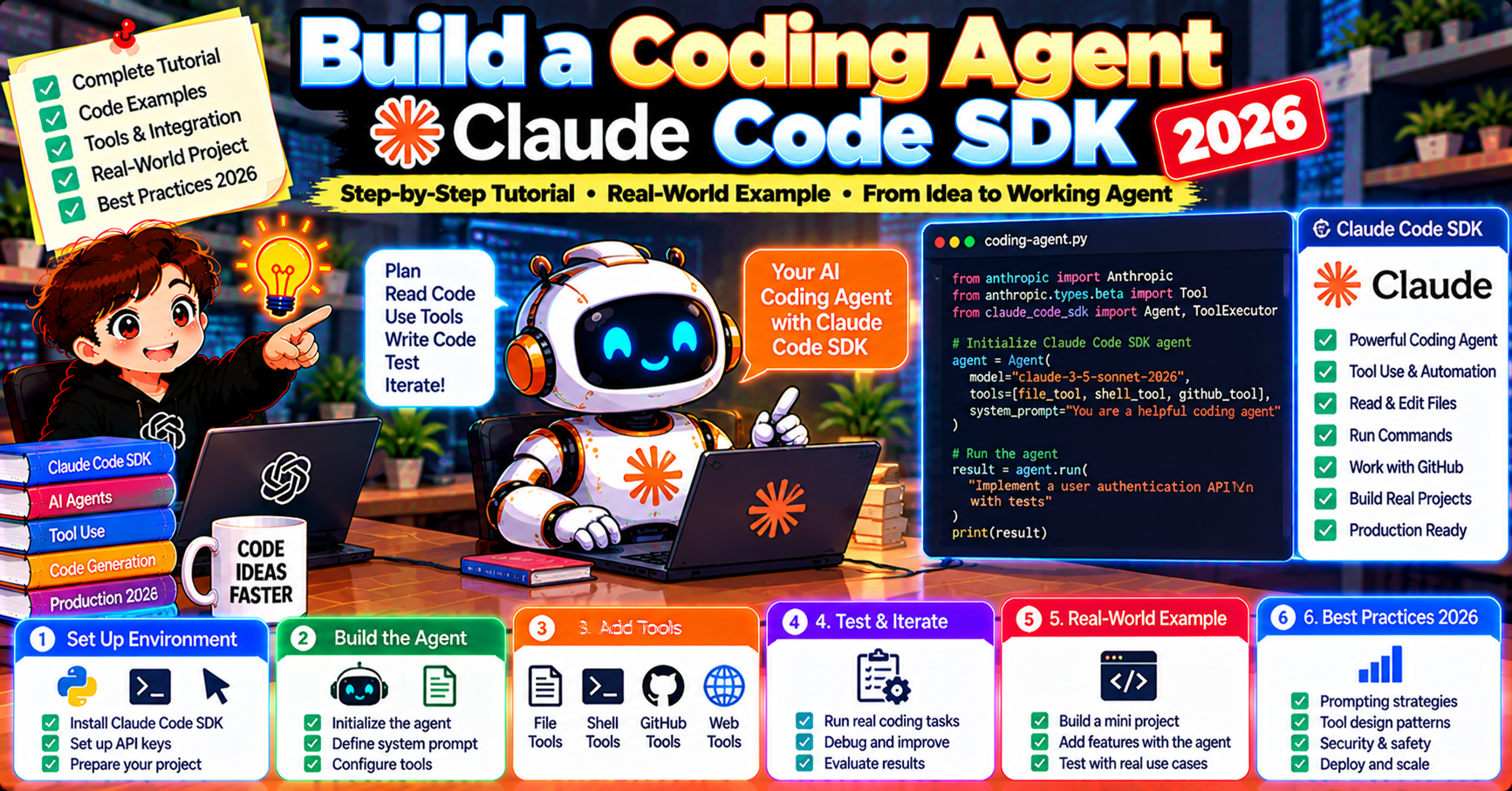
Claude Code SDK is Anthropic’s officially supported interface for building coding agents on top of Claude. Released in 2026 alongside the Claude Code CLI, it packages the file-system access, shell execution, code-aware tool interfaces, and streaming behaviors that production coding agents need. This tutorial walks through building a working coding agent end to end: a code-review-and-refactor agent that reads a repo, finds issues, and proposes fixes. You will understand the SDK primitives well enough to build any coding agent variant.
What Claude Code SDK is
Claude Code SDK (@anthropic-ai/claude-agent-sdk for TypeScript, claude-agent-sdk for Python) is a programmatic interface to Claude’s agent capabilities. It provides:
- File-system tools: Read, Write, Edit, Glob, Grep built-in; Claude can navigate and modify codebases
- Shell execution: Bash tool for running commands with configurable sandboxing
- Multi-turn loop: Claude plans, executes, observes results, iterates until the task is complete
- Streaming events: tool_call, tool_result, text events for real-time UI integration
- Session management: persist agent state across invocations
Think of it as the engine behind the Claude Code CLI, exposed as a library so you can build your own interfaces, integrations, or specialized coding agents.
Install and first run
pip install claude-agent-sdk

# .env
ANTHROPIC_API_KEY=sk-ant-...

from claude_agent_sdk import ClaudeAgent

agent = ClaudeAgent(model="claude-opus-5-5", working_directory="./my-project")
result = agent.run("Explain what the authentication flow does in this codebase.")
print(result.text)
Agent reads files in working_directory, navigates imports, builds understanding, returns an explanation. First run takes 30-120 seconds depending on repo size.
Build a code-review agent
Our agent: reads a Python file, identifies 3 types of issues (bugs, performance, style), proposes fixes with code blocks. Streams results so the UI can display progress.
from claude_agent_sdk import ClaudeAgent

system_prompt = """You are a senior code reviewer.

For each file I ask you to review:
1. Read the file carefully
2. Identify issues in three categories:
   - BUGS: logic errors, incorrect behavior, missed edge cases
   - PERFORMANCE: inefficiencies that matter in production
   - STYLE: readability issues that hurt maintainability
3. For each issue, propose a specific fix as a code block
4. Be concise. Three real issues beat ten minor nitpicks.
5. Do NOT modify files; only propose changes."""

agent = ClaudeAgent(
    model="claude-opus-5-5",
    system_prompt=system_prompt,
    working_directory="./target-repo",
    permission_mode="read-only",  # agent cannot write or execute
)

async for event in agent.run_stream("Review auth/login.py"):
    if event.type == "text_delta":
        print(event.content, end="", flush=True)
    elif event.type == "tool_call":
        print(f"\n[tool: {event.name}({event.args})]")
    elif event.type == "tool_result":
        pass  # usually not displayed to user
The permission_mode="read-only" flag locks the agent out of Write and Bash. Essential for review-only workflows; prevents the agent from accidentally modifying code during review.
Add refactor capability with explicit approval
Upgrade the agent to also apply fixes, but gate every edit behind user approval:
agent = ClaudeAgent(
    model="claude-opus-5-5",
    system_prompt=system_prompt + "\n\nAfter identifying issues, ask the user if they want you to apply each fix.",
    working_directory="./target-repo",
    permission_mode="ask",  # prompt for approval before file writes
    on_tool_call=handle_tool_approval,  # custom approval function
)

def handle_tool_approval(tool_name, tool_args):
    if tool_name in ("Edit", "Write"):
        print(f"\nAgent wants to run {tool_name} with:")
        print(tool_args)
        return input("Approve? (y/n): ").lower() == "y"
    return True  # auto-approve read-only tools
The on_tool_call callback fires before any tool execution; returning False cancels the tool call. The agent sees the cancellation as a tool_result with error = “declined by user” and reacts (usually by moving on to the next step).
Add custom tools (beyond built-ins)
Built-in tools cover file + shell. For domain-specific capabilities, add custom tools:
from claude_agent_sdk import ClaudeAgent, tool

@tool
def run_pytest(path: str) -> str:
    """Run pytest on the specified path and return pass/fail summary."""
    import subprocess
    r = subprocess.run(["pytest", path, "-v"], capture_output=True, text=True)
    return r.stdout[-2000:]  # last 2K chars

@tool
def get_coverage_report(file_path: str) -> str:
    """Return current coverage percentage for the file."""
    # Call your coverage tool, parse output
    return "coverage.py reports 73% for " + file_path

agent = ClaudeAgent(
    model="claude-opus-5-5",
    system_prompt="You are a code reviewer who verifies claims via tests + coverage data.",
    working_directory="./target-repo",
    tools=[run_pytest, get_coverage_report],  # added to built-ins
)
Tools are plain Python functions decorated with @tool. The decorator extracts the signature + docstring; Claude knows the tool name, parameters, and description. No manual JSON schema needed.
Session persistence
For long-running coding agents (CI/CD review bots, continuous refactor jobs), persist the session so you can resume after crashes:
agent = ClaudeAgent(
    model="claude-opus-5-5",
    working_directory="./target-repo",
    session_file="./agent-session.json",  # auto-saves state after each turn
)

# First run
agent.run("Review all files in /auth and propose fixes")

# Resume later (even after a crash)
agent = ClaudeAgent.resume(session_file="./agent-session.json")
agent.run("Continue the review")  # picks up from last turn
Session includes conversation history, pending tool calls, working-directory state. On resume, the agent sees everything it saw before.
Model choice: Opus vs Sonnet for coding agents
Claude Opus 5.5 is the right default for coding agents because:
- Multi-step reasoning over large codebases (chasing imports, understanding architecture)
- Catching subtle bugs that Sonnet-sized models miss
- Code quality on refactor proposals is noticeably higher
Claude Sonnet 5.5 is 5x cheaper and good enough for:
- Simple edits (rename a variable, add a type annotation)
- Lint-level issues
- Format standardization
- Documentation generation
Mix: run a “triage” pass with Sonnet to flag files that need review, then run Opus only on the flagged files. Cuts cost 60-80% with no quality loss on the hard reviews.
Integration patterns
Three common deployment shapes:
1. CI/CD review bot: GitHub Actions trigger on PR; agent reads diff + related files; posts review comments on GitHub via API.
2. Local developer tool: CLI wrapping the SDK; developers run agent on their current branch before pushing. Think “git pre-push hook with Claude.”
3. Hosted service: web UI where users paste a repo URL or upload a zip; agent clones + reviews; results emailed when done.
The SDK does not care about deployment; it is a library. Pick the shape that fits your team.
Common pitfalls
- Agent reads unrelated files: cost blows up on large repos. Mitigate: scope the working_directory to the subdir you care about, OR use .claude-ignore to exclude paths from Glob/Grep results.
- Agent makes wrong edits: use permission_mode=”ask” or “read-only” during development; only move to “auto” after extensive testing.
- Agent gets stuck in exploration: tightens via system prompt (“budget: max 10 file reads, then propose fixes”). Also set max_turns or hard cost cap.
- Streaming lag: Claude Opus 5.5 has first-token latency around 2-5 seconds. For UX, show “Thinking…” immediately then stream tokens as they arrive. Do NOT wait for the final text to display something.
Cost ceilings in production
Agents can accidentally burn large amounts. Protection:
agent = ClaudeAgent(
    model="claude-opus-5-5",
    working_directory="./target-repo",
    max_turns=15,         # cap number of turns
    max_cost_usd=0.50,    # cap total cost per run
    on_cost_warning=lambda cost: print(f"[warning] cost at ${cost:.2f}"),
)
Enforced by the SDK. If cost exceeds the cap mid-run, the agent raises CostLimitExceeded; your code catches and decides whether to extend the cap or abort.
Frequently Asked Questions
Official documentation
Is Claude Code SDK the same as Claude Code CLI?
CLI is the end-user application built on top of the SDK. SDK is the library you use to build your own agent, CLI, or integration. Install Claude Code CLI with npm; install Claude Code SDK with pip or npm depending on your language.
Does it work in a sandboxed environment?
Yes. Pass sandbox_mode = True to run shell commands inside a Docker container. For zero-shell agents (file-only), set permission_mode = “read-only” and shell is disabled entirely.
Can I use Claude Code SDK with GPT models?
No. Claude Code SDK is Anthropic-specific. For a provider-agnostic coding agent, use the raw Anthropic/OpenAI SDK with custom tool definitions. The convenience of built-in file + shell tools comes at the cost of provider lock-in.
How does it compare to Cursor or Windsurf?
Cursor and Windsurf are complete IDE products with Claude-powered agents built-in. Claude Code SDK is a library to build YOUR coding agent (which could be an IDE, a CI bot, a hosted service, etc). Different scopes: products vs. library.
Can I use the SDK for non-code tasks?
Yes. The SDK’s file + shell tools work for any file-and-shell workload (data processing, system administration, document management). “Code” in the name reflects the primary use case but the SDK is general-purpose.
Is the SDK stable or experimental?
GA in 2026 after a 2025 beta. SemVer stable. Anthropic maintains it as a first-party product; expect active development and regular feature releases.

Angel Jude Suarez
Full-Stack Developer at PIES IT Solution
Focuses on Python development, machine learning, and AI integration. Has built production AI systems including OpenAI Whisper integration for medical transcription and GPT-4o-powered diagnosis assistance. Strong background in pandas, scikit-learn, and TensorFlow.
Expertise: Python · PHP · Java · VB.NET · ASP.NET · Machine Learning · AI Integration · OpenCV · Django · CodeIgniter · View all posts by Angel Jude Suarez →