
Scientific Calculator In Python With Source Code
Scientific Calculator in Python was developed in Python Programming Language using Graphical User Interface (GUI) Design.
This Calculator In Python is a simple project that’s good for students or beginners who want to learn programming, especially Python.
Calculator for Scientific Work Python is a basic project that was created with Python.
A Python script (my_Calculator.py) is included in the project file. This is a straightforward GUI-based project that is simple to grasp and utilize.
In addition, this project provides a simple approach for the user to learn how to execute numerical calculations.
Like a regular calculator, the project includes numbers, operators, and signs.
As a result, the user can enter any number or simply click on the numbers in the calculations that they want. As a result, the user can use this application as a simple calculator.
Python is used to create this scientific calculator project. When it comes to the system’s features, this python program is built to convert entered integers into any operations and to handle any form of exception.
Furthermore, the system’s design is simple enough that the user will have no problems working with it.
This Scientific Calculator Project In Python also includes a downloadable Scientific Calculator In Python Source Code for free, just find the downloadable source code below and click to start downloading.
By the way, if you are new to Python programming and don’t know what Python IDE is? I have here a list of the Best Python IDE for Windows, Linux, Mac OS that will suit for you. I also have here How to Download and Install Latest Version of Python on Windows.
Scientific Calculator In Python With Source Code: Steps on how to run the project
Time needed: 5 minutes
These are the steps on how to run a Scientific Calculator In Python With Source Code
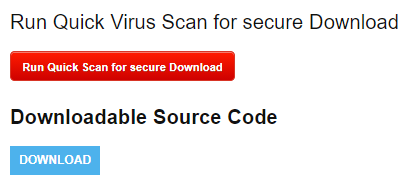
- Step 1: Download Source Code
First, download the given source code from the site.

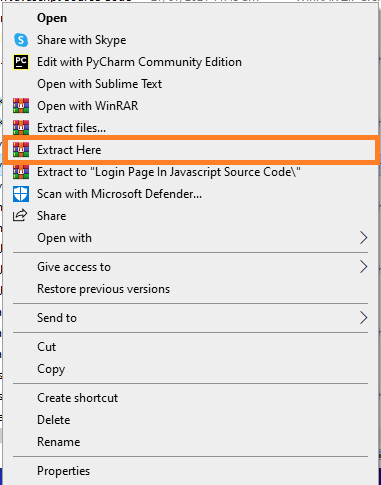
- Step 2: Extract File
Next, extract the zip file.

- Step 3: Open PyCharm Community
Next, Open PyCharm Community IDE.

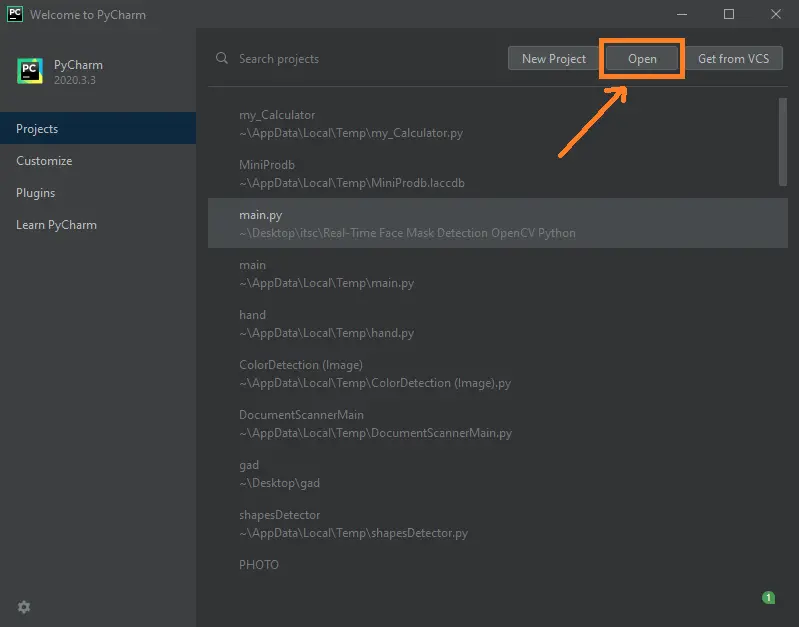
- Step 4: Open Project
Next, Open the project you’ve downloaded from the site.

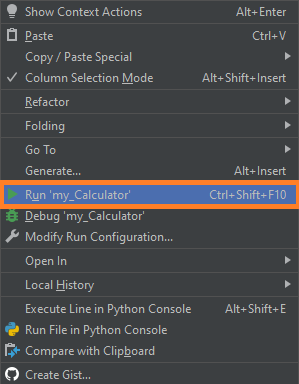
- Step 5: Run Project
Last, run the project and explore manipulating scientific calculator.


Scientific Calculator In Python : Project Information
| Project Name: | Scientific Calculator In Python |
| Language/s Used: | Python (GUI) Based |
| Python version (Recommended): | 2.x or 3.x |
| Database: | None |
| Type: | Python App |
| Developer: | IT SOURCECODE |
| Updates: | 0 |
Downloadable Source Code
I have here the list of Best Python Project with Source code free to download for free, I hope this can help you a lot.
Summary
In this article, we labored at the Python undertaking to construct a Scientific Calculator.
I wish you discovered new matters and loved constructing this thrilling Python undertaking. Share the item on social media together along with your pals and colleagues.
Related Articles
- Registration Form In Python With Source Code
- Python MySQL UPDATE Query: Step-by-Step Guide in Python
- Bank Management System Project in Python With Source Code
- Python MySQL INSERT Query: Step by Step Guide in Python
- How To Make Game In Python With Source Code
- Calculator In Python With Source Code
Inquiries
If you have any questions or suggestions about Scientific Calculator In Python With Source Code, please feel free to leave a comment below.
Technology stack and requirements
To run this Python project on your development machine, you need:
- Python 3.10 or higher. Download from python.org or install via Anaconda if you prefer bundled packages.
- pip package manager. Comes with Python. Used to install project dependencies from requirements.txt.
- Virtual environment. Use venv or conda to isolate project dependencies from your global Python install.
- VS Code or PyCharm. Free code editors with Python syntax highlighting, IntelliSense, and debugging.
- Git. For version control and cloning source code repositories.
Installing the source code
- Download or clone the repository. Get the ZIP archive from the download link on this page and extract it.
- Create a virtual environment. Open a terminal in the project folder and run: python -m venv venv, then activate it (venv\Scripts\activate on Windows or source venv/bin/activate on Mac/Linux).
- Install dependencies. Run pip install -r requirements.txt to install all libraries the project needs.
- Configure environment variables. If the project uses API keys (OpenAI, Anthropic, database), create a .env file and set the required keys.
- Run the project. Follow the run command in the README (usually python main.py or streamlit run app.py).
Using this project for your BSIT capstone
- Chapter 1 (Introduction). Discuss the real-world problem this system solves. Cite Philippine or international use cases where the manual process could be automated.
- Chapter 2 (RRL). Compare your project against 5-10 similar published works. Cite ACM, IEEE, or arXiv papers for academic-standard sources.
- Chapter 3 (Methodology). Document the model architecture, training data, hyperparameters, and evaluation metrics used.
- Chapter 4 (Results). Report accuracy, precision, recall, F1-score, and confusion matrix. Screenshot the running app on real inputs.
- Chapter 5 (Conclusion). Identify features for Version 2: better model, larger dataset, mobile deployment, or REST API.
Modules typical of Scientific Calculator
- Core Python logic. Main functions implementing the business logic of the system.
- Data storage. SQLite for simple projects, PostgreSQL or MongoDB for larger data.
- User interface. Tkinter for desktop, Streamlit for data dashboards, or Flask/FastAPI for web.
- Input validation. Type checking and range validation before processing user data.
- Reports. CSV or PDF export using pandas.to_csv() or ReportLab.
- Testing. pytest unit tests covering core functions.
Common enhancements for capstone review
- Add REST API. Convert desktop app to FastAPI service for mobile or web front-ends.
- Multi-user support. Add login, roles, and per-user data isolation.
- Cloud deployment. Deploy to Render, Railway, or Fly.io for public access.
- Docker containerization. Package the app in Docker for portable deployment.
Official documentation
Frequently Asked Questions
How does this Python calculator project work?
Built with Tkinter Frame + Entry widget + Button grid. Each digit/operator button appends to display. = button uses eval() (simple) or proper expression parser (safer). Foundation for any GUI Python beginner project.
What Python version and libraries does this project require?
Most projects in this batch use Python 3.10, 3.11, or 3.12 (avoid 3.13 until library wheels catch up). Standard libs: tkinter (built-in), sqlite3 (built-in). External: pip install pillow opencv-python pygame mysql-connector-python reportlab requests beautifulsoup4. Check the requirements.txt file (if included) for exact versions.
How do I set up the database for this Python project?
For SQLite (most common, no setup needed): the .db file auto-creates on first run. For MySQL: install MySQL Server + MySQL Workbench, create an empty database, import the included .sql file, edit the connection string in db.py (or db_connect.py) with your host, user, password, database name.
Can I use this Python project for a BSIT capstone or thesis?
Yes. Python is rising fast in Philippine BSIT panels. Extend it: add user roles via auth module, dashboards (matplotlib charts), PDF reports (reportlab), email notifications (smtplib), real domain extension (analytics, audit log, multi-branch support). Pair with Chapter 1-5 documentation matching your panel’s rubric.
Why am I getting ‘ModuleNotFoundError’ or ‘No module named X’?
Three common Python issues: (1) Module not installed: pip install
Where can I find more Python projects with source code?
Browse the Python Projects hub for the full library. For computer vision specifically see OpenCV Projects (46 vision systems). For ML / AI capstones see Machine Learning Projects. For BSIT capstone idea lists see 150 Best Capstone Project Ideas.

Angel Jude Suarez
Full-Stack Developer at PIES IT Solution
Focuses on Python development, machine learning, and AI integration. Has built production AI systems including OpenAI Whisper integration for medical transcription and GPT-4o-powered diagnosis assistance. Strong background in pandas, scikit-learn, and TensorFlow.
Expertise: Python · PHP · Java · VB.NET · ASP.NET · Machine Learning · AI Integration · OpenCV · Django · CodeIgniter
· View all posts by Angel Jude Suarez →