
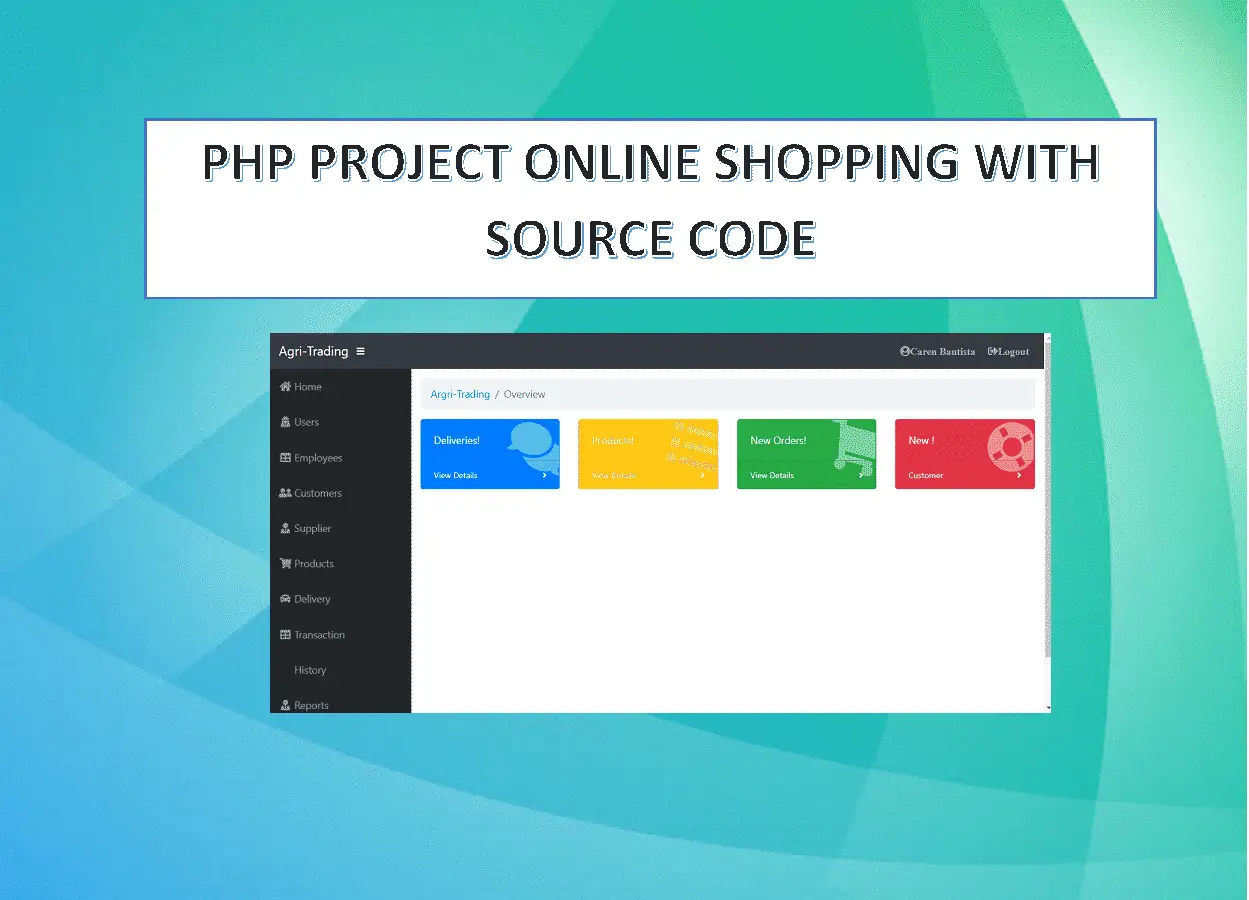
Agri-Trading Online Shopping System Project in PHP with Source Code is a prime task for an organization to achieve its goals of maintaining appropriate level of inventory and minimizing waste.
PHP has been employed as a development language and MySQL as a backend database with CSS implemented for the interface.
One way of managing inventory is to have a web-based system in place that can instantly track and update the information about the products.
The importance of implementing a web based inventory system is becoming vital as most of the time the information are accessible instantly.
Thereby making the details of the usage of the equipment available, and improving the movement and anticipation of their demand as well as the productivity of the system as a whole.
Agri-Trading Online Shopping System Project in PHP Features
These are the following features of the system:
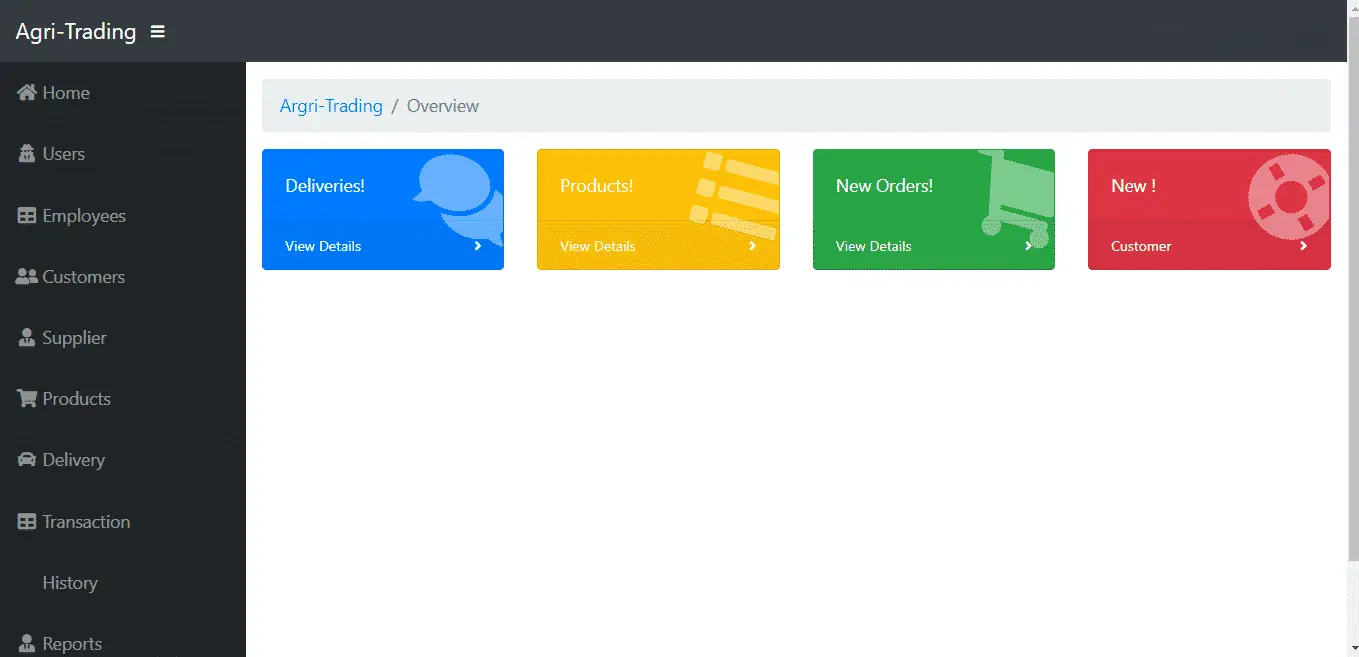
Agri-Trading Online Shopping System Project in PHP with Source Code features for Admin Side
- Home
In the Homepage you will be able to see the whole function of the system. That includes users, employees, customers, supplier, products, delivery, transaction, history and reports.
- Users
Admin can add, update and Block Users in the system.
- Employees
The admin can manage all the employees information.
- Customers
The admin can see all the information of the customers who buy their products,
- Supplier
The admin can see information of all suppliers for their products.
- Products
The admin has access to the product management information system. He can add, edit and update the menu.
- Delivery
The admin can cancel and confirmed the delivery and can view all the customers purchase products.
- Transaction
The admin can see all the transactions of all customers .
- Login Logout
By default one of the security features of this system is the secure login and logout system. The login and logout system of this inventory management system source code in PHP uses a session. It means that the user can only log in at once on the same browser.
Front-end Features of Agri-Trading Online Shopping System Project in PHP
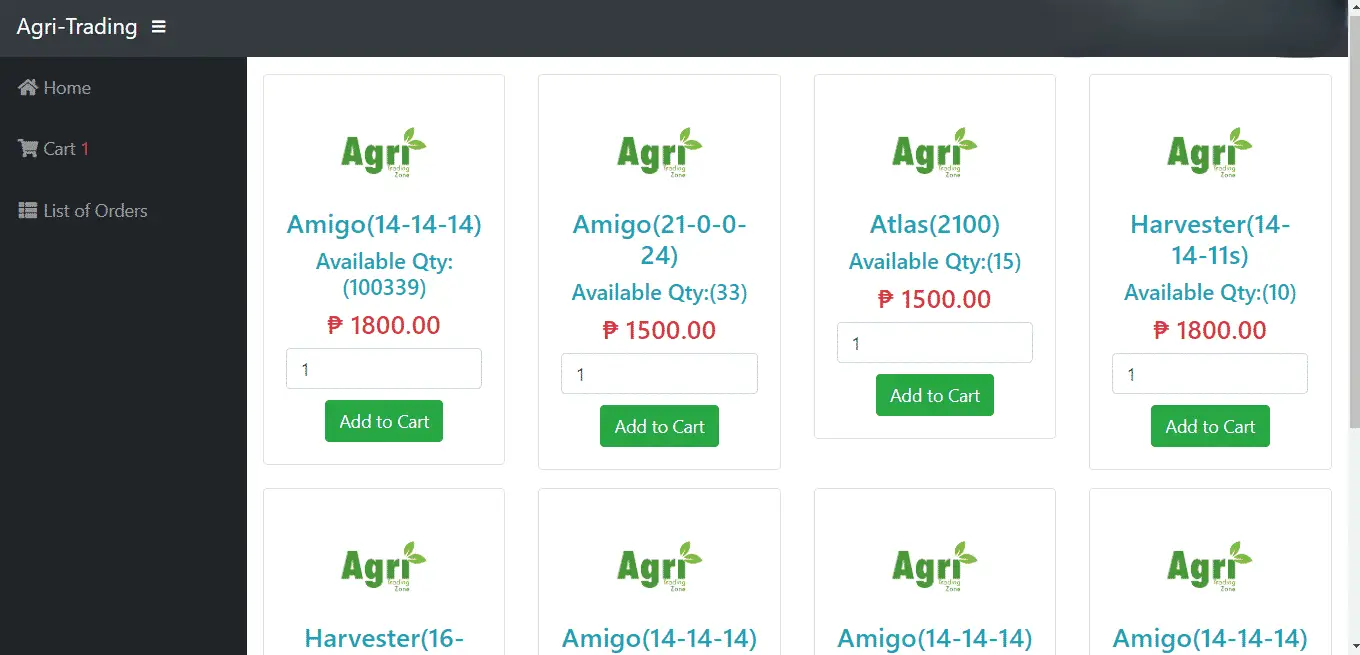
- Home – A home page is a webpage that serves as the starting point of website. It is the default webpage that loads when you visit a web address. On the home page, you can see directly the list of product for sale, cart and list of orders.
- Cart – is a piece of software that keeps the record of the items a buyer has ‘picked up’ from the online store.
- List of Orders – in the list of order you will be able to see all the purchase of the customers.
How To Run The Project?
To run this project, you must have installed a virtual server i.e XAMPP on your PC (for Windows).
This PHP Project Online Shopping with Source Code is free to download, Use for educational purposes only!
After Starting Apache and MySQL in XAMPP, follow the following steps.
1st Step: Extract file
2nd Step: Copy the main project folder
3rd Step: Paste in xampp/htdocs/
4th Step: Open a browser and go to URL “http://localhost/phpmyadmin/”
5th Step: Then, click on the databases tab
6th Step: Create a database naming “teambam” and then click on the import tab
7th Step: Click on browse file name db and select “ teambam.sql” file which is inside the “teambam” folder.
8th Step: Click on go.
After Creating Database,
9th Step: Open a browser and go to URL “http://localhost/teambam/index.php”
For the admin section go to “http://localhost/teambam/admin.php”
Username: admin
Password: admin
DOWNLOAD THE SOURCE CODE
For more PHP Projects with Source code free to download, you can find it here.
Technology stack and requirements
To run this PHP project, you need these tools on your development machine:
- XAMPP or WAMP server. Bundles Apache, MySQL, and PHP so you can run PHP on Windows without individual installs. Free from apachefriends.org.
- PHP 8.0 or higher. Included with XAMPP. Older versions (5.x, 7.x) may work but modern PHP features improve security and performance.
- MySQL or MariaDB. Comes with XAMPP. phpMyAdmin manages the database through a browser UI.
- VS Code or PhpStorm. Free code editor with PHP syntax highlighting, IntelliSense, and debugging support.
- Web browser. Chrome, Firefox, or Edge for testing the running app.
Installing the source code
- Download the archive. Get the ZIP file from the download link on this page and extract it.
- Move to htdocs. Place the extracted folder inside C:\xampp\htdocs\ so Apache can serve it.
- Import the database. Open http://localhost/phpmyadmin, click Import, and select the .sql file included in the archive.
- Update database credentials. Open the config.php or connection.php file and set the correct database name, username, and password (default XAMPP: root / empty password).
- Run the project. Start Apache + MySQL in XAMPP, then visit http://localhost/your-project-folder/ in a browser.
Using this project for your BSIT capstone
This PHP project maps cleanly to standard BSIT capstone documentation. Suggested chapter alignment:
- Chapter 1 (Introduction). Discuss the problem the system solves in real-world context. Cite Philippine business or academic use cases where a manual process could be replaced.
- Chapter 2 (Review of Related Literature). Compare this system’s features against 5-10 similar published projects. Cite journals like IJERT or IEEE Access for academic-standard sources.
- Chapter 3 (Methodology). Include Use Case Diagram, Data Flow Diagram, Entity Relationship Diagram, and Activity Diagram covering all major workflows.
- Chapter 4 (Results and Discussion). Screenshot each module of the running system with a caption explaining what data it processes and which user role interacts with it.
- Chapter 5 (Conclusion and Recommendations). Identify features that could be added in a Version 2, such as mobile app, REST API export, or AI-powered analytics.
Modules typical of Agri-Trading Online Shopping System Project
- Product catalog. CRUD for products with categories, images, variants (size, color), and stock.
- Shopping cart. Session-based cart that survives page reloads for guest users.
- Checkout. Guest and registered-user checkout with address, shipping, and payment.
- Order management. Admin view of orders with status (Pending, Processing, Shipped, Delivered).
- Customer account. Login, profile, address book, and order history.
- Reports. Best-selling products, revenue by category, cart abandonment analytics.
Common enhancements for capstone review
- Payment gateway. Integrate GCash, PayMaya, Stripe, or PayPal for real transactions.
- Product reviews. Post-purchase review flow with star ratings.
- Wishlist. Save-for-later list per customer.
- Coupon codes. Percentage or fixed-amount discounts with expiry dates.
Official documentation
Get the ready-to-defend package: complete PHP + MySQL source code, full Chapter 1-5 documentation, 6 UML diagrams, ERD, installation guide, user manual, and defense presentation template. Save 3 to 4 weeks of capstone work.
Sold via Gumroad. See our affiliate disclosure.
Frequently Asked Questions
How does this PHP ecommerce or online shopping system work?
Frontend: product catalog with categories, search, cart (session-based), checkout. Backend: order management, payment gateway integration (PayPal/Stripe), shipping, customer accounts, order history.
What PHP and MySQL versions does this project require?
Most projects in this batch run on PHP 7.4 to PHP 8.2 with MySQL 5.7+ or MariaDB 10+. A few older projects need PHP 5.6 (deprecated, use XAMPP 7.x). To run: install XAMPP / WAMP / Laragon, extract project to htdocs, import the included .sql file via phpMyAdmin, edit the connection file (usually config.php or db_connect.php) with your DB credentials, browse to the project URL in your browser.
How do I set up the database for this PHP project?
Open phpMyAdmin (http://localhost/phpmyadmin/ on XAMPP), create a new empty database with the name specified in the project’s config.php. Click the Import tab, choose the included .sql file, click Go. Then edit config.php (or includes/connection.php) with: ‘localhost’, your MySQL username (usually ‘root’), your MySQL password (usually blank for XAMPP), and the database name.
Can I use this PHP project for a BSIT capstone or thesis?
Yes, but extend it. A bare CRUD app is too narrow for full capstone scope. Add: user roles via session checks, reports/dashboards (Chart.js + AJAX), PDF exports (TCPDF library), email notifications (PHPMailer), real domain extension (analytics, audit log, multi-branch support). Pair with Chapter 1-5 documentation matching your panel’s rubric.
Why am I getting ‘connection error’ or ‘undefined function mysqli_connect’?
Three common PHP issues: (1) Connection error: Apache + MySQL services not running in XAMPP control panel, OR database name in config.php does not match what you created in phpMyAdmin. (2) ‘undefined function mysqli_connect’: MySQL extension not enabled, in php.ini uncomment extension=mysqli (then restart Apache). (3) ‘No such file or directory’: MySQL socket path wrong, use 127.0.0.1 instead of localhost in the connection string.
Where can I find more PHP projects with source code?
Browse the PHP Projects hub for the full library (300+ vanilla PHP systems). For modern PHP MVC alternatives see Laravel Projects (74 systems) or CodeIgniter Projects (32 systems). For BSIT-focused capstone idea lists see 150 Best Capstone Project Ideas.
Related PHP Projects
- Online Voting System Project In PHP With Source Code
- Online Pharmacy System Free Source Code
- Online Admission System Project In PHP MySQL Source Code
- Online Book Store Project In PHP With Source Code
- Online Examination System In PHP
- Online Cellphone System Using PHP
Inquiries
If you have any questions or suggestions about this PHP Project Online Shopping with Source Code, let me know. Just simply leave a comment below.

Adones Evangelista
Programmer & Technical Writer at PIES IT Solution
Adones Evangelista is a programmer and writer at PIES IT Solution, author of over 900 tutorials and error-fix guides at itsourcecode.com. Specializes in JavaScript, Django, Laravel, and Python error debugging covering ValueError, TypeError, AttributeError, ModuleNotFoundError, and RuntimeError, plus C/C++ and PHP capstone projects for BSIT students.
Expertise: JavaScript · Python · Django · Laravel · Error Debugging · C/C++ · View all posts by Adones Evangelista →
I have this problem
Fatal error: Call to undefined function array_column() in C:\wamp\www\my\my\indexx.php on line 9
Please could you solve this problem?
hello
i have a problem with import the SQL file. after successful import, it brings error please help. below is the error i copied
—- Database: `teambam`—- ———————————————————— Table structure for table `history`–CREATE TABLE `history` ( `h_id` int(50) NOT NULL, `NAME` varchar(50) NOT NULL, `USERNAME` varchar(50) NOT NULL) ENGINE=InnoDB DEFAULT CHARSET=latin1
$tnum=$tquery->num_rows-1;
what isthe importance of a neagetive one in tha syntaxs above
wha is the inmpotans of a negative in this sytnaxsv $tnum=$tquery->num_rows-1;
Unable to connect. Check your connection parameters.
Please the admin file does not exist in the TEAMBAM folder,
thank you.
code the following:
describe history;
it worked for me.
I can’t login as the admin. Keeps on saying nouser after i use the admin admin password
database file missing.
logout is not working
Please where in the folder can I find the main project file? Indicate it for me.