
![[Complete] Course Management System in Laravel with Source Code](https://itsourcecode.com/wp-content/uploads/2022/02/Complete-Course-Management-System-in-Laravel-with-Source-Code.png)
[Complete] Course Management System in Laravel with Source Code
The Course Management System Project in Laravel with Source Code is a Laravel framework-based course management system. It is applicable to any college or university.
This will aid in the naming of courses in a college or university. It contains a lot of features and more may be added in the future. Anyone may use it for a university course system.
What is Course Management System in Laravel?
A course management system (CMS) is a set of software tools that allows students to connect with each other in an online setting.
A Course Management System (CMS) often comprises a number of online tools and environments, such as: An area for professors to publish class materials such as syllabuses and handouts.
What is Laravel and why it is used?
Laravel is a web application framework with expressive, elegant syntax.
The Laravel attempts to take the pain out of development by easing common tasks used in the majority of web projects, such as authentication, routing, sessions, and caching and has a high level of abstraction which shields the common developer from complex inner workings.
| ABOUT PROJECT | PROJECT DETAILS |
|---|---|
| Project Name : | Course Management System in Laravel |
| Project Platform : | Php |
| Programming Language Used: | Laravel Language |
| Developer Name : | itsourcecode.com |
| IDE Tool (Recommended): | Sublime |
| Project Type : | Web Application |
| Database: | MySQL |
| Upload Date and Time: |
Admin Features in Course Management System Project in Laravel
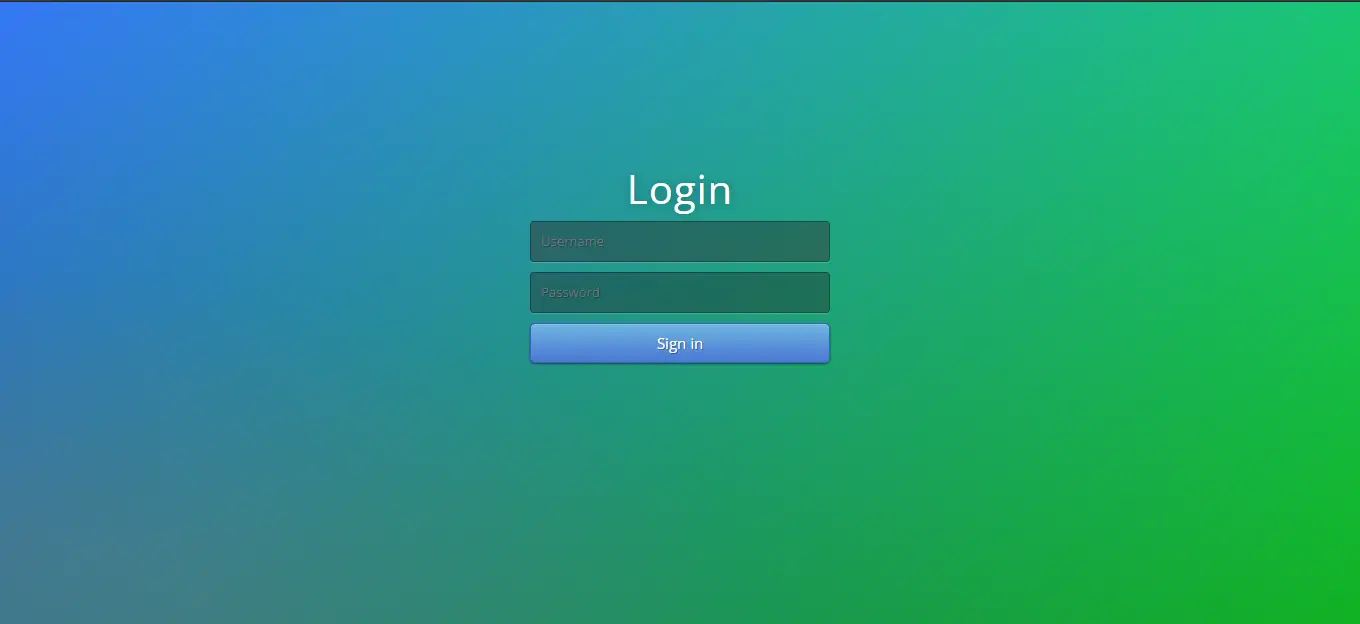
- Login Module – This is the module where the system administrator enters their credentials to obtain access to the course management system data.
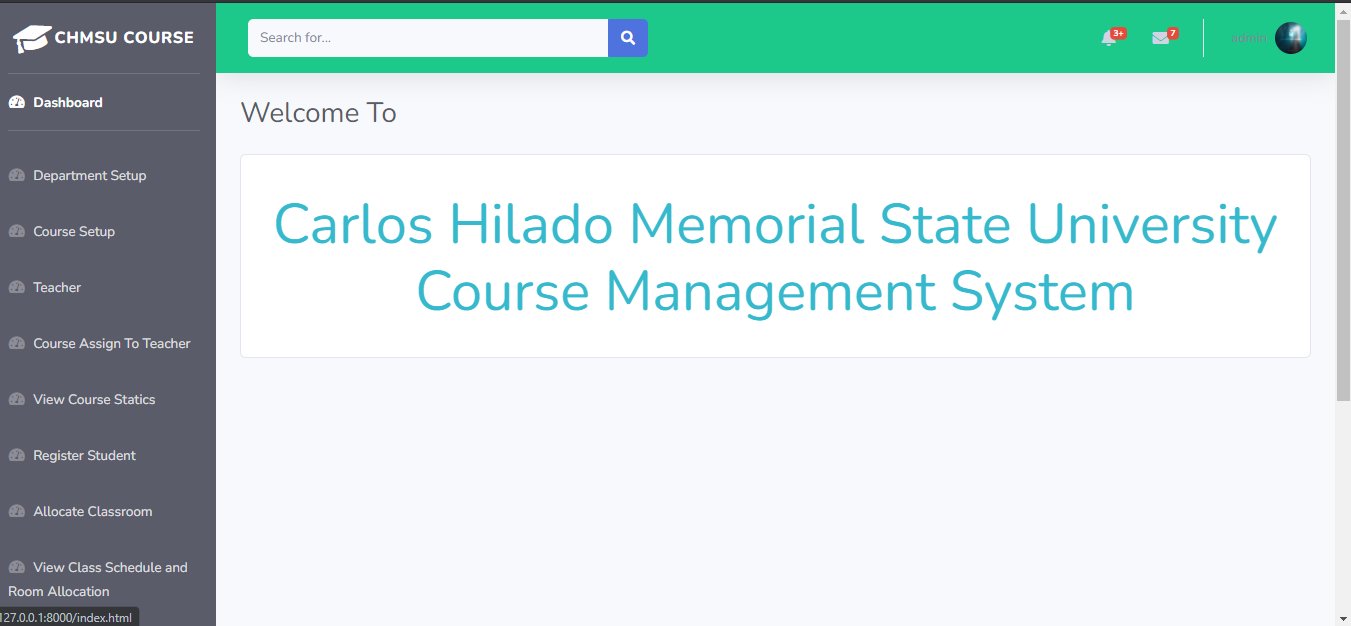
- Dashboard Module – After logging in, system administrators are automatically directed to this module.
- Teacher Module – The system administrator can can add, update, delete and view teacher information.
- Course Assign to Teacher Module – This is the module where the administrator can assign course to the teacher.
- View Course Static Module – This is the module where the system administrator can view course statistics.
- Register Student Module – The system administrator can use this module to register the student information.
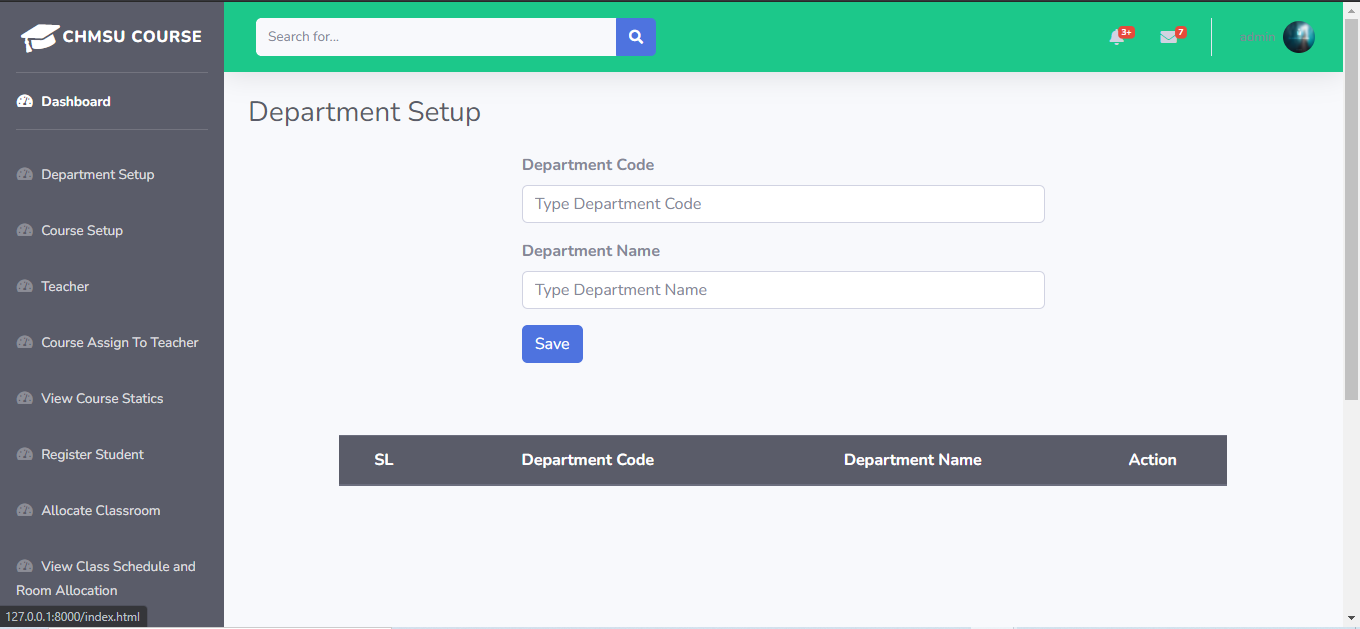
- Department Module – This is the module where the system administrator can add, view and delete department details.
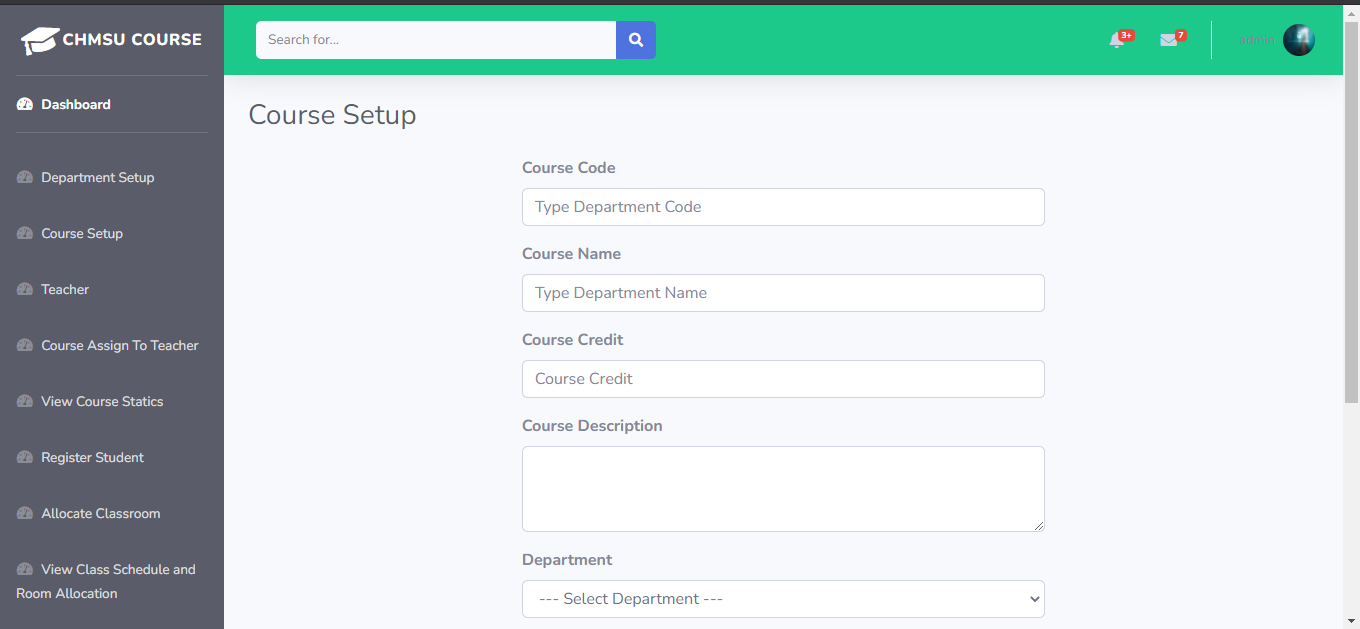
- Course Module – The system administrator can use this module to add, update, and delete course information.
- Allocate Classroom – This is the module where the admin can allocate classroom.
- View Class Schedule and Room Allocation Module – The system administrator can view the Class Schedule and Room Allocation.
- Enroll Course Module – This is the module where the admin can enroll the student course.
- Student Result Save Module – This is the module where the admin can save the student result.
- Unassigned All Courses Module – This is the module where the administrator can unassigned all courses.
- Unassigned All Classroom Module – This is the module where the admin can unassigned all classroom.
Screenshots Module of Course Management System Project in Laravel
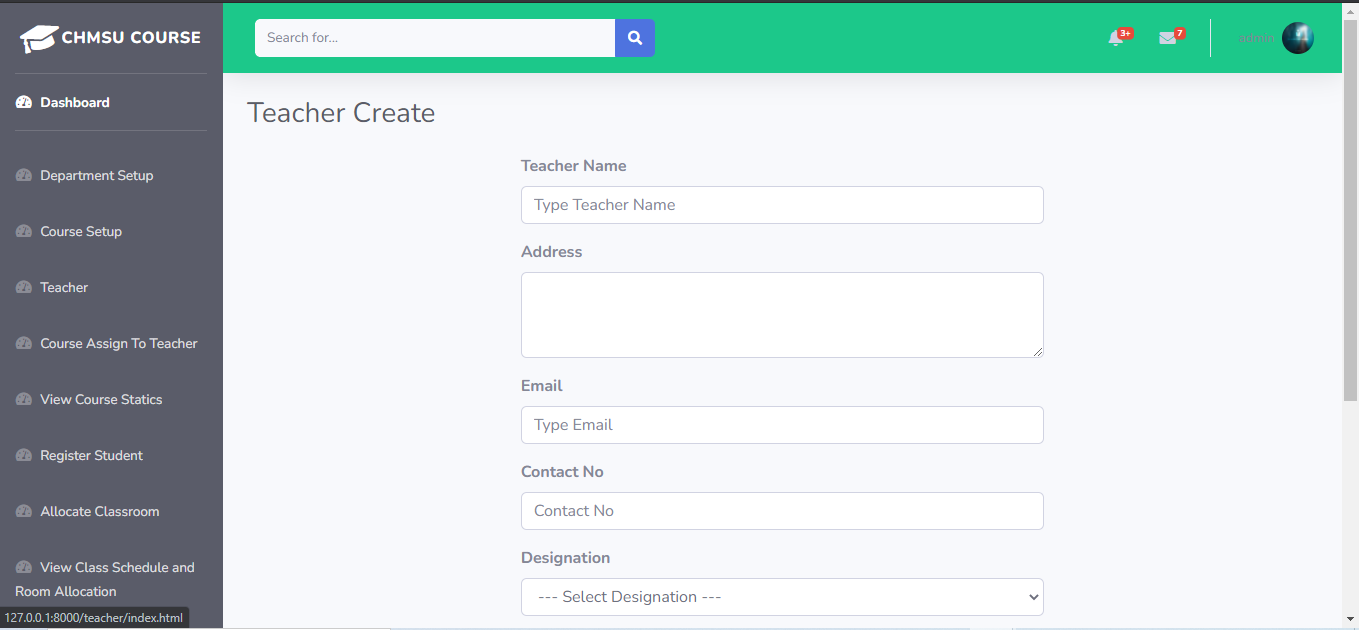
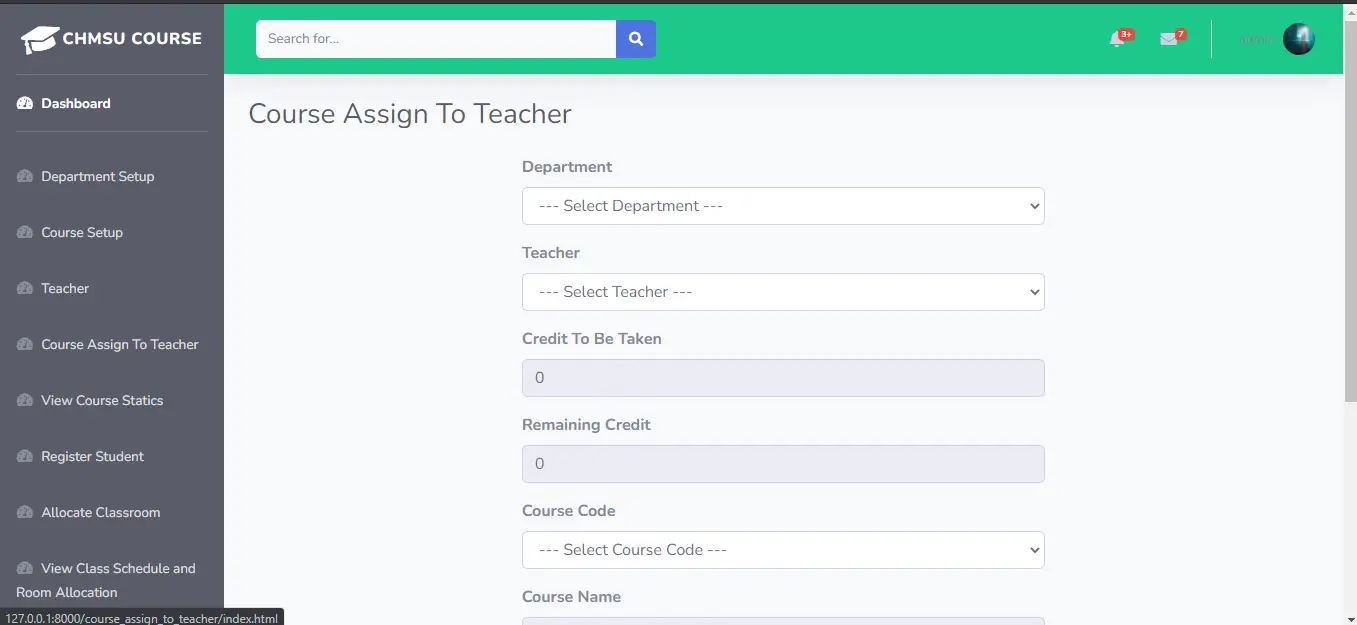
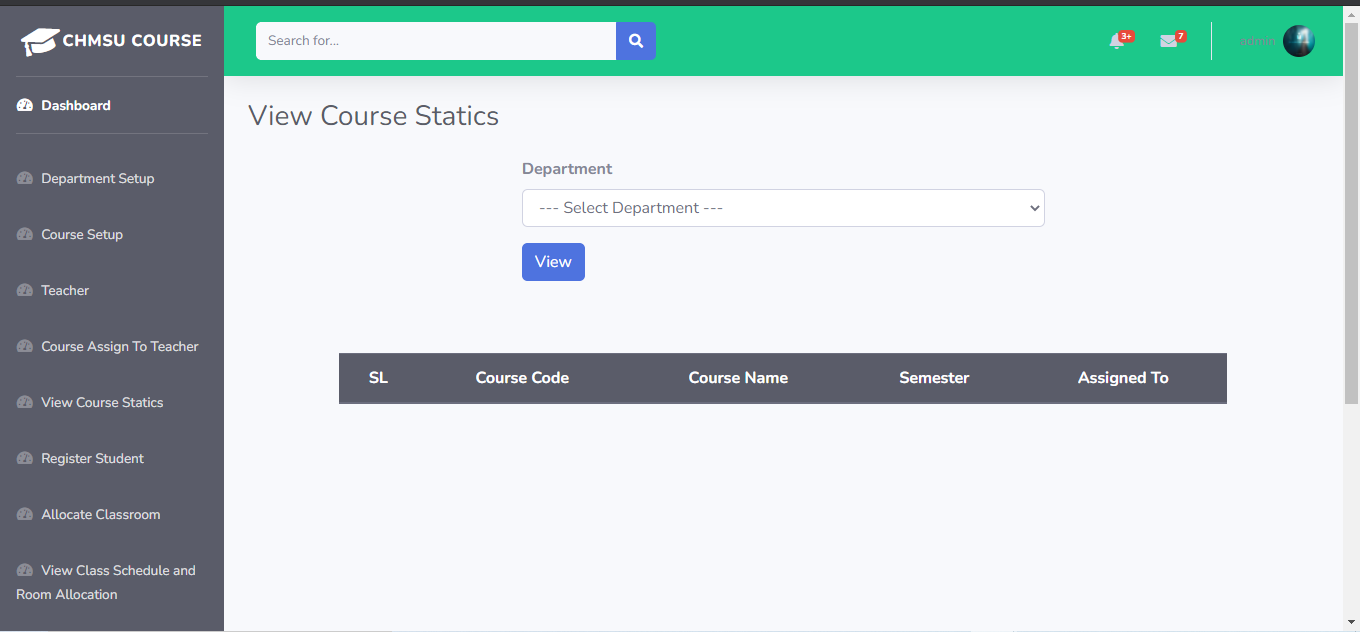
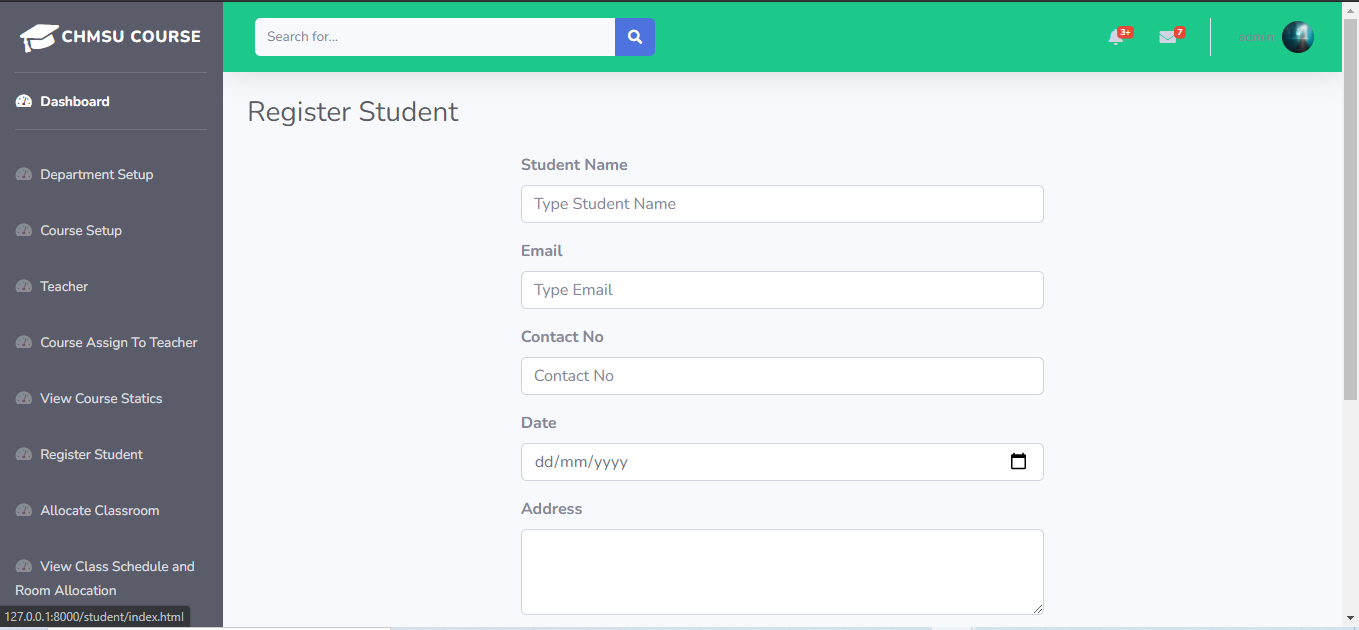

Laravel Course Management System Steps On How To Run The Project
Time needed: 5 minutes
Here are the steps on how to run a Course Management System in Laravel.
- Step 1: Installed the composer and the Laravel dependencies
First, You need to install first the Composer and the Laravel libraries.
![Download Composer in [Complete] Course Management System in Laravel with Source Code](data:image/svg+xml;base64,PHN2ZyB4bWxucz0iaHR0cDovL3d3dy53My5vcmcvMjAwMC9zdmciIHdpZHRoPSIxMzY2IiBoZWlnaHQ9IjcyOCIgdmlld0JveD0iMCAwIDEzNjYgNzI4Ij48cmVjdCB3aWR0aD0iMTAwJSIgaGVpZ2h0PSIxMDAlIiBzdHlsZT0iZmlsbDojY2ZkNGRiO2ZpbGwtb3BhY2l0eTogMC4xOyIvPjwvc3ZnPg==)
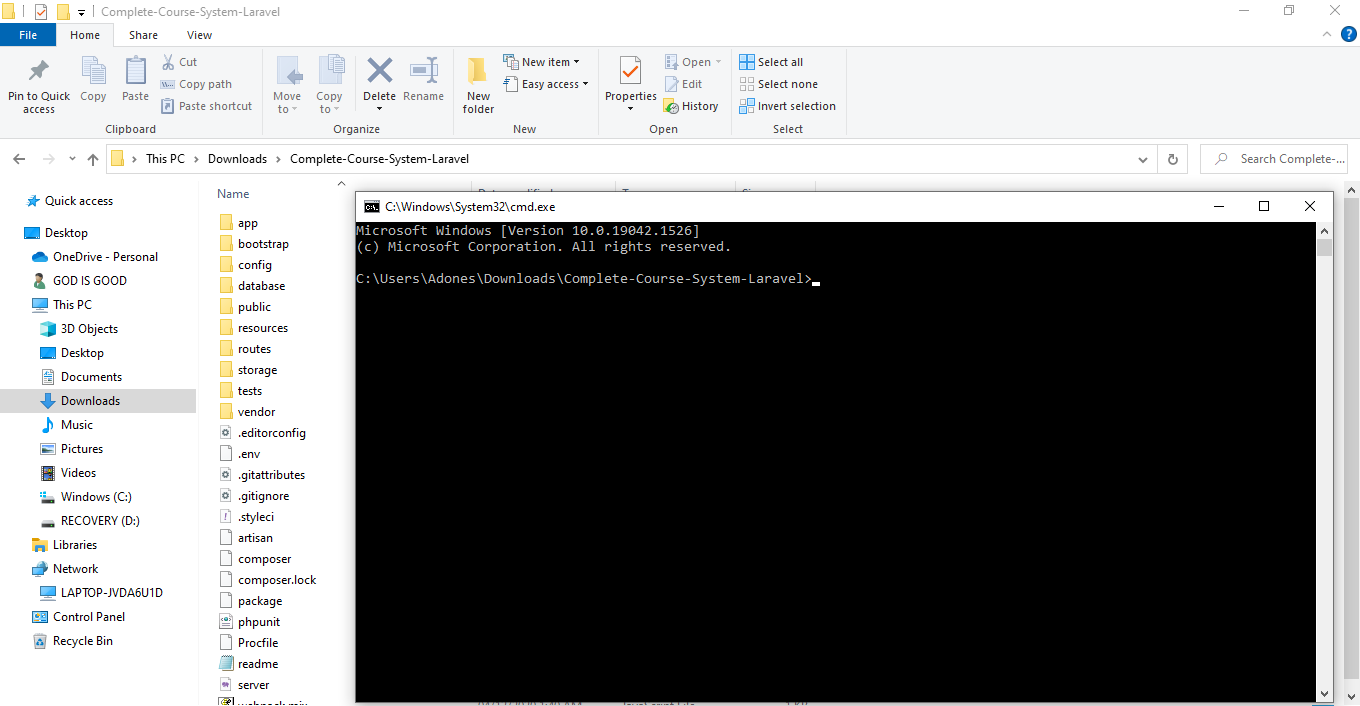
- Step 2: Open Command Prompt
Next, go to the project folder directory then type CMD to open the command prompt.

- Step 3: Composer Install
Then, After you finish to installed the composer and the Laravel. now type “composer install” in your command prompt to install the composer dependencies.
![composer install in [Complete] Course Management System in Laravel with Source Code](data:image/svg+xml;base64,PHN2ZyB4bWxucz0iaHR0cDovL3d3dy53My5vcmcvMjAwMC9zdmciIHdpZHRoPSIxMzYwIiBoZWlnaHQ9IjM2NSIgdmlld0JveD0iMCAwIDEzNjAgMzY1Ij48cmVjdCB3aWR0aD0iMTAwJSIgaGVpZ2h0PSIxMDAlIiBzdHlsZT0iZmlsbDojY2ZkNGRiO2ZpbGwtb3BhY2l0eTogMC4xOyIvPjwvc3ZnPg==)
- Step 4: php artisan key:generate
After that, then type “php artisan key:generate ” in your command prompt. A command that sets the APP_KEY value in your . env file. By default, Run the following command to have the database tables migrated for you so that you can begin using the system.
![key generate in [Complete] Course Management System in Laravel with Source Code](data:image/svg+xml;base64,PHN2ZyB4bWxucz0iaHR0cDovL3d3dy53My5vcmcvMjAwMC9zdmciIHdpZHRoPSIxMzYwIiBoZWlnaHQ9IjE0MCIgdmlld0JveD0iMCAwIDEzNjAgMTQwIj48cmVjdCB3aWR0aD0iMTAwJSIgaGVpZ2h0PSIxMDAlIiBzdHlsZT0iZmlsbDojY2ZkNGRiO2ZpbGwtb3BhY2l0eTogMC4xOyIvPjwvc3ZnPg==)
- Step 5: Create Database
After that, To install and run the application correctly. Simply go to phpmyadmin and make a new database. After that, “Be” and rename it to “.env“, then go to connection and modify the default database connection name, only database connection, database username, and password.
![create database in [Complete] Course Management System in Laravel with Source Code](data:image/svg+xml;base64,PHN2ZyB4bWxucz0iaHR0cDovL3d3dy53My5vcmcvMjAwMC9zdmciIHdpZHRoPSIxMzYwIiBoZWlnaHQ9IjcyOCIgdmlld0JveD0iMCAwIDEzNjAgNzI4Ij48cmVjdCB3aWR0aD0iMTAwJSIgaGVpZ2h0PSIxMDAlIiBzdHlsZT0iZmlsbDojY2ZkNGRiO2ZpbGwtb3BhY2l0eTogMC4xOyIvPjwvc3ZnPg==)
- Step 6: php artisan migrate
Lastly, you’ve set up the environment, you’ll need to establish a database configuration for it. Use the following command to create database tables: “php artisan migrate“.

- Step 7: php artisan serve
Lastly, type “php artisan serve” in your command prompt. The purpose of using PHP artisan serve (PHP built in server) is just for testing and easy starting your project it should not be used in real website deployment.

- Step 8: Copy “http://127.0.0.1:8000/”
Finally, In your browser, type the following code to access your project dashboard.
![Download Composer in [Complete] Course Management System in Laravel with Source Code](https://itsourcecode.com/wp-content/uploads/2022/02/Download-Composer-in-Complete-Course-Management-System-in-Laravel-with-Source-Code.png)
![composer install in [Complete] Course Management System in Laravel with Source Code](https://itsourcecode.com/wp-content/uploads/2022/02/composer-update-in-Complete-Course-Management-System-in-Laravel-with-Source-Code.png)
![key generate in [Complete] Course Management System in Laravel with Source Code](https://itsourcecode.com/wp-content/uploads/2022/02/key-generate-in-Complete-Course-Management-System-in-Laravel-with-Source-Code.png)
![create database in [Complete] Course Management System in Laravel with Source Code](https://itsourcecode.com/wp-content/uploads/2022/02/create-database-in-Complete-Course-Management-System-in-Laravel-with-Source-Code.png)


![copy url in [Complete] Course Management System in Laravel with Source Code](https://itsourcecode.com/wp-content/uploads/2022/02/copy-url-in-Complete-Course-Management-System-in-Laravel-with-Source-Code.png)
Download Source Code below
Summary
This project includes source code for a Course Management System in Laravel with Source Code is solely for instructional purposes.
By downloading it, you may use it as a reference and learn more about how to design a system. You are completely free to make whatever changes you want.
Anyway, if you want to level up your programming knowledge, especially Laravel PHP, try this new article I’ve made for you Awesome Laravel Projects With Source Code Free Download.
Related Articles
- Learning Management System Project in ASP.net With Source Code
- Online Accreditation Management System in PHP with Source Code
Inquiries
If you have any questions or suggestions about Course Management System in Laravel with Source Code, please feel free to leave a comment below.
Official documentation
Frequently Asked Questions
How does this Laravel course management system work?
Tracks course catalogs, instructor assignments, student enrollment, lesson modules, assignments, grades, and completion certificates. Smaller scope than LMS, no live video. Foundation for adding e-learning features as capstone extension.
What Laravel and PHP versions does this project require?
Most projects in this batch run on Laravel 9 or 10 with PHP 8.1+. A few older projects need Laravel 7-8 with PHP 7.4. Check the project’s composer.json for the exact requirement. To run any of them: install Composer, run composer install, copy .env.example to .env, generate the app key with php artisan key:generate, migrate the database with php artisan migrate, then php artisan serve.
How do I set up the database for this Laravel project?
Open phpMyAdmin (or your MySQL client), create a new empty database (typical names: laravel_school, laravel_pos, etc.). Edit your .env file: set DB_DATABASE to the new database name, DB_USERNAME and DB_PASSWORD to your local MySQL credentials. Run php artisan migrate –seed to create tables and (if seeders are included) sample data.
Can I use this Laravel project for a BSIT capstone or thesis?
Yes, but extend it. A bare CRUD app is too narrow for full capstone scope. Add: user roles (Spatie Permission), reports/dashboards (Laravel Charts), PDF exports (Laravel Snappy or DomPDF), email notifications (Laravel Mail), and a real domain extension (analytics, audit log, multi-branch support). Pair with Chapter 1-5 documentation matching your panel’s rubric.
Why am I getting ‘Class not found’ or ‘No application encryption key’ errors?
Three common Laravel startup issues: (1) Run composer install to pull dependencies into vendor/. (2) Run php artisan key:generate to create the APP_KEY in .env (required for cookies, sessions, and encrypted fields). (3) Run composer dump-autoload after adding new classes manually. If migrations fail with ‘Specified key was too long’: add Schema::defaultStringLength(191) to AppServiceProvider::boot().
Where can I find more Laravel projects with source code?
Browse the Laravel Projects hub for the full library. For broader PHP capstones see PHP Projects (300+ vanilla PHP + MySQL systems). For Python full-stack alternatives see Django Projects. For BSIT-focused capstone idea lists see 150 Best Capstone Project Ideas.

Adones Evangelista
Programmer & Technical Writer at PIES IT Solution
Adones Evangelista is a programmer and writer at PIES IT Solution, author of over 900 tutorials and error-fix guides at itsourcecode.com. Specializes in JavaScript, Django, Laravel, and Python error debugging covering ValueError, TypeError, AttributeError, ModuleNotFoundError, and RuntimeError, plus C/C++ and PHP capstone projects for BSIT students.
Expertise: JavaScript · Python · Django · Laravel · Error Debugging · C/C++ · View all posts by Adones Evangelista →
What is the password of the project to enable me to extract it
Zip file password: itsourcecode.com or itsourcecode
thanks man
What about how to login in to the project?
the username and password is inside in the folder of database/seeds/usertableseeder.php
okay thank you
i can’t login even after putting the password at login page and no error is displaying
It means your password is not correct
Illuminate\Database\QueryException : SQLSTATE[HY000]: General error: 1813 Tablespace for table ‘`coursedb`.`migrations`’ exists. Please DISCARD the tablespace before IMPORT (SQL: create table `migrations` (`id` int unsigned not null auto_increment primary key, `migration` varchar(191) not null, `batch` int not null) default character set utf8mb4 collate ‘utf8mb4_unicode_ci’)
at C:\xampp\htdocs\Complete-Course-System-Laravel\vendor\laravel\framework\src\Illuminate\Database\Connection.php:664
660| // If an exception occurs when attempting to run a query, we’ll format the error
661| // message to include the bindings with SQL, which will make this exception a
662| // lot more helpful to the developer instead of just the database’s errors.
663| catch (Exception $e) {
> 664| throw new QueryException(
665| $query, $this->prepareBindings($bindings), $e
666| );
667| }
668|
Exception trace:
1 PDOException::(“SQLSTATE[HY000]: General error: 1813 Tablespace for table ‘`coursedb`.`migrations`’ exists. Please DISCARD the tablespace before IMPORT”)
C:\xampp\htdocs\Complete-Course-System-Laravel\vendor\laravel\framework\src\Illuminate\Database\Connection.php:458
2 PDOStatement::execute()
C:\xampp\htdocs\Complete-Course-System-Laravel\vendor\laravel\framework\src\Illuminate\Database\Connection.php:458
Please use the argument -v to see more details.
awtss theres an error
Its error because its already exists you can ignore it.