
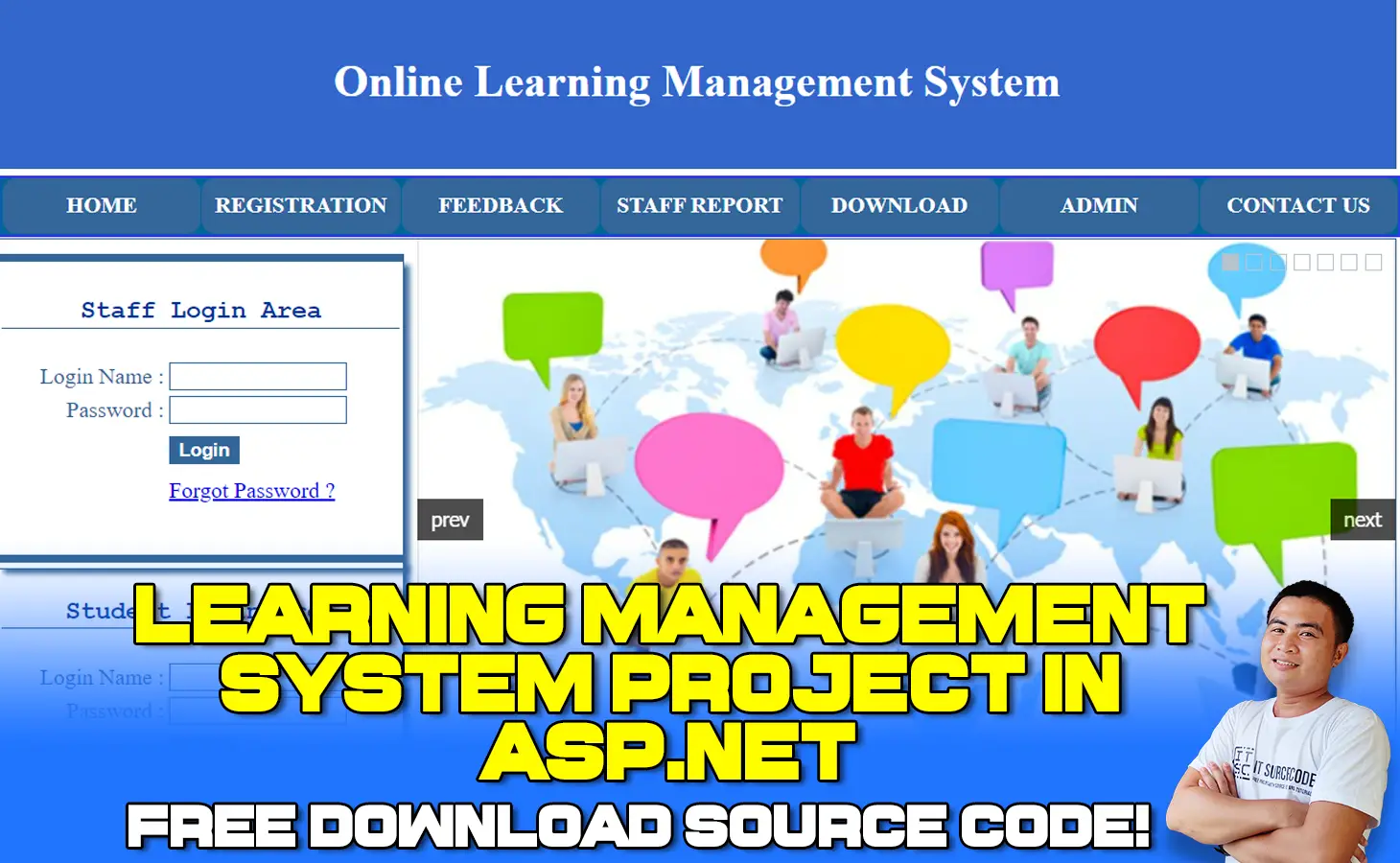
A Learning Management System Project in ASP.net (LMS) is a piece of software that can be used to create, deliver, track, and report on educational courses and their outcomes online.
Traditional face-to-face training, as well as blended/hybrid and distant learning situations, can all benefit from it.
LMS software is used by schools to plan, implement, assist, assess, and track student progress. All of these activities take place behind a virtual barrier that protects your identity, security, and privacy.
By allowing educators to effectively and quickly construct courses, offer instruction, enable communication, foster student participation, assess student performance, and provide other learning resources for assistance, the LMS helps schools retain the integrity of their educational programs.
This data can be evaluated to identify learning patterns and gaps in order to provide appropriate remedial assistance to students and improve the overall performance of the class.
For improvement planning and data-driven professional development, leaders can obtain information by class and overall school performance.
Using an LMS, teachers can combine/align standards with curriculum, resources, and assessments, as well as track student progress, activities, and other performance outcomes of targeted individualized student learning objectives, as well as overall school improvement initiatives/strategies in order to improve student learning.
Teachers can create learning goals for each individual student and provide timely feedback on areas where they need to improve.
To name a few benefits of an LMS, it gives teachers a single place to prepare lessons and assessments, as well as student feedback portals, parent and family reports, and end-of-course grades.
Learning Management System in ASP.net Importance
When institutions are closed due to a pandemic, the advantage of employing a learning management system using ASP.net (LMS) is that it allows students to be more flexible in the future.
Even if educational institutions are opened, students will acquire the concept of online education.
Online Learning Management System Project in ASP.net: About the project
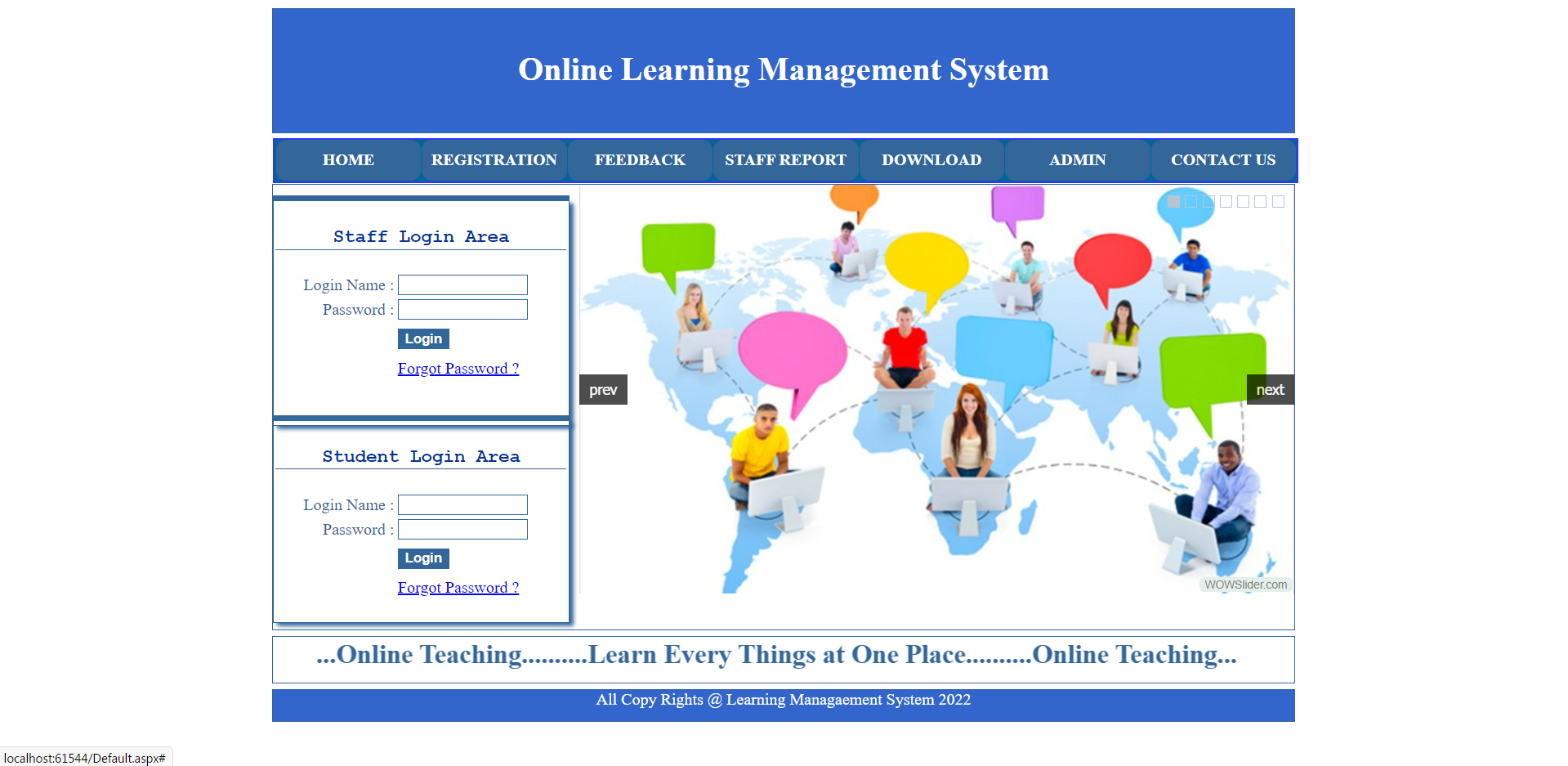
The Learning Management System Project in ASP.net is a communication channel between students and teachers. There are three users in this online teaching system: teacher, student, and administrator.
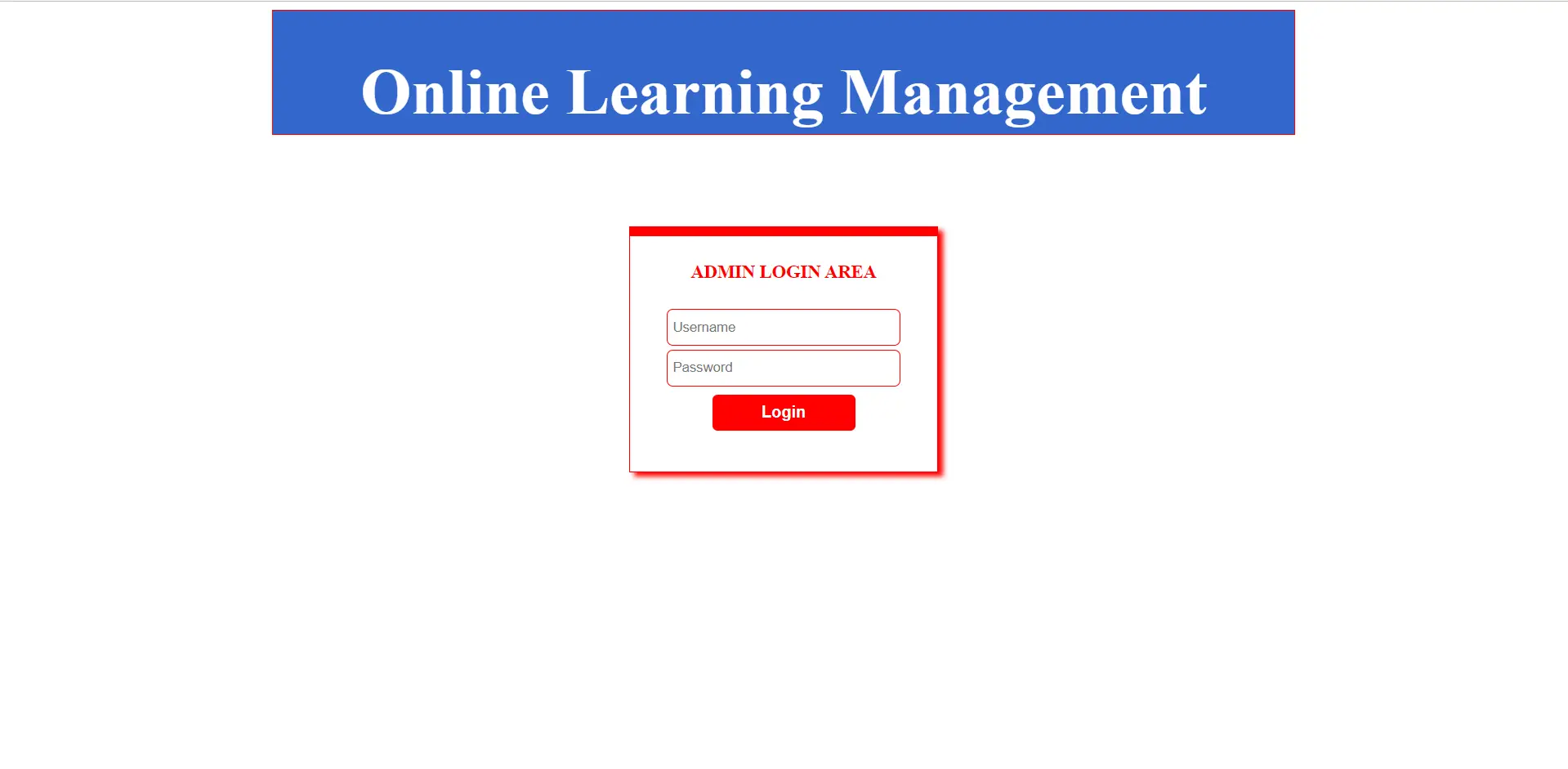
A system’s owner is known as an administrator. Our site has both a teacher and a pupil who are both registered users. For logging into the website, they have a username and password.
After logging onto the site, registered teachers can upload material for their subjects.
In addition to learning topics online, students can read materials and download materials for their subjects after becoming members of this site.
When a student registers, he or she can access the internet and download and read content from anywhere.
Messages can be sent and received between students and teachers.
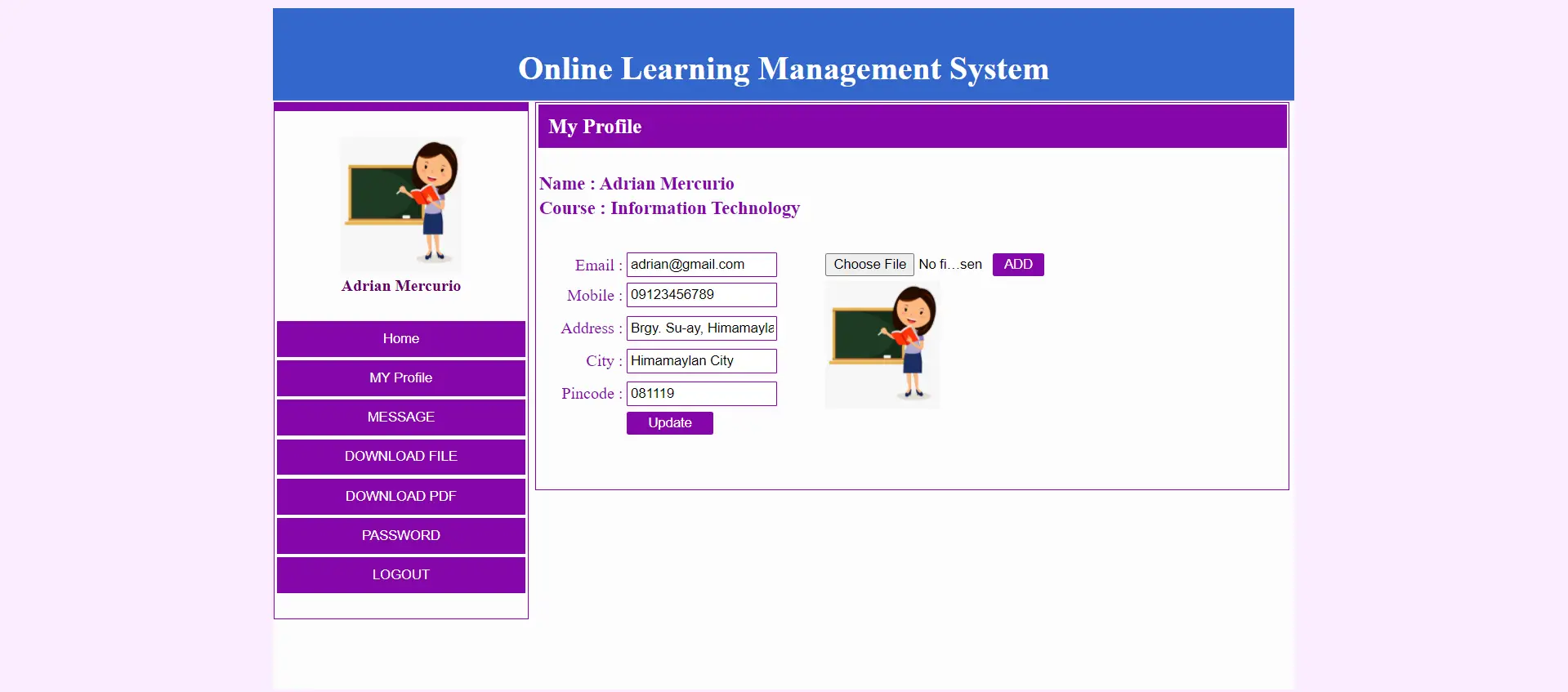
Learning Management System Project in ASP.net: Output

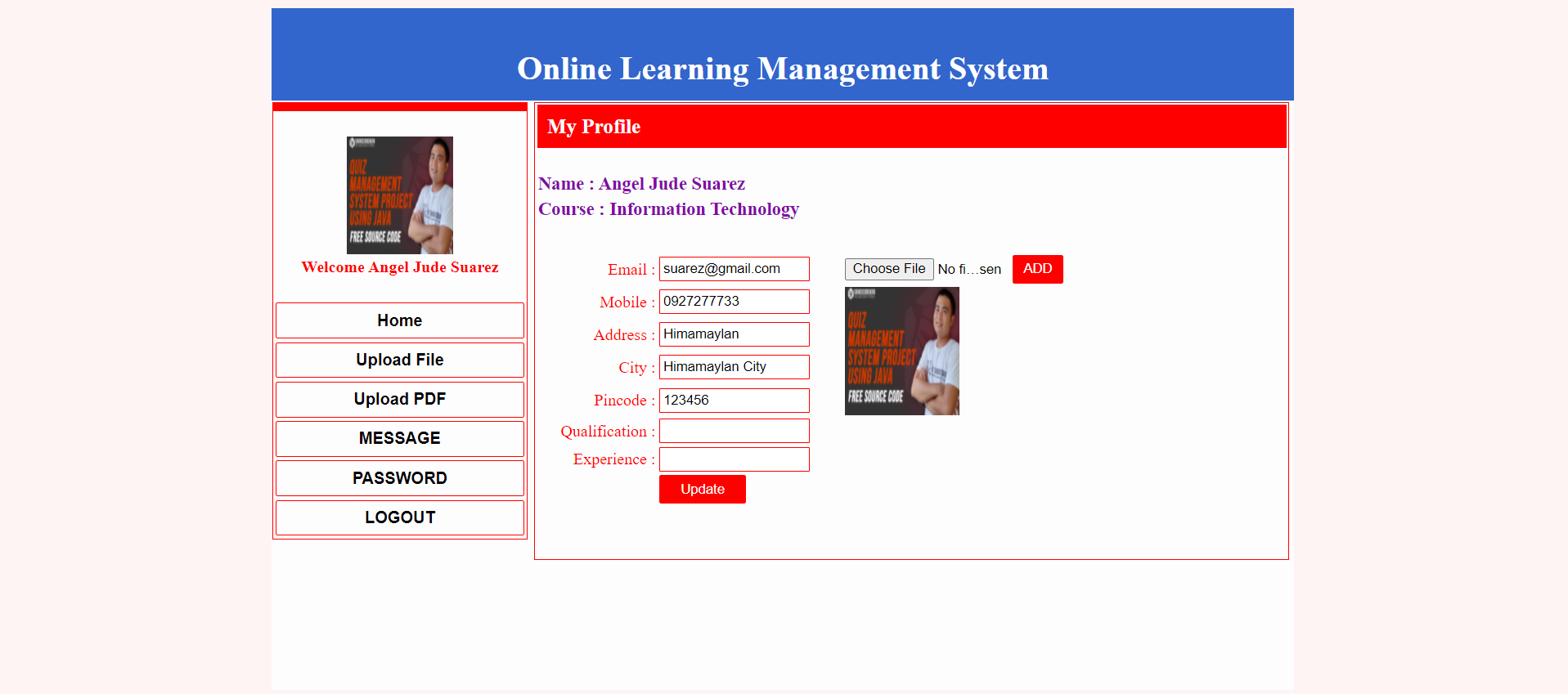
Project Information
| Project Title: | Learning Management System Project in ASP.net |
|---|---|
| Abstract : | A Learning Management System Project (LMS) is a piece of software that can be used to create, deliver, track, and report on educational courses and their outcomes online. |
| Project Type: | Website |
| Technology : | Microsoft Visual Studio 2022 |
| Database : | SQL Server Database |
Learning Management System Project in ASP.net Major Functionalities
- Admin
- Teacher
- Student
Admin functionalities
- Login
- Add Branch
- Add Staff
- Staff Reports
- User Reports
- Upload Reports
- Download Reports
- Feedback
Teacher Functionalities
- Login
- My Account
- Upload Document
- Upload PDF File
- Send Receive Message
- Change Password
- Upload Reports
- Download Reports
Student Functionalities
- Registration
- Login
- My Account
- Download Document
- Download PDF File
- Send Receive Message
- Change Password
This ASP.NET Project also includes a Learning Management System Project With Source Code for free, just find the downloadable source code below and click to start downloading.
To start executing this Learning Management System Project make sure that you have a Microsoft Visual Studio installed on your computer.
Learning Management System Project in ASP.net: Steps on how to run the project
Time needed: 5 minutes
Learning Management System Project in ASP.net
- Step 1: Download Source Code
First, find the downloadable source code below and click to start downloading the source code file.

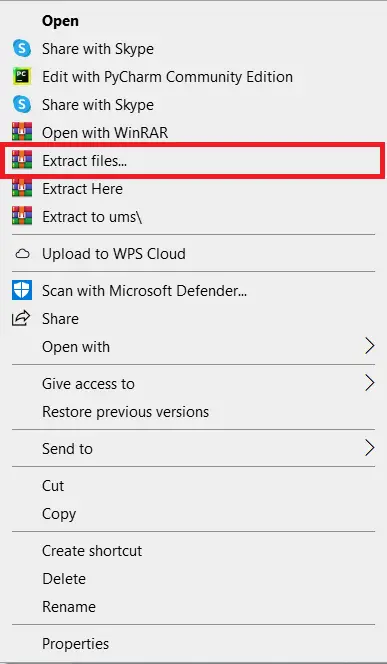
- Step 2: Extract File
Next, after finishing downloading the file, go to the file location and right-click the file and click extract.

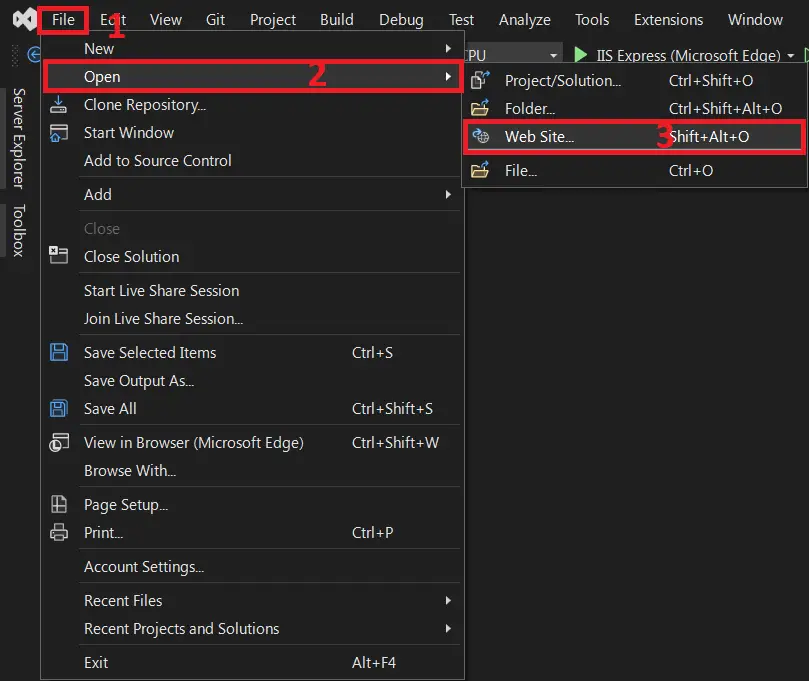
- Step 3: Open Visual Studio
Next, open Microsoft Visual Studio, click the File and Open, then Web site…, and open the extracted folder.

- Step 4: Run Project
Last, click the run button to start executing the project.



Download Source Code below
Anyway, if you want to level up your programming knowledge, especially ASP.net, try this new article I’ve made for you ASP.Net Projects With Source Code For Final Year Students.
Summary
In this Online Learning System Project in ASP.net was developed using ASP.net Programming and SQL Server Database as the system’s Back-End, It also includes a downloadable ASP.net Project Source Code for free.
Related Articles
- Learning Management System Project in Django with Source Code
- Learning Management System Project In PHP With Source Code
Inquiries
If you have any questions or suggestions about the Learning Management System Project in ASP.net With Source Code, please feel free to leave a comment below.
Frequently Asked Questions
How does this ASP.NET Learning Management System work?
Course creation, lesson modules with video uploads (or YouTube embeds), quiz builder, student enrollment, progress tracking, certificate generation. ASP.NET Identity for student/instructor/admin separation.
What ASP.NET and Visual Studio versions does this project require?
Most projects in this batch use ASP.NET MVC 5 on .NET Framework 4.5+ OR ASP.NET Core 3.1/6.0+. Check the .csproj file’s TargetFramework for exact version. To run: install Visual Studio 2019/2022 (Community is free) with the ‘ASP.NET and web development’ workload, open the .sln, restore NuGet packages, build, then F5.
How do I set up the database for this ASP.NET project?
Open SQL Server Management Studio (SSMS) and connect to your SQL Server (typically localhost\SQLEXPRESS). Right-click Databases > Restore (or run the included .sql script). Update the connection string in Web.config (or appsettings.json for .NET Core) with your server name + credentials. For EF Code-First: run Update-Database in Package Manager Console.
Can I use this ASP.NET project for a BSIT capstone or thesis?
Yes, but extend it. A bare CRUD app is too narrow for full capstone scope. Add: ASP.NET Identity roles, dashboards (Chart.js + AJAX endpoints), PDF exports (iTextSharp or Rotativa), email notifications (SmtpClient), real domain extension (analytics, audit log, multi-branch). Pair with Chapter 1-5 documentation.
Why am I getting ‘login failed’ or ‘cannot connect to SQL Server’ errors?
Three common ASP.NET startup issues: (1) Connection string in Web.config has wrong server name OR SQL Server service isn’t running (check SQL Server Configuration Manager). (2) Login failed: SQL Server authentication mode is set to ‘Windows only’ but connection string uses SQL auth – enable Mixed Mode in SSMS server properties. (3) ‘Cannot open database’: database name in connection string doesn’t match the restored database name.
Where can I find more ASP.NET projects with source code?
Browse the ASP.NET Projects hub for the full library. For C# WinForms desktop alternatives see C# Projects (55+ Windows Forms systems). For other .NET stacks see VB.NET Projects (300+ systems). For BSIT capstone idea lists see 150 Best Capstone Project Ideas.

Angel Jude Suarez
Full-Stack Developer at PIES IT Solution
Focuses on Python development, machine learning, and AI integration. Has built production AI systems including OpenAI Whisper integration for medical transcription and GPT-4o-powered diagnosis assistance. Strong background in pandas, scikit-learn, and TensorFlow.
Expertise: Python · PHP · Java · VB.NET · ASP.NET · Machine Learning · AI Integration · OpenCV · Django · CodeIgniter · View all posts by Angel Jude Suarez →
hi
How to connect database and which all tables need to be added??