
What is the Tours and Travels Management System Project in ASP.net?
The Tours and Travels Management System Project in ASP.net is a web-based application that can be used to manage many sorts of bookings in one place. The asp.net programming language was used to create this application.
Tours and Travels Management System in ASP.net: Table of contents
- What is the Tours and Travels Management System Project in ASP.net?
- Advantages of Tours and Travel Management System in ASP.net
- What is the importance of tour and travel management using ASP.net?
- What is mean by tourism and travel management?
- What is the difference between a tour and travel?
- Tours and Travels Management System Project in ASP.net : Project Details and Technology
- Steps on how to run Tours and Travels Management System Project in ASP.net
- Download Source Code below
- Summary
- Related Articles
- Inquiries
Advantages of Tours and Travel Management System in ASP.net
Booking at the last minute- It used to be that traveling at the last minute was prohibitively expensive.
With internet travel agencies, this is no longer the case! Unsold tickets on flights or unsold hotel rooms are sometimes provided to travel agents at significantly reduced rates a few weeks before the departure date so that they can be sold immediately.
Ask your internet travel agent for last-minute budget offers if you’re traveling at the last minute. If your travel dates do not coincide with peak travel seasons, you may be able to get what you want.
However, you must ask for it, not assume that it will be given to you automatically!
Tours and Travels lets clients to book tickets online through its own website, visit.com. Visit.com has a wealth of information on all types of conventions across India at a moderate cost.
Customers can choose their preferred method of communication based on their needs. Travels has a contemporary, computerized infrastructure that allows us to serve our consumers with rapid reservations and appropriate web information.
The benefit of purchasing your ticket online is that you will receive “e-tickets” immediately, which contain a number that identifies your transaction. This not only saves you time, but also assists you in comparing and locating the finest travel deals.
What is the importance of tour and travel management using ASP.net?
One of the most significant benefits of travel management is the potential to save travel costs. Airline tickets, hotel room prices, and travel insurance are all examples of this.
Travel management specialists, on the whole, will have enough industry contacts and knowledge to identify or negotiate the finest deals.
What is mean by tourism and travel management?
It entails overseeing a wide range of duties such as researching the trip destination, preparing the tour, making travel arrangements, and providing lodging. It also entails marketing efforts to entice tourists to visit specific locations.
What is the difference between a tour and travel?
Tour and travel are two words that appear to be interchangeable, yet there is a distinction between the two. A tour is usually taken with the goal of having fun and relaxing.
Travel, on the other hand, is a countable noun. As a result, it can’t be combined with an indefinite article.
Tours and Travels Management System Project in ASP.net: Project Details and Technology
| Project Title: | Tours and Travels Management System Project in ASP.net |
|---|---|
| Abstract : | Tours and Travels Management System in ASP.net is a web-based project and we can manage travel agencies, booking, charges and payments. |
| Project Type: | Website |
| Technology : | Microsoft Visual Studio 2022 |
| Database : | SQL Server Database |
| Developer: | IT Source Code |

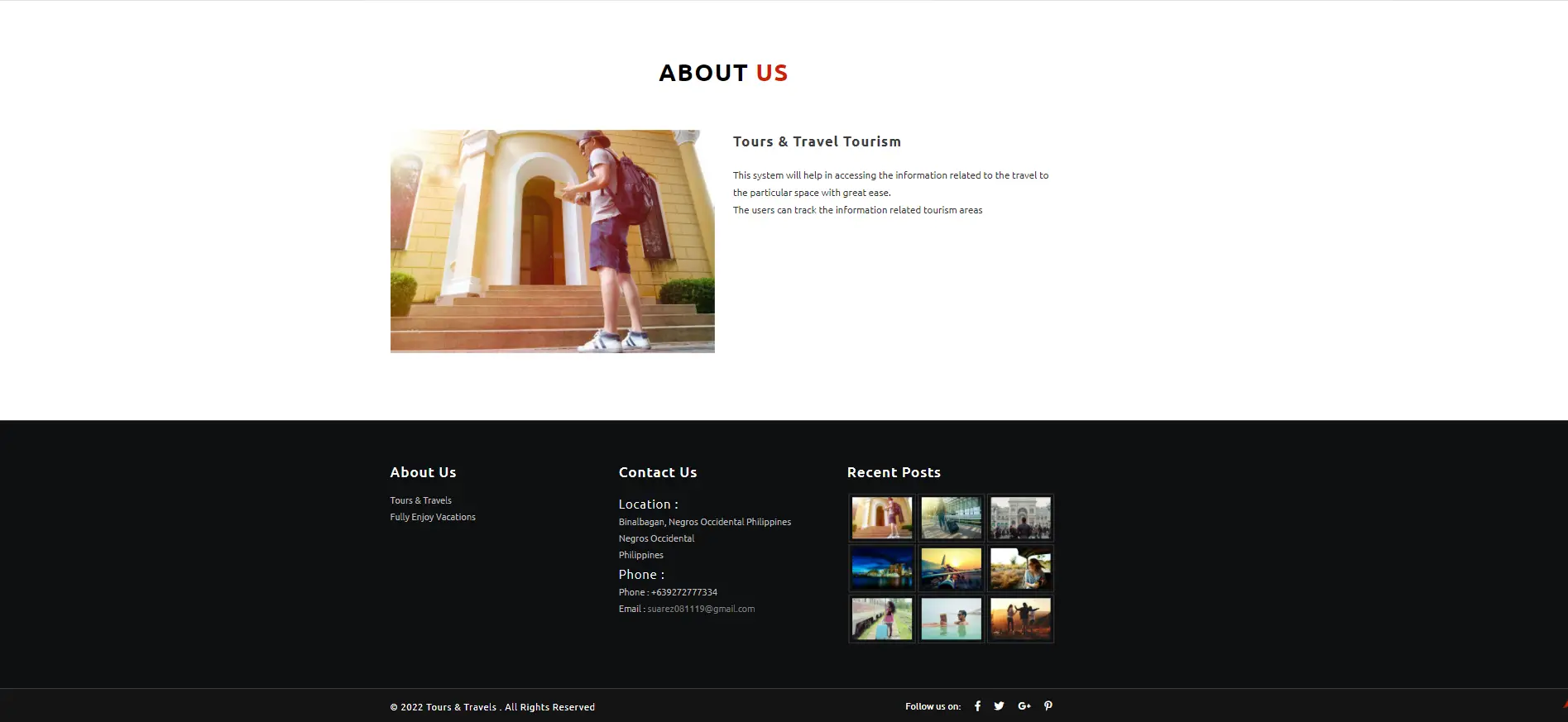

To start executing the Tours and Travels Management System Project in ASP.net With Source Code make sure that you have a Microsoft Visual Studio installed on your computer.
Steps on how to run Tours and Travels Management System Project in ASP.net
Time needed: 5 minutes
Tours and Travels Management System Project in ASP.net
- Step 1: Download Source Code
First, find the downloadable source code below and click to start downloading the source code file.

- Step 2: Extract File
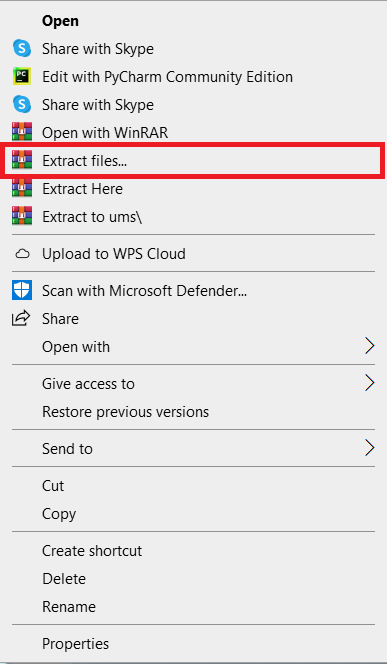
Next, after finishing downloading the file, go to the file location and right-click the file and click extract.

- Step 3: Open Visual Studio
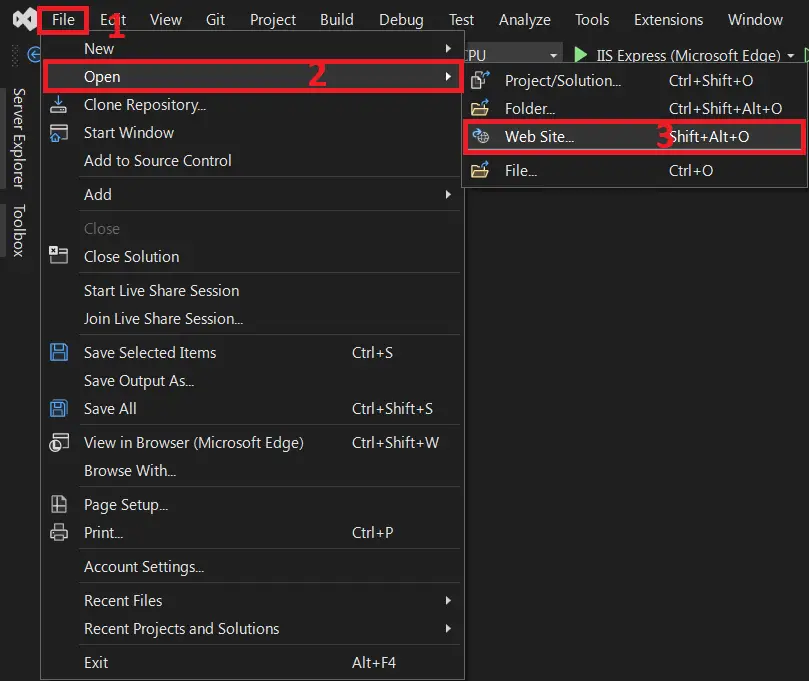
Next, open Microsoft Visual Studio click file, then open web site…, and open the extracted folder.

- Step 4: Run Project
Last, click the run button to start executing the project.


Download Source Code below
Anyway, if you want to level up your programming knowledge, especially ASP.net, try this new article I’ve made for you ASP.Net Projects With Source Code For Final Year Students.
Summary
In this Project Source Code was developed using ASP.net Programming and SQL Server Database as the system’s Back-End, It also includes a downloadable ASP.net Project Source Code for free.
Related Articles
- Online Tour and Travel Management System Project in PHP Download With Source Code
- Travel Management System Project In Java With Source Code
- Travel Management System Project in Django with Source Code
Inquiries
If you have any questions or suggestions about the Tours and Travels Management System Project in ASP.net With Source Code, please feel free to leave a comment below.
Frequently Asked Questions
Official documentation
How does this ASP.NET transport or travel management system work?
Vehicle fleet management, driver assignments, trip scheduling, fuel tracking, maintenance log, customer billing.
What ASP.NET and Visual Studio versions does this project require?
Most projects in this batch use ASP.NET MVC 5 on .NET Framework 4.5+ OR ASP.NET Core 3.1/6.0+. Check the .csproj file’s TargetFramework for exact version. To run: install Visual Studio 2019/2022 (Community is free) with the ‘ASP.NET and web development’ workload, open the .sln, restore NuGet packages, build, then F5.
How do I set up the database for this ASP.NET project?
Open SQL Server Management Studio (SSMS) and connect to your SQL Server (typically localhost\SQLEXPRESS). Right-click Databases > Restore (or run the included .sql script). Update the connection string in Web.config (or appsettings.json for .NET Core) with your server name + credentials. For EF Code-First: run Update-Database in Package Manager Console.
Can I use this ASP.NET project for a BSIT capstone or thesis?
Yes, but extend it. A bare CRUD app is too narrow for full capstone scope. Add: ASP.NET Identity roles, dashboards (Chart.js + AJAX endpoints), PDF exports (iTextSharp or Rotativa), email notifications (SmtpClient), real domain extension (analytics, audit log, multi-branch). Pair with Chapter 1-5 documentation.
Why am I getting ‘login failed’ or ‘cannot connect to SQL Server’ errors?
Three common ASP.NET startup issues: (1) Connection string in Web.config has wrong server name OR SQL Server service isn’t running (check SQL Server Configuration Manager). (2) Login failed: SQL Server authentication mode is set to ‘Windows only’ but connection string uses SQL auth – enable Mixed Mode in SSMS server properties. (3) ‘Cannot open database’: database name in connection string doesn’t match the restored database name.
Where can I find more ASP.NET projects with source code?
Browse the ASP.NET Projects hub for the full library. For C# WinForms desktop alternatives see C# Projects (55+ Windows Forms systems). For other .NET stacks see VB.NET Projects (300+ systems). For BSIT capstone idea lists see 150 Best Capstone Project Ideas.

Angel Jude Suarez
Full-Stack Developer at PIES IT Solution
Focuses on Python development, machine learning, and AI integration. Has built production AI systems including OpenAI Whisper integration for medical transcription and GPT-4o-powered diagnosis assistance. Strong background in pandas, scikit-learn, and TensorFlow.
Expertise: Python · PHP · Java · VB.NET · ASP.NET · Machine Learning · AI Integration · OpenCV · Django · CodeIgniter · View all posts by Angel Jude Suarez →
May i know how to connect databse and can I get the database file.
how to view database of tour and travel Project of aap.net