

Library Management System In ASP.NET With Source Code
The Online Library Management System in ASP NET project website is used to keep track of all library system activities, such as book stock, issue book records, return book records, student information, and late book penalty data.
The project covers all tasks related to the operation of the library system.
For final year engineering I.T., Computer, MSc IT, and B.C.A. students, we developed this library system in asp.net C#.
Library Management System Project in ASP NET: About the project
The Online Library Management System Project In ASP.NET MVC was developed using ASP.NET and SQL Server as the system’s back-end.
This project is used to track books owned, issue books, return book records, penalty records, and students who have borrowed.
Project Output:
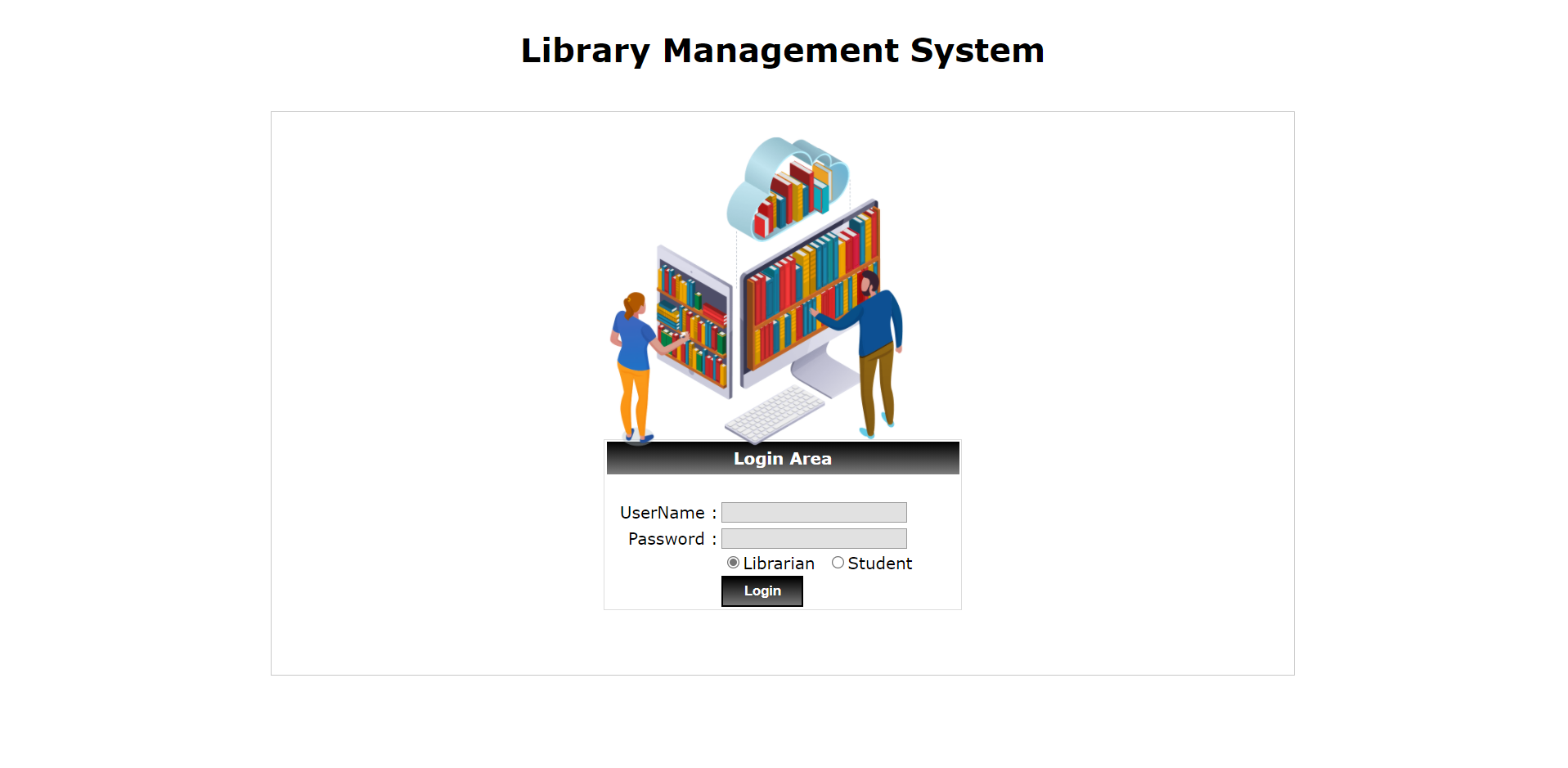
Login Page
Here’s the Login Page Output:
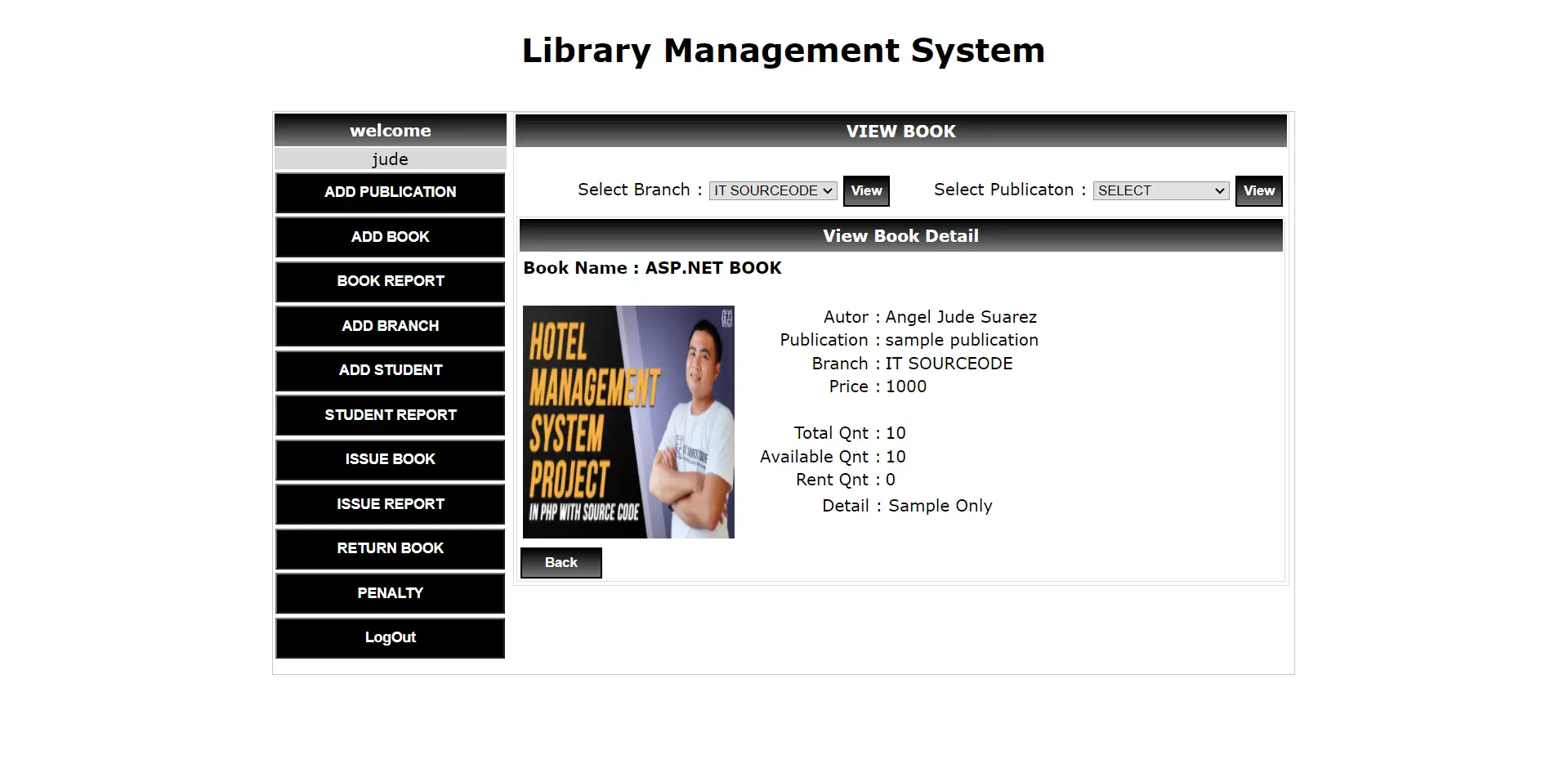
Admin Page/Librarian
Here’s the Output of the main page.
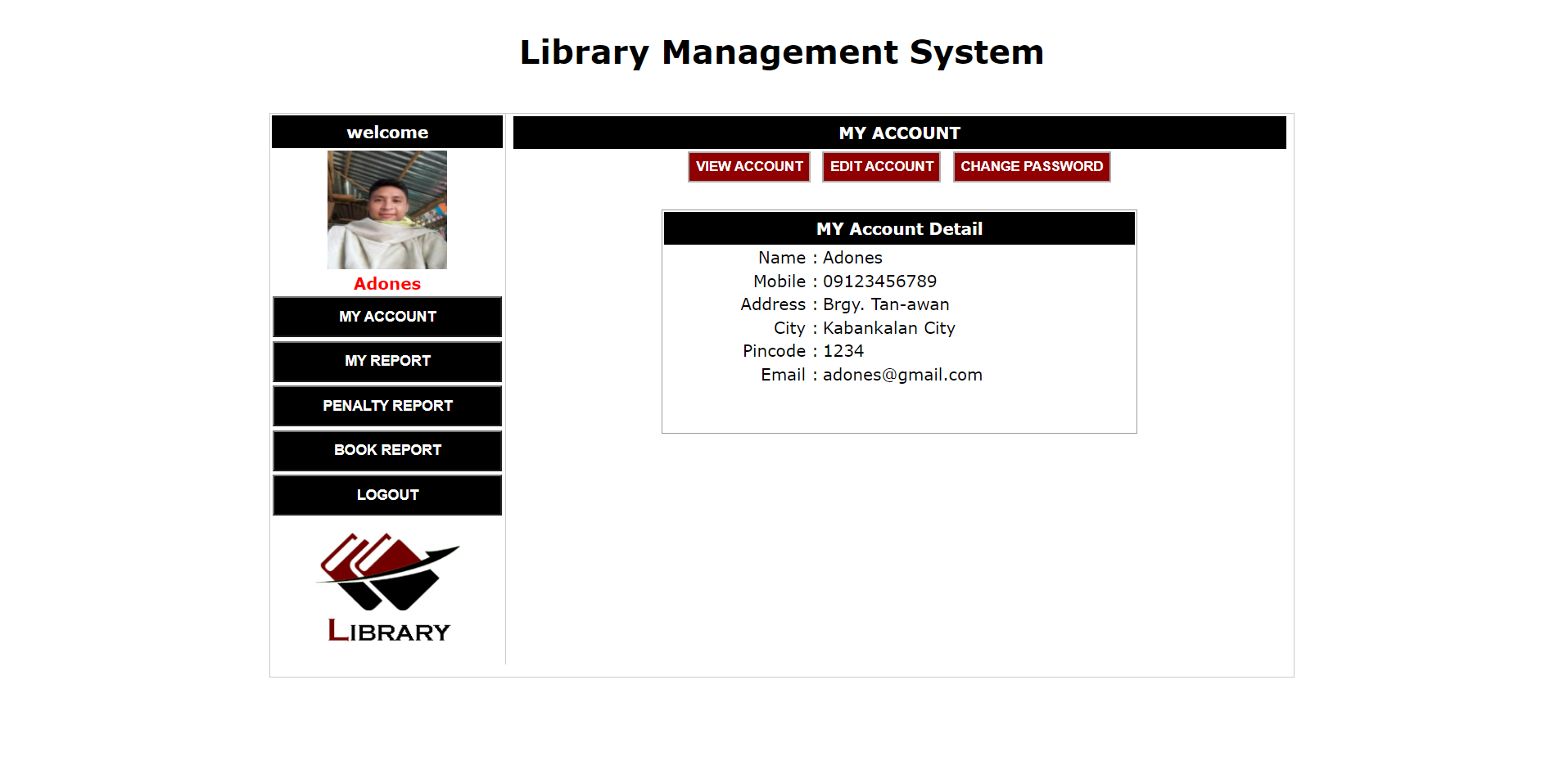
Student Side
Here’s the output of the student side
Library Management System ASP.NET Project: Main Module
Librarian – A librarian is a system administrator who is responsible for running the system. The librarian has complete control over the project.
Librarian Functionalities :
- Add Publication
- Add Book Stock
- Add Branch
- Add Student
- Issue Books
- Return Books
- Penalty
Output
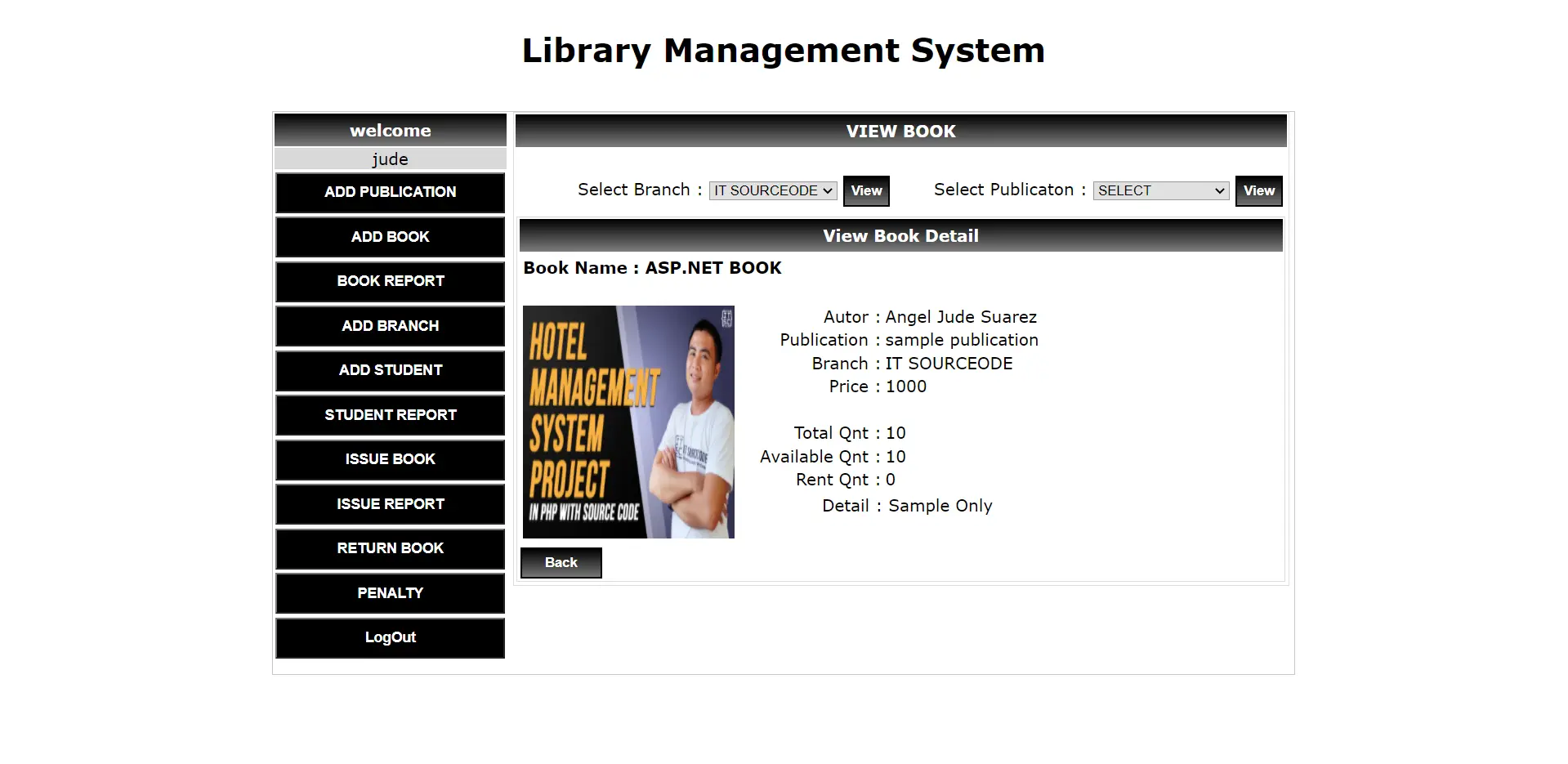
To gain access to the system, the Librarian must first create a login and password. After logging in, he must first enter publication information into the system, followed by all book stock information.
Students who are members of our system can be entered into our system by a librarian.
The librarian can register all students with valid personal information and create a username and password for each student to use when logging into the system.
The librarian distributes books to enrolled students and collects their returns. He has the authority to impose a penalty for late book returns.
Student Functionalities :
- Book Reports
- Penalty Status
- Account
Output:
The student is a member of the library’s system. To access his account, each student has a unique username and password.
After logging in, students can view their account information, including their borrowed book report and penalty report.
Project Information
| Project Title: | Library Management System Project In ASP.NET |
|---|---|
| Abstract : | Library management system project used to track books owned, issue book, return book records, penalty records and students who have borrowed. |
| Project Type: | Website |
| Technology : | ASP.Net Visual Studio 2022 with C# Language |
| Database : | SQL-Server 2021 |
This ASP.NET Project also includes a Library Management System Project in ASP.NET with Source Code Free Download, just find the downloadable source code below and click to start downloading.
To start executing this project, make sure that you have Microsoft Visual Studio installed on your computer.
Library Management System In ASP.NET With Source Code: Steps on how to run the project
Time needed: 5 minutes
These are the steps on how to run a Library Management System Project In ASP.NET MVC with Database
- Step 1: Download Source Code
First, find the downloadable source code below and click to start downloading the source code file.

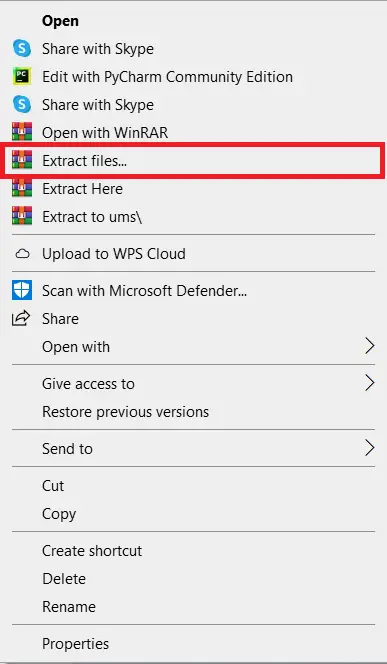
- Step 2: Extract File
Next, after finishing downloading the file, go to the file location, right-click the file, and click extract.

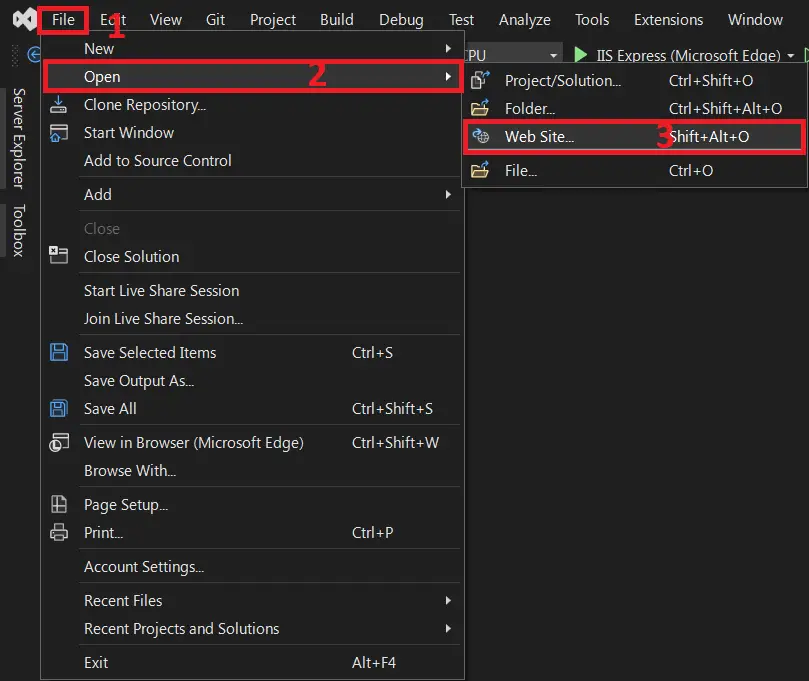
- Step 3: Open Visual Studio
Next, open Microsoft Visual Studio, click File and Open, then click Web Site…, and open the extracted folder.

- Step 4: Run Project
Last, click the run button to start executing the project



Download the Source Code below
Anyway, if you want to level up your programming knowledge, especially ASP.net, try this new article I’ve made for you ASP.Net Projects With Source Code For Final Year Students.
Summary
This ASP Project With Source Code is used to track books owned, issue books, return book records, penalty records, and students who have borrowed.
Related Articles
- Library Management System Project UML Diagrams
- Library Management System Class Diagram | UML
- Library Management System Sequence Diagram | UML
- Library Management System Activity Diagram
- Library Management System Project in Laravel With Source Code
Inquiries
If you have any questions or suggestions about Library Management System ASP.NET With Source Code, please feel free to leave a comment below.
Frequently Asked Questions
How does this ASP.NET library management system work?
Book catalog (ISBN, categories, copies), member registration, borrow/return workflow with due dates, fine calculation, reservations, reports. Auto-fine via background service (Hangfire or hosted service).
What ASP.NET and Visual Studio versions does this project require?
Most projects in this batch use ASP.NET MVC 5 on .NET Framework 4.5+ OR ASP.NET Core 3.1/6.0+. Check the .csproj file’s TargetFramework for exact version. To run: install Visual Studio 2019/2022 (Community is free) with the ‘ASP.NET and web development’ workload, open the .sln, restore NuGet packages, build, then F5.
How do I set up the database for this ASP.NET project?
Open SQL Server Management Studio (SSMS) and connect to your SQL Server (typically localhost\SQLEXPRESS). Right-click Databases > Restore (or run the included .sql script). Update the connection string in Web.config (or appsettings.json for .NET Core) with your server name + credentials. For EF Code-First: run Update-Database in Package Manager Console.
Can I use this ASP.NET project for a BSIT capstone or thesis?
Yes, but extend it. A bare CRUD app is too narrow for full capstone scope. Add: ASP.NET Identity roles, dashboards (Chart.js + AJAX endpoints), PDF exports (iTextSharp or Rotativa), email notifications (SmtpClient), real domain extension (analytics, audit log, multi-branch). Pair with Chapter 1-5 documentation.
Why am I getting ‘login failed’ or ‘cannot connect to SQL Server’ errors?
Three common ASP.NET startup issues: (1) Connection string in Web.config has wrong server name OR SQL Server service isn’t running (check SQL Server Configuration Manager). (2) Login failed: SQL Server authentication mode is set to ‘Windows only’ but connection string uses SQL auth – enable Mixed Mode in SSMS server properties. (3) ‘Cannot open database’: database name in connection string doesn’t match the restored database name.
Where can I find more ASP.NET projects with source code?
Browse the ASP.NET Projects hub for the full library. For C# WinForms desktop alternatives see C# Projects (55+ Windows Forms systems). For other .NET stacks see VB.NET Projects (300+ systems). For BSIT capstone idea lists see 150 Best Capstone Project Ideas.

Angel Jude Suarez
Full-Stack Developer at PIES IT Solution
Focuses on Python development, machine learning, and AI integration. Has built production AI systems including OpenAI Whisper integration for medical transcription and GPT-4o-powered diagnosis assistance. Strong background in pandas, scikit-learn, and TensorFlow.
Expertise: Python · PHP · Java · VB.NET · ASP.NET · Machine Learning · AI Integration · OpenCV · Django · CodeIgniter · View all posts by Angel Jude Suarez →
please help me