
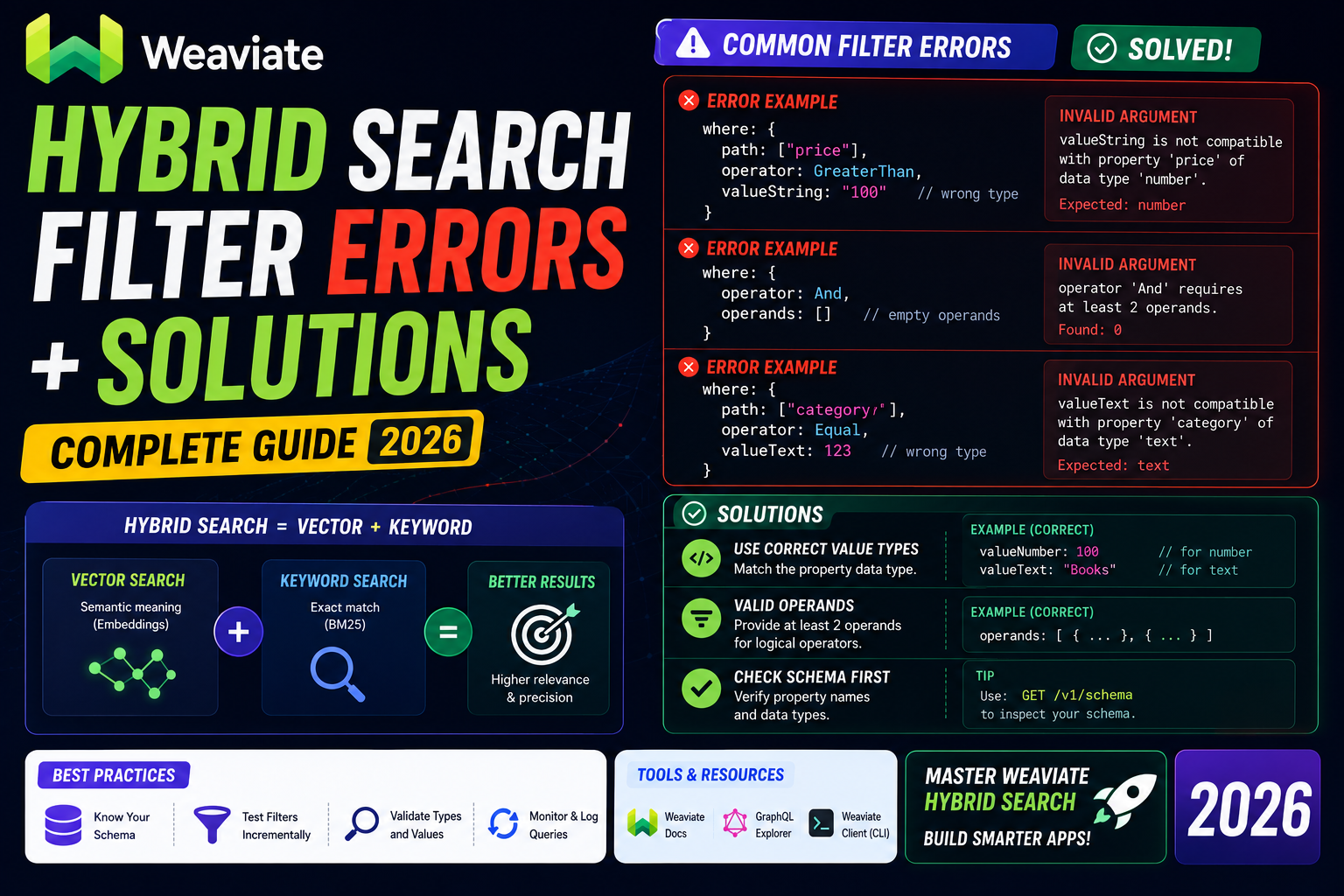
Weaviate’s hybrid search combines vector similarity with keyword matching. When you add a filter to the mix, small syntax mistakes throw errors that are hard to debug because the messages are often generic. This guide covers the four most common filter errors you will hit with the Weaviate Python client v4, and how to fix each one.
Quick refresher on hybrid search
Hybrid search runs both a vector search (dense) and a BM25 keyword search (sparse), then blends the scores. The alpha parameter controls the mix: 0.0 is pure BM25, 1.0 is pure vector, 0.5 is even blend.
A minimal query looks like this:
import weaviate
from weaviate.classes.query import Filter

client = weaviate.connect_to_local()
articles = client.collections.get("Article")

results = articles.query.hybrid(
    query="machine learning tutorials",
    alpha=0.5,
    limit=10,
)
Add a filter and this is where things break.
Error 1: “Invalid where filter, property does not exist”
This is the most common one. You reference a property that is not in your collection schema.
results = articles.query.hybrid(
    query="python tutorial",
    filters=Filter.by_property("catgeory").equal("tech"),  # typo: catgeory
)
# WeaviateQueryError: property 'catgeory' does not exist in class 'Article'
Fix: check your schema and use the exact property name. Case matters. To confirm your schema:
config = articles.config.get()
for prop in config.properties:
    print(prop.name, prop.data_type)
Error 2: “Cannot filter by property, not indexed”
By default Weaviate indexes text properties for both BM25 and filtering, but if you set index_filterable=False when you created the property, you cannot filter by it.
WeaviateQueryError: cannot filter by property 'body': property is not indexed
Fix: recreate the property with index_filterable=True. This requires a schema update:
from weaviate.classes.config import Property, DataType

articles.config.add_property(
    Property(
        name="category",
        data_type=DataType.TEXT,
        index_filterable=True,
        index_searchable=True,
    )
)
Existing data will be reindexed automatically for the new property configuration.
Error 3: “Operator not supported for data type”
You cannot use every operator on every data type. For example, greater_than does not work on text properties.
filters = Filter.by_property("title").greater_than("A")
# WeaviateQueryError: operator GreaterThan not supported for text data type
Fix: match the operator to the type:
- text: equal, not_equal, like, contains_any, contains_all
- int, number, date: equal, not_equal, greater_than, greater_or_equal, less_than, less_or_equal
- boolean: equal, not_equal only
- text[] (array): contains_any, contains_all
Error 4: “Nested filter must be inside all_of or any_of”
When you combine multiple filters with AND or OR, you must use the group operators explicitly.
from weaviate.classes.query import Filter

filters = Filter.all_of([
    Filter.by_property("category").equal("tech"),
    Filter.by_property("views").greater_than(1000),
    Filter.by_property("published").equal(True),
])

results = articles.query.hybrid(
    query="AI tutorials",
    filters=filters,
    limit=10,
)
Use Filter.any_of for OR logic. Nest them freely for complex conditions:
filters = Filter.all_of([
    Filter.by_property("category").equal("tech"),
    Filter.any_of([
        Filter.by_property("author").equal("Angel"),
        Filter.by_property("author").equal("Adones"),
    ]),
])
Common gotchas
- Date format matters. Weaviate expects RFC 3339 dates: “2026-07-28T00:00:00Z”. Passing a Python datetime object works if you use the client’s helpers, but a plain string in a different format triggers a parse error.
- Case sensitivity. Text filters are case-sensitive by default. To match “Python” and “python” the same way, lowercase both sides or store the property tokenized.
- Empty results with alpha=1.0. If your filter narrows the candidate set to near zero, pure vector search still returns the closest matches even if they are barely relevant. Add a certainty threshold.
- Filter first vs filter after. Weaviate does not let you choose. It always filters first, then runs the hybrid search on the filtered set. For very restrictive filters this is efficient, but be aware of the order.
Debugging tip: enable request logging
To see the actual GraphQL that gets sent to Weaviate, enable client logging:
import logging
logging.basicConfig(level=logging.DEBUG)
logging.getLogger("weaviate").setLevel(logging.DEBUG)
This prints the full request body including the filter clause. Copy the failing GraphQL into the Weaviate console at http://localhost:8080/v1/graphql to test filters directly without your Python code.
Verifying your fix
After applying the fix, run a minimal query:
results = articles.query.hybrid(
    query="hello",
    filters=Filter.by_property("category").equal("tech"),
    limit=1,
)
print(f"Got {len(results.objects)} result(s)")
If you get any number back (even 0), the filter parsed successfully. Zero results means the filter is valid but no data matched, which is a data question, not a syntax question.
Official documentation
Frequently asked questions
Can I filter by cross-references in Weaviate hybrid search?
Yes, use Filter.by_ref instead of Filter.by_property. Example: Filter.by_ref(“hasAuthor”).by_property(“name”).equal(“Ana”). The syntax mirrors the property version but adds the reference name as the first step.
What is the difference between index_filterable and index_searchable?
index_filterable powers where-clause filtering (equal, greater_than, etc). index_searchable powers BM25 keyword search and the sparse half of hybrid search. Enable both for text properties you want to search and filter on.
Why does alpha=0 sometimes return no results with a filter?
Pure BM25 requires the query terms to appear in the filtered documents. If your filter narrows to documents that do not contain those terms, you get zero results. Increase alpha above 0 to let vector similarity fill in, or broaden the filter.
Can I use regex in a Weaviate filter?
Yes, use the Like operator with wildcards: Filter.by_property(“slug”).like(“*python*”). It is not full regex but supports * and ? wildcards, which handles most cases. For real regex, filter with Like first then filter further in Python.
Does adding a filter slow down hybrid search?
Usually the opposite. Weaviate applies filters before scoring, so a narrow filter reduces the candidate set and speeds up the search. Very complex nested filters can slow things down, but a simple equal filter is basically free.
How do I filter by a date range?
Combine two date filters with all_of: Filter.all_of([Filter.by_property(“published_at”).greater_or_equal(“2026-01-01T00:00:00Z”), Filter.by_property(“published_at”).less_than(“2026-08-01T00:00:00Z”)]). Use RFC 3339 format for the date strings.