
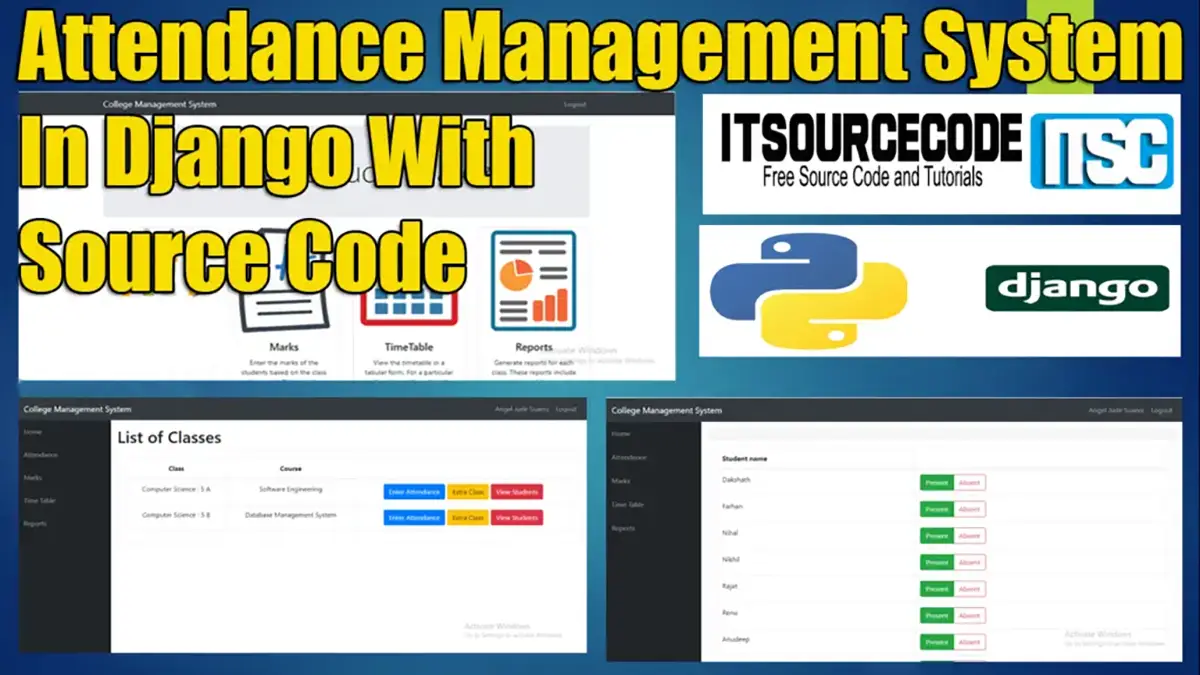
Attendance Management System Django With Source Code

This Attendance Management System Django GitHub contains the teacher side and the student side, the teacher can manage the attendance, and class schedule.

And marks and can generate the reports of the students, and the students can view their attendance, and profile, change passwords, login security, marks, and the timetable of their class schedule.

Moving on, the Attendance Management System Django was built using the Python Django framework. It is designed for interactions between students and teachers. Features include attendance, marks, and timetable.

You can also read or visit the other interesting programming languages used in the attendance management system.

This Attendance Management System project in Django also includes a downloadable Project With Source Code for free, just find the downloadable source code below and click to start downloading.

To start creating an Attendance Management System using Django, make sure that you have PyCharm Professional IDE or any platform of Django and its requirements Installed on your computer.

About ProjectProject DetailsDefinition
Project Name Attendance Management System in DjangoThe Attendance Management System in Python Django is developed using Python DjangoHTML, CSSJavaScript and Bootstrap.
Python version (Recommended)3.8 VersionPython 3.8 introduces some new syntax to the language, as well as a few small modifications to existing behavior and, most importantly, a slew of performance improvements, following in the footsteps of the previous 3.7 version.
Programming Language UsedPython Django LanguageDjango is a high-level Python web framework for building safe and maintainable websites quickly.

Django is a web framework built by experienced developers that takes care of a lot of the heavy lifting so you can focus on developing your app instead of reinventing the wheel.
Developer Name itsourcecode.comFree projects containing source code in Java, PHP, Python, Django, VB.Net, Visual Basic, C, C++, C#, Javascript, and other languages are available on this website.
IDE Tool (Recommended)Sublime, Visual Studio, PyCharmSublime Text is a source code editor that is available for purchase. It comes with built-in support for a variety of programming and markup languages.

Plugins, which are often community-built and maintained under free software licenses, allow users to extend the functionality of the system. Sublime Text has a Python API to help with plugins.
Project Type Web ApplicationA web application, unlike computer-based software programs that operate locally on the device’s operating system, is application software that runs on a web server.

The user uses a web browser with an active network connection to access web apps.
DatabaseSQLiteSQLite is a programming language that is used to create embedded software for devices such as televisions, cell phones, and cameras.

It can handle HTTP requests with low to medium traffic. SQLite has the ability to compress files into smaller bundles with less metadata.

SQLite is a temporary dataset that is used within an application to process data.
Attendance Management System Project in Django Overview

Reminders

To perform this Python Django project make sure that you have knowledge of the following:

  • CSS
  • HTML
  • Javascript
  • Database Management

Features Of This Attendance Management System Project in Django

  • Manage Students Attendance
  • Manage Teachers
  • Manage Attendance
  • Manage class attendance
  • Manage Marks
  • Manage Time Table
  • Generate Reports
  • Login/Logout System

In This Attendance Management System Project Django consists of The Following Methods:

  • CollegeERP – In this method which is the main method of the system.
  • Info – In this method which is the main feature of the system.

Steps on how to create an Attendance Management System in Django With Source Code

Time needed: 5 minutes

Here are the steps on how to create an Attendance Management System project Django With Source Code.

  • Step 1: Open file.

    First , open “pycharm professional” after that click “file” and click “new project“.
    attendance management system open file

  • Step 2: Choose Django.

    Second, after clicking “new project“, choose “Django” and click.
    attendance management system create django

  • Step 3: Select a file location.

    Third, select a file location wherever you want.
    attendance management system file location

  • Step 4: Create the application name.

    Fourth, name your application.
    attendance management system application name

  • Step 5: Click Create.

    Fifth, finish creating the project by clicking the “create” button.
    attendance management system create project

  • Step 6: Start of coding.

    you are free to copy the following codes below in the given modules and method required.

Downloadable Source Code Below

Teacher Username: AngelJudeSuarez

Teacher Password: project123

Student Username: AdrianMercurio

Student Password: project123

Anyway, if you want to level up your programming knowledge, especially Python, try this new article I’ve made for you Best Python Projects with source code for Beginners.

But If you’re going to focus on web development using Django, you can download here from our list of Best Django Projects with source code based on real-world projects.

How To Run The Attendance Management System in Django?

Step 1: Extract/unzip the file

Step 2: Go inside the project folder, open the command prompt, and type the following commands to install Django Framework and run the web server:

1.) pip install -r requirements.txt

2.) python manage.py runserver

Step 3: Finally, open the browser and go to localhost:8000 or http:// 127.0.0.1:8000

Summary

The system is built fully in Django Framework in the back-end and HTML, and CSS in the front-end. It has a full-featured user interface with all the functionalities

This Article is a way to enhance and develop our skills and logic ideas which is important in practicing the Python programming language which is the most well-known and most usable programming language in many companies.

Inquiries

If you have any questions or suggestions about Attendance Management System Django, please feel free to leave a comment below.

Frequently Asked Questions

How does this Django attendance management system work?

Daily attendance entry (manual, biometric, QR-code scan), tardy/absent calculation, monthly report, payroll integration. Foundation: school student OR corporate employee attendance.

What Django and Python versions does this project require?

Most projects in this batch run on Django 4.x or 5.x with Python 3.8+. A few older projects need Django 3.2 with Python 3.7. Check the requirements.txt file for exact versions. To run any: install Python, create a virtualenv (python -m venv venv), activate it, pip install -r requirements.txt, run python manage.py migrate, then python manage.py runserver.

How do I set up the database for this Django project?

Most projects use SQLite (zero setup, auto-creates db.sqlite3 in project root on first migrate). For projects using MySQL or PostgreSQL: install the database server, create an empty database, edit settings.py DATABASES[‘default’] with your credentials, run python manage.py migrate. For sample data: python manage.py loaddata fixtures.json (if a fixture file is included) or create a superuser via python manage.py createsuperuser.

Can I use this Django project for a BSIT capstone or thesis?

Yes, but extend it. A bare CRUD app is too narrow for full capstone scope. Add: user roles via Django Groups, dashboards (Chart.js + AJAX endpoints), PDF exports (ReportLab or WeasyPrint), email notifications (Django send_mail), real domain extension (analytics, audit log, multi-branch). Pair with Chapter 1-5 documentation matching your panel’s rubric.

Why am I getting ModuleNotFoundError, OperationalError, or ‘No such table’ errors?

Three common Django startup issues: (1) ModuleNotFoundError: virtualenv not activated OR pip install -r requirements.txt skipped. (2) OperationalError: database credentials in settings.py don’t match your local MySQL/PostgreSQL. (3) ‘No such table’: you skipped python manage.py migrate. Also: if settings.py imports fail, check Python version compatibility (Django 5 needs Python 3.10+).

Where can I find more Django projects with source code?

Browse the Django Projects hub for the full library. For broader Python capstones see Python Projects (Tkinter desktop, Pygame games, OpenCV vision, ML). For PHP MVC alternatives see Laravel Projects. For BSIT capstone idea lists see 150 Best Capstone Project Ideas.

Angel Jude Suarez

Full-Stack Developer at PIES IT Solution

Focuses on Python development, machine learning, and AI integration. Has built production AI systems including OpenAI Whisper integration for medical transcription and GPT-4o-powered diagnosis assistance. Strong background in pandas, scikit-learn, and TensorFlow.

Expertise: Python · PHP · Java · VB.NET · ASP.NET · Machine Learning · AI Integration · OpenCV · Django · CodeIgniter  · View all posts by Angel Jude Suarez →

16 thoughts on “Attendance Management System Django With Source Code”

Leave a Comment