
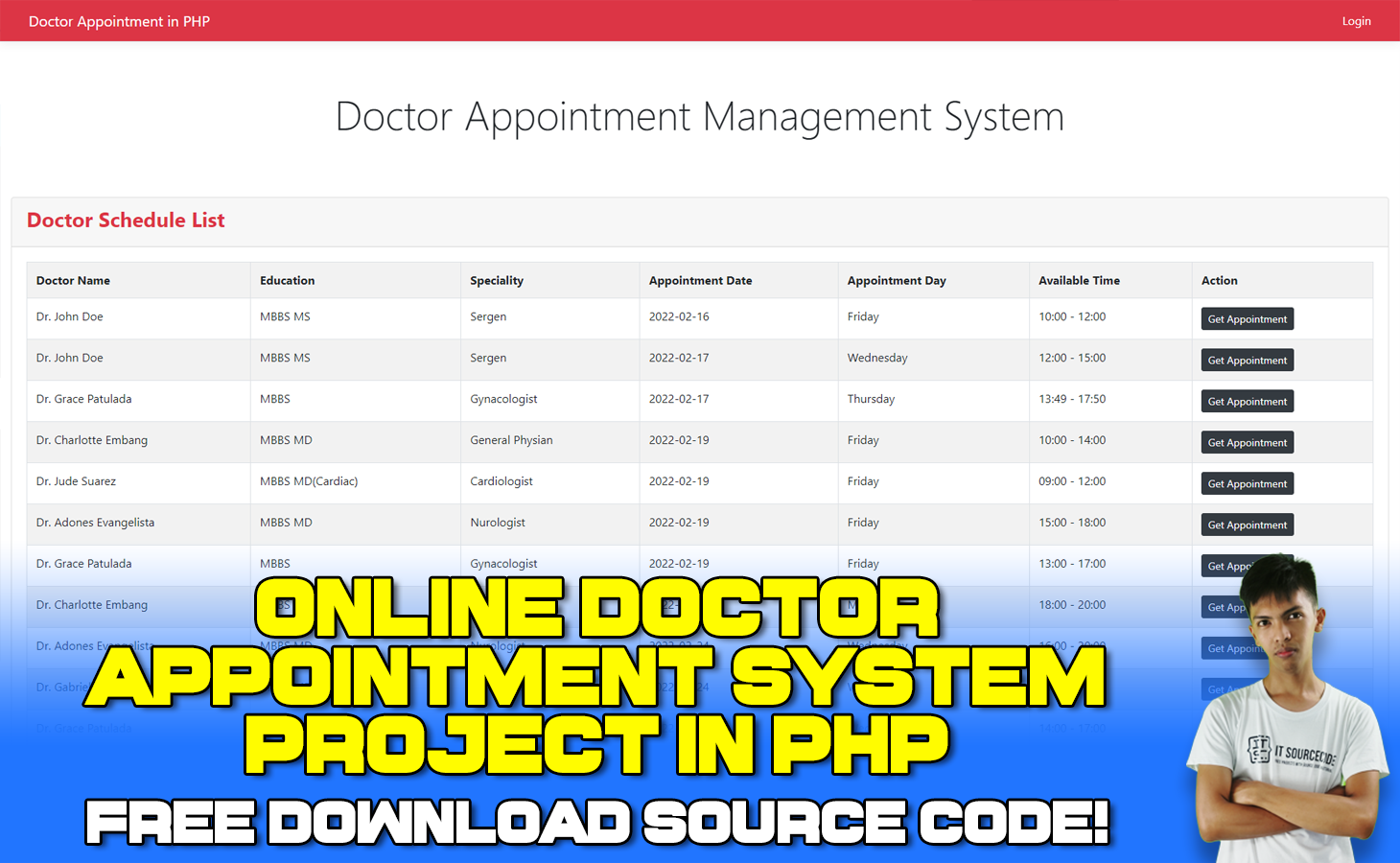
The Online Doctor Appointment System Project in PHP Free Download is created based on PHP, JavaScript, and MySQL Database with the use of a text editor called Sublime Text.
Online Doctor Appointment System in PHP MySQL is to keep track of all the information about doctors, patients, appointment bookings, doctor availability, and so on.
This Online Doctor Appointment System PHP Project makes it easy to schedule appointments and check in patients to see consultants when they arrive.
As a result, staff can concentrate on interacting with and assisting patients in order to provide a better overall experience.
And of course, this Online Doctor Appointment System PHP is free to download. Follow the steps on how to download and run the system below.
Admin Features of Doctor Appointment System Project in PHP
- Add, Edit, Delete and View Doctor Data are all options available to Admins.
- All patient information is accessible to the administrator.
- Any Doctor Availability data can be scheduled and managed by the administrator, including editing and deleting it.
- He or she has access to all of the information about the doctor’s appointments and can also schedule them.
- It is possible for an administrator to change the details of a user profile.
- This system can be accessed by the admin.
- In addition, the administrator has access to data from Analytics
Doctor Features of Doctor Appointment System Project in PHP
- Under this system, doctors can add, edit, and delete their availability data.
- Only the doctor’s own appointment data is visible; other doctor’s appointment data is not.
- Manage Patients.
- Can write comments to Patients
- Manage Profile
- Doctor can Login into the System
Patient Features of Doctor Appointment System Project in PHP
- Patient can view Doctor Availability data on web page.
- Can register to the system.
- Can login to the system.
- Book appointment and can also cancel appointment.
- Download appointment in PDF format also.
- Manage Profile Details
Steps on How to Run Online Doctor Appointment System Project in PHP Free Download
Time needed: 5 minutes
These are the steps on how to run Online Doctor Appointment System Project Free Download
- Step 1: Download the Source Code
First, download the source code given below.
- Step 2: Extract the Downloaded Source Code
After you finish downloading the project, extract the source code and copy the file folder then head over to your XAMPP directory. And inside the “htdocs” folder, paste the source code folder.
- Step 3: Copy the Downloaded Source Code
Copy the source code folder and paste it into the xampp/htdocs folder.
- Step 4: Open XAMPP
Open XAMPP and start the apache and MySQL
- Step 5: Open your favorite Browser
Open a browser and go to URL “http://localhost/phpmyadmin/”
- Step 6: Create a Database Name
Click on the databases tab and Create a database naming “doctor_appointment”.
- Step 7: Import the “doctor_appointment.sql” file
Click on browse file and select “doctor_appointment.sql” file which is inside the “Database” folder and after import click “Go“.
- Step 8: Open a new tab and type the folder name “doctor-appointment”
Open a browser and go to the URL “http://localhost/doctor-appointment/”.
- Step 9: Enjoy using the Online Doctor Appointment System in PHP
The final step, explore the system and you can manipulate the Patient, Doctor, and Admin accounts.
Admin Account:
Email: admin@admin.com
Password: password
Doctor Account:
Email: jude@gmail.com
Password: password
User Account:
Email: nielmar@gmail.com
Password: password
Online Doctor Appointment System – Project Overview
| Project Name: | Online Appointment System Project in PHP |
| Abstract | Patients can arrange an appointment with a doctor via the internet from the comfort of their own homes, using their computer, laptop, or mobile device, and at any time. |
| Language/s Used: | PHP |
| PHP version (Recommended): | 5.6 or Newer |
| Database: | MySQL |
| Type: | Web Application, Website |
| Developer: | IT Source Code |
| Updates: | 0 |
Downloadable Source Code Below.
Download Online Doctor Appointment System in PHP with Source Code by clicking the download button below.
Anyway, if you want to level up your programming knowledge, especially PHP, try this new article I’ve made for you Best PHP Projects with source code for Beginners.
But If you’re going to focus on web development using JavaScript, you can download it here from our list of Best JavaScript Projects with source code based on real-world projects.
Password: itsourcecode
Summary
In summary, this Online Doctor Appointment System Project can be useful to students or professional who wants to learn PHP programming language.
This project can also be modified to fit your personal requirements. Hope this Online Doctor Appointment Booking System Project in PHP will help you to improve your skills.
Official documentation
Frequently Asked Questions
How does this PHP project work?
Built with vanilla PHP (no framework) and MySQL backend. Standard structure: form HTML, PHP script handlers, MySQL via PDO or mysqli, sessions for auth, Bootstrap for responsive layout. Ready to extend for BSIT capstone scope.
What PHP and MySQL versions does this project require?
Most projects in this batch run on PHP 7.4 to PHP 8.2 with MySQL 5.7+ or MariaDB 10+. A few older projects need PHP 5.6 (deprecated, use XAMPP 7.x). To run: install XAMPP / WAMP / Laragon, extract project to htdocs, import the included .sql file via phpMyAdmin, edit the connection file (usually config.php or db_connect.php) with your DB credentials, browse to the project URL in your browser.
How do I set up the database for this PHP project?
Open phpMyAdmin (http://localhost/phpmyadmin/ on XAMPP), create a new empty database with the name specified in the project’s config.php. Click the Import tab, choose the included .sql file, click Go. Then edit config.php (or includes/connection.php) with: ‘localhost’, your MySQL username (usually ‘root’), your MySQL password (usually blank for XAMPP), and the database name.
Can I use this PHP project for a BSIT capstone or thesis?
Yes, but extend it. A bare CRUD app is too narrow for full capstone scope. Add: user roles via session checks, reports/dashboards (Chart.js + AJAX), PDF exports (TCPDF library), email notifications (PHPMailer), real domain extension (analytics, audit log, multi-branch support). Pair with Chapter 1-5 documentation matching your panel’s rubric.
Why am I getting ‘connection error’ or ‘undefined function mysqli_connect’?
Three common PHP issues: (1) Connection error: Apache + MySQL services not running in XAMPP control panel, OR database name in config.php does not match what you created in phpMyAdmin. (2) ‘undefined function mysqli_connect’: MySQL extension not enabled, in php.ini uncomment extension=mysqli (then restart Apache). (3) ‘No such file or directory’: MySQL socket path wrong, use 127.0.0.1 instead of localhost in the connection string.
Where can I find more PHP projects with source code?
Browse the PHP Projects hub for the full library (300+ vanilla PHP systems). For modern PHP MVC alternatives see Laravel Projects (74 systems) or CodeIgniter Projects (32 systems). For BSIT-focused capstone idea lists see 150 Best Capstone Project Ideas.
Related PHP Projects
- Online Voting System Project In PHP With Source Code
- Online Examination System In PHP
- Online Admission System Project In PHP MySQL Source Code
- Online Cellphone System Using PHP
- Online Restaurant Management System Project In PHP With Source Code
- Online House Rental System Project In PHP With Source Code
Inquiries
If you have any questions or suggestions about Online Doctor Appointment System in PHP with Source Code, please feel free to leave a comment below.
I can’t fine the database folder.
please help out.
it’s just inside the doctor_appointment folder, you can easily see it because it has .sql file extension.
how can i log in as the admin? because the patient is only allowed to log in.
The admin password is in the sql database
there is no admin login form
Why there is no admin login form?
How can i download the source code?
You can download the link by clicking the download now button
i cant login in admin username even i put the right data in the database
You need to import the sql database.
can you give project report
For now this project we have no available report.
why is that the appointment.php has 9 errors on this part of columnDefs in line 123 – 143, How to fix that error?
You cant login in the admin?
Thank you for your reply Sir. I can now login, but there’s one problem. Everytime I register as patient, this ” SMTP Connect() Failed. ” always pops up. How to resolve this issue? Is it possible because I need to host this first or not?
Thank you for reply Sir, I can now login to admin and doctor and also in user(patient) the only problem is this:
I book an appointment then I click the register, I filled out every input field then as soon as I click register, I can redirect to next page because of this ” SMTP Connect() Failed. ” message.
How can I resolve this issue?, is it because I need to host this first for email confirmation or the other way around?
You need to create an account for SMTP
how to fix
Not Found
The requested URL was not found on this server.
when i try to open http://localhost/doctor-appointment i got that error
You may look our video tutorial in you tube.
hello, in patient module, there is an error, its not inserting in appointment table, if you are making an appointment, how to fix this?thanks!
When I login to the admin page… I receive Apache /2.4.54 (Win64) openssl /1.1.1p PHP /8.2.0 Server at localhost Port 80.
Can you help me out please?
What can I help?
If you know give the solution
unable to extract the zip file…
Password: itsourcecode
Thank you so much for sharing this information about Online Doctor Appointment System. This is very nice and inspiring!! Thanks for sharing and look for more in future!! I hope you keep updating us with such great tips and information in future too. This is a great post; I will share as much as I can.
Thank you for the compliment
how to extarct zip file it needs password to open
Password: itsourcecode
how to add smtp? where i can put it?