
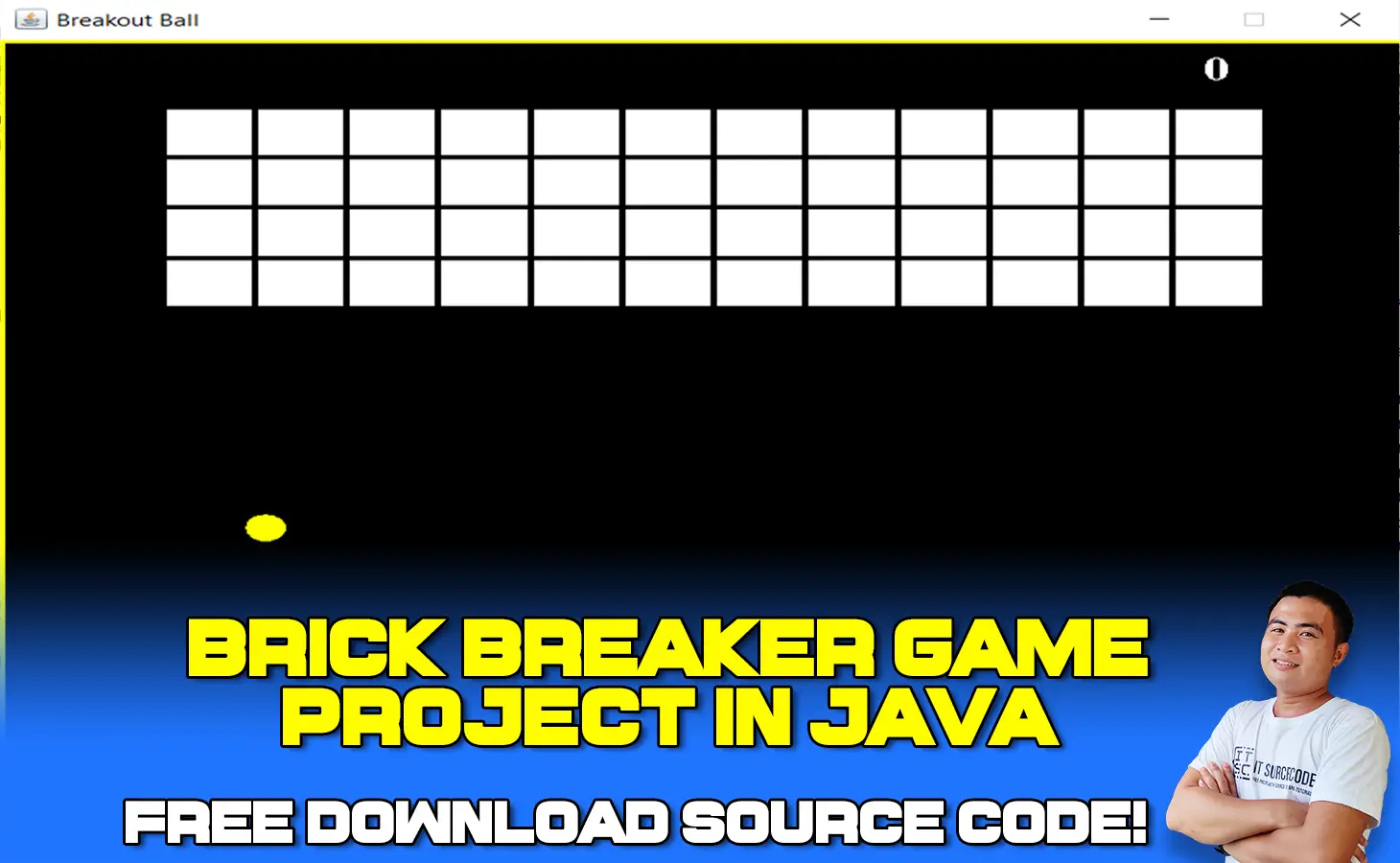
What is Brick Breaker Game in Java?
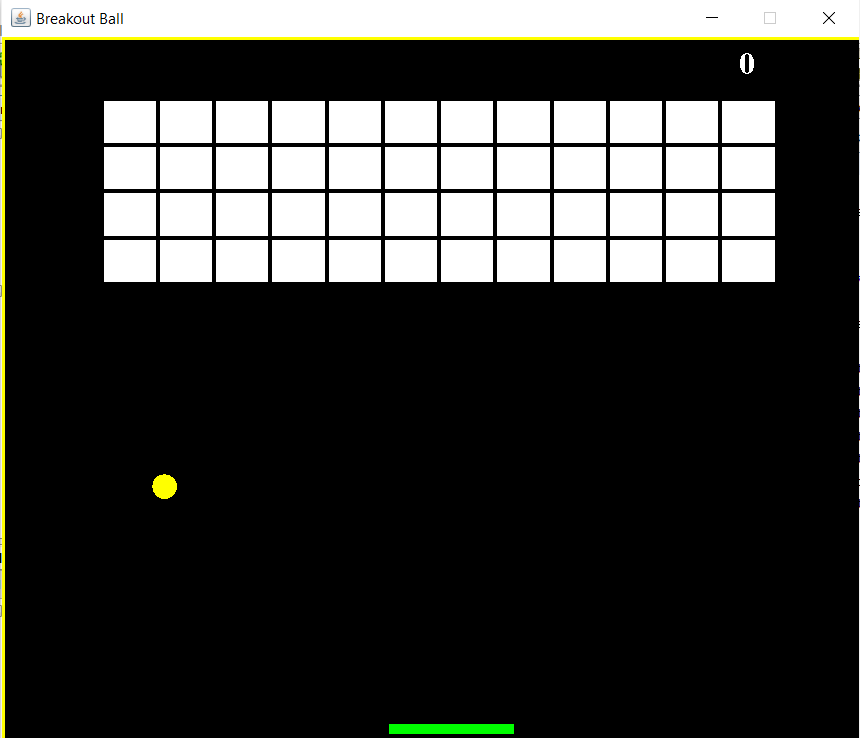
A Brick Breaker Game in Java consists of bricks aligned at the top of the screen. The player is represented by a small ball that is put at the bottom of the screen on a small platform.
The platform on the screen can be moved from left to right using the arrow buttons on the computer. The platform is used by the player to keep the ball moving.
The goal is to smash as many bricks as possible while avoiding hitting the ball with your platform.
This Brick Breaker Game in Java Source Code was developed in Java Programming language using NetBeans IDE.
Introduction
Game Development is one of the fun ways to learn technology. It’s not that easy but if you want to develop a game then this information is for you.
The article focuses on the basic implementation steps for the development of a simple game for beginners. It will help to accelerate your practical understanding.
This game development project will give you java knowledge with integration and basic animation techniques.
Project Description
Some of you already know about the brick breaker game. It has a small ball that hits the bricks with the help of a little platform at the bottom.
The player uses this platform to bounce the ball. The more you break the bricks, the more you score. If you miss the ball to bounce then game over.
This project is for beginners and gives a basic overview of the game. It will definitely help you with your first-year project or as a fun purpose implementation.
The following are the milestones of the project implementation.
- Display bricks and disappear after hitting the ball.
- Small platform moving left and right
- The ball must bounce after hitting brick and platform at the bottom
- Score display
Brick Breaker Game Java Project Report : Table of contents
- What is Brick Breaker Game in Java?
- Introduction
- Project Description
- What is the original brick breaker game?
- How many levels does breaker fun have?
- How do you play the brick game?
- Brick Breaker Game in Java : Project Details and Technology
- Steps on how to run Brick Breaker Game in Java with Source Code
- Download Source Code below
- Summary
- Related Articles
- Inquiries
What is the original brick breaker game?
(The game in which you play table tennis with two on-screen rectangles.) It was created by Nolan Bushnell, the creator of Atari.
The first Breakout game was created by Steve Wozniak and Steve Jobs for an arcade machine and depicted a prisoner breaking the walls with his shackles on his feet.
How many levels does breaker fun have?
There are over 3000 levels to test your ball breaker skills and rescue puzzles. Don’t worry, we have a variety of special balls and surprise boosters to assist you in overcoming obstacles and completing difficult levels.
To save the poor man, simply crush and break all the bricks!
How do you play the brick game?
The goal of the game is to strike the bricks with the ball and demolish them.
By manipulating the paddle with your mouse, you must keep the ball in play. You advance to the next level if you destroy all of the bricks.
Brick Breaker Game in Java : Project Details and Technology
| Project Title: | Brick Breaker Game Project in Java |
|---|---|
| Abstract : | Brick Breaker Game in Java a is a Breakout clone which the player must smash a wall of bricks by deflecting a bouncing ball with a paddle. |
| Project Type: | Desktop Application |
| Technology : | NetBeans Version 11.2 |
| Database : | None |
| Developer: | IT Source Code |
Anyway, if you want to level up your programming knowledge, especially Java, try this new article I’ve made for you Best Java Projects With Source Code For Beginners Free Download.
To start executing a Brick Breaker Game in Java NetBeans With Source Code, makes sure that you have NetBeans IDE or any platform of Java installed in your computer.
Steps on how to run Brick Breaker Game in Java with Source Code
Time needed: 5 minutes
Brick Breaker Game in Java with Source Code
- Step 1: Download source code.
First, download the source code given below.

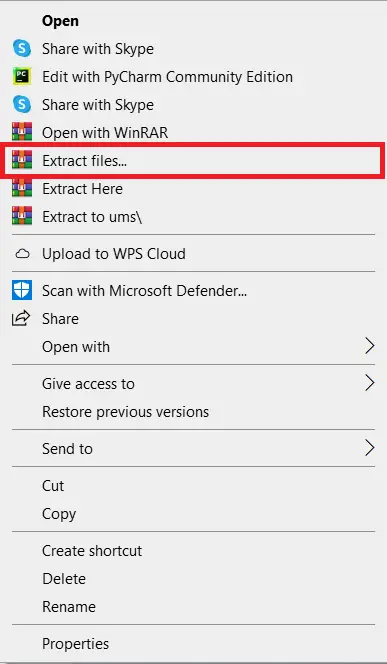
- Step 2: Extract file.
Second, after you finished download the source code, extract the zip file.

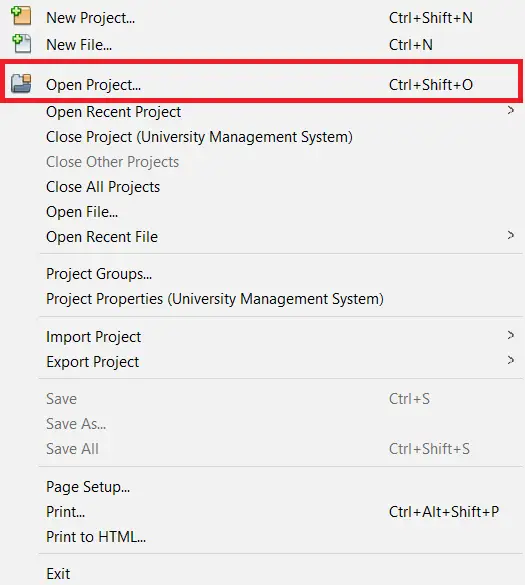
- Step 3: Click open project.
Third, open NetBeans IDE and click open project and choose your download source code.

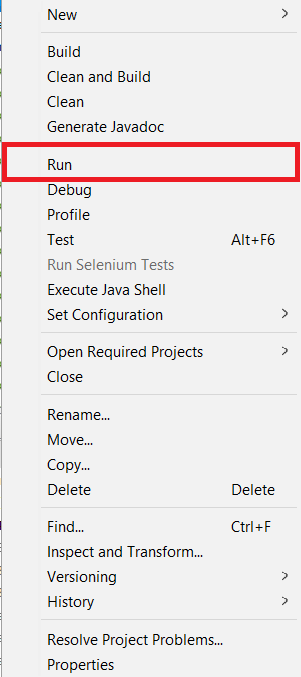
- Step 4: Run the project.
Last, right click the project folder and click run.


Download Source Code below
Summary
This Brick Breaker Game in Java Source Code was created in Java Programming using NetBeans IDE, it also includes a downloadable source code for free..
Related Articles
- 2048 Game In C++ With Source Code
- Guessing Game In C++ With Source Code
- Matchstick Game in C with Source Code
- Car Racing Game Javascript Code
- Wordswipe Game in VueJS: Free Source Code
- Blackjack Card Game in VueJS: Free Source Code
- Memory Game In Javascript With Source Code
- Color Game Using Tkinter In Python With Source Code
- Sudoku Game Python Code
- Pacman Game In Java With Source Code
Inquiries
If you have any questions or suggestions about Brick Breaker Game in Java with Source Code, please feel free to leave a comment below.
Official documentation
Frequently Asked Questions
How does this Java game work?
Built with Java Swing + Graphics2D for rendering, Timer for game loop, KeyListener / MouseListener for input. Common starter games: Tic-Tac-Toe, Snake, Tetris, Pong. Foundation BSIT mini-project for 2nd year.
What Java JDK and MySQL versions does this project require?
Most projects in this batch use Java JDK 8 or 11 with MySQL 5.7+ or MariaDB 10+. To run: install JDK (Adoptium / Oracle), install MySQL Server + MySQL Workbench, install NetBeans IDE (15+ supports modern JDK), open the project (.zip extracted folder), right-click + Open Project, add MySQL JDBC driver to Project Libraries, run.
How do I set up the database for this Java project?
Open MySQL Workbench (or phpMyAdmin if you have XAMPP), create a new empty database with the name specified in the project. Import the included .sql file via Server, Data Import in Workbench (or Import tab in phpMyAdmin). Update the connection class (usually DBConnection.java or DatabaseConnection.java) with your MySQL host, port, username, password, and database name.
Can I use this Java project for a BSIT capstone or thesis?
Yes, Java is one of the most accepted languages by Philippine BSIT panels. Extend it: add role-based access (admin/staff/customer login redirect), JasperReports printable reports, dashboards with JFreeChart, audit log, multi-branch support. Pair with Chapter 1-5 documentation matching your panel’s rubric.
Why am I getting ‘ClassNotFoundException: com.mysql.jdbc.Driver’ or ‘No suitable driver’?
Three common Java JDBC issues: (1) MySQL JDBC driver JAR not added to project Libraries. Right-click Project, Properties, Libraries, Add JAR/Folder, select mysql-connector-java-X.X.X.jar. (2) Wrong driver class name. Modern (8.0+) uses com.mysql.cj.jdbc.Driver, legacy (5.x) uses com.mysql.jdbc.Driver. (3) Connection URL missing serverTimezone parameter, add ?serverTimezone=UTC to the URL.
Where can I find more Java projects with source code?
Browse the Java Projects hub for the full library (120+ Java desktop systems). For modern Java web alternatives consider Spring Boot. For other desktop stacks see VB.NET Projects or C# Projects. For BSIT capstone idea lists see 150 Best Capstone Project Ideas.

Angel Jude Suarez
Full-Stack Developer at PIES IT Solution
Focuses on Python development, machine learning, and AI integration. Has built production AI systems including OpenAI Whisper integration for medical transcription and GPT-4o-powered diagnosis assistance. Strong background in pandas, scikit-learn, and TensorFlow.
Expertise: Python · PHP · Java · VB.NET · ASP.NET · Machine Learning · AI Integration · OpenCV · Django · CodeIgniter · View all posts by Angel Jude Suarez →
there should be a front end of this game