
The short answer
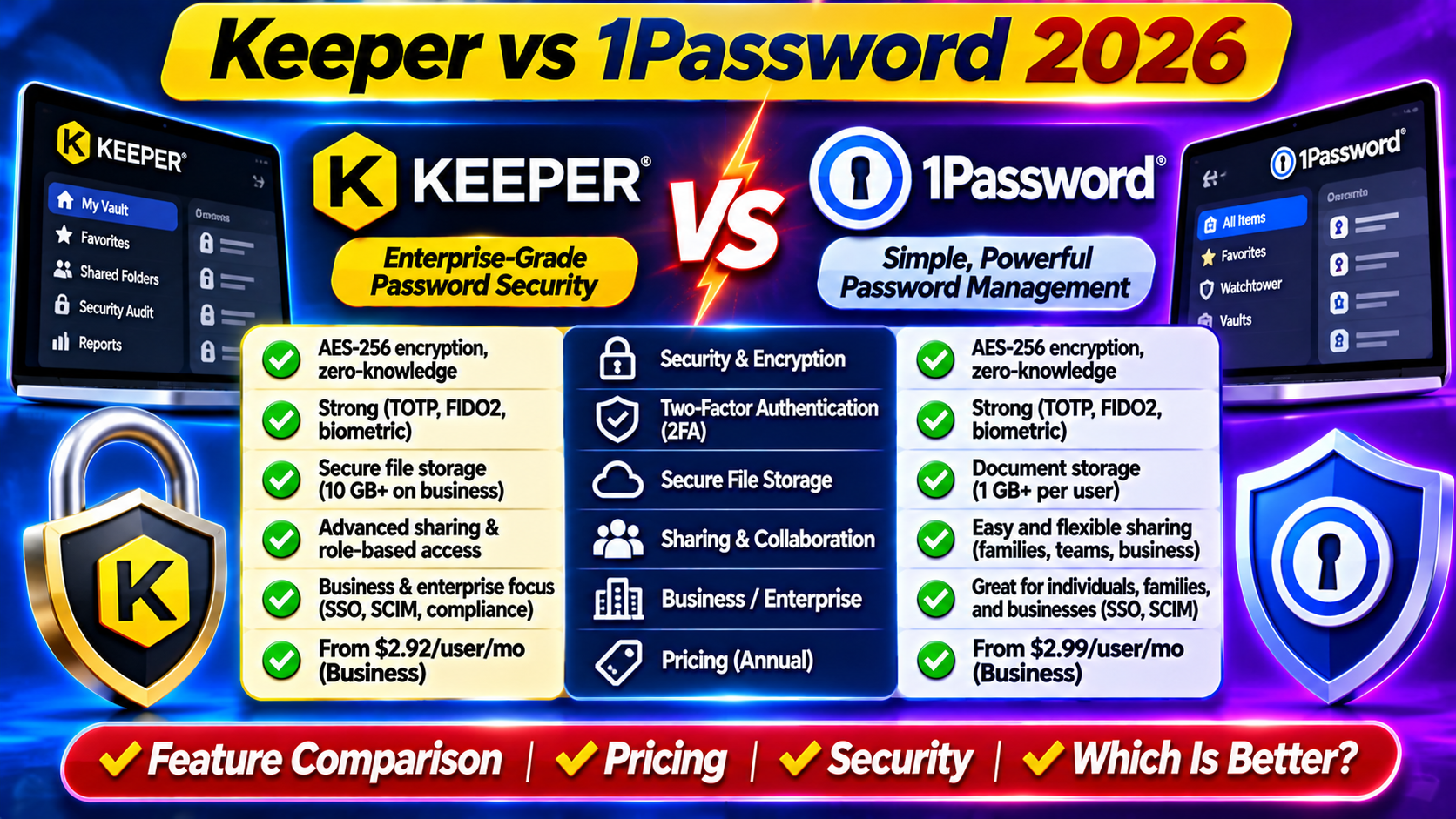
Keeper vs 1Password for teams in 2026: Keeper Business at $3.75/user/mo beats 1Password Business at $7.99/user/mo on price, admin controls, and SMB-focused compliance (SOC 2 Type II, HIPAA). 1Password Business wins on developer tools (SSH keys, CLI, 1Password Connect) and iOS polish. Pick Keeper for admin-first teams. Pick 1Password for developer-heavy teams on Apple hardware. Full comparison below.
Keeper and 1Password are the two serious picks for team password management in 2026. They solve the same problem differently. If you have been comparing them for your startup, agency, or BSIT capstone team, here is the honest breakdown that goes past the marketing pages.
Keeper vs 1Password 2026 at a glance
| Feature | Keeper Business | 1Password Business |
|---|---|---|
| Price per user/mo | $3.75 (annual) | $7.99 (annual) |
| Minimum seats | 5 | 10 |
| Free personal vault for employees | yes | yes |
| SSO (SAML) | yes | yes |
| SCIM provisioning | yes | yes |
| Admin console depth | deep (RBAC, enforce policies, compliance reports) | moderate (simpler UI, fewer knobs) |
| SOC 2 Type II | yes (annual) | yes (annual) |
| HIPAA + FedRAMP | HIPAA + FedRAMP Authorized | HIPAA (with BAA) |
| Developer tools (SSH, CLI) | Secret Manager add-on | built in (SSH, CLI, Connect) |
| iOS/Mac polish | functional | best in class |
| Dark web monitoring | BreachWatch included | Watchtower included |
| Secure file storage | 10 GB/user included | 5 GB/user included |
Headline: Keeper is 53% cheaper per seat on paper. Pricing alone does not win the decision though. Keep reading for where each pulls ahead.
Where Keeper Business pulls ahead
Keeper’s edge is the admin console. If you run IT or security for your team, the day-to-day quality-of-life wins are here:
- Role-Based Access Control. Build custom roles (developer, finance, HR) and assign specific policies per role. 1Password groups are simpler but less granular.
- Enforceable password policies. Set minimum length, require symbols, block password reuse across the org, force re-generation every 90 days. All enforced per-role.
- Compliance reports built in. One click exports SOC 2 evidence, user access reviews, policy compliance by team. For auditors, this is hours vs. days.
- Keeper Secret Manager (add-on at $2/user/mo). Separate zero-knowledge vault for API keys, infrastructure secrets, with CLI and SDKs for Python, Node, Go, Terraform.
- FedRAMP Authorized. The only consumer-visible password manager with FedRAMP authorization. If you have federal customers or plan to, this matters.
- Price. $3.75/user/mo. At 20 users that is $75/mo for your team’s password management. 1Password Business is $160/mo at the same seat count.
Where 1Password Business pulls ahead
1Password’s strengths are UX polish and developer-focused features:
- Developer tools are the best in the category. 1Password CLI, SSH agent that replaces ssh-agent, Git signing with 1Password-stored keys, GitHub Actions integration, Terraform secrets. If your team writes code, 1Password saves hours per week on key management.
- 1Password Connect. Deploy a lightweight server inside your infra, apps fetch secrets at runtime without burning credentials in environment files. Closest equivalent to HashiCorp Vault for a password manager.
- iOS and Mac polish. Native Mac app, iPhone autofill that just works, Apple Watch unlock, Face ID everywhere. If your team runs on Apple hardware, this matters more than you expect.
- Travel Mode. Hide sensitive vaults when crossing borders. Edge case but valuable for international teams or anyone concerned about device inspection.
- Family plan complimentary with Business. Every employee gets 1Password Family (5 users) at no extra cost. Nice retention perk.
- Passkey support is first-class. Both storing and generating. More sites support passkeys each quarter.
Decision framework: which one for your team
Answer in order:
- Is your team 5-15 people, admin-light, cost-sensitive? Keeper Business. The $4/seat savings compounds.
- Is your team developer-heavy and already on Apple hardware? 1Password Business. The SSH key management and polished native apps pay for themselves in hours saved per week.
- Do you need FedRAMP for federal customers? Keeper (only option here).
- Need HIPAA compliance for healthcare? Both work. Keeper’s compliance reports make audits easier. 1Password’s UX saves training time.
- Is iOS/Mac the dominant platform in your team? 1Password. The UX premium is real.
- Running a BSIT capstone team on student budgets? Keeper (cheaper) or Bitwarden (free tier covers most needs; see our full password manager comparison).
Real-world team scenarios
Startup, 12 engineers, Remote. 1Password Business. $96/mo. SSH integration and CLI save ~2 hours/engineer/month on key hygiene. Worth the premium.
Marketing agency, 25 people, mixed Apple + Windows. Keeper Business. $94/mo (same total cost as 1Password at 12 users). Non-developer team gets more value from admin controls than from SSH tooling.
Healthcare clinic with BAA requirement, 8 people. Keeper Business (FedRAMP + HIPAA, compliance reports simplify audits). $30/mo.
SaaS startup, 40 people, federal customer pilot. Keeper Business required (FedRAMP Authorized is non-negotiable for the pilot). Developer sub-team supplements with 1Password Individual for SSH key convenience.
BSIT capstone team, 5 students. Keeper Business at $3.75/user/mo if budget allows, else Bitwarden Teams Starter (free for up to 2 users, $4/user/mo above that). Both handle sharing SSH keys, database credentials, and third-party API keys securely across the team.
Common objections you will hear from your team
- “1Password is nicer so why are we using Keeper?” Price per seat and compliance controls. If the extra $4/user/mo is not worth it to your team, document the decision and move on.
- “We already use LastPass or Dashlane, why switch?” LastPass has had serious breaches (2022). Dashlane’s bundled VPN is Hotspot Shield (weak privacy reputation). Switching cost is real but one-time.
- “I don’t want a company vault in my personal password manager.” Both Keeper and 1Password support separate business and personal vaults with full isolation. Your personal items stay yours when you leave the company.
- “Can we just use iCloud Keychain / Google Password Manager?” Fine for individual use. Terrible for team sharing. Cross-platform support is limited. Admin controls do not exist. Compliance evidence is unavailable.
Official documentation
Try Keeper Business
The link below is an affiliate link. We may earn a commission at no extra cost to you. See our affiliate disclosure for details.
- Keeper Security Business + Personal (14-day free trial, $3.75/user/mo, 5-user minimum)
Keeper vs 1Password for Teams FAQ
Which is cheaper for a small business, Keeper or 1Password?
Keeper Business at $3.75/user/mo vs 1Password Business at $7.99/user/mo. Keeper is 53% cheaper per seat. At 20 users, Keeper is $75/mo vs 1Password at $160/mo. The savings compound over time.
Does Keeper or 1Password have better developer tools?
1Password wins on developer tools. The CLI, SSH agent, Git signing, GitHub Actions integration, and 1Password Connect server are more polished than Keeper’s equivalents. Keeper has Secret Manager as a $2/user/mo add-on, which covers the basics but is less polished.
Do Keeper and 1Password both work on Mac + iOS + Windows + Android?
Yes. Both support all major platforms including Linux. 1Password’s Mac and iOS apps are the polished benchmark everyone else compares against. Keeper’s apps are functional across all platforms but feel a step behind on iOS specifically.
Which has better compliance for healthcare or federal work?
Keeper has FedRAMP Authorized status (1Password does not). Both are HIPAA-compliant with a BAA. For federal customers, Keeper is the only valid option. For healthcare, either works, but Keeper’s compliance reports simplify the annual audit.
Can employees keep their personal passwords separate from work passwords?
Yes in both. Keeper and 1Password each give employees a personal vault that is fully isolated from the business vault. When the employee leaves the company, their personal items stay with them.
How do we migrate from LastPass or Dashlane to Keeper or 1Password?
Both Keeper and 1Password have native importers for LastPass, Dashlane, Bitwarden, CSV, and others. Export your current data, import into the new vault, verify a sample of entries, then revoke access to the old service. Budget 2-4 hours for a small team migration including training.