
The short answer
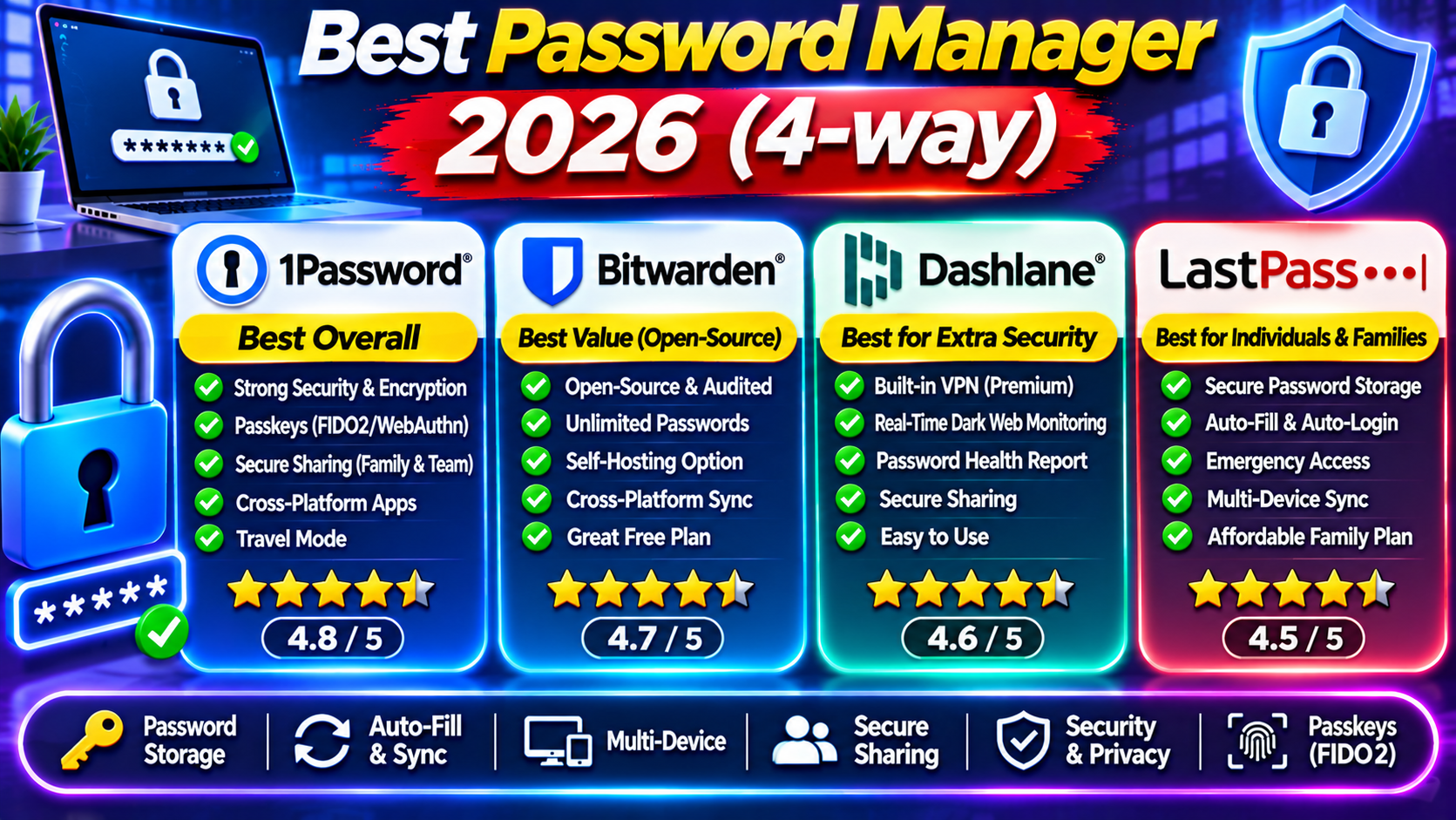
Best password manager 2026 by use case: Keeper for small business and teams (best admin controls, zero-knowledge, strong SMB pricing), 1Password for consumer and family (best UX, most mature iOS app), Bitwarden for budget and open-source (free personal tier covers most needs), Dashlane for VPN-included bundles. Full feature comparison + pricing below.
Password managers all look similar from the outside: a vault, a browser extension, autofill, and 2FA. The real differences show up when you move from solo use to team sharing, or compare SMB admin consoles side by side. Here is the honest comparison of the four leaders in 2026 and which one fits your situation.
Best password manager 2026 at a glance
| Product | Personal | Business | Best for |
|---|---|---|---|
| Keeper | $2.92/mo | $3.75/user/mo | Small business + teams |
| 1Password | $2.99/mo | $7.99/user/mo | Consumer + family |
| Bitwarden | $0 or $10/yr | $3/user/mo | Budget + open source |
| Dashlane | $4.99/mo | $8/user/mo | VPN + password bundle |
Keeper: best for small business and teams
Keeper’s edge is in team administration. The admin console surfaces controls most competitors hide: enforce password strength per team, auto-provision via SCIM, require biometric login on mobile, isolate shared vaults by role, run compliance reports for SOC 2 and HIPAA audits.
- Zero-knowledge architecture audited by independent third parties, SOC 2 Type II, ISO 27001, FedRAMP Authorized.
- Secret Manager add-on: separate vault for API keys and infrastructure secrets with developer SDK.
- BreachWatch monitors the dark web for your stored credentials and alerts in-dashboard.
- KeeperChat (encrypted messaging) and Keeper Secure File Storage included on higher tiers.
- SMB plan: $3.75/user/mo billed annually, covers teams up to 10 users with full admin controls.
Pain points: UX is utilitarian compared to 1Password. Mobile app looks dated. Price is competitive but quote-based at enterprise scale, which annoys IT buyers.
Pick Keeper if you run a team of 2-50 people, you need admin controls more than consumer polish, and you want transparent SMB pricing without enterprise sales calls.
1Password: best for consumer and families
1Password is the polished pick. The UI is the benchmark every other password manager is compared against. The iOS and Android apps are the most mature in the category.
- Watchtower surfaces weak, reused, or compromised passwords with clear remediation paths.
- Travel Mode hides sensitive vaults when crossing borders (useful if your threat model includes customs device inspection).
- Family plan covers 5 users at $4.99/mo total (effectively $1/user), with per-member shared vaults.
- Developer tools: SSH key management, CLI, 1Password Connect for infra secrets, integration with GitHub Actions.
- Passkey support is first-class, both for storing and generating.
Pain points: more expensive for teams ($7.99/user/mo). No free tier, only a 14-day trial. Some enterprise security features locked behind higher tiers.
Pick 1Password if you prioritize UX over admin granularity, you want a family plan that just works, or your team is 10+ people already using Mac and iPhone heavily.
Bitwarden: best budget and open-source pick
Bitwarden is the only mainstream password manager with a usable free tier and fully open-source apps. If your top priorities are cost and auditability, this is the pick.
- Free personal tier: unlimited passwords, unlimited devices, 2FA built in. Covers 90% of personal use cases without paying.
- Premium tier at $10/year unlocks TOTP generator, encrypted file attachments, emergency access, security reports.
- Self-hostable (Vaultwarden community server on your own infrastructure). No other mainstream PM allows this.
- All clients open-source. Independently audited (Cure53).
- Business plan $3/user/mo is cheaper than Keeper’s SMB tier.
Pain points: UI is functional but not polished. Autofill on mobile is less reliable than 1Password. Admin console is less feature-rich than Keeper’s.
Pick Bitwarden if you want the cheapest reliable option, you need self-hosting for compliance, or you value open-source over polished UX.
Dashlane: best VPN + password bundle
Dashlane’s differentiator is the bundled VPN (Hotspot Shield). If you were going to buy both separately, this is the cheaper path.
- Password manager + Hotspot Shield VPN in one subscription on Premium plan.
- Dark Web Monitoring and real-time breach alerts.
- Autofill is reliable across browsers and mobile.
- Password changer: automatically changes passwords on supported sites (list is limited but growing).
- Family plan at $7.49/mo covers 6 members.
Pain points: the bundled VPN is Hotspot Shield, which has a weaker privacy reputation than NordVPN or Mullvad. Password manager alone is more expensive than Bitwarden Premium. Enterprise features behind higher tiers.
Pick Dashlane if you want one subscription for both password management and VPN, and you do not care about using the best-in-class VPN separately.
Decision framework: which password manager should you pick
Answer in order:
- Running a small business or team? Keeper (best admin console, transparent SMB pricing).
- Family or couple, want polished UX? 1Password Family ($4.99/mo for 5 users).
- Budget is the top criterion, or you want open source? Bitwarden (free tier covers most needs; Premium $10/year).
- Want a bundled VPN? Dashlane Premium.
- Developer managing SSH keys and infrastructure secrets? 1Password (best developer tools in the category).
- Need to self-host for compliance? Bitwarden (Vaultwarden self-host).
- Still unsure? Start with Bitwarden Free. If you hit limits, upgrade to Keeper or 1Password based on team size.
Rule of thumb: Keeper wins on team administration. 1Password wins on consumer polish. Bitwarden wins on price and openness. Dashlane wins on bundled VPN. Pick the dimension that matters most for your situation.
What actually matters when choosing a password manager
Three things in order of importance:
- Zero-knowledge architecture. All four on this list have it. Your master password never leaves your device. Without zero-knowledge, the provider could decrypt your vault.
- Independent audit. All four have been audited. Keeper has the most recent SOC 2 Type II. Bitwarden audits are published publicly (Cure53). 1Password runs ongoing bug bounty programs.
- Autofill reliability. This is where products differ most in daily use. 1Password is best. Bitwarden second. Keeper and Dashlane close behind. Test the autofill on your top 5 most-used sites during trial.
What does not matter as much as marketing suggests: emergency access features (nice but rarely used), travel mode (edge case), encrypted messaging bundled in (use Signal instead), cloud storage (use proper storage instead). Focus on the vault, admin controls, and autofill.
Official documentation
Try Keeper for your team
The link below is an affiliate link. We may earn a commission at no extra cost to you. See our affiliate disclosure for details.
- Keeper Security Business + Personal (14-day free trial, best admin console for teams)
Best Password Manager 2026 FAQ
Which password manager is the most secure in 2026?
All four have zero-knowledge architecture and have been independently audited. The security difference between them is marginal; the practical difference is in admin controls, UX, and price. Pick based on your actual use case, not marketing security claims.
Is Bitwarden Free really enough for personal use?
For most people, yes. Unlimited passwords, unlimited devices, 2FA built in. You upgrade to Premium ($10/year) if you want TOTP in-app, encrypted file attachments, or emergency access. Start Free and upgrade only when you hit a specific limit.
What is the best password manager for a BSIT capstone team?
Keeper Business or Bitwarden Teams. Both let you share the staging server SSH key, database credentials, and third-party API keys securely across team members without pasting them into Discord. Keeper’s admin console is easier for faculty advisors to review; Bitwarden is cheaper if the team is paying out of pocket.
Does 1Password have a free tier?
No, only a 14-day trial. After the trial you pay $2.99/mo for individual or $4.99/mo for family (5 users). If a free tier is a hard requirement, pick Bitwarden instead.
Can I migrate from one password manager to another?
Yes. All four support CSV export and CSV import, which is the universal exchange format. More specifically: Keeper, 1Password, and Dashlane each ship native importers for the other three. Budget 1-2 hours for a clean migration including reviewing which items to keep.
Which password manager has the best Black Friday 2026 deal?
Deals vary each year. Keeper typically discounts 40-50% off Business for Black Friday. 1Password rarely discounts. Bitwarden Premium is already so cheap ($10/year) that Black Friday barely moves the price. Dashlane runs 40% off bundles. Check each vendor’s Black Friday page for current offers.