
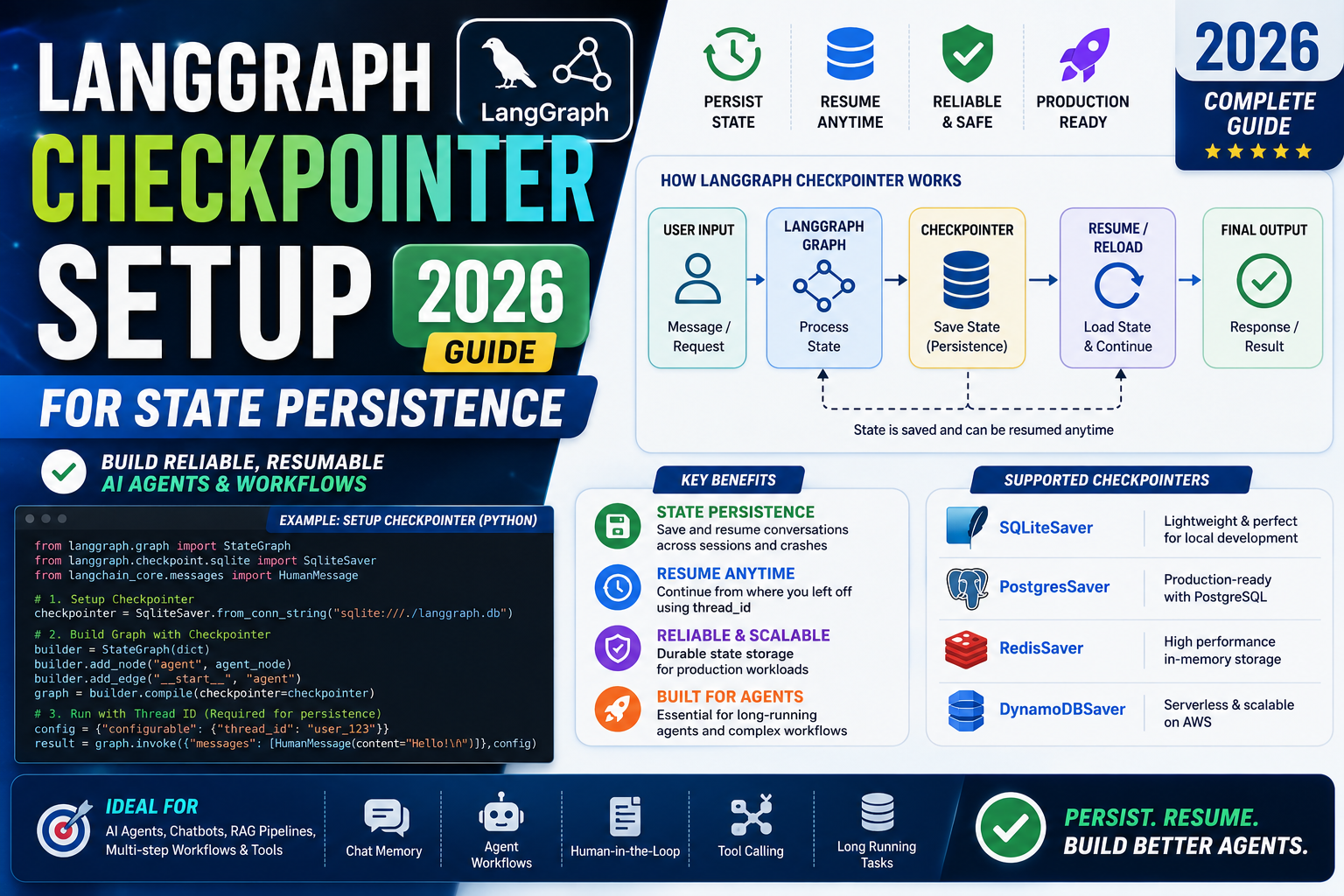
A LangGraph checkpointer stores the state of your agent between invocations. Without one, every call starts from a blank state and your agent forgets the last conversation, cannot resume after a crash, and cannot support long-running workflows. Setting up the right checkpointer is one of the most important steps when moving a LangGraph agent from a demo to production. This guide covers the four checkpointer backends, when to pick each, and the exact setup code.
What a checkpointer actually stores
Every LangGraph graph has a state object (usually a TypedDict). After each node runs, the checkpointer saves a snapshot of that state, tagged with a thread ID. When you invoke the graph again with the same thread ID, LangGraph loads the last snapshot and continues from there.
This gives you three important capabilities:
- Conversation memory. The agent remembers previous turns without you passing them in each call.
- Resumability. A crashed or interrupted graph run can resume from the last checkpoint.
- Time travel. You can inspect any past state and even branch into a new run from that point.
Option 1: In-memory checkpointer (for local dev)
from langgraph.checkpoint.memory import MemorySaver
from langgraph.graph import StateGraph

memory = MemorySaver()
graph = StateGraph(MyState)
# ... define nodes and edges ...
app = graph.compile(checkpointer=memory)

config = {"configurable": {"thread_id": "user-42"}}
result = app.invoke({"messages": [("user", "Hello")]}, config=config)
Perfect for local development, unit tests, and Jupyter experiments. State disappears when the Python process exits. Never use in production.
Option 2: SQLite checkpointer (for prototypes and side projects)
pip install langgraph-checkpoint-sqlite
from langgraph.checkpoint.sqlite import SqliteSaver

with SqliteSaver.from_conn_string("checkpoints.sqlite") as memory:
    app = graph.compile(checkpointer=memory)
    result = app.invoke(
        {"messages": [("user", "Hello")]},
        config={"configurable": {"thread_id": "user-42"}},
    )
SQLite writes to a local file, so state persists across restarts. Good for single-user apps or small SaaS demos. Not suitable for horizontally scaled deployments because SQLite locks the file during writes.
Option 3: Postgres checkpointer (production standard)
pip install langgraph-checkpoint-postgres psycopg[binary]
from langgraph.checkpoint.postgres import PostgresSaver

DB_URI = "postgresql://user:pass@localhost:5432/checkpoints?sslmode=disable"

with PostgresSaver.from_conn_string(DB_URI) as checkpointer:
    checkpointer.setup()  # creates tables on first run
    app = graph.compile(checkpointer=checkpointer)
    result = app.invoke(
        {"messages": [("user", "Hello")]},
        config={"configurable": {"thread_id": "user-42"}},
    )
The setup() call is idempotent, so it is safe to leave it in every startup. Postgres handles concurrent writes cleanly, so you can scale to multiple app instances. This is the recommended choice for most production LangGraph deployments.
For async apps (FastAPI, LangServe), use AsyncPostgresSaver:
from langgraph.checkpoint.postgres.aio import AsyncPostgresSaver

async with AsyncPostgresSaver.from_conn_string(DB_URI) as checkpointer:
    await checkpointer.setup()
    app = graph.compile(checkpointer=checkpointer)
    result = await app.ainvoke(
        {"messages": [("user", "Hello")]},
        config={"configurable": {"thread_id": "user-42"}},
    )
Option 4: Redis checkpointer (for extremely high-throughput)
For agents that handle thousands of requests per minute or need sub-millisecond read latency, Redis is faster than Postgres:
pip install langgraph-checkpoint-redis
from langgraph.checkpoint.redis import RedisSaver

REDIS_URL = "redis://localhost:6379/0"

with RedisSaver.from_conn_string(REDIS_URL) as checkpointer:
    app = graph.compile(checkpointer=checkpointer)
Redis is memory-based so state can be lost on a Redis crash unless you configure persistence (RDB snapshots or AOF). For most cases, use Postgres unless you have measured a real performance bottleneck.
Reading past state (time travel)
You can inspect any past checkpoint by iterating history:
config = {"configurable": {"thread_id": "user-42"}}
for snapshot in app.get_state_history(config):
    print(snapshot.config, snapshot.values)
To resume from a specific past checkpoint, pass its config back to invoke. This is useful for undo, debugging production issues, or branching an exploration.
Managing thread cleanup
Checkpoints accumulate over time. For a chatbot with thousands of users, storage grows fast. Two strategies to keep it bounded:
- Delete old threads. Run a nightly job that removes threads with no activity in the last 30 or 60 days. Postgres queries make this simple.
- Summarize and prune. Keep the last N messages plus a rolling summary of everything before that. This trims the state itself, not just old threads.
For high-volume systems, plan storage growth from day one. A conversation of 20 turns with typical embedding data can be 20-50 KB per thread.
Common pitfalls
- Forgetting the thread_id. Every invoke needs a
thread_idin the config. Without it, the checkpointer cannot associate the state with a conversation. Log the thread ID in your app so you can debug. - Sharing thread IDs across users. If two users end up on the same thread ID, they see each other’s conversations. Namespace with user ID:
f"user-{user_id}-session-{session_id}". - Using MemorySaver in production. State disappears on restart. Switch to Postgres before deployment.
- Skipping setup() on Postgres. First-time deployments error because tables do not exist. Call setup() in your startup routine.
- Using sync savers in async apps. Blocks the event loop. Use the async variants (AsyncPostgresSaver, AsyncSqliteSaver).
Official documentation
Frequently asked questions
Do I need a checkpointer for every LangGraph app?
Only if you need memory, resumability, or time travel. For pure one-shot pipelines (input to output with no history), you can compile without a checkpointer. Most conversational and agentic use cases need one.
Which checkpointer should I use in production?
Postgres for 95% of cases. It handles concurrent writes, integrates with your existing observability, and scales to millions of threads. Only reach for Redis if you have measured a real performance bottleneck.
Can I use Supabase as the Postgres backend?
Yes. Supabase gives you a hosted Postgres with a public connection string that plugs directly into PostgresSaver. Use the connection pooler URL for serverless deployments to avoid connection exhaustion.
How do I migrate from SQLite to Postgres?
Loop through your SQLite checkpoints and write them into Postgres. LangGraph exposes get_state_history for reading and put for writing. In practice most teams start Postgres fresh and let old SQLite state expire naturally.
Is there overhead from checkpointing?
Yes but usually 10-50 ms per node run for Postgres, less for Redis. For interactive chat this is invisible. For high-throughput batch pipelines, either skip the checkpointer or checkpoint only at critical points using compile(checkpointer=None) on internal subgraphs.
Can I encrypt the state stored in the checkpointer?
Not natively. Enable encryption at rest on your Postgres or Redis instance. For sensitive data, encrypt individual fields (like PII) in your node code before writing to state. Most cloud databases (RDS, Supabase, Upstash) support at-rest encryption by default.