
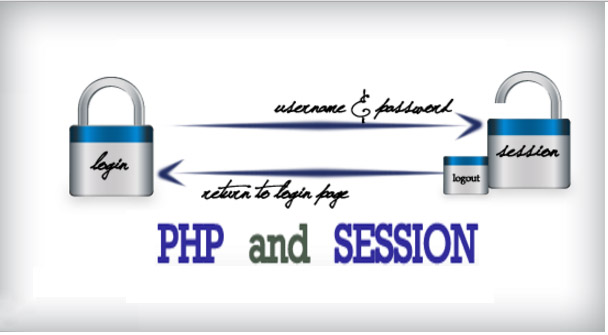
session array variable in php can store more items or data in a single variable but these are not available in different pages for use.
Any ordinary ( or normal ) array will loose its data as page execution ends. We have to transfer the array each time the visitor moves away from one page to other.
In some applications we need to retain the data as long as the visitor is active at site. Shopping cart is the best example for this. Visitor moves between different pages and adds items to the shopping cart.
We have to carry the shopping cart to all the pages along with the visitor. Visitor can add or remove items from the cart from any page.
In this tutorial session array variable in php, I will teach you how to retrieve data from a session array variable in php. Retrieving data from session array is just very easy to do.
With the use of Foreach Loop, every data that you have stored in a session variable will appear in order.
Let’s begin :
First, start a session for reading the session handler.
[php]
session_start();
[/php]
Second,declare a session array variable and store any value in it.
[php]
//It represents the employee basic information.
$_SESSION['employee'] = array("Firstname"=>"Janobe", "Lastname"=>"Palacios", "Address"=>"Kabankalan", "Email"=>"[email protected]");
[/php]
Third, fetch the data from a session array variable using foreach loop.
[php]

foreach ($_SESSION['employee'] as $key => $value) {
# code...
echo $key .' :'.$value .'
';

}
[/php]
Output :
Firstname :Janobe
Lastname :Palacios
Address :Kabankalan
Email :[email protected]
Frequently Asked Questions
What does this PHP tutorial cover?
Focused PHP language or library tutorial showing a single concept with working code. Use as a building block when assembling a larger system.
What PHP and MySQL versions does this project require?
Most projects in this batch run on PHP 7.4 to PHP 8.2 with MySQL 5.7+ or MariaDB 10+. A few older projects need PHP 5.6 (deprecated, use XAMPP 7.x). To run: install XAMPP / WAMP / Laragon, extract project to htdocs, import the included .sql file via phpMyAdmin, edit the connection file (usually config.php or db_connect.php) with your DB credentials, browse to the project URL in your browser.
How do I set up the database for this PHP project?
Open phpMyAdmin (http://localhost/phpmyadmin/ on XAMPP), create a new empty database with the name specified in the project’s config.php. Click the Import tab, choose the included .sql file, click Go. Then edit config.php (or includes/connection.php) with: ‘localhost’, your MySQL username (usually ‘root’), your MySQL password (usually blank for XAMPP), and the database name.
Can I use this PHP project for a BSIT capstone or thesis?
Yes, but extend it. A bare CRUD app is too narrow for full capstone scope. Add: user roles via session checks, reports/dashboards (Chart.js + AJAX), PDF exports (TCPDF library), email notifications (PHPMailer), real domain extension (analytics, audit log, multi-branch support). Pair with Chapter 1-5 documentation matching your panel’s rubric.
Why am I getting ‘connection error’ or ‘undefined function mysqli_connect’?
Three common PHP issues: (1) Connection error: Apache + MySQL services not running in XAMPP control panel, OR database name in config.php does not match what you created in phpMyAdmin. (2) ‘undefined function mysqli_connect’: MySQL extension not enabled, in php.ini uncomment extension=mysqli (then restart Apache). (3) ‘No such file or directory’: MySQL socket path wrong, use 127.0.0.1 instead of localhost in the connection string.
Where can I find more PHP projects with source code?
Browse the PHP Projects hub for the full library (300+ vanilla PHP systems). For modern PHP MVC alternatives see Laravel Projects (74 systems) or CodeIgniter Projects (32 systems). For BSIT-focused capstone idea lists see 150 Best Capstone Project Ideas.